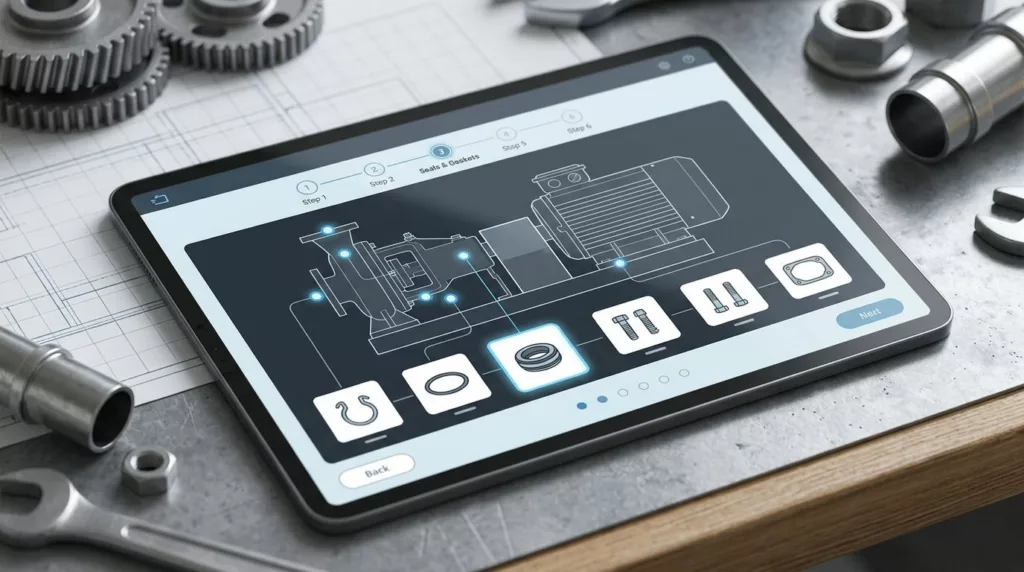
What good is a repair kit builder if the customer still has to guess which clip, seal, or fastener belongs in the box? In aftermarket and industrial ecommerce, one missing part can stall a repair, create a support ticket, and send the buyer back to the start.
A strong repair kit builder starts with the job at hand. It narrows choices, checks fitment, and makes gaps easy to spot before checkout. The best versions feel less like a product list and more like a guided assembly path.
Start with the repair task, not the catalog
Most missing part orders begin with a simple mismatch. The shopper lands on a long list of parts, but the list does not match how they think. They are trying to fix a pump, replace a seal set, or rebuild a brake assembly, not compare dozens of SKUs.
The first screen should ask for the repair context. That might be a machine model, a serial number, a service type, or an asset ID. Once the builder knows the task, it can hide unrelated parts and show the right kit structure.
A clear path also helps buyers feel progress. They can see whether they are building a seal kit, a rebuild kit, or a maintenance kit. That context matters because the same part may fit one repair and fail another.
The best builders group items by role, not by warehouse logic. Required pieces, replacement pieces, and optional add-ons should not sit in one flat list. When the structure follows the repair job, people miss fewer items and spend less time second-guessing the cart.
Make compatibility rules impossible to miss
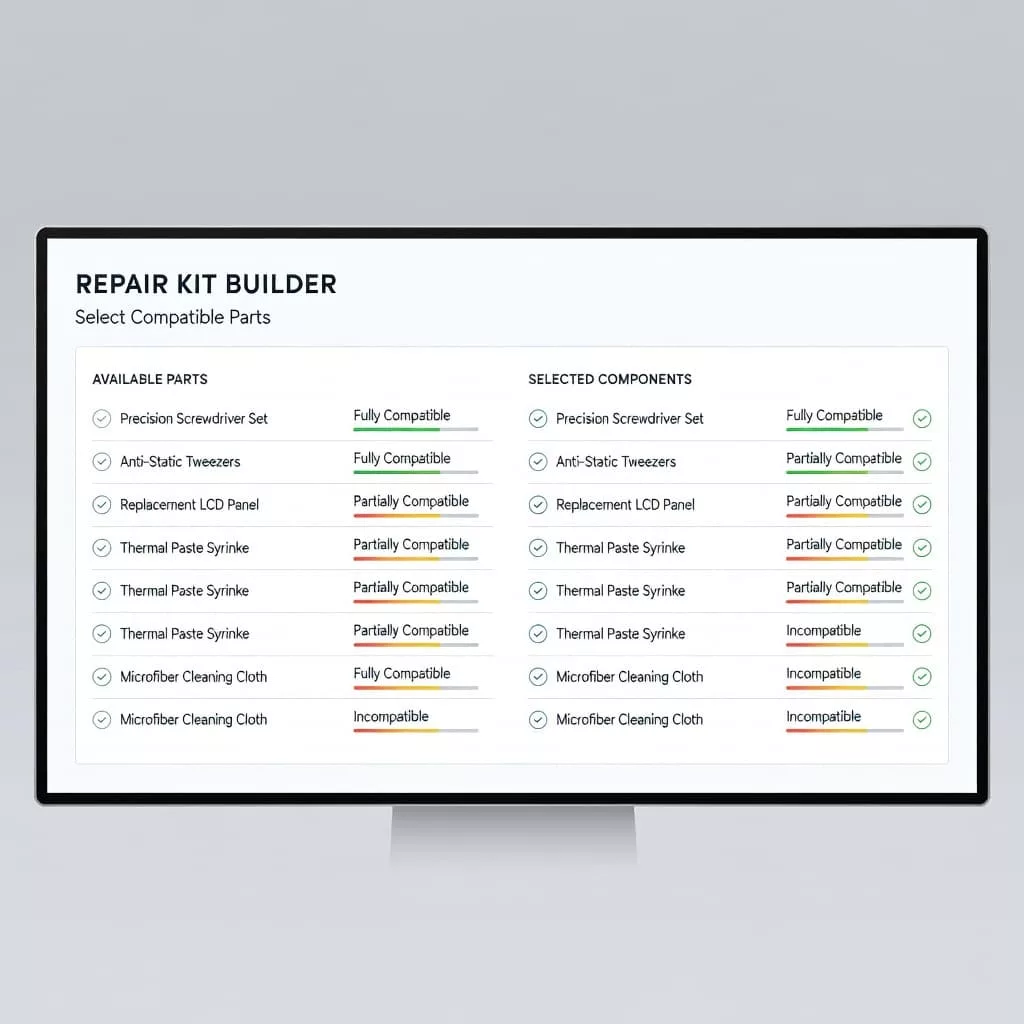
Compatibility needs to live in the interface, not in a support document. If a part only fits a certain model year, housing revision, or voltage range, the builder should say so at the point of choice.
Hidden rules cause the most damage. A buyer can click through five screens and still end up with a kit that lacks one critical ring or bracket. That problem is easy to avoid when invalid options are disabled and the reason is shown beside them.
Patterns from product variant selection patterns help here, because the same logic applies to fitment. Show what fits, what does not, and why. If a part is out of stock or not compatible, do not bury that fact behind a later error.
If the buyer can reach checkout with an incomplete kit, the builder has hidden the real decision.
Use labels that mention the exact fitment rule. A simple “fits serial numbers 12000 to 18999” is better than a vague note about compatibility. When a customer changes the machine model, update the whole kit summary right away.
A good repair kit builder should also point to the missing piece, not just flag the kit as incomplete. A red warning that says “one required shim is missing” is useful. A generic “review your selection” message is not.
Collect fitment data before part selection
Missing parts often come from weak input, not weak logic. If the builder asks for too little detail, it has to guess. Guessing is risky in B2B parts, where one machine can have several revisions and several valid service kits.
Start with the fields that change fit. For many catalogs, that means serial number, model code, asset tag, size, power rating, or configuration code. Keep the form short, but make the key fields hard to skip.
The flow should feel progressive. Ask one question, use the answer to narrow the next choice, then reveal the next set of valid parts. That prevents the common trap where shoppers see the full catalog before the builder understands their equipment.
If the data already exists, reuse it. Previous orders, saved assets, and account-level equipment records can all reduce guesswork. A returning maintenance team should not retype the same compressor model every time they place a repeat order.
You can also improve accuracy with visual cues. A nameplate photo upload, barcode scan, or diagram-based selection helps when part numbers are not available. In service work, the buyer may have the machine on-site but not the original paperwork.
The goal is simple. The fewer assumptions the builder makes, the fewer pieces go missing.
Use smart defaults to fill the gaps
A good default does quiet work. It saves time, but it also protects the order from being left half-finished. That matters when a kit includes must-have rings, clips, spacers, or seals.
Default the required items to selected when the kit structure is known. If a rebuild kit always needs two O-rings and one retaining ring, show them as included from the start. Optional parts can stay visible without being preselected.
That same logic helps with quantities. A buyer should not need to guess whether a kit needs one gasket or two. Show the count next to the part, and update it when the chosen model changes. Quantity errors often look small, but they create the same pain as a missing line item.
Use defaults carefully. They should reflect the most common valid configuration, not the cheapest one. When a system tries to minimize the kit too early, it often drops the very parts that make the repair possible.
A builder can also pre-fill common accessories based on the job type. For example, a service kit might include lubricant, hardware, or replacement washers by default, while still allowing removal. That makes the kit feel complete without forcing the buyer to hunt for every item.
Smart defaults work best when they are visible. If the UI preselects a part, the buyer should see it in the summary right away. Hidden defaults create the same confusion as hidden rules.
Make the review screen read like a packing list
The final review is where missing parts orders should get caught. The screen needs to read like a packing list, not a receipt. Every line should show the part name, part number, quantity, and fitment note.
A strong review step gives people one last chance to edit. Put the edit action next to each line item so the user can fix one missing washer without restarting the whole build. That small detail removes a lot of friction.
The summary should also call out what is still missing. If the kit needs customer-supplied hardware, a core return item, or a separate tool, say that in plain language. Do not rely on a help icon that nobody opens.
This is also where the cart handoff matters. A cart page UX checklist helps keep the kit visible after the builder hands it off. The summary should survive that transition with the same clarity.
Show the total kit status in simple terms. “Complete,” “one item missing,” or “needs model confirmation” is much easier to act on than a vague warning. Buyers do not need more decoration. They need a clear answer before they commit.
When the review screen works well, it behaves like a final inspection table. Nothing gets packed until the list makes sense.
Handle edge cases without trapping the buyer
Even a strong builder will run into edge cases. Maybe the customer has an older machine with a superseded part number. Maybe the exact serial plate is unreadable. Maybe two valid kits exist, but only one works with the buyer’s maintenance schedule.
The flow still needs a safe path forward. Offer substitute parts with clear labels. Show when a part has been replaced by another SKU, and explain whether the replacement is a drop-in fit or needs an adapter.
If the buyer cannot confirm the exact machine data, give them a way to continue without losing the order. They might upload a photo, request a quote, or save the build for a technician to review. The key is keeping the current selections intact.
Support handoff should stay inside the flow. If the user asks for help, the agent should see the selected parts, the missing fields, and the fitment warnings. That saves time and avoids another round of back-and-forth.
You can also reduce errors by naming uncertainty clearly. A prompt such as “We need the valve body revision to confirm this gasket set” is far better than a dead end. It tells the buyer what is missing and why it matters.
This is where the builder earns trust. It does not pretend every order is simple. It guides the hard ones without losing the thread.
Conclusion
Missing part orders usually happen when the builder asks people to remember too much. The fix is a flow that asks for the right fitment data, shows clear compatibility rules, and fills common gaps with smart defaults.
A repair kit builder that works well feels calm and exact. It gives buyers a clean path from equipment details to a complete kit, with no guesswork in between. That is what keeps a repair moving instead of stalling at checkout.