
Searchers who type a part number already know what they want. That makes manufacturer part number SEO one of the highest-intent plays on a product page.
The catch is simple. If you mix up MPNs, SKUs, GTINs, and model numbers, your pages get messy fast, and search engines have less confidence in them. In 2026, the pages that win are the ones that make identifiers easy to read, easy to crawl, and impossible to confuse.
Why part number searches convert so well
MPN searches usually come from a clear need. A buyer wants a replacement part, a procurement team wants a duplicate order, or a technician needs a compatible item fast. That kind of search traffic is small compared with broad keyword traffic, but it often converts better.
That’s also why these pages need more than a code. A search engine can only trust the identifier if the rest of the page gives it context. Product name, brand, specs, compatibility notes, and structured data all help turn a short code into a useful product result.
For a broader look at current ecommerce search patterns, ecommerce SEO in 2026 gives a useful baseline. The same rule shows up again and again: pages rank better when the content is specific, clean, and aligned with what shoppers actually need.
A part number is a trust signal only when the rest of the page agrees with it.
MPN, SKU, GTIN, and model number are not interchangeable
A lot of catalog problems start with sloppy data labels. The four fields below look similar, but they do different jobs.
| Identifier | Who assigns it | What it does | Where it should appear |
|---|---|---|---|
| SKU | Your store | Tracks inventory inside your business | Admin, internal reports, optional on-page display |
| MPN | Manufacturer | Identifies the maker’s exact part | Product page, schema, feeds, support docs |
| GTIN | Global standard | Identifies the product at barcode level | Product page, schema, merchant feeds |
| Model number | Manufacturer, often broader than MPN | Names the product model or series | Product title, specs, comparison pages |
The important detail is this: SKU is yours. MPN belongs to the manufacturer. GTIN is the global barcode identifier. Model number may match the MPN, but it doesn’t always.
That difference matters in search. If you use a SKU where a shopper expects an MPN, the page looks wrong. If you swap GTIN and MPN, feeds can break. If you treat model number as a catch-all, variant pages become hard to parse.
For B2B catalogs, this gets even more important. Buyers often search by manufacturer code first and brand second. For retail, the GTIN may carry more weight in feeds, while the MPN still helps the page match technical searches. Broader 2026 ecommerce guidance still points in the same direction, as this ecommerce SEO overview makes clear.
Put the part number where buyers and crawlers can see it
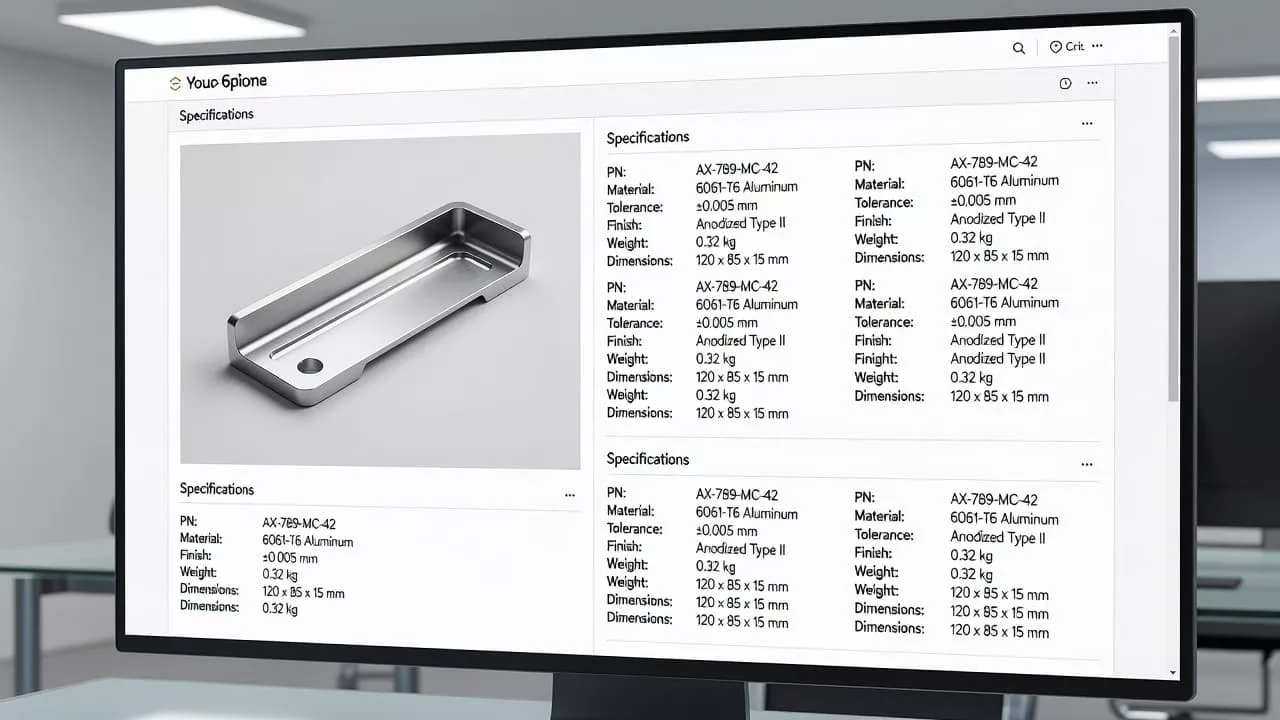
The best product pages don’t hide the MPN in a dusty tab. They surface it near the top of the page, then repeat it in a clean spec block. That keeps the code visible to shoppers and easy for crawlers to pick up.
Lead with the product name, not the code
The title should still read like a product title. If the MPN is a common search term, include it after the core name.
Good patterns look like this:
- Bosch 18V Hammer Drill, GSB18V-490B12
- Replacement filter cartridge, MPN 8J4K2
- Stainless steel valve assembly, model X200, MPN X200-AL
Those examples keep the page human-friendly. They also preserve the code for exact-match searches.
Make the spec block visible and consistent
The spec block is where the identifier should live in plain text. Use labels that match how buyers search.
Examples:
- MPN: 8J4K2
- Manufacturer part number: 8J4K2
- Model number: X200
- GTIN: 0123456789012
If the page has variants, show the selected variant’s values. Don’t show a random parent product code if the shopper has clicked a different size or finish. That mistake creates confusion, and it can also weaken feed and schema consistency.
If you want a broader page audit, the product page optimization checklist is a useful companion.
Write copy that helps compatibility searches
Many MPN searches are really compatibility searches. Buyers want to know if a part fits a machine, line, or system. A short paragraph can answer that without stuffing the page.
Use patterns like these:
- “This replacement cartridge matches manufacturer part number 8J4K2.”
- “Use this valve assembly for units that call for model X200.”
- “Compatible with equipment that lists GTIN 0123456789012 in service records.”
Those lines work because they are specific. They don’t sound forced, and they add real context for users who arrive with a code in hand.
Keep the code in the same places every time
Search engines and shoppers both like consistency. If the MPN appears in the product title, spec block, JSON-LD, and feed, the page sends one clear signal. If each layer uses a different value, trust drops.
That consistency matters more than keyword density. A page does not need the part number repeated ten times. It needs the same part number shown in the right places.
Category pages and large catalogs need a different approach
A single product page is one thing. A catalog with thousands of SKUs is another. Large catalogs need a system, not scattered edits.
The first step is data hygiene. MPN, SKU, GTIN, and model number should live in separate fields in your PIM or ERP. If those fields are merged upstream, every downstream page inherits the mess. That kind of error is expensive because it spreads across whole product families.
The second step is deciding which pages deserve indexable visibility. Not every filter combination should compete in search. High-value category pages, brand pages, and product-family pages can earn traffic. Thin filter pages usually should not.
Use this approach for large catalogs:
- Index category pages that match real search demand, such as product type plus manufacturer family.
- Keep low-value facet combinations out of the index with canonical tags or noindex rules where needed.
- Build internal links from category pages to the MPN pages that buyers search most.
- Use search logs and support data to find codes people already type.
- Group related products under one clear parent page when the same model series appears in multiple sizes or finishes.
The goal is simple. Let buyers find the code quickly, but give search engines a useful page structure. A code-only category page usually feels thin. A page that blends part number data with product family context usually performs better.
For stores that manage replacement parts or industrial supplies, category pages can do more than list items. They can explain relationships. A category titled “Hydraulic pump parts for Series X200” is easier to understand than a flat list of numbers.
Schema, URLs, and on-page signals that support MPN SEO
Structured data matters here, but only when it matches the page. Use Product schema with the fields your data can support, then keep those values aligned with what shoppers see.
The core fields are usually:
namebrandskumpngtinoffers
If you have a GTIN, use it. If you have an MPN, include it. If a product has both, keep both in place. Never invent an identifier to make markup look complete.
The same rule applies to variant pages. If the PDP is for a selected size or color, the schema should describe that selected item, not a parent product that the user isn’t viewing. That alignment matters for rich results and for product feeds.
If you need the field-level setup, product schema markup for rich results covers the details well.
URLs should stay readable. A clean URL like /products/bosch-gsb18v-490b12-hammer-drill/ is easy to scan. A URL packed with code strings, filters, and duplicate parameters is harder to manage and easier to break.
Use the MPN in the URL only when it adds real value. That usually happens with technical products, replacement parts, or items that are searched by code more than by name. Even then, keep the rest of the URL human-readable. The goal is clarity, not code dumping.
If the MPN changes between the visible page and the schema, trust drops fast.
Common mistakes that weaken rankings
MPN SEO breaks for familiar reasons. Most of them come from messy data, not from a lack of content.
The biggest problems are these:
- Using the SKU where the MPN should be.
- Hiding the MPN only inside an accordion, image, or PDF.
- Repeating one MPN across several unrelated products.
- Showing one value on the page and another in schema.
- Stuffing the title with codes until it reads like a database export.
- Putting every variant on one page without clearly labeling the selected item.
- Inventing an MPN for private-label products that don’t have one.
That last mistake is common. If a product has no manufacturer part number, leave the field blank. A fake identifier can confuse feeds, buyers, and crawlers at the same time.
Another issue is duplicate pages. Some stores create separate URLs for the same product just because the SKU changed by channel or warehouse. That fragments signals. A better approach is one canonical product page with clean variant handling.
Casing and punctuation can also cause trouble. If one system stores mpn-8j4k2 and another stores MPN 8J4K2, the values may still refer to the same item, but the inconsistency makes data work harder than it should.
Finally, don’t rely on the part number alone. Search engines still need product context, plain-language copy, and page quality signals. A page full of identifiers and no useful description is easy to ignore.
A practical copy pattern for 2026 product pages
A good product page usually follows a simple pattern:
Title: Product name + model or MPN if users search it
Lead sentence: What the product is and who it’s for
Spec block: MPN, SKU, GTIN, brand, model number
Compatibility note: What it fits or replaces
Schema: Same identifiers as the page
Category path: Clear parent category and internal links
That pattern works because it serves both humans and systems. Shoppers can confirm the exact product fast. Search engines can connect the page to a specific product entity. Catalog teams can keep the data clean.
If you sell technical products, parts, or consumables, this structure is worth standardizing. Once it’s set up, it scales across hundreds or thousands of pages without turning each PDP into a special case.
Conclusion
MPN-driven pages rank best when the data stays clean and the copy stays readable. Keep MPN, SKU, GTIN, and model number in separate lanes, then show the right identifier in the right place.
The strongest pages in 2026 do three things well. They make the part number visible, they match the schema to the page, and they give category pages enough structure to support large catalogs. That is the core of manufacturer part number SEO, and it works because it removes confusion before it starts.