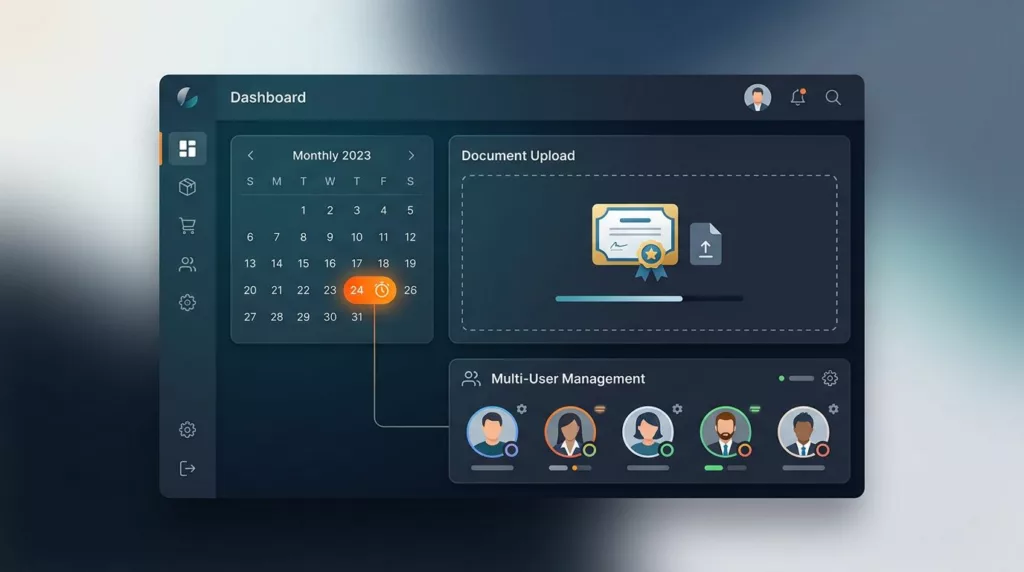
A pending sales tax exemption can stall a purchase faster than a bad shipping quote. When the account portal hides the expiration date, buries the upload step, or leaves approval status unclear, buyers stop and support tickets start.
B2B customers usually do not mind providing documents. They mind repeating themselves, guessing what file to upload, and waiting without feedback. Good tax exemption renewal UX removes that friction while helping users maintain their tax-exempt status without weakening compliance.
Key Takeaways
- Renewal works best when the expiration date, required exemption certificate documents, and clear next steps are visible in the account portal.
- Upload screens should explain accepted file types, file size, and review timing before the user submits anything.
- Multi-user company accounts need clear ownership, so buyers know who can submit, approve, or replace a certificate.
- Status tracking and reminders matter as much as the form itself, because silence creates support calls.
- Self-service and compliance can work together when the portal shows rules plainly and keeps a full audit trail.
Why tax exemption renewal often breaks down in B2B portals
Most renewal problems start long before a user opens the upload form. The customer may be a procurement manager, an AP contact, or a sales rep with account access who is responsible for their company sales tax exemption. Each person sees a different slice of the portal, so the renewal task feels scattered.
The expiration date is often the first weak point. Because these documents must align with the specific requirements of the state department of revenue, missing a deadline can prevent orders from processing at checkout. That creates a jarring moment, especially for repeat orders and scheduled replenishment.
A second problem is context. Users should not have to jump between profile pages, document centers, and email threads to figure out what expired. The renewal task needs to live inside the account experience, near invoices, order history, and user permissions. The same account hub patterns that help buyers handle invoices in B2B invoice payment portal UX also help here, because people want one place to manage business account tasks.
Then there is the approval chain. In many companies, one person uploads the certificate, another reviews it, and a third approves the exemption. If the portal does not show that chain clearly, users cannot tell whether they need to act or wait.
If the portal hides the next step, users assume the system is broken.
A renewal flow should make the business rule visible at every stage. That includes who is allowed to submit, who can approve, and what happens if the document expires before review finishes.
Design the renewal flow around the buyer’s real job
Users do not visit the portal to admire the form. They want to keep orders moving. The renewal experience should therefore start with the task, not the policy.
Keep expiry and account context visible
A good renewal page shows the exemption certificate status at a glance. It should include the expiration date, the legal entity or account tied to the certificate, and the current review state. If the business has multiple ship-to locations or subsidiaries, the portal should make that distinction obvious.
The page also needs a strong call to action. “Renew exemption” or “Upload new certificate” works better than vague labels like “Manage documents.” The user should know exactly what happens next.
Reduce form fatigue with smart defaults
Most buyers hate retyping information that already lives in the account. If the online application knows the company name, billing address, tax-exempt number, or account owner, it should prefill those fields. That does not remove compliance review. It simply cuts down on avoidable work.
When the renewal request includes a short explanation, keep the language plain. Say what the portal needs, why it needs it, and where the file will be used. If the user must enter an exemption type, use business labels that match what tax and operations teams actually recognize.
The best renewal forms feel short because they are focused, not because they hide requirements. Users should finish the task without wondering whether they missed something.
Make certificate upload and approval feel dependable
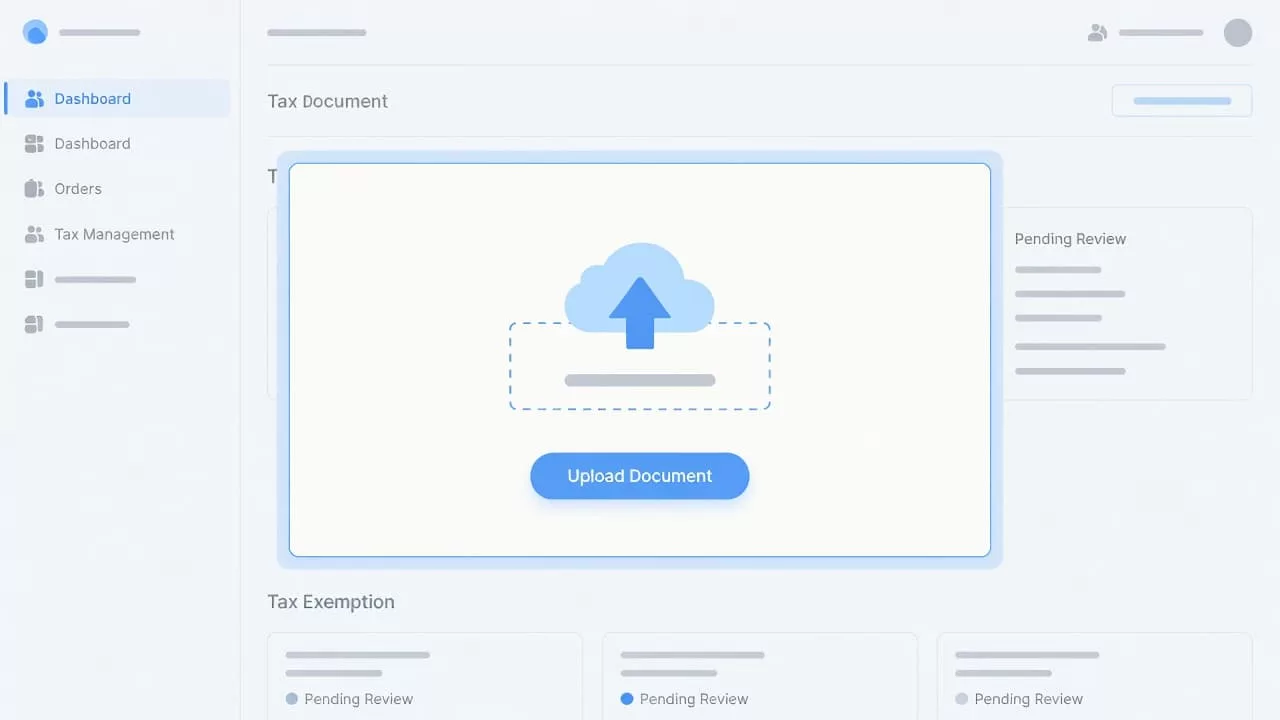
Upload is where confidence rises or falls. If buyers do not trust the portal, they will attach a file and then email your team anyway. The interface needs to answer the basic questions before the upload begins.
A simple comparison helps clarify what the screen should handle.
| Renewal moment | Common user friction | Better UX response |
|---|---|---|
| Before upload | File type and size are unclear | Show accepted formats, max size, and scan tips |
| During upload | Users do not know if the file attached | Show progress, filename, and upload confirmation |
| After submission | Review time is a mystery | Display status, timestamps, and expected next step |
| During approval | It is unclear who owns the task | Name the reviewer or route, if policy allows |
The table above points to a basic truth. Status visibility matters as much as the upload control itself. Whether the buyer is submitting a standard exemption letter or a specialized certificate of exemption, clear guidance prevents confusion.
The portal should also handle errors with precision. If a document is expired, say so. If the file is cropped, unreadable, or missing a signature, explain the problem in plain language and let the buyer replace the file without restarting the whole flow.
Approval should feel predictable too. If a human review is required, the portal can show that the submission is pending and give the buyer a reference number or timestamp. That small detail cuts down on “Did it go through?” messages.
If your portal already manages company roles, the rules around who can submit or approve should match the structure in company account permissions UX. When permission logic and renewal logic tell the same story, users trust the workflow faster. You might also prompt the buyer to verify their FEIN or upload supporting articles of incorporation to further validate their corporate identity during the process.
Use reminders and status tracking to keep renewals moving
Renewal reminders are easy to get wrong. Send them too early, and they get ignored. Send them too late, and the buyer is already blocked. The best timing usually triggers based on the certificate expiration date, continuing until the document is approved or replaced so the buyer can effectively maintain exempt status.
Email still matters, but it should not do all the work. In-app banners, dashboard alerts, and account notifications work better when they point to the exact pending task for the renewal application. A reminder that says “Your exemption expires soon” is weak. A reminder that says “Upload a new certificate for Account 2047” is useful.
Status labels should be simple and consistent. Terms like “needs review,” “approved,” “rejected,” and “expired” are easier to scan than long policy explanations. Add a timestamp, too, because buyers want to know whether the system has processed their submission or is still waiting on a person.
Routing matters when multiple users share one account. If the person who receives the reminder cannot complete the task, the portal should make it easy to hand off to the right coworker. That is where renewal UX intersects with account structure, finance roles, and internal approvals.
A strong tracking page also reduces support load. Buyers can see the last update, the document version, and the current owner without opening a ticket. That alone removes a lot of unnecessary back and forth.
Balance compliance with self-service
Compliance teams need accurate records, while buyers need speed. Those two goals can coexist if the portal provides the right information to each side.
Start with the rules. Clearly communicate the required document type, jurisdiction, and renewal triggers in plain language. If the exemption applies only to certain entities, explain the requirements early to prevent wasted submissions. For instance, a nonprofit organization must often verify its 501(c)(3) status with the Internal Revenue Service by providing a federal determination letter or a copy of form 1023. Similarly, a charitable organization or a religious organization may need to navigate a specific state-level process, which could involve submitting a detailed financial statement or secondary documentation related to sales and use tax filings.
Building an audit trail directly into the user experience is essential. Store the upload date, approval date, document version, and reviewer record in the account history. Users rarely ask for an audit trail until they need it, and when that moment comes, they need it immediately.
Self-service works best when the portal handles routine tasks while routing exceptions to your team. For example, a standard certificate upload can be processed automatically, while an unusual tax form or a complex request can move to manual review. This split keeps the experience efficient without sacrificing organizational control.
Support should remain visible at every step. A clear help link, a contact option, or a short explanation of what happens if a certificate is rejected can save a significant amount of friction. Buyers do not want a chatty interface, but they do want the confidence that the process includes a reliable safety net.
Frequently Asked Questions
How far in advance should I notify users about an expiring tax exemption?
Notifications should be triggered based on the specific expiration date, typically starting 30 to 60 days before the document lapses. This ensures the buyer has enough time to obtain new documentation without being blindsided by a sudden tax charge at checkout.
Can I automate the approval of renewal documents?
Yes, you can automate routine submissions that meet standard criteria, such as valid file types and matching business details. Use manual reviews only for complex exceptions, which keeps the process efficient for most users while maintaining necessary compliance controls.
Where should the renewal link live in the B2B portal?
The renewal task should live within the main account hub, ideally alongside invoices, order history, and user settings. Placing it here makes it part of the user’s normal administrative workflow rather than a hidden, separate step in their profile.
What information should be visible after a user submits a certificate?
The portal must display the submission timestamp, the current status (e.g., pending, under review, or approved), and an expected turnaround time. This clarity reduces support tickets by confirming to the buyer that their document was received and is being processed.
Conclusion
Renewal UX fails when the portal treats tax exemption as a hidden back-office process. It works when the account experience puts expiry, upload, approval, and status in one clear path.
The strongest tax exemption renewal flows feel calm because they answer the next question before the user asks it. By prioritizing transparency and ease of use, you ensure your customers can maintain their tax-exempt status without friction. That is what keeps B2B buyers moving, even when compliance rules are strict and the paperwork is non-negotiable.