
When one purchase order turns into three delivery dates, buyers shouldn’t have to reconstruct the plan from warehouse codes and carrier emails. Good order splitting UX makes the fulfillment plan visible before payment, keeps the commercial order intact, and gives each shipment a clear next step.
For B2B teams, the interface must support more than product selection. Buyers need shipment dates, freight charges, backorder details, approval rules, saved destinations, and reliable post-order tracking. The experience starts with a clear fulfillment model.
Why order splitting UX starts with one buyer promise
A split shipment sends items from one order in separate packages. In operational terms, order splitting divides a multi-item order into suborders that different warehouses can fulfill.
That logic helps the warehouse network, but buyers think about a purchase order, a budget, and a receiving plan. They don’t want to manage internal allocation records. The checkout should show one commercial order with several understandable delivery groups.
Recommendation: keep one order identity
Use one order number, one purchase order reference, and one total. Under that order, show each shipment as a distinct group with its own contents, delivery promise, status, and tracking details.
A buyer should be able to answer four questions immediately:
- Which items are shipping together?
- When will each group arrive?
- What will the complete order cost?
- Which items are delayed, substituted, or awaiting approval?
Keep warehouse names secondary. “Ships from Dallas distribution center” can help explain timing, but a code such as “DC-04” rarely helps the buyer. If the warehouse location affects the delivery promise, show the location beside the date rather than forcing users to interpret a routing code.
Implementation consideration: separate order and shipment data
Your data model needs a parent order and stable shipment records beneath it. Each shipment should retain its own warehouse, line items, quantities, carrier service, promised date, fee allocation, tracking number, and status history.
The parent order still owns the PO number, billing details, payment terms, account, and approval state. This separation prevents a delivered shipment from making the entire order look complete.
Make split shipments visible before payment
Buyers shouldn’t discover a split after clicking Place order. Put the fulfillment plan in the cart or checkout summary, before payment and approval.
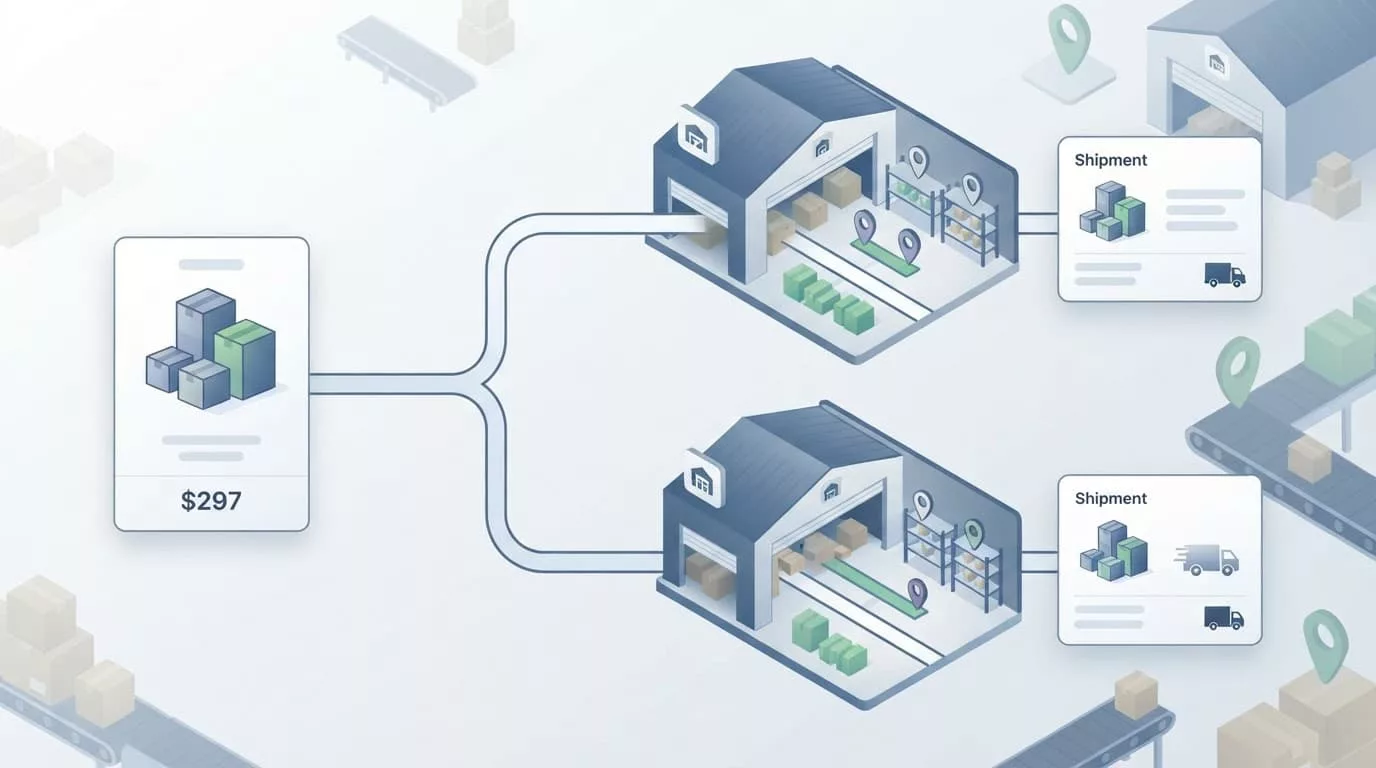
Recommendation: use shipment cards with useful detail
A shipment card can contain:
- A clear label, such as “Shipment 1 of 2”
- The items and quantities included
- The delivery date or date range
- The shipping method
- The shipping fee
- The reason for the split, when useful
A concise summary might read:
Shipment 1 of 2 contains 12 cases and arrives Tuesday, September 8. Shipment 2 contains 4 cases and arrives Friday, September 11.
Place the summary near the order total. Don’t hide it inside an expandable panel that buyers may never open. Detailed line items can collapse, but the number of shipments, delivery promises, and fees should remain visible.
Recommendation: explain cost and timing changes
If splitting adds freight, handling, or residential delivery charges, show the impact before checkout. State whether the amount applies to the whole order or only one shipment.
Also show the alternative when the buyer has a meaningful choice:
- Two shipments, arrival September 8 and September 11, shipping $24
- One shipment, arrival September 11, shipping $12
Practical split-shipment guidance also centers on clear customer communication. The important design decision is to show the business result, not the routing algorithm.
Handle availability, backorders, and partial fulfillment honestly
Inventory language often creates more confusion than the split itself. “In stock” can mean available in one warehouse, available after transfer, or available only for part of the requested quantity. The interface needs distinct states.
Recommendation: show quantity and date together
Use precise copy such as:
- 8 available now, ships today
- 4 remaining, estimated delivery September 18
- 6 available, 6 backordered
- Awaiting replenishment, expected October 2
A partial line needs its own treatment. If a buyer orders 20 units and only 12 can ship, show the quantities in both the cart and the shipment summary. Don’t display the line as fully available and correct it after payment.
Give buyers a clear choice when the account allows it. They may want available stock immediately, or they may prefer one complete delivery. The choice should carry a cost and date consequence.
For related guidance, the ship-complete checkout UX approach works well when it states which item is holding the order and when the next shipment is expected.
Recommendation: treat substitutions as a controlled decision
Substitution is risky in enterprise purchasing. A similar product may have a different specification, pack size, certification, contract price, or approval requirement.
Default to the exact SKU when the buyer has not authorized substitutions. If substitutions are allowed, show the original item, replacement item, quantity, price difference, and approval status. Let the buyer reject the replacement before the order enters fulfillment.
Implementation consideration: account for inventory races
Inventory can change after the checkout page loads. The allocation service should return a fresh availability result before order submission and provide a recoverable response if the result changes.
Don’t silently move a line into another shipment. Show what changed, update the affected date or fee, and let the buyer confirm the revised order when the change affects the original promise.
Support buyer roles, purchase orders, and saved addresses
B2B checkout often has several users attached to one account. The person creating the cart may not have authority to approve freight changes, substitutions, or a delivery outside the account’s policy.
Recommendation: show permissions at the decision point
A requester might select products but lack permission to approve a split cost. An approver might review the order without being allowed to change quantities. A procurement manager may require a PO number before submission.
Show the rule beside the affected control:
- “Approval required because shipping exceeds your account limit.”
- “Your account requires one delivery.”
- “Substitutions require procurement approval.”
- “PO number is required for this ship-to location.”
A locked option needs a reason and a next action. “Unavailable” leaves the buyer guessing. “Ask an account administrator to approve split delivery” gives the user a path forward.
Recommendation: resolve the destination before allocation
Saved addresses should include more than a street address. B2B accounts may store receiving hours, dock instructions, tax settings, carrier restrictions, and ship-to permissions.
Let the buyer select the destination before the system presents delivery options. The same items may split differently for a job site, regional branch, or central distribution center.
A multi-address shipping UX pattern can help when one PO includes several destinations. Group by destination first, then show shipments within each destination. That structure keeps warehouse allocation from competing with the buyer’s primary task.
For PO-based purchasing, connect the shipment summary to the purchase order record. A buyer using a B2B purchase order upload workflow should see extracted ship-to details, line quantities, and PO restrictions before submitting the order.
Give buyers control without exposing the whole network
Most buyers don’t need to choose a warehouse. They need to choose a business outcome when the outcome differs.
A strong default can use the account’s shipping policy, promised date, total freight, and inventory availability. Then offer a small number of meaningful alternatives, such as faster delivery or one complete shipment.
Recommendation: present outcomes, not routing mechanics
Use labels that describe the decision:
- Fastest delivery, two shipments, arrives September 8 and September 11
- Lowest shipping cost, one shipment, arrives September 11
- Ship available items now, remaining items follow later
Avoid asking users to compare five warehouse combinations. Too many options increase review time and create more opportunities for policy errors.
Routing systems can weigh inventory, distance, capacity, carrier service, and cost. Guidance on multi-warehouse order routing covers those operational factors. The UX should receive the result as a small set of explainable choices.
Implementation consideration: return reason codes with every option
The allocation service should return why an option exists, not only its warehouse IDs. Useful fields include delivery promise, shipping cost, split count, backorder impact, and policy eligibility.
That data lets the interface explain a choice without exposing internal rules. It also helps customer service answer questions when an order follows a less obvious route.
Design post-order tracking around both levels
After payment, the buyer needs two connected views. The order page should show the state of the complete purchase, while each shipment should provide its own delivery detail.
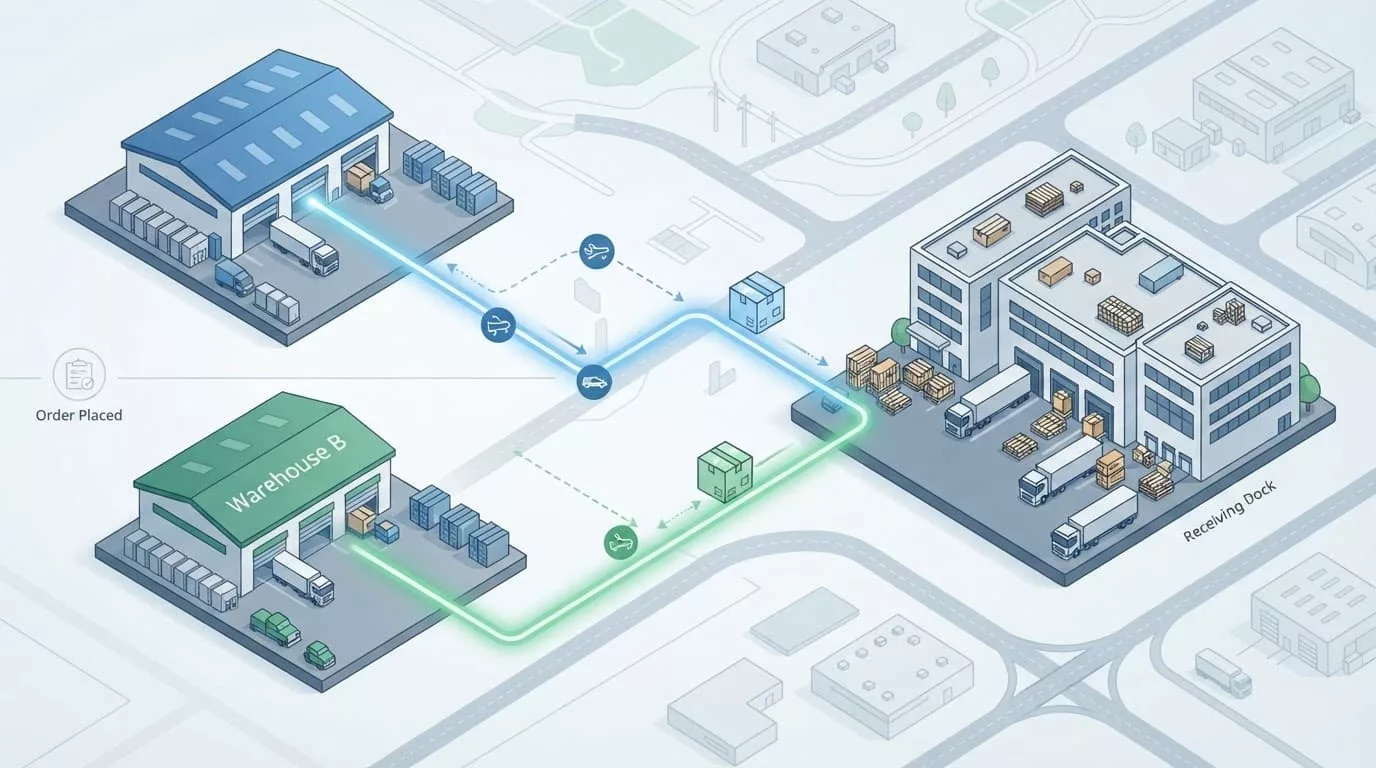
Recommendation: show order progress and shipment progress
At the order level, use states such as:
- Order submitted
- Awaiting approval
- Partially shipped
- Complete
- Partially canceled
- Exception requiring action
Within the order, each shipment can use more detailed states:
- Allocated
- Picking
- Packed
- Shipped
- Out for delivery
- Delivered
- Delayed
“Processing” is too broad when one box has arrived and another has not been allocated. Status labels should match real events and include a timestamp where it helps.
Each shipment card should show its items, quantity, carrier, tracking link, delivery address, and latest update. Keep backordered lines visible in a separate group so the buyer doesn’t assume the order is complete.
Recommendation: make exceptions actionable
A delayed shipment should state what happened and what the buyer can do. Useful actions include changing the delivery date, canceling an unshipped line, contacting support, or approving a replacement.
If a warehouse outage triggers reallocation, show the new promise and any price change. If one line is canceled, keep the rest of the order history intact. Buyers need an audit trail for receiving, invoicing, and internal reconciliation.
Use email and account notifications that mirror the same shipment structure. A message titled “Order 4821 shipped” is weak when only half the order left the warehouse. “Shipment 1 of 2 shipped, shipment 2 remains on backorder” gives the receiving team useful information.
Implementation considerations for reliable order splitting
The interface depends on consistent fulfillment data. Before design sign-off, define which system owns each value and when that value can change.
Model the fields the interface needs
At minimum, connect these records:
- Order ID, PO number, account, buyer, approval state, and total
- Shipment ID, warehouse, destination, line items, and quantities
- Promised date, service level, fee, carrier, tracking number, and status
- Backorder, substitution, cancellation, and exception reason
- User permissions and account-level fulfillment policies
Keep timestamps and status history for every shipment. A current status without an event trail makes support investigations slow and weakens buyer trust.
Test enterprise edge cases before release
Run task-based tests with requesters, approvers, procurement users, and account administrators. Cover inventory changes during checkout, duplicate PO numbers, multiple saved addresses, partial cancellation, warehouse reassignment, split fees, backorders, and an address policy that blocks delivery.
Accessibility needs equal attention. Keyboard users must reach shipment selectors, expandable summaries, and approval controls. Screen readers need clear names for each shipment and status update. Use the ecommerce accessibility checklist to review focus order, field errors, and announcements.
Finally, test the experience with real account data and real order patterns. B2B ecommerce usability testing can reveal whether buyers understand the shipment plan without relying on internal fulfillment knowledge.
Make every shipment understandable before it moves
A multi-warehouse order can remain one clear purchasing experience. Keep one order identity, show shipment groups before payment, pair every quantity with a date, and make fees and exceptions visible at the decision point.
The strongest order splitting UX gives buyers enough control to manage business consequences without asking them to operate the warehouse network. When checkout, approval, fulfillment, and tracking share the same shipment model, a split becomes a predictable part of the order instead of a post-purchase surprise.