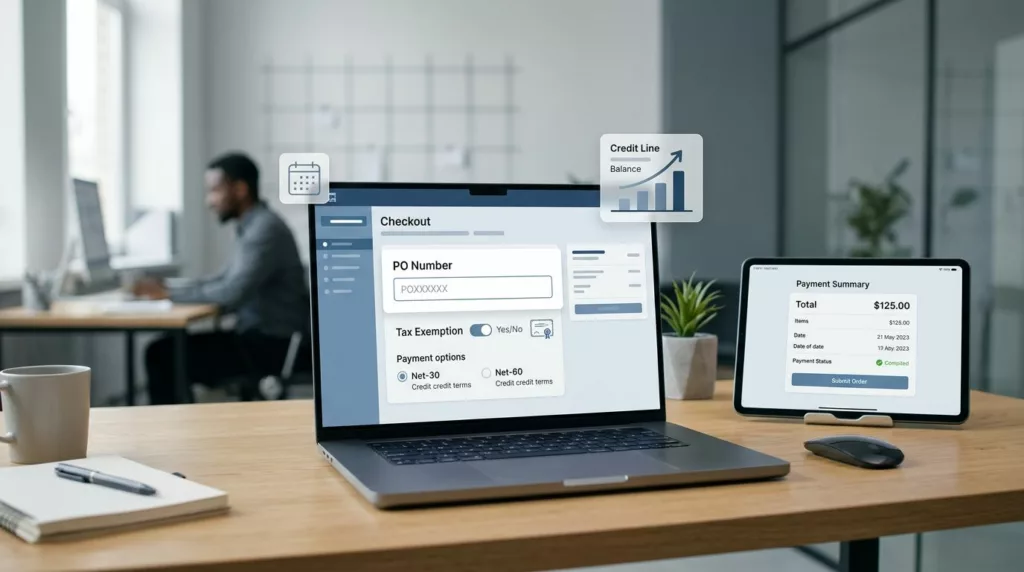
A checkout built for cards can disrupt cash flow management for B2B e-commerce stores the moment terms enter the picture. In B2B, the buyer may not be the payer, the order may need a PO number, and the tax status may change the final total.
That means net terms checkout has a different job than card-first B2C checkout. Optimizing net terms checkout helps accommodate these business requirements while moving fast and protecting credit policy, account rules, and accounting accuracy.
If you want the checkout to fit real purchasing behavior, the design needs to match how business buyers buy, approve, and pay. The details below show where that shift happens.
Key Takeaways
- Net terms checkout must adapt to buyer status, showing available trade credit like net 30 or 60 early for approved accounts while offering short, honest paths for terms requests.
- Treat PO numbers, tax exemptions, and account roles as essential inputs, placing them near payment decisions with clear labeling to ensure accurate invoicing and steady cash flow.
- Sync checkout data like credit limits, terms, and approvals directly to ERP and accounting systems with real-time checks to avoid manual work and control credit risk.
- Cut abandonment with plain language on due dates, late fees, discounts, and next steps, plus visible payment options and honest order summaries.
- Differentiate from B2C by accommodating multiple influencers, business rules, and later payments, building trust and loyalty for repeat B2B orders.
Why net payment terms changes B2B checkout design
Card-first checkout assumes one person, one payment method, and immediate authorization. Net terms breaks that model. Business buyers may be logged into an account, but the invoice gets paid later by finance, accounts payable, or a shared procurement team, directly impacting the seller’s accounts receivable.
That changes the questions your checkout has to answer. Is this customer approved for terms? What is their credit limit? Do they need to apply first? Should they see a due date now, or after approval? Do they owe tax, or is the order exempt?
A simple comparison makes the difference clear.
| Card-first B2C checkout | Net terms B2B checkout |
|---|---|
| Payment is confirmed now | Payment is promised later |
| One shopper makes one decision | Several people may influence the order |
| Payment choice is usually obvious | Terms may depend on credit status |
| Tax is often a standard step | Tax status may change by account or exemption |
| Cart recovery is mostly about urgency | Cart recovery is also about trust and approval |
That table is the reason many B2B stores need a different net terms checkout structure. If you are still deciding how much guidance the flow needs, optimizing ecommerce checkout flow for B2B is a useful starting point because complex orders usually need more explanation than consumer carts.
If the buyer cannot see how credit, tax, and approval affect the order, the cart feels unfinished.
Build a terms-aware flow around buyer status
The best checkout does not treat every visitor the same. It adapts to the account that is signed in and the order that is being placed.
Approved terms customers should move through checkout with as few stops as possible. They already passed credit review, so asking them to reapply creates friction without value. Show their available trade credit terms, such as net 30, net 60, or net 90, the due date, and any credit limit warning in plain language. Then let them complete the order with a purchase order or invoice reference if needed.
When a buyer requests terms at checkout, the path should be short and honest. If approval is instant, say so. If it is manual, tell them what happens next and whether the order is pending or placed. That second part matters because a vague “we will review your request” message feels like a dead end.
Mixed payment methods need more discipline. Some buyers want to split payment between terms and card, or terms and ACH transfers. Others use a card for a partial deposit and terms for the rest, contrasting the flexibility of terms with advance payment options. If you support mixed payment methods, spell out the rules before the buyer reaches the final step. Hidden restrictions cause mistakes and support tickets.
A B2B checkout guide from Credit Key makes the same point in practical terms, offering card, ACH, and invoice paths side by side helps buyers choose the method that fits their process.
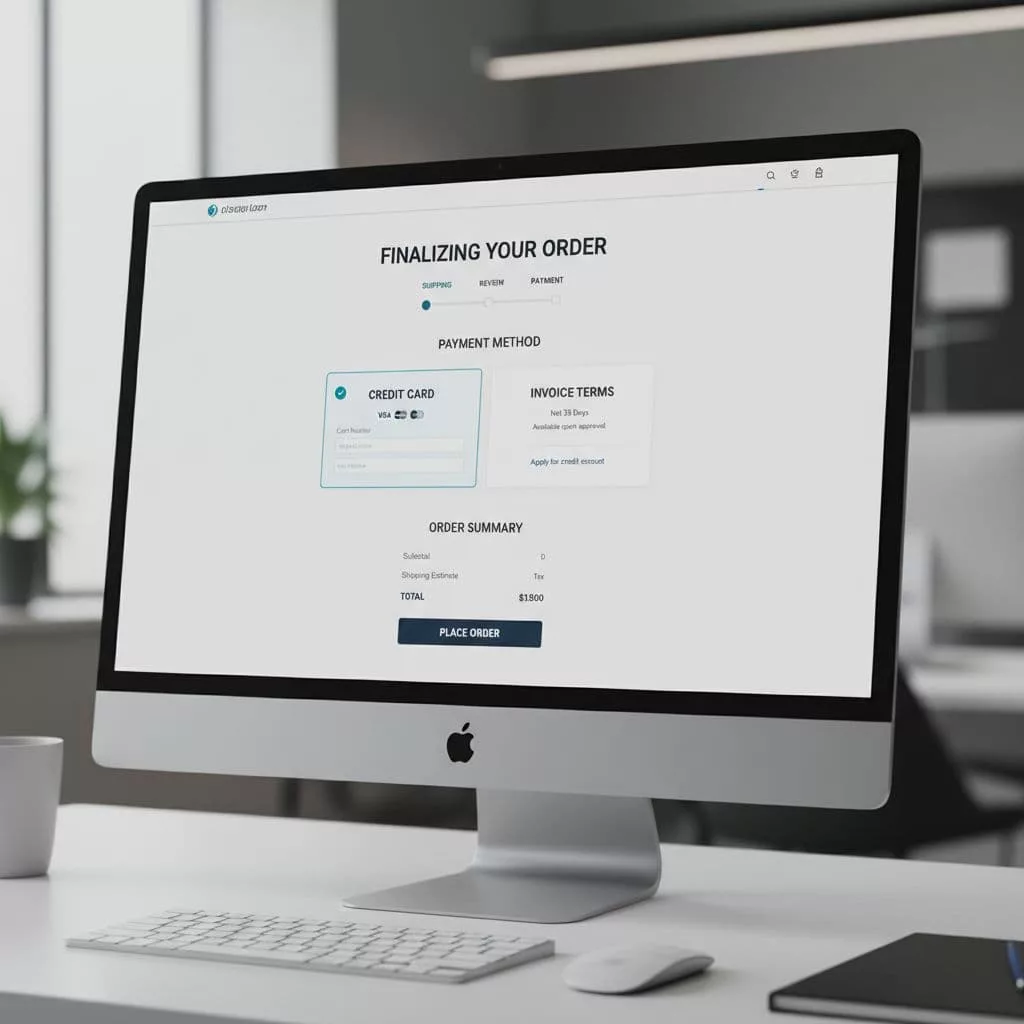
The image above reflects the core idea. The buyer should see payment choices early, not hunt for them after filling out half the form.
A few design rules help here:
- Show eligibility early so buyers know whether terms are available before they invest time.
- Use one clear primary action for approved customers, such as “Place order on terms.”
- Separate apply and pay if approval is not instant, so the buyer knows the next step.
- Keep fallback payment methods visible for buyers who are not approved yet.
Treat tax status, POs, and account roles as checkout inputs
Net terms often travel with other business rules. Purchase orders, tax exemption, and shared account access all shape the checkout, and collecting this data is essential for maintaining healthy working capital and steady cash flow.
PO numbers should not feel like optional clutter if your operations team needs them on every invoice. Place the field near the payment decision, not at the end of a long form. Label it clearly, explain when it is required, and validate the format only when needed. If a PO is missing for approved terms customers, do not wait until confirmation to complain, since accurate POs support steady cash flow for both sides.
Tax-exempt buyers need a path that matches how B2B tax works. Some customers enter a VAT number, others upload exemption certificates, and some need a tax status stored at the account level. If you manage those cases, B2B tax verification checkout best practices can help you design the field logic so tax updates happen before payment, not after.
For international B2B orders, tax and duty messaging matters even more. If the checkout crosses borders, cross-border checkout duties transparency is worth reviewing because surprise charges can undo an otherwise strong terms experience.
Multi-user business accounts need a different kind of clarity. One person may approve the cart, another may submit the order, and finance may receive the invoice. Show account name, bill-to details, ship-to details, and any user role limits clearly. Buyers should know whether they are placing an order as themselves or on behalf of the company, and efficient input fields like these enhance the overall checkout experience.
One useful way to think about this is simple: the checkout is not only taking payment, it is collecting the data your back office needs to invoice correctly and satisfy requirements for both the buyer and the seller.
Keep finance and operations in sync after the order
A good terms checkout does not end at confirmation. It has to connect cleanly to ERP and accounting systems through automated invoicing and AP automation, or the order becomes a manual cleanup job.
That means approved credit status, credit limit, payment terms, tax codes, PO numbers, and invoice references all need to move into your backend without re-entry. If your team copies those details by hand, mistakes show up fast. Incorrect terms, wrong tax treatment, and missing PO data all create avoidable work.
The handoff also affects order states. An order that is approved for net terms should not look the same as a card-paid order inside your ERP. Finance teams need to see due dates, aging buckets, and any hold status. Operations teams need to know whether to fulfill immediately or wait for approval.
Resolve Pay’s advice on choosing the right net terms is useful here because it ties checkout behavior to risk rules and customer history. That is the right mental model for B2B. Terms are not a generic payment method, they are a controlled credit product.
Credit limits deserve special care. If a buyer’s open balance plus the new cart exceeds their limit, the checkout should stop the terms option and explain why. Do not let the buyer reach the last step only to hit a generic error. A practical example of credit limit logic at scale shows how platform rules can block risky orders before they create finance problems, helping manage credit risk and prevent bad debt. Options like non-recourse financing can further support risk management by protecting your working capital.
The most reliable setup includes:
- Real-time credit checks
- Clear rules for when terms disappear at checkout
- Automatic invoice creation after approval
- Status sync back to ERP, accounting, and support tools
- Audit logs for approval changes and manual overrides
When that loop works, the checkout feels easy to the buyer and controlled to your team, while streamlining the accounts receivable process.
Small UX choices that cut abandonment
Most abandonment in terms checkout comes from uncertainty, not from the terms themselves. Buyers leave when the checkout experience feels slow, unclear, or risky.
Show the due date, invoice date, late fees, and early payment discounts as soon as terms are selected. Use plain language like “Net 30, invoice dated June 1, due July 1” instead of buried policy text. Buyers do not want to decode the payment rules, they want to know what happens next.
Keep the order summary honest. If tax-exempt status changes the total, update it before the buyer submits the order. If a credit hold blocks payment, explain the reason in one sentence and offer the next step. If the buyer needs approval, tell them whether fulfillment is paused or the order is pending review.
Confirmation pages should do more than say “thank you.” They should give the buyer a purchase order recap, the invoice terms, the due date, and the account contact for questions, such as “Your net 30 invoice is due June 14.” That is especially useful in multi-user accounts, where the person ordering is not the person paying.
Also, keep the payment choice visible on the same screen as the total. Hiding terms behind a late step makes the buyer backtrack. That is a small thing on paper, but it adds friction fast.
For teams that want a simpler design rule, use this test: if the buyer has to ask finance or support to understand the checkout, the UX needs work. These choices build buyer loyalty, especially for small business customers.
Frequently Asked Questions
Why is net terms checkout different from card-first B2C checkout?
Net terms assumes payment later by finance or AP teams, not immediate authorization by one shopper. It requires credit checks, tax exemptions, PO numbers, and approval flows. This shifts design to show eligibility early, adapt to account status, and collect business data upfront.
How should approved terms customers experience checkout?
Approved buyers get a fast path with their net 30/60/90 terms, due date, and credit limit shown clearly. Use one primary action like “Place order on terms” and include PO or invoice fields nearby. Avoid reapplying credit to reduce friction and speed completion.
What if a buyer requests terms at checkout without approval?
Keep the path short and transparent: state if approval is instant or manual, and clarify if the order is pending or placed. Offer fallback payments like card or ACH visibly. Explain next steps to avoid dead-end feelings and build trust.
How do tax status and POs fit into net terms UX?
Place PO fields near payment with clear requirements and validation. Handle tax exemptions via account-level status, VAT numbers, or certificates, updating totals before submission. This ensures backend accuracy for invoicing and cash flow without surprises.
How can checkout connect to finance and operations?
Use real-time credit checks, auto-invoice creation, and ERP sync for terms, limits, POs, and status. Differentiate order states like holds or aging in backend views. This prevents manual fixes, manages risk, and keeps fulfillment aligned with approvals.
Conclusion
Net payment terms checkout works best when it feels clear to the buyer and controlled to the business, boosting cash flow and liquidity for wholesale distribution. Approved customers with trade credit should move fast, new buyers should know how to request net payment terms, and every order should carry the right credit, tax, and PO data into your backend. This builds long-term vendor relationships while optimizing Days Payable Outstanding.
The strongest B2B e-commerce checkout design treats net payment terms as part of the purchase flow, not as an afterthought. When the UX respects how business buyers buy, the result is fewer drop-offs, fewer manual fixes, smoother cash flow, and a cleaner path from order to invoice, benefiting both business buyers and sellers through early payment discounts and clear communication.