
Regulated product pages have a harder job than most. They need to sell the product, answer safety questions, and surface traceability data without turning the page into a wall of legal text.
That balance matters when a shopper is comparing supplements, cosmetics, food, medical devices, or pharmaceuticals. If they can’t find the lot, batch, or expiration details fast, they hesitate. If those details are buried, your support team pays for it later.
Strong lot traceability UX makes the page easier to trust and easier to buy from. It gives shoppers the facts they need at the moment they need them.
What shoppers look for first
Most visitors scan a product page in seconds. They look for the name, the price, the size, and then the details that answer one last question, “Can I trust this item?”
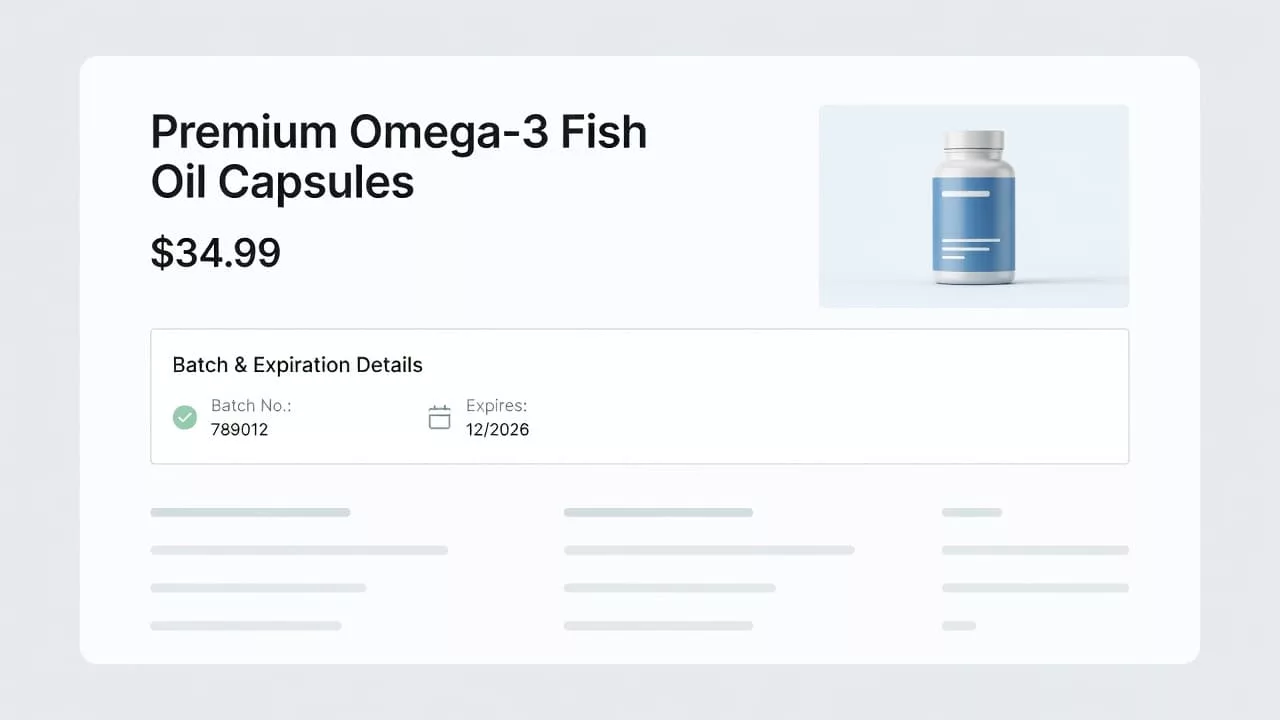
That is where expiration, batch, and lot data matter. Put the expiration or “best before” date close to the price or add-to-cart area, not in a hidden accordion or a tiny footer note. Use plain labels such as “Expiration date,” “Best before,” “Batch number,” or “Lot” so the meaning is obvious at a glance.
If each shipment can ship with a different batch, say so. A short line like “Current batch expires 2027/03/15” works better than a vague note that forces the shopper to guess. When the exact batch is not needed on the public page, show the shelf life, storage rule, or a clear freshness note instead.
If a detail affects safety or freshness, it should be visible before the add-to-cart click.
For broader scannability patterns, Baymard’s ecommerce UX best practices are a good benchmark. The same principle applies here, because people do not read every line. They scan for the one detail that removes doubt.
Build the page around a clear information hierarchy
A regulated product page should guide the eye in a strict order. The top of the page handles purchase decisions. The middle handles proof. The lower sections handle detail, policy, and traceability.
A well-designed product specifications table works best when it sits below the main purchase block, not above it. That keeps the page clean while still giving serious buyers a place to verify facts.
| Page area | What it should show | Why it matters |
|---|---|---|
| Product hero | Name, price, image, variant, key warning | Helps the shopper confirm they are in the right place |
| Purchase block | Add to cart, stock, current batch, expiration | Reduces hesitation before action |
| Traceability strip | Lot number, batch code, storage note, recall note | Gives visible compliance support |
| Specs table | Ingredients, dimensions, regulated claims, pack data | Supports comparison and internal review |
| FAQ and policies | Shipping, returns, recall steps, lot lookup | Answers edge cases without clutter |
That structure keeps the page readable on desktop and mobile. On a phone, the traceability strip should stay short, with one clear summary line and a tap target for more detail. Long data fields can live lower on the page, but the most important facts should stay visible without hunting.
The goal is not to display everything at once. The goal is to show the right thing in the right order.
Use labels people understand at a glance
Many traceability pages fail because the labels are too technical. A code like “B-2408-17” may help your warehouse, but it means little to a shopper unless you explain it.
Use the name the customer knows. “Best before” works for food. “Use by” is clearer for time-sensitive products. “Expiration date” is the safest choice when that is the rule in your category. For traceability, “Batch number” or “Lot” is more useful than an internal code.
Consistency matters too. Pick one date format and keep it across the site. If you sell across regions, avoid mixing month-first and day-first formats on the same page. Confusion at this point can turn into cart abandonment or support tickets.
This is also where copy choices matter. Product page copy templates can help teams standardize short labels and supporting text across SKUs, especially when the same product has several regulated variants.
Use icons with care. A small calendar icon can help, but the text should still carry the message. Color can help with short-dated items, yet it should never replace the label. A yellow badge that says “Expires soon” is useful. A red badge with no context is not.
For teams building out supporting explanations, product page FAQ layout can reduce the need for heavy copy in the main purchase area. Keep the core traceability facts close to the CTA, then let the FAQ handle the questions that need more space.
Recall readiness belongs in the product experience
Traceability is not only about the page a shopper sees today. It also matters when something goes wrong later.
If a recall affects a batch, the customer should not need to contact support just to find the right order details. Show batch or lot data in order confirmation emails, in the account order history, and in the order detail page. That gives both the shopper and your team a clear reference point.
When a recall notice is active, keep the message direct. State which batch is affected, what the customer should do, and where to get help. A short banner near the product title or within the account area is better than a long notice buried in policy text. The message should feel calm and factual, not dramatic.
A useful pattern is to connect the product page to the order record. The product page shows the current batch and expiration. The account area stores the exact lot tied to the sale. That split gives you a clean public view and a reliable internal trail.
For wider compliance planning, navigating ecommerce compliance is a useful reference point. The page design still needs to stay human, though. People want the facts, not a legal wall.
Keep the data accurate behind the scenes
A clean front end falls apart if the data is stale. Lot traceability only works when product, inventory, and compliance teams share the same source of truth.
- Start with the system that owns the batch data. That might be your ERP, PIM, or inventory tool.
- Map each visible field before design starts. Decide where batch, lot, expiration, and storage data will live.
- Add a rule for missing data. If a field is optional, the page should know how to behave when it is blank.
- Check updates after every batch change. A new shipment can change the customer-facing date, even when the SKU stays the same.
That workflow matters because a product page is never static. A fresh batch may arrive with a new expiration date. A short-dated item may need a warning badge. A recalled lot may need a temporary banner and a product hold.
The best teams also test the page on mobile after every content update. Traceability details that look fine on desktop can break into awkward line wraps on a smaller screen. When that happens, trust drops fast.
Conclusion
Shoppers do not need a perfect explanation of your supply chain. They need clear, visible facts that help them buy with confidence.
When lot, batch, and expiration details sit in the right place, the page feels honest. When labels are plain and the data stays accurate, compliance and conversion can work together instead of pulling in different directions.
That is the real value of lot traceability UX. It turns a risky point of uncertainty into a simple, trust-building part of the product page.