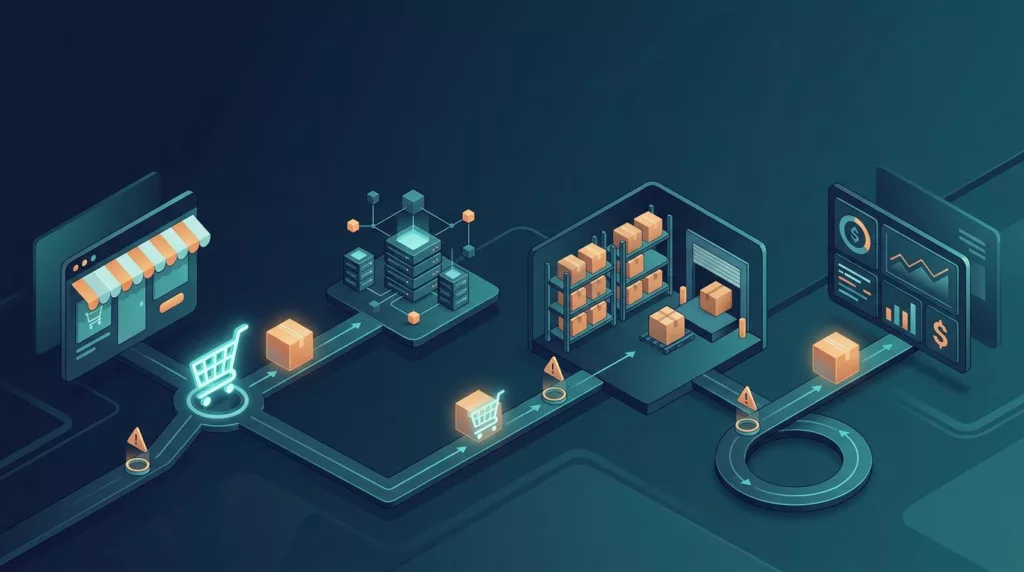
An order can appear paid in a storefront while the warehouse has no record of it, creating late shipments, duplicate sales orders, phantom stock, and difficult customer-service conversations. A reliable ERP order sync connects the storefront with the enterprise resource planning (ERP) system, warehouse records, and finance records without losing context.
The fix is rarely a single connector setting. Reliable B2B ecommerce operations reduce manual data entry and support broader supply chain management through clear data ownership, safe retry rules, useful alerts, and regular reconciliation. Start by locating the failure boundary, then fix the process that allowed it to go unnoticed.
Key Takeaways
- Define a data contract that assigns ownership, required fields, update direction, and recovery methods to every order, inventory, customer, and fulfillment record.
- Locate the failure boundary before changing the connector by tracing one correlation ID from the storefront through middleware, the ERP, and fulfillment systems.
- Use idempotency keys, finite retries, dead-letter queues, and actionable alerts to prevent duplicate ERP orders and make failures visible.
- Reconcile orders, inventory, shipments, invoices, and returns on a regular schedule so monitoring confirms not only that messages moved, but that systems agree.
- Test normal and exceptional order lifecycles before launch, with clear technical and operational owners and escalation rules for critical failures.
Define what a successful ERP order sync must do
An online order usually passes through several systems:
- The ecommerce platform captures the cart, customer details, payment status, shipping address, and requested items.
- The integration layer validates and maps that data into the ERP’s sales order format.
- The ERP applies customer terms, tax rules, pricing, credit checks, and financial controls during sales order processing.
- An order management system coordinates downstream work. Warehouse management or a fulfillment provider allocates inventory and creates order fulfillment tasks.
- Shipment, tracking, invoice, cancellation, and return updates travel back to the storefront.
Each step needs a clear owner. The ERP owns customer credit status, tax codes, invoice state, and financial order records. The storefront owns the customer-facing cart and order experience, while the customer portal presents account-specific status and documents. Inventory management controls physical availability and reservations, while the warehouse handles physical execution.
Document these rules before changing software. A useful data contract defines the source of truth and update direction for every object. It also records required fields, allowed values, and recovery methods. It should cover purchase orders, pricing synchronization, and a WooCommerce product sync, with clear ownership for each record. The B2B ecommerce governance guide provides a practical model for assigning ownership across ERP, ecommerce, CRM, OMS, and warehouse systems. For EDI compliance, specify required fields, permitted values, and transaction standards.
A sync is successful only when the receiving system confirms the correct result. A message that leaves the storefront is not proof that the ERP created a usable sales order.
Find the failure boundary before changing the connector
Many teams blame the ERP when an order is missing there. The actual failure may have happened earlier, when the storefront failed to send a webhook or middleware rejected a missing value.

Use one correlation ID for the order across every system. Follow these checkpoints in sequence:
- Ecommerce platform: Confirm that the order exists, payment is authorized, the webhook fired, and the payload contains valid SKU, address, tax, and customer data. A failed WooCommerce product sync can expose the same type of source-side payload problem.
- Middleware or integration platform: Check whether the message entered the queue, passed validation, met EDI compliance checks where structured transactions apply, received an access token, and reached the ERP endpoint.
- ERP: In NetSuite ERP, search by the external order ID. Review API responses, duplicate-order rules, customer and credit status, closed accounting periods, and rate limits.
- Fulfillment system: Confirm that the ERP order produced an allocation, pick ticket, shipment request, or EDI transaction.
A missing order at the first step points to the storefront. A queued message with no delivery attempt points to middleware. A rejected HTTP 400 response usually signals a mapping or business-rule problem, while a 5xx response usually signals a temporary service failure. A successful ERP response followed by no warehouse activity points downstream.
The distinction matters because retries won’t repair a bad address, invalid tax code, or discontinued SKU. Correcting the source value is preferable to resorting to manual data entry. The documented causes of silent ecommerce integration failures include monitoring gaps that allow a process to appear healthy while messages stop moving.
Match the ERP integration architecture to the workload
A small retailer with one storefront and simple inventory management may need only point-to-point integrations. A manufacturer using enterprise resource planning across multiple warehouses faces more complex needs. These can include B2B ecommerce, sales order processing, contract pricing, purchase orders, EDI requirements, and multichannel fulfillment to support supply chain management.
| Architecture | Best fit | Main risk | Required control |
|---|---|---|---|
| Point-to-point integrations | One store, modest volume, simple rules | Limited handling for complex exceptions | Detailed logs, supported field mapping, version testing |
| iPaaS or integration platform | Several channels and business systems | Subscription costs and shared platform limits | Queue visibility, replay tools, rate-limit handling |
| Custom middleware | High volume or complex business rules | Engineering and maintenance workload | Automated tests, observability, documented API contracts |
| Order management system-led integration | Multi-warehouse allocation and warehouse management | Extra system ownership and data duplication | One owner for order status and inventory reservations |
Point-to-point integrations remain appropriate for a basic Shopify integration or WooCommerce product sync. Vendor-specific connectors, including those for NetSuite ERP, add complexity around customer pricing, pricing synchronization, EDI compliance, and multiple fulfillment locations. Custom ERP APIs offer more control, but the team must maintain authentication, schema changes, error handling, and deployment procedures.
Event-driven designs suit customer-facing order and inventory changes, especially when real-time synchronization is needed. A new order or stock adjustment creates a message immediately, rather than waiting for the next scheduled batch. Batch synchronization still has a place for large catalog imports, historical exports, and some finance processes. A blended design is often safer than forcing every record through one method. This comparison of ecommerce ERP integration architectures covers the tradeoffs among point-to-point APIs, middleware, event-driven flows, and batch processing.
Traditional batch sync can oversell fast-moving stock because the storefront displays stock levels that were accurate at the last scheduled update. The risk increases when several channels sell the same SKU, warehouse reservations update slowly, or a return has not reached the available-to-promise calculation. Event-driven inventory updates reduce the delay, but they still need ordering, deduplication, and monitoring.
Make retries safe, visible, and finite
A good integration treats delivery as at-least-once. Networks fail after the ERP accepts a request, so the sender may retry even when the first attempt succeeded. Without idempotency, one customer order can become two ERP sales orders.
Use a stable idempotency key in a Shopify integration, built from the channel name and external order ID. You can also use a unique event ID supplied by the source. Before creating an order, middleware should check whether that key already exists. If custom ERP APIs don’t support idempotency keys, search for the external order number before issuing a second create request.
Retry only errors that may clear without data changes. Timeouts, temporary connection failures, HTTP 429 responses, and many 5xx responses can use exponential backoff with jitter. Five attempts over several minutes is a reasonable starting point, but tune the limit to order volume and fulfillment promises. Validation errors, invalid SKUs, missing customer tax data, EDI compliance issues, and rejected credit checks need correction, not repeated requests. A WooCommerce product sync shouldn’t be blindly replayed after a data-validation failure.
Keep failed messages in a dead-letter queue after the retry limit. The integration platform should show each record’s order ID, source system, error category, first failure time, last attempt, and next action. After a mapping fix, authorized staff should be able to replay the message without editing the original order.
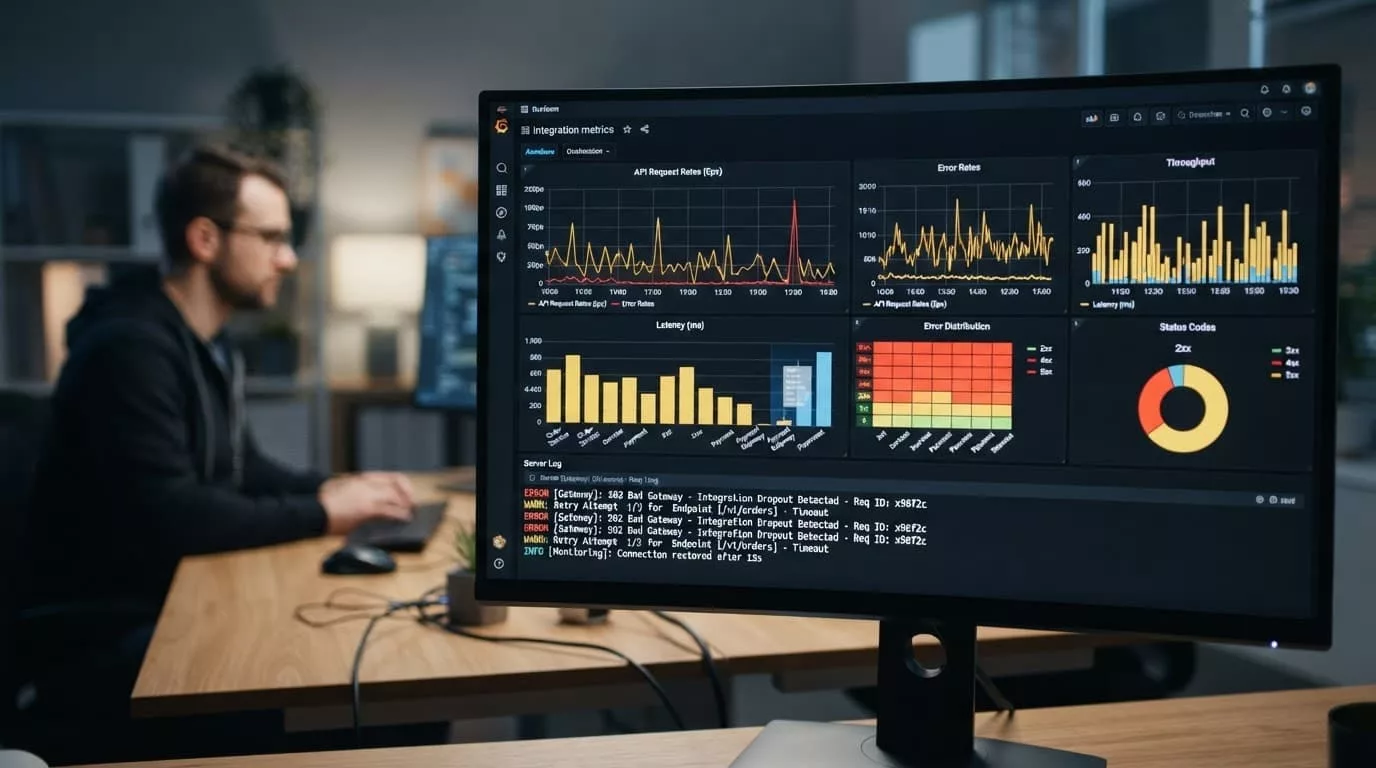
Set alert thresholds before production launch, including when to pause automatic order processing. For example, alert the on-call team when more than 10 orders fail within 15 minutes, when failures exceed 1% of orders during a 15-minute window, or when the oldest queued order is over five minutes old. For inventory, alert after two minutes without a real-time synchronization update. Stale stock levels can create overselling risk. These are starting points, not universal limits.
Separate technical alerts from business alerts. A token-expiration alert belongs to IT. A blocked credit-approved wholesale order in B2B ecommerce belongs to ecommerce operations or finance. Every alert should name an owner and include a runbook link.
Reconcile orders, stock, and fulfillment records
Monitoring tells you that messages moved. Reconciliation tells you whether the systems agree. Automated comparisons reduce manual data entry and support B2B ecommerce and broader supply chain management.
Run an hourly order control for each sales channel. Compare order counts, gross value, tax, discounts, and payment totals between the ecommerce platform and ERP. Use pricing synchronization to check discounts and channel prices, then investigate every unexplained order-count mismatch. Differences in totals may come from currency conversion, refunds, rounding, or tax timing, so show each field separately.
Inventory management needs a second control. Compare stock levels by SKU and warehouse, not only the global product total, to support warehouse management and multichannel fulfillment. Include reservations, backorders, bundles, unit-of-measure conversions, transfers, returns, and damaged stock when validating a WooCommerce product sync against catalog and inventory records. A product may show 20 units in the ERP while only 12 are sellable in the warehouse.
For order fulfillment, compare online shipment and status records with the ERP and order management system. The customer portal should reflect partial fulfillment while preserving the remaining quantity. Invoice automation should create matching invoices and credits, while cancellations and returns update financial records and inventory reservations. Check EDI compliance through acknowledgments and transaction status.
Run a daily exception report and a month-end reconciliation. Store the original payload, mapped payload, ERP response, and later status changes as a digital audit trail for investigating disputes. The B2B portal audit checklist includes useful tests for duplicate events, delayed messages, address changes, cancellations, shipment updates, invoices, and credits.
Roll out with testing and clear escalation rules
Test the full order lifecycle before enabling automatic order processing. Use a production-like environment for sales order processing across the storefront, ERP, payment, and fulfillment systems. Mirror real-time synchronization for events and inventory behavior. Include a normal order, a duplicate webhook, a timeout after ERP creation, an invalid SKU, a tax-exempt account, a customer-specific discount, purchase orders, a backorder, a split shipment, a cancellation, a return, and an EDI compliance test for structured orders and acknowledgments.
Record the expected result for every system, including the order ID, status, payment, allocation, shipment, and financial records. A normal order should create matching records across systems. A timeout test should show one storefront order and one ERP order after retry, not two; a split shipment should leave the unshipped quantity open in the order management system. A multi-warehouse test should confirm multichannel fulfillment follows the agreed priority rather than whichever location responds first. The financial test should confirm invoice automation matches tax, discounts, and PO details, while cancellation, return, invalid-SKU, backorder, and EDI tests should produce the expected status or exception in each system.
Assign one operational owner and one technical owner; have the technical owner approve schema tests for custom ERP APIs and replay procedures. Use a severity policy such as:
- Critical: New orders cannot reach the ERP, inventory updates have stopped, or overselling is likely. Pause affected channels or switch to a controlled manual process, then involve IT, ecommerce operations, ERP administration, and fulfillment.
- High: Orders are delayed beyond the fulfillment SLA, or one warehouse or channel has a growing queue. Keep processing if safe, but review every failed message.
- Standard: Individual validation errors or non-urgent catalog mismatches. Correct the data, replay the message, and include it in the daily exception report.
Review failures weekly. Group them by source, error type, SKU, channel, and time of day. Repeated errors usually point to a weak data contract, an undocumented ERP rule, or a process that lacks an owner.
Frequently Asked Questions
What is ERP order synchronization?
ERP order synchronization transfers order, payment, customer, inventory, fulfillment, and financial data between an ecommerce storefront and the ERP. A successful sync requires confirmation that the ERP created the correct usable sales order, not only that a message was sent.
Why do ERP order sync failures happen?
Failures can begin with an invalid storefront payload, a rejected middleware message, an ERP business rule, an expired access token, or a downstream fulfillment issue. Tracing a shared correlation ID across each system helps identify the actual failure boundary.
How can duplicate ERP orders be prevented?
Use a stable idempotency key based on the sales channel and external order ID, or use a unique event ID from the source system. Before creating an order, middleware should check whether that key or external order number already exists in the ERP.
Which ERP order sync errors should be retried?
Timeouts, temporary connection failures, HTTP 429 responses, and many 5xx responses can usually be retried with exponential backoff and jitter. Invalid SKUs, missing tax data, EDI compliance problems, and rejected credit checks require data or business-rule corrections instead of repeated requests.
How do teams verify that an ERP order sync is reliable?
Run regular reconciliations comparing order counts, totals, inventory, shipments, invoices, cancellations, and returns across connected systems. Combine these controls with lifecycle testing, dead-letter review, alerts, and weekly analysis of repeated failure patterns.
Conclusion
Reliable order synchronization depends on more than moving data between APIs. For B2B ecommerce, assign each field a clear owner, locate each failure, and use event-driven updates when stale stock creates risk. Protect the flow with idempotent requests, finite retries, dead-letter handling, alerts, and control reports that support supply chain management and order fulfillment.
When the next order disappears, your team should know its last confirmed location within minutes. That traceability prevents duplicate orders, limits inventory errors, and keeps ecommerce, finance, and fulfillment working from the same record.