
Buyers do not mind seeing limited stock. They mind uncertainty. When branch inventory messaging is vague, they hesitate, call the branch, or leave the page.
For distributors and wholesalers, the challenge is simple to say and hard to execute. The product page has to show the right location, the right stock status, and the right next step without turning into a wall of text.
The best branch messages feel direct and useful. They answer one question fast: can I get this product near me, and how soon?
Why branch inventory messaging changes buying behavior
On distributor product pages, inventory is part of the purchase decision, not a side detail. A contractor ordering parts before a job starts needs a different answer than a buyer planning next week’s replenishment. If the page only says “in stock” without context, the message leaves too much open.
That gap creates friction. Buyers may assume the nearest branch is empty, even when another branch has stock. They may also think pickup is unavailable when it is ready for same-day collection. In both cases, the page gives them less confidence than the phone line does.
Good branch inventory messaging fixes that by making location part of the product story. It tells buyers where the item is available, whether they can pick it up, and what happens if their preferred branch is out. The message should sit beside price and call-to-action details, because it changes the buying path.
It also needs to match the rest of the page. If your product page already has dense specs, the inventory line has to stay short and easy to scan. Best practices for UX-centric product pages matter here, because the layout has to carry the message without crowding the page.
The message patterns buyers trust most
A clean availability line can do a lot of work. It can reduce uncertainty, support local pickup, and keep the buyer moving.
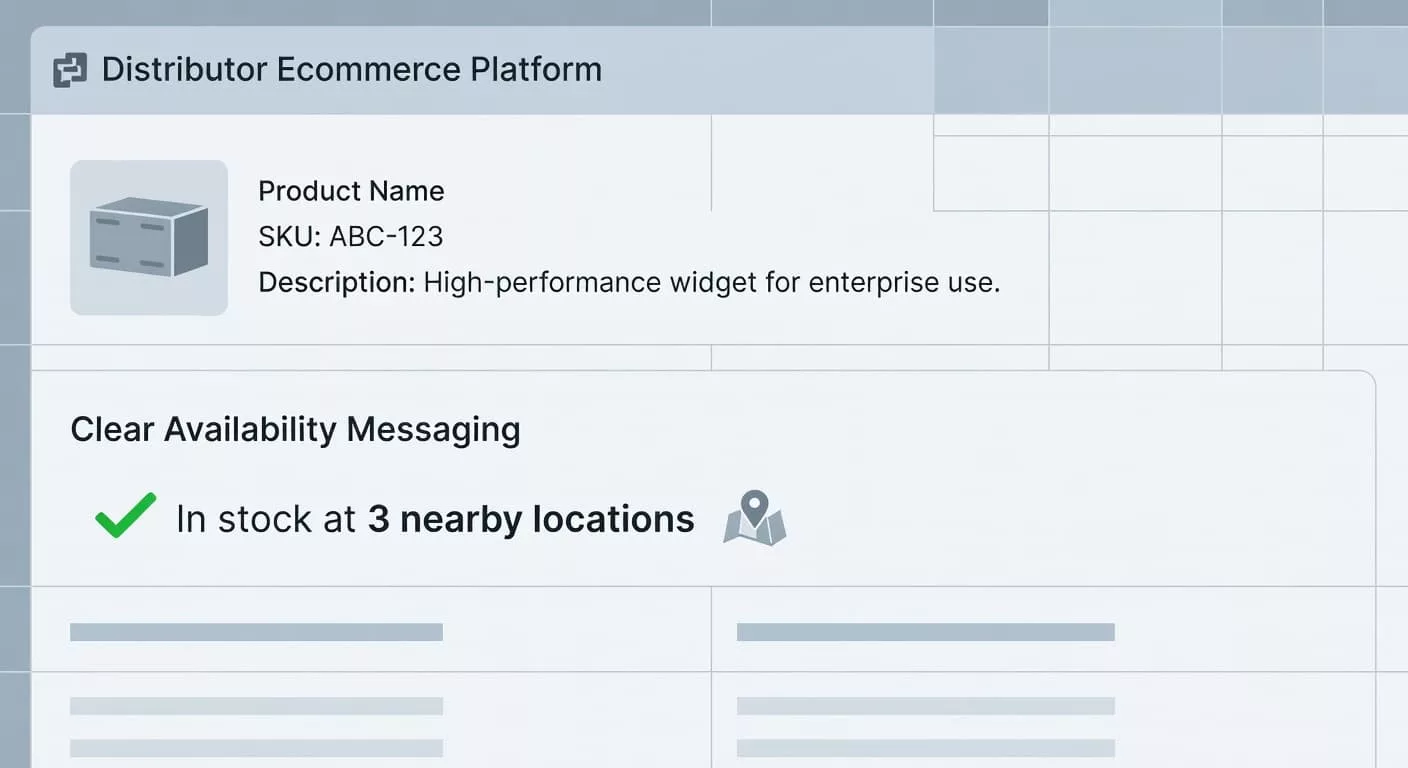
The wording should match the stock rule behind it. Different situations need different messages.
| Message pattern | Example copy | Best when |
|---|---|---|
| Branch-specific availability | “In stock at Atlanta branch” | The buyer needs a local pickup or same-day delivery answer. |
| Nearby branch summary | “Available at 3 branches within 20 miles” | Inventory is spread across locations and the exact branch may change. |
| Low-stock alert | “Only 2 left at Phoenix branch” | The count is reliable and scarcity is real. |
| Transfer or order-to-branch | “Available for transfer, ready tomorrow” | Product can move inside the network fast enough to matter. |
The takeaway is simple. Pick one message pattern that fits the inventory rule, then keep it consistent across the page. A buyer should not see “in stock” in one place and “limited availability” in another unless both claims mean the same thing.
A few examples work well in practice. “In stock at Dallas branch” is short and local. “Pickup available at your selected branch” works when the shopper has already chosen a location. “Transfer from regional warehouse, ready tomorrow” is better than a vague promise when the item is not sitting on the shelf.
Where the message sits matters as much as what it says
Branch inventory messaging works best when it appears close to the buy box. Price, quantity, CTA, and stock status should read as one unit. If the location line sits far below the fold, buyers may never see it before they decide.
That is especially true on mobile. The screen is small, and users scan fast. A compact line like “In stock at Denver branch” can live under the quantity selector, while the full location picker opens only when needed. The user sees the answer first, then the detail.
A branch selector also helps when stock varies across locations. Show the selected branch first, then let the buyer change it. Add distance, pickup timing, or delivery window only if it changes the choice. Too much detail can make the message feel heavy.

If the page already uses a dense spec area, separate the jobs. The inventory block should answer “Can I get it here?” while the spec table answers “Is this the right item?” Optimizing product specification table UX helps keep that split clear, so location messages do not fight with technical details.
Wording for branch pickup, transfer, and low stock
The most useful branch inventory messages are plain and specific. They tell the buyer what is true now, not what might happen later.
A strong pickup message sounds like this: “Ready for pickup at Orlando branch today.” It works when stock is confirmed and the branch can fulfill quickly. If the pickup window is later, say that too. “Ready for pickup tomorrow after 2 pm” removes guesswork and lowers support calls.
Transfer messages need even more care. “Available for transfer from nearby branch” is better than “available soon” because it sets a real expectation. If your operation can promise timing, include it. If it cannot, keep the copy honest and short.
Low-stock copy should be used sparingly. “Only 2 left at Houston branch” can lift action, but only when the count is reliable. If counts lag or oversell happens often, the message can damage trust. A false shortage is worse than no shortage message at all.
A few patterns deserve special attention:
- “Order by 3 pm for same-day pickup” works when cutoffs are firm and the branch can keep them.
- “Call branch for exact count” should be rare, because it pushes work onto the buyer.
- “Check nearby branches” works when stock moves across locations and the buyer can switch branches fast.
- “Not available at this branch, ship from warehouse” works when delivery is still the best path.
When in doubt, keep the promise tied to a clear action. Buyers want to know whether they can pick up, transfer, or ship. They do not need a guess.
Edge cases that can make or break trust
Inventory messaging gets tricky when the rules are messy. Closed branches, split shipments, backorders, and regional stock transfers can all confuse a page that looks fine on the surface.
The fix is not more copy. It is more precision. If a product is unavailable at the selected branch but open at another location, say so. If the page supports split fulfillment, explain it in one line. If transfer timing changes by branch, avoid one-size-fits-all claims.
This is where supporting content helps. A compact product page FAQ section UX can answer questions like pickup cutoffs, transfer timing, and branch changes without stuffing the main product page. The main message stays short, while the FAQ handles the details buyers still need.
A few edge cases deserve special wording:
- Temporary branch closure, use “Temporarily unavailable at this branch.”
- Split fulfillment, use “Ships from warehouse, pickup available at select branches.”
- Backorder, use “Backorder available, estimated restock in 5 days.”
- Location mismatch, use “Available at nearby branches, not at this location.”
Each of these phrases does two things. It tells the truth, and it gives the buyer a next step. That combination keeps the page useful even when stock is uneven.
How to tell if the page is working
Good branch inventory messaging should reduce doubt, not add noise. The easiest way to measure that is to watch what buyers do after they see it.
Start with branch selector use, add-to-cart rate, and pickup selection rate. If more visitors choose a location after reading the message, the copy is helping. If support calls about availability drop, that is another sign the page is doing its job.
Watch for mismatch between the page and the warehouse. If buyers keep switching branches, the first location may be wrong or the default branch may not fit the user’s region. If they abandon after seeing low stock, the threshold or wording may need a tune-up.
You can also test the message itself. Compare “In stock at nearby branches” with “In stock at your selected branch.” The first works when users are still choosing a location. The second works when the site already knows where they are headed. Small wording changes can alter trust and action.
Conclusion
Branch inventory messaging works when it feels local, truthful, and fast to scan. Buyers do not need a long explanation. They need the right branch, the right status, and the right next step.
When the message matches the stock rule, the page becomes easier to trust. That is what turns location-based inventory from a source of friction into a reason to buy.