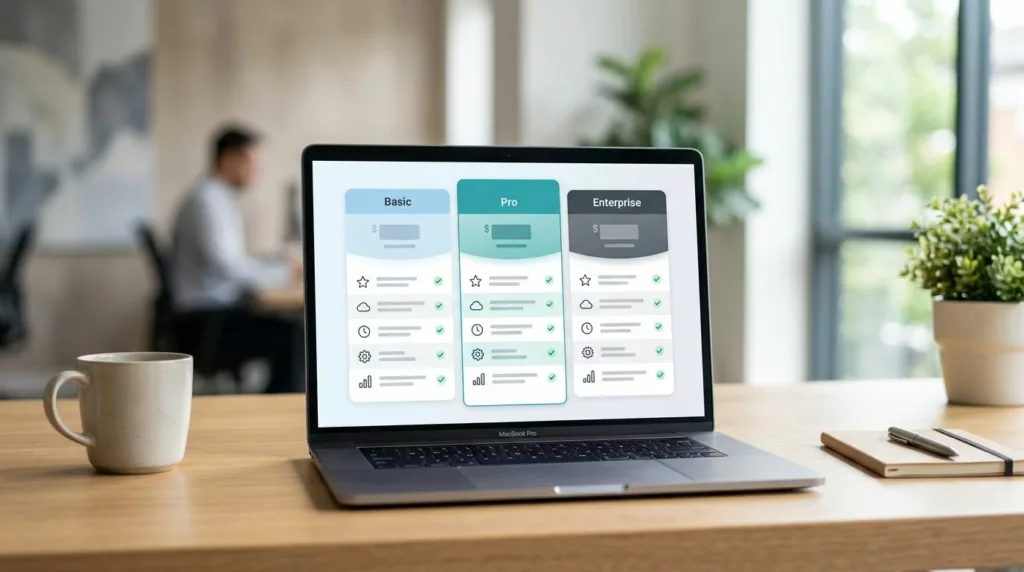
Buyers rarely leave a pricing page because the price is too high. They leave because poor pricing page design hurts conversion rates by making the table ask them to do too much work.
A strong tiered pricing table UX, prioritizing user experience and user interface, makes the choice feel smaller. It shows the tradeoffs fast, reduces doubt, and gives buyers a clear next step.
For B2B SaaS pricing, that matters because every extra second of confusion can turn into a lost demo, a delayed approval, or a support ticket. The best tables help people decide without making them read like analysts.
Key Takeaways
- Strong tiered pricing table UX reduces cognitive load by answering key buyer questions upfront—like team fit, budget, and growth path—making choices feel smaller and faster.
- Build tables around a good-better-best model with plain-language labels, core feature matrix above secondary details, and one pricing logic to avoid mental math.
- Use visual hierarchy with accent colors for preferred plans, short labels, white space, and clear CTAs to guide scans and leverage psychological pricing tools.
- Eliminate friction by showing limits, add-ons, overages, and next steps plainly; employ collapsible accordions and responsive design for mobile.
- Test against real behavior with metrics like first clicks, tier comparisons, drop-offs, and demo rates, iterating via small changes for higher conversions.
Why buyers stall at pricing tables
B2B buyers are not looking for entertainment. They want to know whether a plan fits their team, their budget, and their approval path. In many cases, more than one person is involved, so the table has to work for customer personas in the target audience, such as a manager, a finance lead, and sometimes procurement too.
That means the first scan of the feature comparison table is short. Buyers look for the anchor price, the biggest limit in the pricing tiers, and the difference between plans. They also look for signs that the choice is safe, such as a clear upgrade path, a free trial, or a simple way to talk to sales.
The problem is usually not the number itself. It is the work around the number. Buyers have to decode user limits, add-ons, contract terms, and setup fees. That cognitive load slows the decision, even when the offer is strong.
When a page needs side-by-side detail, the structure behind product comparison table UX is a useful model for optimizing user experience. The table should do the sorting for the buyer. It should feel like a clean answer sheet, not a puzzle.
Build the table around decision questions
Start with the question the buyer asks first when evaluating pricing tiers. For some products, that question is about seats or usage. For others, it is about implementation, security, or support. Put the answer in the table itself, not in a tooltip that nobody will open.
A good pricing table follows the good-better-best model as a standard pricing strategy and works like a fast interview. It answers, “What do I get?”, “What changes between plans?”, and “What will this cost me as we grow?”, clearly communicating the value proposition of each option. If the buyer has to do math in their head, the page adds friction.
Keep the main comparison in the feature matrix and push secondary detail below it. That keeps the page readable without hiding important context. If a row only helps a tiny segment of buyers, it probably does not belong in the first view.
| Problem pattern | Why it slows buyers | Better move |
|---|---|---|
| Too many rows | The main difference gets lost | Use collapsible accordions to group features into a few clear themes |
| Mixed pricing logic | Buyers have to convert seats, usage-based billing, and add-ons | Keep one pricing model per table |
| Hidden limits | Surprise costs create doubt | Show caps, overages, and setup fees up front |
| Weak tier labels | Names like Basic or Pro say little | Add a plain-language use case under each tier |
The shorter route is usually the stronger one. When the table answers the real questions first, it improves user experience so buyers spend less time decoding and more time choosing.
Use visual hierarchy to guide the eye
Visual hierarchy matters because buyers read pricing tables in a hurry. They need to know which pricing tier is safest, which one is most popular, and which one is cheapest. If every tier looks equal, the page makes them work harder. Strong visual hierarchy speeds up scanning in SaaS pricing for a smoother user experience.

Use one accent color for the preferred plan to leverage psychological pricing tools like the decoy effect and social proof in effective pricing page design. Keep all call-to-action buttons the same shape and size, or the highlight becomes a distraction. Put the price near the top, keep the core limits underneath, and leave enough white space between tiers so the eye can rest.
Short labels help too. “Users”, “Seats”, “Storage”, “Support”, and “Onboarding” are easier to scan than abstract business language. Plain words win because the buyer does not need a second translation layer.
If a buyer has to do math, the table is already losing.
The same logic appears in pricing page design for subscriptions, where plan anchoring and feature comparison tables have to work together without crowding the page. Keep the most common path visible. On desktop, that often means the center or left-center tier gets the strongest visual weight.
If monthly and annual toggle both matter, make the toggle obvious and label it clearly. Buyers should understand the cost shift in one glance. They should not need to hunt for the difference.
A useful reference on hierarchy is how to design a pricing page that converts. It shows why strong grouping and simple labels matter when a table starts to get long.
Remove friction before it turns into doubt
The fastest pricing pages answer hidden questions before buyers ask them. Can we start small? Can we add users later? Is setup included? What happens if usage spikes? If the feature comparison table hides those answers, the buyer assumes the worst.
Clarity beats persuasion here. Show what is included, what costs extra, and what happens after the click. If a pricing tier needs a call, say that plainly with a prominent call-to-action button. If a free trial or pilot exists, give it a clear place near the table, not below a wall of text.
Add-ons deserve the same treatment. If they are optional, label them that way. If they are required, show them in the headline price or the comparison row. Buyers get skeptical when the first number looks low and the real cost appears later.
Common mistakes are easy to spot:
- Vague pricing tier names create confusion.
- Tooltips hide the one detail that matters.
- Badges compete with the actual decision.
- “Contact sales” on every tier turns the table into a dead end.
For mobile, keep rows short and avoid long feature names. Responsive design ensures a mobile-friendly user interface, with collapsible accordions for small screens instead of horizontal scrolling. Designing effective pricing plans UX is a useful reminder that compact layouts, clear labels, simple toggles, sticky headers, and accessibility-focused design patterns can still work. The goal is not to cram less in. It is to show the right facts first.
If you need more detail, use expandable sections under the table, not more rows above it. That keeps the first view clean while still giving serious buyers a path to depth and a strong call-to-action for the best user experience in pricing page design.
Test the table against real buying behavior
A pricing table can look clean and still fail. The real test is whether it speeds up choices and boosts conversion rates. Watch what buyers do, not what they say in a review call.
Track four signals to refine your SaaS pricing and pricing page design: the first plan clicked, the share of visitors who compare tiers, the mobile drop-off point, and the rate of demo starts after a pricing visit. Those numbers show where the table creates confidence and where it creates hesitation.
If the same row gets clicked again and again, the copy may be too vague. If the compare toggle or feature comparison table gets heavy use, the table may have too much text or too many similar tiers. If mobile visitors leave sooner, the responsive design may need tighter spacing and shorter labels.
Small tests work best for continuous testing of SaaS pricing and your overall pricing strategy. Change one thing at a time, then watch the result. Try design patterns in the user interface like collapsible accordions, billing strategies such as usage-based billing or the monthly and annual toggle, the default highlight, the call-to-action copy, or the way savings are shown across annual and monthly billing. Clear results come from clean tests, not from a full redesign that changes everything at once.
Buyer interviews still help after launch. Ask where they hesitated and what they needed to see before they felt ready. Those answers often explain the numbers better than the dashboard does.
Frequently Asked Questions
Why do B2B buyers stall at pricing tables?
B2B buyers stall because poor design forces them to decode user limits, add-ons, contract terms, and setup fees, creating high cognitive load. They scan quickly for anchor prices, key limits, differences between tiers, and safe signals like trials or upgrades. The table should sort for them like a clean answer sheet, not a puzzle.
How do you build an effective tiered pricing table?
Start with buyer decision questions like seats, usage, or support, placing answers directly in the table using a good-better-best model. Keep the feature matrix focused on main tradeoffs, pushing secondary details below or into accordions. Use plain words, avoid mixed pricing logic, and ensure one glance shows value and costs.
What role does visual hierarchy play in pricing tables?
Visual hierarchy guides hurried eyes to safest, popular, or cheapest tiers with accent colors, white space, and short labels like “Users” or “Storage”. Highlight the preferred plan via decoy effect and social proof without distracting CTAs. Make monthly/annual toggles obvious and center the common path on desktop.
How can you remove friction and doubt from pricing pages?
Answer hidden questions upfront: show caps, overages, add-ons, setup fees, and upgrade paths clearly to prevent worst-case assumptions. Label optional vs. required extras plainly and place trials or sales CTAs near the table. For mobile, prioritize short rows, no scrolling, and responsive accordions over dense matrices.
How do you test and refine a pricing table?
Track signals like first plan clicked, tier comparison usage, mobile drop-offs, and demo starts after visits to spot hesitation. Run small A/B tests on highlights, toggles, labels, or CTAs, changing one element at a time. Follow up with buyer interviews to understand where they paused before deciding.
Conclusion
The best tiered pricing table UX avoids choice paralysis and delivers a superior user experience. It gives buyers a short path to a safe choice through smart pricing page design.
When the table answers real questions with clear pricing tiers, a feature matrix, good-better-best model, and monthly and annual toggle; employs responsive design, accessibility, proven design patterns, psychological pricing, and flexible billing strategies; and includes strong call-to-action, social proof tailored to customer personas and target audience, buyers move faster because the page feels easier to trust. That is the real advantage of an effective pricing strategy.
A pricing table rooted in solid pricing strategy should help the buyer decide, not make the buyer work harder.