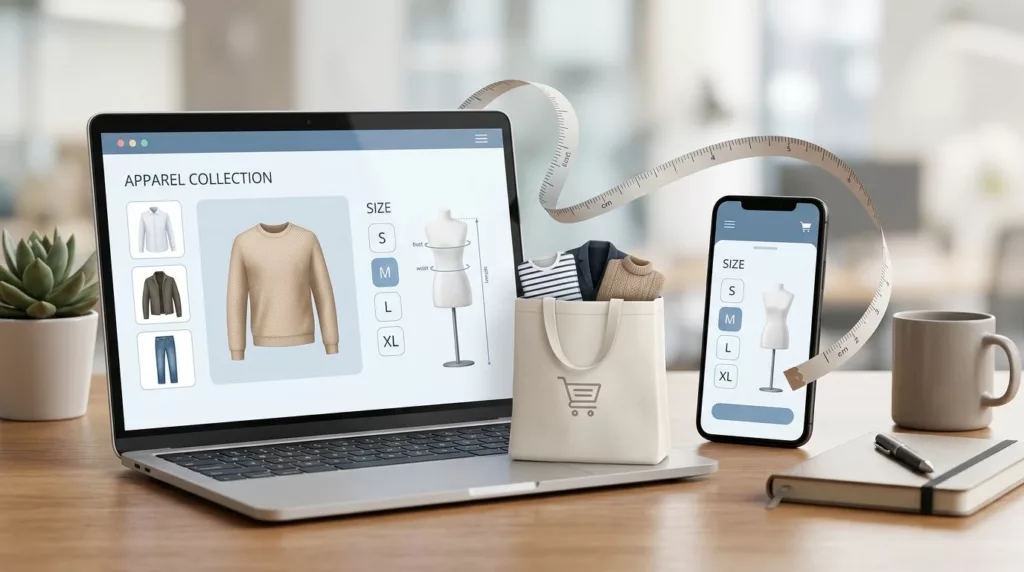
In apparel e-commerce, returns usually start before checkout, not after delivery. When shoppers can’t tell how a garment will fit, they guess, buy two sizes, or leave.
A strong fit finder UX reduces that uncertainty fast. It gives shoppers a clear size call without turning the product detail page into a long form. That matters because every extra question can add friction, and every vague answer can add a return.
The best fit tools feel simple, honest, and close to the size choice. They help the shopper move forward with confidence, which is where return reduction starts.
Key Takeaways
- Place fit finder tools near the size selector to cut uncertainty fast, matching interface patterns like size recommendations, fit quizzes, or body measurements to the product’s fit needs.
- Design flows around confidence with minimal inputs—start with height, usual size, and fit preference—making fields optional, explaining their value, and showing results even if some are skipped.
- Back recommendations with real proof from reviews, customer profiles, and post-purchase fit checks to build trust and feed learning back into better sizing guidance.
- Measure success by size-related return rates, conversion lifts, tool completion, and recommendation acceptance, comparing SKUs with and without the tool for clear impact.
Why sizing doubt turns into returns
Sizing doubt is one of the most expensive forms of hesitation in apparel ecommerce. A shopper may like the color, trust the brand, and still hesitate because the fit is unclear. That uncertainty often turns into a return, an exchange, or an abandoned cart.
The problem is not only bad size charts; it is the technical gaps in traditional sizing tools, the gap between product data and personal fit. A size chart says what a medium measures. It does not tell a shopper whether that medium will sit loose in the shoulders or tight across the waist. For international shoppers, a standard size conversion chart or brand-specific size chart on the product detail page is necessary but often insufficient.
That gap is worse for mobile shoppers. Small screens leave less room for size notes, fit labels, and review context. If the answer is buried below the fold, many shoppers never see it.
Baymard’s size finder research shows a simple pattern. Put sizing help near the decision point, keep the recommendation easy to scan, and avoid making shoppers work for the answer.
That is the right goal for a fit tool. It should reduce returns by cutting guesswork before the item reaches the basket.
Put the answer near the size selector, not in a hidden help page
The best fit finder experiences sit beside the size selector, not in a hidden help page. That placement matters because shoppers want an answer while they are still deciding.
Use the interface pattern that matches the level of uncertainty, unlike static information in flat tables. Some products need a fast recommendation. Others need a more detailed fit check.
| Pattern | What it answers | Best fit | Watch out for |
|---|---|---|---|
| Size recommendation tool | What size should I buy? | High-traffic product pages | Opaque logic can break trust |
| Fit quiz | How does this item relate to my body shape and preference? | Categories with more fit variance | Too many questions can cause drop-off |
| Body-measurement input | What size matches my exact body measurements? | Denim, tailored items, bras, and specialty fits | Over-collecting data can hurt trust |
| Model or customer profile comparison | How did this fit people like me? | Pages with strong review or profile data | Weak sample data can mislead shoppers |
The takeaway is simple. Each pattern solves a different problem, so do not force one interface to do everything.
A size recommendation tool works well when the brand already has good fit data. A fit quiz powered by survey-based tools helps when style, cut, and preference all matter. Measurement inputs are useful when shoppers know their numbers and the category needs precision. Profile comparison works best when the store has enough data to make “people like you” feel credible.
Every extra question should improve the recommendation. If it does not, remove it.
The design goal is confidence, not data collection. That means a clean layout, a short path to the result, and one clear reason to trust the answer.
Design the flow around fit confidence, not data collection
A good fit finder asks for the least amount of information needed to make personalized size recommendations. That is where many tools go wrong. They ask for too much too early, then wonder why shoppers stop halfway through their user journeys.
Start with the easiest inputs first. Height, usual size, and preferred fit are often enough for a useful first recommendation. Add more fields only when they improve the result.
A few practical rules help keep the flow light:
- Start with the shopper’s known size in your brand or in a familiar brand.
- Let them choose a fit preference, such as slim, regular, or relaxed.
- Ask for body measurements only when the category needs more precision beyond garment measurements.
- Make optional fields obvious, so the shopper can skip them.
- Explain why each field matters, especially for sensitive inputs.
- Show a result even if the shopper leaves a few fields blank.
That last point matters. A fit tool that refuses to answer until every field is filled feels more like a tax form than a shopping aid.
Privacy deserves equal care. If you ask for weight, inseam, bra size, body measurements, or other sensitive details, say why. Keep the language plain. Do not hide the privacy note under a tiny link. Shoppers will share more when the reason is clear.
Accuracy and transparency also need balance. If the recommendation is based on past buyers, say so. If it is based on a blend of returns data and review signals, explain that in simple terms. Shoppers do not need the model math. They need to know the recommendation is grounded in real behavior.
Use reviews and profile comparisons to make fit feel finder real
Outcome-based fit finders work better when they are backed by product proof. A shopper trusts a recommendation more when it matches what other people experienced.
That is where personalized product reviews matter. If you want a deeper look at that side of the experience, see product review UX patterns to reduce returns. Fit-specific review filters, body-type tags, and size-outcome ratings can turn vague praise into useful guidance.
A review area should answer the questions shoppers already have:
- Did this run small, large, or true to size?
- How did it fit on shoulders, waist, hips, or length?
- What size did people with similar measurements buy?
- Was the fit consistent across colors or fabrics?
That kind of detail works better than generic star ratings. A five-star review that says “love it” does almost nothing for a shopper choosing between medium and large.
Model comparison can help too, as long as it stays honest. Show the model’s height, size worn, and fit note in a place shoppers can see quickly on the product detail page. Better yet, let people compare themselves to customer profiles with similar measurements and fit preferences. The point is to reduce abstraction. The shopper should feel like they are comparing themselves to a real person, not a vague average.
The strongest versions combine all of this. They show the recommendation, back it with user-generated content, and give a reason to trust the match.
Close the loop after the package arrives
Fit confidence does not end at checkout. The best apparel teams learn from what happens after delivery, then feed that purchase and return data back into the product page.
A short post-purchase fit check can teach you a lot. Ask whether the item fit as expected, and ask why if it did not. Keep it brief. One or two questions are enough.
Use the answers to tag the real fit issue:
- Too tight in the chest
- Too loose in the waist
- Too short in the rise
- Too long in the sleeve
- Fabric felt stiffer than expected
Those labels are more useful than a generic “did not fit” return reason. They tell product, merchandising, and CRO teams where the recommendation missed. Over time, they build fit intelligence for better recommendations.
They also help you route the customer better when the fit is off. Smart nudges with a clear handoff to improving returns portal UX can keep the experience calm and fast. That matters because a bad fit tool should not create a bad return experience on top of it.
This is also where exchanges matter. If the shopper can swap size without friction, the brand keeps more revenue and the customer feels cared for. The return may still happen, but the loss is smaller. It all strengthens the sizing UX end to end.
Measure what the fit finder changes
An algorithm-based fit finder can look busy and still do little. That is why the metric set matters as much as the interface.
Track the numbers that connect directly to revenue and returns, aligning metrics with modern commerce trends:
- Size-related return rate by SKU and category, especially for fit-sensitive areas like a footwear retailer
- Conversion rate on product pages with the fit finder
- Tool open rate and completion rate
- Recommendation acceptance rate, meaning shoppers choose the suggested size
- Incremental revenue lift as a key performance indicator
- Exchange rate after a size issue
- Return reason trends by device, traffic source, and new versus repeat customer
Do not judge the size recommendation tool only by usage. A high open rate with no lift in conversions or return reduction means the recommendations are weak. A low open rate may mean the widget is buried, the copy is unclear, or the page already answers the question well enough.
The cleanest test is simple. Compare SKUs with strong fit guidance against similar SKUs without it. Then look at return reasons, not just sales. True fit improvements show up there first.
The broader point is clear in True Fit’s overview of digital fitting. Pre-purchase guidance changes buying behavior, evolving toward AI shopping assistants in agentic commerce. Easier returns only lower the cost of a mistake.
Frequently Asked Questions
What is fit finder UX and why does it reduce returns?
Fit finder UX is an interactive tool on product pages that gives clear size recommendations without heavy forms, placed near the size selector. It cuts pre-checkout guesswork, which causes shoppers to buy multiple sizes or abandon carts. Returns drop when shoppers gain confidence in fit before purchase.
Where should fit finder tools be placed on the product page?
The best placement is beside the size selector, not in hidden help pages, so shoppers get answers at the decision point. This works across devices, especially mobile where screens limit space for buried info. Baymard’s research backs this: easy-scan help near the choice boosts completion and trust.
What input rules keep fit finder flows light and effective?
Start with easy inputs like usual size, height, and fit preference; make body measurements optional for precision needs only. Explain why each field matters, especially sensitive ones, and show results even with blanks. The goal is confidence, not data collection—every question must improve the recommendation.
How do reviews and profiles make fit finders more trustworthy?
Fit-specific review filters for true-to-size, body area details, and ‘people like me’ comparisons turn vague feedback into guidance. Model stats and customer profiles reduce abstraction if backed by strong data. Combine with recommendations for proof that grounds the suggestion in real experiences.
What metrics show if a fit finder is working?
Track size-related returns by SKU, conversion rates on equipped pages, tool open/completion rates, and recommendation acceptance. Watch exchange rates and return reasons by device or customer type. Compare similar SKUs with and without the tool—true impact shows in lower returns, not just usage.
Conclusion
A good fit finder, as an interactive solution beyond static size charts, does one job well. It helps shoppers choose the right size before they click buy, without making the page feel heavy or hard to use.
The brands that win here keep the flow short, use just enough data, and back up recommendations with fit proof. They also learn from returns, then feed that learning back into the product page.
That is what makes fit finder UX worth the effort. Fit finder UX reduces uncertainty, protects conversion, and helps reduce returns where they start.