
A PDF can still help a shopper, but it should not be the only place your product details live. In 2026, search systems are much better at reading clean page text, clear labels, and structured product data than they are at pulling useful meaning from a file alone.
That matters most for ecommerce manuals and spec sheets, where buyers want fast answers about fit, setup, power, materials, or compliance. If those answers sit inside a download with weak context, you lose both search visibility and conversion momentum.
The fix is simple in concept and picky in execution. Build the page so it can rank, then let the PDF support it.
Make the product page the main source
For manuals and spec sheets, the product page should carry the core information. The PDF can stay available for offline use, but the page needs enough detail to satisfy the query on its own.
That starts with visible text near the buy box. Add a short summary of what the manual covers, what the spec sheet includes, and which model or variant it applies to. If you sell equipment, appliances, furniture, or parts, spell out the basics in plain language, then back them up with exact values.
Google’s SEO Starter Guide still applies here. Search engines need crawlable text, clear headings, and a page structure that explains what the document is for.
A useful rule is to write the page for the human first, then attach the file. That approach lines up with optimizing product document UX, because shoppers usually want one of three things, a quick answer, a full reference, or a printable copy.
If the page can’t answer the question, the PDF is doing too much work.
Write manuals and spec sheets so they scan fast
Manuals and spec sheets fail when they read like storage files instead of product content. Shoppers do not want a wall of numbers. They want the right number in the right place.
Use headings that match buyer intent. For example, “Dimensions”, “Compatibility”, “Installation steps”, “Troubleshooting”, and “Warranty and compliance” all give the page a clear shape. Then place the most important specs in a table, not buried in a paragraph.
Here is a simple way to think about document types on ecommerce pages:
| Document type | What shoppers need | Best page treatment | PDF role |
|---|---|---|---|
| Spec sheet | Measurements, ratings, materials, compatibility | Short intro, grouped specs, comparison table, product schema | Downloadable reference |
| Installation manual | Setup steps, tools, warnings, troubleshooting | Step-by-step sections, jump links, FAQs | Full reference file |
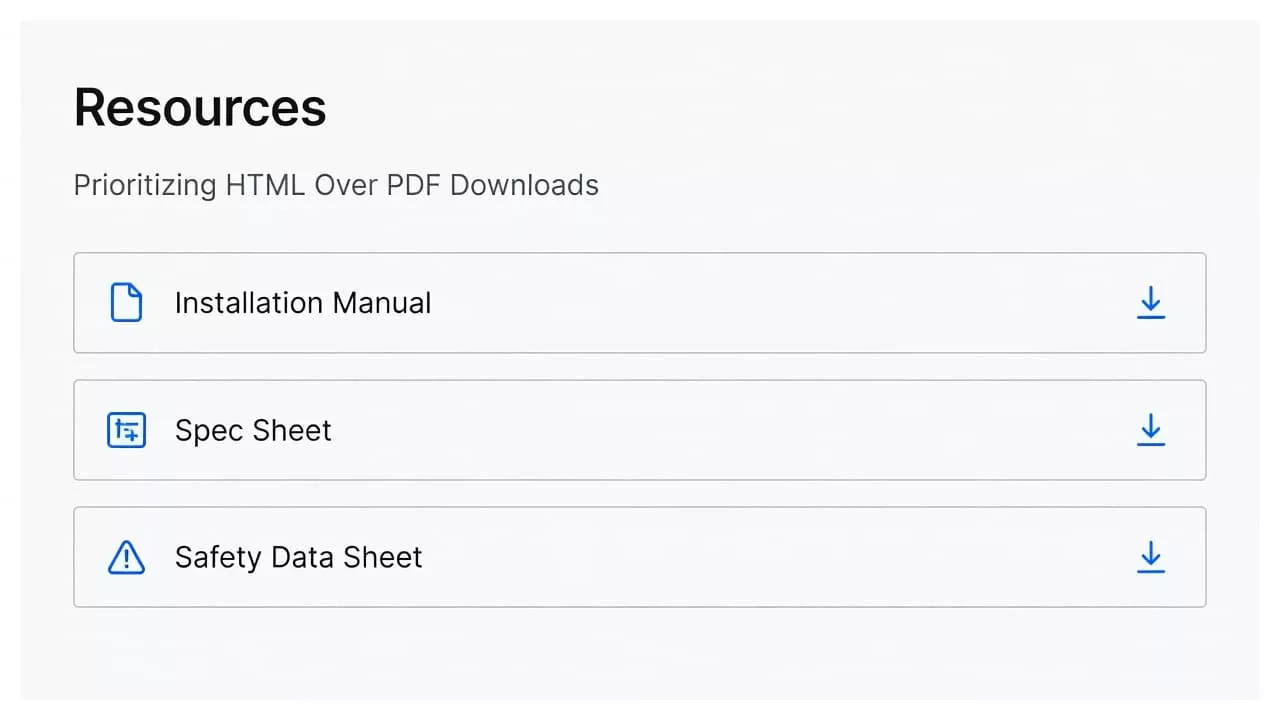
| Safety Data Sheet | Hazards, PPE, storage, first aid | Safety summary, compliance notes, visible file link | Compliance file |
The pattern is consistent. The page answers the buying question, and the file backs it up.
If you manage products with many technical attributes, improving product specification table UX is worth a close look. A readable table can cut support tickets and help shoppers compare similar items faster. That matters when one model differs from another by a few millimeters, a wattage change, or a mounting detail.
For large catalogs, use the same content blocks across products. Keep the order stable. Put dimensions first, then materials, then compatibility, then care or maintenance. Consistency helps both users and crawlers.
Treat the PDF as support, not the source of truth
A PDF still has a job. It is the printable, shareable, offline version of the content. The problem starts when the PDF becomes the only indexable source.
If the file is just a scanned image, fix that first. Search engines and assistive tools work better with searchable text, proper tags, bookmarks, and real headings. OCR helps, but a tagged PDF is better. So does a clean file name, like brand-model-installation-manual.pdf, instead of manual_final_v7.pdf.
Keep the file itself useful. Add page numbers, a revision date, and a version identifier. If the document changes often, keep one current PDF linked from the main product page and archive older versions carefully.
Technical cleanup matters too. Block thin PDF filter pages, internal search pages, and endless parameter URLs from indexation. Keep canonical signals pointed at the main product page. If a PDF-only URL brings no real value, do not let it compete with the page that actually sells the product.
For broader technical cleanup, the 2026 technical SEO checklist is a useful companion when your team is also dealing with rendering, crawl paths, and page speed.
A PDF can rank for some support queries, especially exact model searches. Still, the strongest setup is a visible page with structured content, plus a file that completes the experience.

Use structured data to make the document easier to understand
In 2026, product pages need more than plain copy. They need structured data that tells search systems what the page contains, what the product is, and how the variants relate to each other.
For manuals and spec sheets, the most useful fields are often the basics, name, brand, SKU, GTIN, MPN, description, and images. If the product has variants, keep the relationship clean so the model, size, color, or finish does not become a mess of duplicate pages.
This is where product information teams earn their keep. Your PIM or source system should hold the master values, and your page template should publish them in a repeatable way. When a spec changes, the page should update everywhere it appears, including the visible table and the structured data.
Answer-style content also helps. A short block that answers “What does this manual cover?” or “Which model does this spec sheet apply to?” gives the page a clearer shape. That can help with AI search surfaces, which prefer direct statements and visible context.
Use ecommerce specification table UX patterns to decide how much detail belongs in a single view. Some products need one compact table. Others need grouped sections, expandable rows, or differences-only views for similar SKUs.
The goal is not to stuff every attribute onto the page. The goal is to make the right attribute obvious.
Keep old manuals useful after the product is gone
Retired products still generate searches. People look for old manuals, replacement parts, compatibility notes, and installation help long after the item leaves the catalog.
Do not delete those pages by default. If the product still attracts search traffic or support demand, keep the page live and turn it into a handoff page. Point shoppers to the replacement model, the current accessory, or the archived document they still need.
That is where handling retired SKUs and documentation becomes useful. Some old pages should stay open with a clear replacement path. Others should redirect to the nearest relevant product. The right choice depends on whether the page still serves a real query.
Keep the manual available if it answers a lasting support need. If the content matters for installation or compliance, a retired product page can still earn its place. Add a short note that the item is no longer sold, then give the user the next best step.
This also reduces friction for support teams. When customers can find an old manual without filing a ticket, everyone saves time.
A practical workflow for large catalogs
If you manage hundreds or thousands of manuals and spec sheets, the process has to be repeatable. A clean workflow beats one-off fixes every time.
- Audit each document by intent, not just by file type. Separate manuals, spec sheets, SDS files, and archive-only PDFs.
- Build one page template for each document type. Keep headings, table placement, and download labels consistent.
- Publish the important specs in HTML first, then attach the PDF as a support file.
- Check every file name, version date, and canonical URL before launch.
- Review Search Console for indexing, coverage, and duplicate page issues, then fix pages that are too thin or too far from the main category path.
If your catalog is still growing, add governance. Decide who owns revisions, who approves new files, and how old versions get archived. Without that, a product change can break both the page and the document.
The best teams treat manuals and spec sheets like part of the buying journey. They are not buried assets. They are decision tools.
Conclusion
PDF SEO for ecommerce manuals and spec sheets works best when the page does the heavy lifting. The file still matters, but the page needs the answers, the structure, and the signals search systems can read.
If you get that balance right, shoppers find what they need faster, support requests drop, and old documents keep paying off instead of fading into clutter. The strongest setup in 2026 is still the simplest one, a clear page, a useful file, and no guesswork.