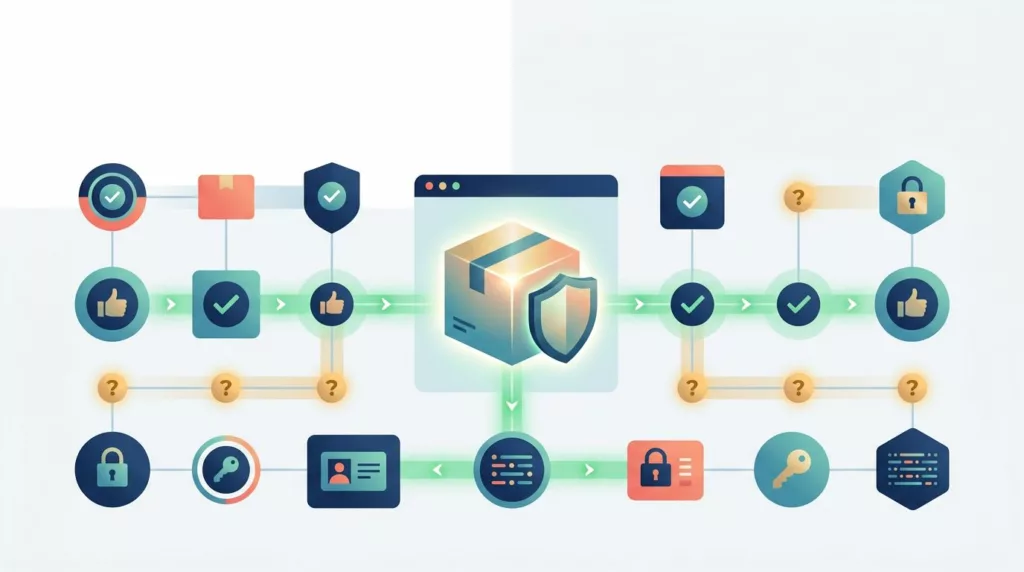
A suspicious order can cost more than its purchase value. It can trigger a chargeback, delay fulfillment, consume analyst time, and leave a legitimate customer wondering why checkout suddenly stopped. Manual order verification works best when it handles genuine uncertainty without treating every buyer like a criminal.
The goal is a risk-based experience. Low-risk orders should move through automatically, while unusual or high-value orders receive clear, limited checks. That requires close coordination between fraud operations, customer support, fulfillment, and UX teams.
Key Takeaways
- Manual order verification should be an exception process, triggered by meaningful risk signals rather than broad customer categories.
- Review queues need enough context for a decision without forcing analysts to search across several systems.
- Verification messages should explain the next step, avoid revealing detection rules, and give customers a realistic response time.
- Teams should measure approval rate, false-positive rate, review turnaround time, abandonment, and chargebacks together.
- A clear escalation path prevents inconsistent decisions and keeps urgent orders from sitting in an unowned queue.
Why Manual Review UX Affects Fraud and Conversion
Fraud prevention and customer experience often compete for the same seconds in the buying journey. A customer sees a payment accepted, then receives an unexpected request for a phone call or identity check. If the request feels vague, invasive, or disconnected from the order, the customer may abandon the purchase or contact support in frustration.
The opposite problem is also expensive. If analysts approve suspicious orders because the queue lacks context, fulfillment may ship valuable goods before anyone resolves the risk. The fraud team then absorbs the chargeback while operations handles delivery disputes and customer complaints.
Manual review adds labor to every order it touches. Signifyd reports a commonly cited manual review cost of $3.47 per transaction, before considering lost sales or delayed fulfillment. Its discussion of manual fraud review costs also points to human error as a source of false positives.
That cost makes review design an operating decision, not only a security decision. A queue that sends too many ordinary orders to analysts creates delays and encourages rushed approvals. A queue that sends too few questionable orders increases chargeback exposure.
Ravelin has reported that merchants may manually review 10% to 15% of online orders. That range isn’t a target for every business. It shows why teams should monitor review volume against order value, product risk, staffing, and fraud outcomes instead of copying a fixed benchmark.
The right question is simple: does each review step reduce enough risk to justify the friction it creates?
How Manual Order Verification Should Be Triggered
A review trigger should point to a reason for uncertainty. One weak signal rarely proves fraud. Several related signals can justify a human decision, especially when the order has high financial or fulfillment risk.
Common inputs include:
- A new customer places an unusually large order.
- The billing and shipping addresses differ without a clear business reason.
- The shipping address is a freight forwarder, reshipping service, or high-risk location.
- The IP location conflicts with the billing country or delivery destination.
- Several cards fail before one payment succeeds.
- The same device, card, email domain, or address appears across many orders.
- The buyer chooses expedited shipping for expensive or easily resold goods.
- An account changes its password, address, or payment details shortly before checkout.
- The order contains several units of a product that normally sells one at a time.
Use a score or ruleset to rank these signals, but don’t let the score replace judgment. A repeat B2B buyer ordering from a new warehouse may look unusual while remaining legitimate. A first-time shopper using a familiar device and matching billing details may need no intervention.
Risk thresholds should also reflect the product category. Electronics, gift cards, luxury goods, event tickets, and digital products often carry different resale and delivery risks than low-value household items. A business selling industrial equipment may have fewer orders, higher values, and longer fulfillment windows. Its review policy should account for those facts.
Avoid rules that rely on protected traits or broad assumptions about customers. Geography can be a useful transaction signal, but it shouldn’t become a reason to distrust a person based on nationality, language, race, or another protected characteristic. Consult qualified legal counsel when designing policies involving identity checks, customer data, sanctions screening, or regional restrictions.
Separate automatic decisions from human decisions
Most orders should receive an automatic outcome such as approve, decline, or hold for review. Human analysts should focus on the ambiguous middle group.
A useful decision model has three lanes:
- Low risk orders receive immediate approval and normal fulfillment.
- Review risk orders enter a queue with a hold on shipment or account action.
- High risk orders receive a decline, cancellation, or specialist escalation under documented policy.
The middle lane needs careful calibration. If the system routes every address mismatch to a person, analysts will spend time clearing routine behavior. If it routes only orders with obvious fraud patterns, the team may never see the cases where judgment matters most.
Test new rules against historical orders when possible. Look at which signals appeared in confirmed chargebacks, which appeared in legitimate orders, and how much revenue each rule places on hold. A rule with a high fraud capture rate may still damage the business if it blocks too many good customers.
Build a Review Queue Analysts Can Use Quickly
A manual review queue should answer three questions within the first few seconds:
- What happened?
- Why did the order receive a review status?
- What action is safe and permitted?
Show the order value, payment status, customer history, fulfillment status, shipping speed, and review reason together. Analysts shouldn’t open six screens to compare billing and shipping details. Put the most important fields near the decision controls, then allow deeper investigation when needed.
The queue should also show time sensitivity. An order with same-day fulfillment needs a different priority from an order scheduled to ship next week. Mark orders approaching the warehouse cutoff and display the service-level target for each risk tier.
Useful queue fields include:
- Order number, value, currency, and product category
- Customer account age and previous approved orders
- Billing, shipping, and IP country comparison
- Payment authorization, AVS, and CVV results
- Device or browser history when available
- Number of payment attempts and recent order velocity
- Fulfillment deadline and shipping method
- Previous disputes, refunds, cancellations, or chargebacks
- The exact rule or model signal that created the hold
- Contact history and any verification responses

A clean queue helps analysts spend time on evidence instead of interface work. It also supports consistent decisions when shifts change or review volume rises.
Every action should create an audit record. Store the decision, reason code, reviewer, timestamp, customer contact, and fulfillment outcome. Keep the reason codes short and consistent, such as “billing-shipping mismatch,” “unusual velocity,” or “payment attempts.” Free-text notes can add detail, but they shouldn’t replace structured data.
Design the action buttons around the actual workflow. “Approve and release,” “hold for customer verification,” and “cancel under policy” are clearer than generic buttons such as “process” or “resolve.” Add a confirmation step for irreversible actions, especially cancellation and refund.
Make the Verification Request Clear and Limited
Customers need to know that the order exists, what happens next, and how they can respond. They don’t need a detailed explanation of the fraud model.
A useful message contains four pieces:
- The order reference or a safe partial identifier
- The reason stated in neutral language
- The exact information or action requested
- The expected response time and support channel
Avoid wording that sounds accusatory:
“We need to confirm a few details about order #18427 before it ships. Please reply from the email used at checkout or call the number below. We expect to complete the review within one business day.”
The request should match the risk. For a payment mismatch, ask the customer to confirm the billing address through a secure account page. For a high-value shipment, a phone confirmation may be appropriate. For an account takeover concern, require reauthentication or a stronger account recovery process rather than asking the customer to email sensitive documents.
Never ask customers to send a full card number, CVV, password, or authentication code by email or chat. If the business needs identity evidence, use a secure, approved channel and confirm the retention and access rules with qualified counsel.
A verification screen can say:
“Your payment was authorized, but we need one more check before shipment. Confirm the billing address and delivery address below. We won’t ask for your full card number.”
That copy reduces uncertainty without exposing the trigger. It also gives the customer a visible task rather than sending them into an open-ended support exchange.
The response page should show the current order state. “Payment received, verification pending” is more helpful than “Order processing.” Add the next expected event, such as “We’ll email you after review” or “Your order will remain on hold until confirmation.”
For B2B buyers, include business-friendly options. A purchaser may not have access to the cardholder’s phone, especially when a procurement department places an order for another location. Allow an authorized account administrator to confirm the order through the business account, subject to the company’s established policy.
Good checkout design also prevents avoidable review triggers. Clear labels, accurate billing fields, and suitable mobile input controls reduce payment errors. Ecom Design Pro’s guidance on credit card form UX patterns covers visible labels, numeric keyboards, and limiting billing fields to information the payment flow needs.
Give Analysts a Practical Escalation Path
A review process fails when every difficult case goes to the same person. Define ownership before the queue becomes busy.
A basic path might begin with a fraud analyst. The analyst can approve, request verification, or place the order on hold. A senior risk reviewer handles high-value orders, repeated customer contact failures, unusual account behavior, and cases with conflicting evidence.
Customer support should own communication, not risk decisions, unless trained staff have explicit authority. Fulfillment should own shipment controls, including whether an order can be picked, packed, or released after approval. Finance or payments operations may need to review refunds, manual payment methods, and settlement issues.
Set time limits for each stage:
- The first analyst review starts within a defined service window.
- Customer contact goes out promptly after the hold.
- A second attempt follows a documented interval.
- Unanswered requests move to cancellation, continued hold, or specialist review according to policy.
- Urgent, high-value orders receive an escalation before the warehouse cutoff.
Don’t make repeated contact feel like pressure. One clear email and one appropriate follow-up are usually better than a series of vague messages. Each contact should state the order status and the response deadline.
If a customer passes verification but the risk remains high, the analyst should document why. Verification confirms that a person can answer certain questions. It doesn’t automatically prove that the payment method, account, or delivery destination is safe.
Measure the Review Experience as One System
Fraud teams often report approved and declined orders. UX teams often report checkout conversion. Neither view is enough on its own.
Track the full path from review trigger to fulfillment and post-payment outcome. A dashboard should separate new customers from repeat buyers, product categories, order values, countries, payment types, and review reasons. Otherwise, a strong result in one segment can hide a serious problem in another.
| Metric | What it shows | Useful interpretation |
|---|---|---|
| Approval rate | Share of reviewed orders approved | A sudden rise may indicate weak review, while a sudden fall may indicate over-blocking |
| False-positive rate | Legitimate orders incorrectly held or declined | Compare reviewed customers with later successful purchases, support confirmation, or dispute evidence |
| Review turnaround time | Time from hold to decision | Segment by risk tier and fulfillment deadline |
| Verification abandonment | Customers who don’t complete the requested step | High abandonment can indicate confusing copy, poor channel choice, or excessive requests |
| Chargeback rate | Disputes after approval or fulfillment | Review by trigger, payment method, product, and analyst decision |
| Review volume | Share of orders sent to people | Rising volume may show a noisy rule, a fraud event, or a broken automation path |
Approval rate alone can mislead. A team could achieve a high approval rate by approving orders that later produce chargebacks. It could also achieve a low chargeback rate by declining legitimate revenue.
False positives need a clear definition. A held order isn’t automatically a false positive because the customer later completes the check. Decide whether the metric counts unnecessary holds, incorrect declines, unnecessary verification requests, or all three. Keep those categories separate when possible.
A verification flow can also reduce checkout completion even when the final order is approved. Measure abandonment after the hold, time spent on the verification page, email open and response rates, support contacts, and customers who return to place the order later.
Use a stable reporting window for chargebacks because disputes may arrive weeks after fulfillment. Compare cohorts by order date and review decision date. The e-commerce conversion rate benchmarks from Smart Insights can provide broad context, but your own segments are more useful for judging a fraud workflow.
False positives deserve executive attention because they affect revenue and trust. Research on false-positive rates and ecommerce conversion describes how excessive detection can block legitimate activity. Pair fraud loss with recovered revenue and lost conversion whenever you assess a new rule.
Reduce Friction Before and After the Hold
The easiest review is the one customers never need. Improve the information and controls around checkout so routine payment errors don’t become fraud cases.
Show billing and shipping requirements before submission. Explain why a billing address may differ from a delivery address, especially for gift orders, company purchasing, and workplace deliveries. Provide clear error messages when an AVS check fails. “Billing address doesn’t match the card issuer” gives the customer a useful next step, while “Payment failed” leaves them guessing.
The payment form should preserve entered information after a recoverable error. Customers shouldn’t retype every field because one postal code failed. On mobile, use appropriate input types, visible labels, and enough space for accurate entry.
Trust information also affects how buyers react to a verification request. Shipping terms, returns, contact details, and payment security language should appear before the order is placed. Ecom Design Pro’s recommendations for checkout trust signals cover placement near payment fields and order totals, where customers are deciding whether to continue.
After submission, give the buyer a reliable order status page. A hold shouldn’t look like a missing order or a failed payment. Include the order number, amount, item summary, support contact, and expected review timing. If fulfillment has not started, say so clearly.
For orders that need customer action, provide one primary path. A secure link that opens the correct order is better than asking the customer to search an account area and guess what to do. If phone verification is required, publish service hours and use a callback option when staffing allows.
Review these flows on desktop, mobile, and assistive technology. A customer who can’t reach the verification button, read the status message, or complete an input may abandon an otherwise valid purchase. Ecom Design Pro’s practical checkout UX fixes include patterns for payment failures, mobile interaction, and abandonment reduction.
Choose Automation That Supports Human Judgment
Fraud tools should reduce repetitive investigation, not hide the evidence behind an unexplained score. Whether you use Sift, Kount, Riskified, an ecommerce platform’s native controls, or an internal rules engine, analysts need to understand what contributed to the review.
Display the underlying signals in plain language. “Device seen on 14 accounts in 24 hours” supports a decision. “Risk score: 87” does not, unless the team knows how the score is calculated and what action it supports.
Set different policies for different outcomes. A model can recommend approval for a low-risk order, request additional authentication for a medium-risk order, and route a high-risk order to a specialist. Avoid making every recommendation irreversible.
Review automation quality on a regular schedule. Compare decisions with chargebacks, refunds, successful repeat purchases, customer responses, and support findings. When a rule creates many approved orders with no fraud, lower its priority or remove it. When chargebacks cluster around a weak signal, add context rather than automatically blocking every matching order.
A human reviewer also needs training. Cover payment disputes, account takeover patterns, social engineering, privacy boundaries, customer communication, and escalation rules. Analysts should know when to stop a conversation and refer it to a supervisor instead of improvising a new evidence request.
Document policy changes with the date, owner, reason, affected rule, and expected metric change. That record helps teams understand why review volume moved and supports controlled testing.
Set a Review Policy That Customers Can Understand
The policy behind the interface should be short enough for staff to follow and precise enough for consistent decisions. It should define trigger categories, allowed verification methods, hold durations, approval authority, cancellation rules, and evidence requirements.
Build a small library of approved messages. Keep the tone consistent across email, SMS, account pages, and support tickets. Every version should use the same order status terms, response windows, and privacy boundaries.
For example, a first request might say:
“We placed your order on a temporary hold while we confirm the payment and delivery details. Please use the secure link below within 24 hours. Your order won’t ship until the check is complete.”
A completed review might say:
“Your order has been verified and released for fulfillment. We’ll send tracking information when the carrier receives the package.”
A failed or expired review needs equal clarity:
“We couldn’t complete verification within the required time, so the order has been canceled. If you believe this was an error, contact support with your order number.”
Don’t promise a shipment date that the review team can’t control. Tie the message to an actual service level and update it when operational conditions change.
Retention and access rules require care. Fraud reviews can contain personal data, payment details, device information, and customer communications. Coordinate with privacy, security, and legal teams before deciding what to store, for how long, and who can view it. Regulatory obligations vary by jurisdiction and business model, so qualified counsel should review the policy.
Conclusion
Manual order verification works when it focuses human attention on uncertain, high-impact orders. Clear triggers, useful queue context, controlled escalation, and respectful messaging help analysts make better decisions without turning routine checkout into an investigation.
Measure approval rate alongside false-positive rate, turnaround time, abandonment, and chargebacks. When those metrics are reviewed together, the team can remove weak friction, improve real fraud detection, and give legitimate customers a clear path to completion.