
Large catalogs rarely struggle because they have too few URLs. They struggle because search engines spend time on the wrong ones.
In 2026, ecommerce XML sitemaps still help Google, Bing, and other major engines discover canonical pages faster. But a flat, catch-all sitemap often becomes noise on stores with hundreds of thousands of SKUs. A better setup gives crawlers a cleaner map, keeps fresh pages visible, and leaves low-value URLs out.
Why large catalogs need sitemap architecture, not one giant file
A sitemap is a discovery hint, not an indexing guarantee. That matters more on large ecommerce sites, because weak signals spread fast when millions of URLs compete for crawl attention.
The technical limits haven’t changed. Each sitemap file can hold up to 50,000 URLs or 50 MB uncompressed. Large stores should use sitemap index files and split URLs into stable shards, rather than rebuilding random chunks every day.
Build sitemaps from your source of truth, usually the database, feed, or commerce API. Don’t build them from a crawler alone. A crawler only sees what it can already reach, while your catalog system knows what should exist, what is canonical, and what is out of stock, redirected, or retired.
Only include URLs that return 200 status, are canonical to themselves, and are meant to rank. Leave out redirects, parameter URLs, noindex pages, soft 404s, and duplicate variants that point elsewhere.
If “lastmod” changes on every deploy, crawlers learn to ignore it. Update it only when the canonical page changed in a meaningful way.
Also, keep your focus on fields that still help. Accurate lastmod is useful. priority and changefreq rarely help large stores decide what to crawl next, so they shouldn’t drive your process.
When to split ecommerce XML sitemaps in 2026
Splitting by file size alone is a weak strategy. Split by page type and business logic first, then keep file sizes within the technical limits. That makes debugging easier and gives you better control when one segment goes off track.
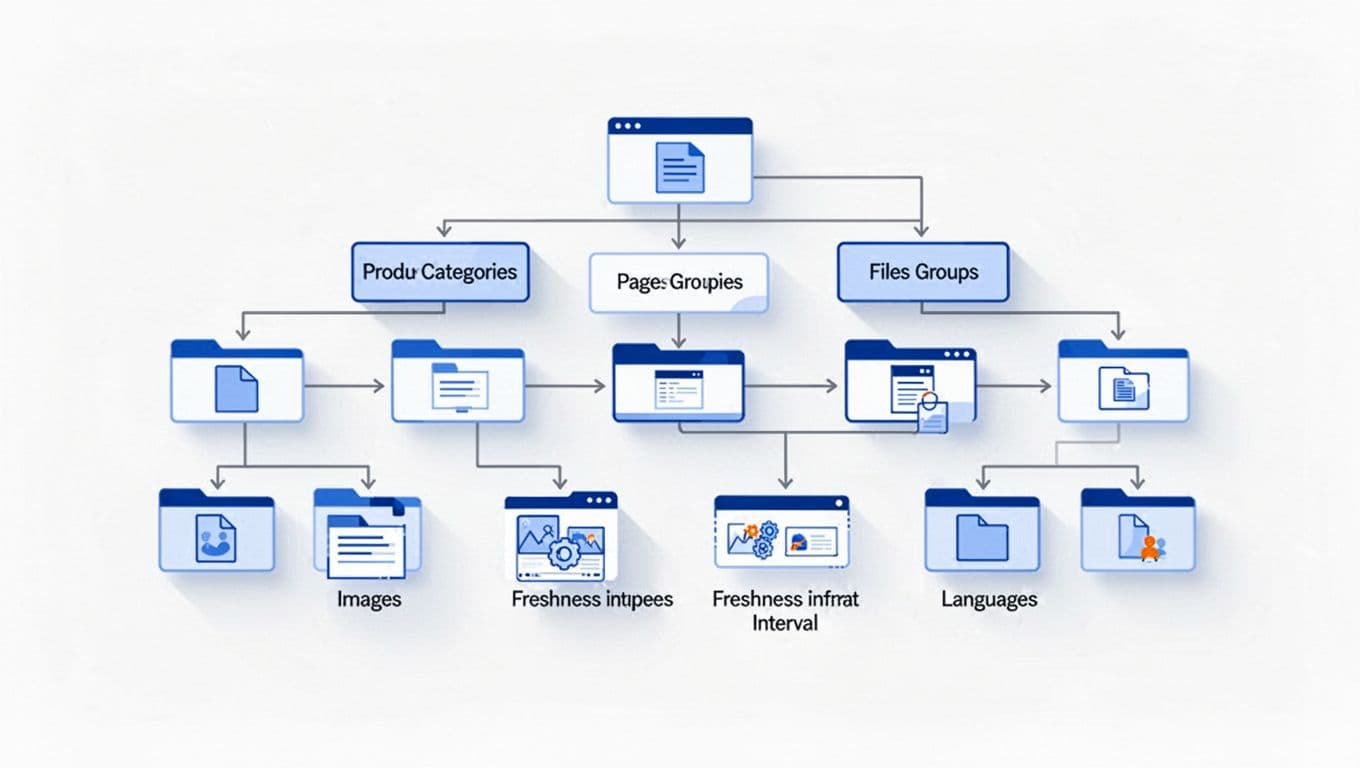
This quick framework works well for most enterprise catalogs:
| Split type | Use it when | Example |
|---|---|---|
| Product category | Catalog sections are large and operationally distinct | /sitemaps/products-footwear-1.xml.gz |
| Freshness | New or updated items need faster discovery | /sitemaps/products-new.xml.gz |
| Language or market | URLs differ by locale, currency, or country | /en-us/sitemap-index.xml |
| Site section | Products, categories, brands, and content behave differently | Separate product, category, and guide sitemaps |
Category splits make sense when merchandising teams manage clear business units. Freshness splits help when new arrivals change daily, while older evergreen products change far less often. Language splits are best when each market has its own canonical URL set, not when language is handled only with on-page toggles.
Site-section splits are the safest default. Products, categories, brand pages, editorial guides, and store pages don’t change at the same pace, and they shouldn’t share the same crawl signals. If image search matters to your business, keep image sitemaps separate or attach image entries to product shards, but don’t mix image debugging into every other sitemap problem.
A fashion retailer with 1.2 million SKUs might run product sitemaps by department, a products-new sitemap updated every few hours, separate category sitemaps, and one sitemap index per market. That’s far easier to monitor than one oversized product dump.
Managing millions of URLs without feeding index bloat
The hardest part isn’t publishing more sitemap files. It’s deciding what never belongs in them.
Filtered URLs are the classic problem. Size, color, sort, pagination, search, and session parameters can multiply into millions of near-duplicates. If a filtered page has no unique demand, no unique content, and no clean canonical URL, keep it out of the sitemap.

For example, /shoes?color=black&size=10&sort=price-desc is usually a user path, not a landing page. If “men’s black trail running shoes” deserves search visibility, publish a clean category or collection URL for it, write unique copy, and link to it internally. Otherwise, leave the filter state out of indexation and out of the sitemap. Teams handling filter sprawl can borrow ideas from this Shopify faceted navigation SEO checklist.
The same rule applies to duplicate product variants, internal search results, thin tag pages, and discontinued URLs. If a product is gone for good, return 404 or 410 and remove it from the sitemap quickly. If it’s temporarily out of stock but still useful to shoppers, keep it live and keep it in.
Very large catalogs also need stable shard logic. Don’t reshuffle URLs across sitemap files every day. Keep product IDs, category groups, or date windows consistent, because stable files make monitoring easier in Google Search Console, Bing Webmaster Tools, and log analysis.
Finally, remember that sitemaps work best with strong site structure. Search engines compare your sitemap hints with real crawl paths. Clean taxonomy, crawlable category links, and good breadcrumbs all reinforce what belongs in the index. These breadcrumbs for category discovery and SEO help that hierarchy stay clear. If layered navigation is a problem on Adobe Commerce, this Magento category page SEO audit checklist is a practical follow-up.
A short 2026 checklist for large ecommerce sitemaps
Use this as a final QA pass before you publish or rework your sitemap system:
- Include only canonical, index-worthy 200 URLs.
- Split by site section first, then by category, freshness, or language when scale demands it.
- Keep shard names and shard logic stable over time.
- Update
lastmodonly for real page changes. - Leave filtered, duplicate, internal search, and noindex URLs out.
- Remove permanently retired products fast.
- Submit sitemap index files, not hundreds of individual URLs by hand.
- Check sitemap counts against Search Console, Bing tools, and server logs.
- Review gaps monthly, because large catalogs drift fast.
More sitemap files don’t create better results. Better judgment does.
When ecommerce XML sitemaps mirror real page value, search engines waste less crawl time on dead ends and spend more of it on products and categories that can actually rank. On large stores, that difference shows up in crawl health, indexing quality, and revenue pages getting found sooner.