Large ecommerce stores bury good pages fast. A product can sit three clicks deep, hide behind filters, and still deserve attention.
An HTML sitemap for ecommerce helps fix that. It gives shoppers a clear backup route and gives crawlers another path to important categories, products, and content. The win is practical, not magical, because the page works best when it mirrors real site structure.
For big catalogs, the goal is simple. Build a map that helps users, supports internal links, and keeps orphan pages from fading into the background.
Why HTML sitemaps still matter for large stores
An HTML sitemap does not replace navigation, breadcrumbs, or XML sitemaps. It adds a clean, human-friendly layer on top of them. That matters when your catalog has thousands of URLs and a shallow menu can’t surface everything.
It also helps when category depth gets messy. If your store has grown by brand, collection, season, or product type, a sitemap page gives visitors one place to start. It can also surface pages that normal browsing misses, which is useful for taxonomy for site architecture that needs a clearer path.
A sitemap should feel like a short route, not a directory dump.
Google’s current guidance still puts XML sitemaps in the crawl-hint seat, not HTML sitemaps. Even so, a well-built HTML version can improve discovery, reduce dead ends, and support a better browsing flow. If you want a broader view of how page paths shape performance, the same logic appears in ecommerce internal linking strategy.
What belongs in the sitemap, and what should stay out
A good sitemap page is curated. It should highlight the pages that matter, not every possible URL the site can generate.
| Page type | Include it? | Why |
|---|---|---|
| Core categories | Yes | They guide shoppers to major product groups |
| Curated subcategories | Yes | They match how people browse a large catalog |
| Top-selling or hero products | Sometimes | Good for flagship items and seasonal winners |
| Blog guides and buying advice | Sometimes | Helpful when they support product discovery |
| Filter combinations | No | They create duplicate paths and clutter |
| Login, cart, checkout | No | They belong in utility navigation, not the sitemap |
The best sitemap pages usually include canonical category pages, important subcategories, high-value products, and a few content pages that support shopping intent. They skip faceted URLs, duplicate views, and thin pages that add noise.
That approach also lines up with ecommerce sitemap best practices for large catalogs. Keep the page useful. Keep it selective. Keep it readable on mobile.
Build it like a real information map
A giant single-page list works poorly once a catalog grows. For larger stores, split the sitemap into themed pages by department, brand, or product family. That keeps the page scannable and easier to maintain. It also matches the advice in theme-based sitemap structure.
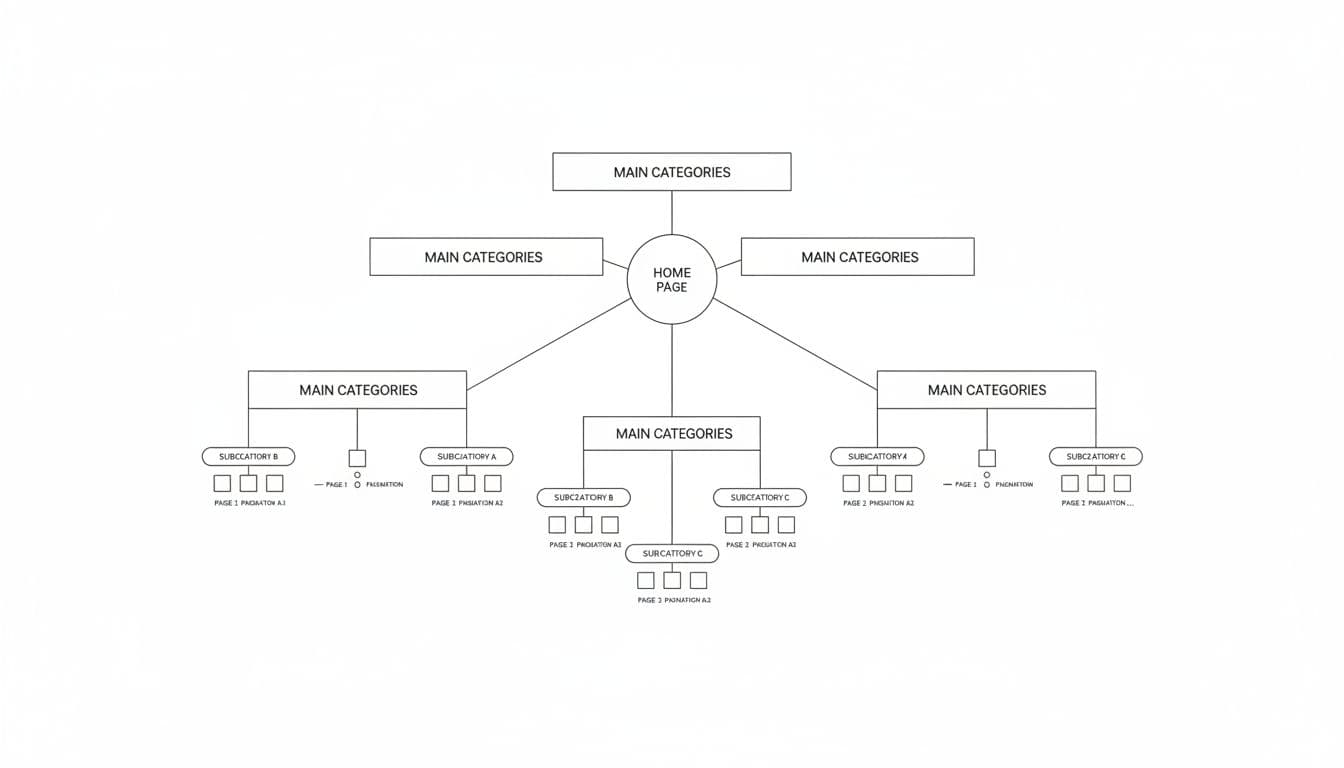
A strong sitemap also needs clear anchor text. Use the same names shoppers see in navigation, not vague labels or keyword stuffing. If a category is called “Running Shoes,” keep it that way.
Automation helps too. Most large stores should generate the sitemap from the CMS or catalog database, then update it when products launch, disappear, or move. Manual edits break fast at scale.
A simple build checklist looks like this:
- Group links by real category structure, not by random popularity.
- Keep each page short enough to scan without fatigue.
- Link to canonical URLs only.
- Refresh the sitemap whenever the catalog changes.
- Place the sitemap in the footer so it stays easy to find.
If your taxonomy is weak, fix that first. A sitemap cannot repair a broken tree. It can only expose it more clearly. For that reason, pair the page with structured data breadcrumbs so users and bots see the same hierarchy in more than one place.
How HTML sitemaps improve crawl efficiency without overpromising
HTML sitemaps help crawl efficiency because they create one clear list of important links. That is useful when internal paths get long or when products sit too deep in the click structure. It is especially helpful for pages that are live but hard to reach.
This matters even more when faceted navigation creates endless combinations. A sitemap should not list ?color=red or every size and material mix. Those pages usually waste crawl effort and confuse users. Keep the sitemap focused on stable, canonical pages.
JavaScript rendering adds another wrinkle. If your navigation or collection links depend on client-side rendering, make sure the sitemap page is available in the initial HTML or server-rendered output. A browser can show links that a crawler may not process well enough, especially on large sites with heavy scripts.
Pagination needs the same careful treatment. If a category stretches over many pages, the sitemap should point to the category page, not every paginated slice. Otherwise the page gets noisy fast.

That is the right balance for crawl budget. You are not trying to force rankings. You are making it easier for search systems and users to find the pages that matter. The sitemap becomes a map, not a warehouse inventory.
How to tell if it is working
The clearest signs show up in crawl data and user paths. Watch for deeper category pages getting discovered more often, fewer orphan pages, and more internal clicks from the sitemap page itself. In Search Console, check whether important URLs are getting crawled and indexed more consistently.
You can also compare site crawl reports before and after launch. If the sitemap is useful, the crawl graph should show better access to products and categories that used to sit far from the main nav. The change may be modest, but on a large ecommerce site, modest improvements can still matter.
If the sitemap gets traffic, that is a bonus. Some shoppers use it as a fallback when filters fail or menus feel too crowded. That is a clear sign the page is doing real work.
Conclusion
A strong HTML sitemap for a large store does three jobs at once. It helps shoppers find things faster, it supports internal linking, and it gives crawlers one more clean route through a complex catalog.
The best version is selective, current, and tied to your real site architecture. When it mirrors your taxonomy and stays clear of faceted noise, it becomes one of the most useful pages on the site.