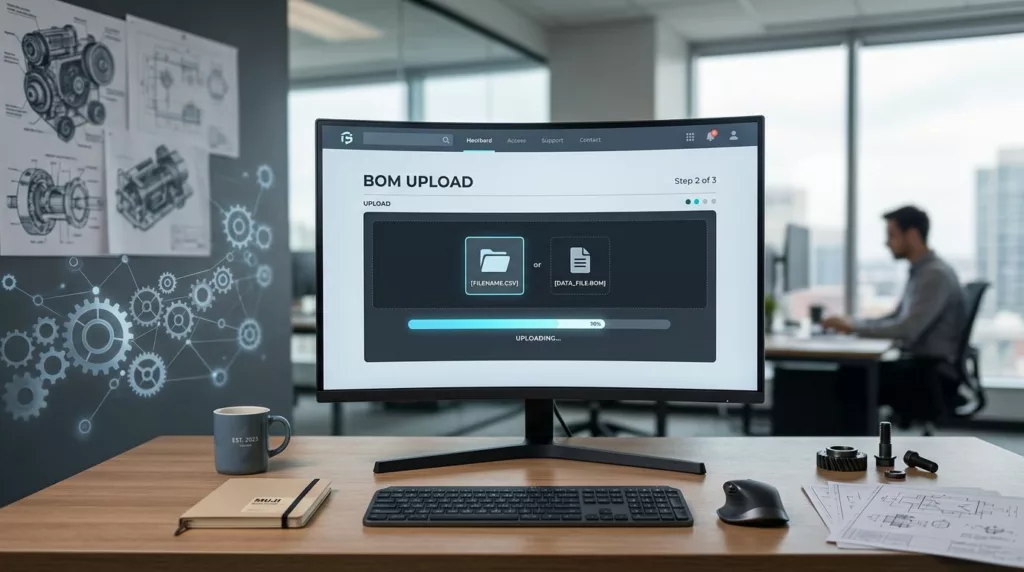
A BOM upload flow can make or break a B2B parts order before anyone sees pricing. When a buyer submits a bill of materials, they expect speed, accuracy, and a clean handoff, not a maze of file rules and error messages. Optimizing the user experience is essential because the process sets the tone for the entire procurement cycle.
The BOM upload UX matters because the file often serves as the order itself. If the interface hides accepted formats, rejects common columns, or forces a restart after one bad row, buyers lose time and confidence. An intuitive interface keeps the work moving and gives users clear control at every step, ensuring the process remains efficient and error-free.
Key Takeaways
- Prioritize user reality over rigid requirements: Design your system to accept the file formats and structures buyers already use rather than forcing them to conform to strict, proprietary templates.
- Implement proactive, inline error handling: Prevent support tickets by surfacing errors in real-time, pointing to specific rows or cells, and allowing users to fix mistakes inline instead of forcing a full file re-upload.
- Provide transparent review and confirmation: Offer a clear preview screen that highlights key order data, allowing buyers to verify information and make adjustments before the final submission.
- Design for operational visibility: Ensure the backend handoff is seamless by providing clear status updates, supporting partial order acceptance, and maintaining audit trails to keep internal teams aligned with the buyer.
Why BOM upload UX matters in B2B parts orders
Parts orders are rarely simple. A single request might include dozens or hundreds of line items, each with a part number, quantity, unit of measure, revision, or note. Handling this level of complexity requires robust product data management to ensure that every detail is captured accurately. Consequently, the upload step carries significantly more weight than a standard product page or cart.
The bill of materials upload experience also serves as a critical bridge between internal teams. Engineering may create the file, procurement may submit it, and operations may fulfill it. If the flow feels confusing for any of these stakeholders, the entire order process stalls. Improving this workflow efficiency is essential for teams that need to coordinate across different departments to move projects forward.
The same fundamentals that enhance general user experience in ecommerce also matter here. Clear labels, short paths, and helpful feedback reduce mistakes before they reach the back office.
A BOM upload flow fails when it asks for perfect data before it gives clear feedback.
That is why this journey needs more than a simple file drop zone. It requires trust, clarity, and a structured path to correction.
What a strong upload flow should do
A high-performing file upload component handles three core jobs. It accepts common file types, assists the user in matching data, and confirms the order details before final submission. Anything less creates avoidable manual work for the buyer and unnecessary support tickets for your team.
Here is a simple comparison of weak and strong patterns.
| Need | Weak pattern | Better pattern |
|---|---|---|
| Accept common files | One required template only | Support the formats buyers already use |
| Map fields | Manual setup with no guidance | Auto-match likely columns and let users edit them |
| Review data | Hidden import with no preview | Show a file preview of line items before submit |
| Handle errors | Restart the whole upload | Keep good rows and flag only the bad ones |
The takeaway is simple. The flow should act like a helpful clerk, not a locked door.
A strong BOM upload UX also keeps the user oriented. Clear progress indicators, visible file names, and helpful next steps ensure people know exactly where they are in the process. That clarity matters when a buyer uploads a document at the end of a long procurement task and wants to avoid surprises.
Design for the files customers already use
Most buyers do not create BOMs in your preferred format. They export data from ERP systems, clean up spreadsheets, or copy a supplier template into something their team already trusts. To improve your B2B parts ordering experience, your interface must meet that reality by supporting the CSV and Excel files your customers already rely on.

Start by showing accepted formats near the file upload component. If a specific template is required, offer it before the user begins the process. This approach avoids the frustration of uploading a file only to discover it is incompatible.
Keep the interaction simple. While drag-and-drop functionality is highly intuitive, a visible browse option is equally important for users who prefer a standard file picker or work in restricted IT environments.
Furthermore, do not force people to rename files based on rigid internal rules unless it serves a clear operational purpose. A buyer cares far more about whether the part list imported correctly than whether the file title follows a specific convention.
A few small details make a big difference in the user experience:
- Display supported file types and formats before the upload starts.
- Offer a downloadable template near the input area.
- Use plain language for file size validation to prevent upload errors.
- Save the original uploaded file name so the user can verify it later.
Providing this level of clarity reduces unnecessary back-and-forth communication before the order ever reaches the review screen.
Prevent errors before they turn into tickets
Upload validation is where many part-order workflows fall apart. If errors appear too late, support teams get stuck cleaning up avoidable mistakes, which is why proactive error handling is so critical for reducing support tickets. If validation is too strict, users feel blocked by small issues that could have been fixed in place.
Effective real-time validation starts with the obvious problems. Missing part numbers, blank quantities, duplicate rows, and unknown units of measure should surface fast. Whether your users rely on manual entry or drag-and-drop functionality to initiate the process, they should not have to guess which line failed or why.
Use field-level messages where possible. If the quantity is invalid, point to the exact cell or row. If a part number does not match your catalog, say whether it is missing, inactive, or formatted wrong. That kind of detail saves time.
Validation should also separate hard stops from warnings. A missing required field is a hard stop. A note about an unusual unit or a suspicious duplicate can be a warning. Mixing those together creates noise.
Inline fixes are better than error dumps. If the user can edit a row in the review screen, the flow feels cooperative. If they must download a report, open a spreadsheet, and start over, the experience breaks down.
Make review and approval feel simple
Once the file is accepted, the next screen should make the order easy to verify. Buyers need to see what imported, what changed, and what still needs attention without scanning a wall of raw data. A superior user experience ensures that even complex file types and formats are presented in a clean, digestible layout.
A review step works best when it highlights the most important order fields first. Part number, description, quantity, price, lead time, and ship-to details belong near the top. Less important metadata can sit below the fold or in expandable rows.
Inline editing helps here too. If someone catches a typo in quantity or a wrong ship-to code, they should fix it on the spot. A review screen that behaves like a spreadsheet is often enough for B2B buyers, as long as the layout stays clear.
This is also where testing pays off. Teams that want to improve labels, field order, and helper text can borrow methods from ecommerce AB testing best practices. Small wording changes can affect whether users complete the upload or abandon it.
Review screens should also support real approval flows. Because many customers require procurement sign-off or engineering review before submission, your platform should provide robust BOM revision management. If the system supports version control, along with drafts and comments, it fits more teams without the need for endless email chains.
Build for operations, not just upload speed
A fast upload means little if the backend cannot process the order cleanly. Operations teams need a clear handoff, a visible queue, and a way to handle exceptions without guessing. By utilizing a cloud-based platform, your team can gain the visibility needed to move beyond simple intake and focus on execution.
Status updates are critical in this phase. After submission, users should know whether the order is received, under review, partially accepted, or ready for quote. Silence creates support calls, but clear status messages reduce them. All of this information should be easily accessible through a centralized dashboard, which allows staff to monitor order progress in real time.
Partial acceptance is especially useful in BOM workflows. One bad line should not block the rest of the file if your business rules allow it. When that happens, the system should explain which items moved forward and which ones need correction, effectively driving workflow efficiency.
Internal notes, audit trails, and ownership also matter. While a buyer may not care who touched the file, your team relies on these details for effective project management. When a dispute comes up later, you need a record of what was uploaded, changed, and approved to maintain accountability.
The best operational workflow hides complexity from the buyer without hiding it from the team that fulfills the order.
That balance protects both speed and accuracy, ensuring your internal processes are as robust as the user experience you provide.
Measure the parts of the flow that matter
A BOM upload flow should be measured by more than just the total submission count. While the completion rate is important, it does not tell the full story of the user experience. You also need to know where users slow down, which steps cause friction, and how much manual cleanup the process creates.
Useful metrics include the overall completion rate, first-pass acceptance rate, error recovery time, support tickets generated per upload, and the share of orders that require manual spreadsheet reformatting. These signals show whether the flow is actually saving your team work or simply shifting it elsewhere.
Track the data by file type as well, especially if your system supports multiple file uploads. Excel, CSV, and internal exports can behave very differently. If one format consistently causes more failures, the issue may lie with your instructions, your parser, or your error handling logic.
Watch for drop-off at each step as well. If users leave immediately after file selection, the problem may be restrictive file-size limits or unclear format guidance. If they abandon the process on the review screen, the issue may be a lack of trust in the system or too many unresolved errors that prevent the user from feeling confident in their purchase.
Frequently Asked Questions
Why is a simple drag-and-drop file upload zone insufficient for B2B parts ordering?
While drag-and-drop is convenient, it is only one small part of the process. A robust BOM flow must also handle complex data mapping, provide immediate validation feedback, and offer a review interface that builds user confidence before the order is finalized.
How can I reduce the number of support tickets related to BOM uploads?
Reduce tickets by implementing clear, proactive error messages that explain exactly what is wrong and how to fix it within the interface. By providing inline editing capabilities, you allow users to correct minor issues themselves rather than requiring them to contact your support team for manual intervention.
Should I allow users to upload files that don’t match my internal system perfectly?
Yes, you should build your system to handle common formats like CSV and Excel rather than forcing buyers to manually reformat their data. Use intelligent field-matching to guide users during the import process, which makes the experience cooperative rather than a technical barrier.
What is the most effective way to handle errors in a large bill of materials?
Avoid “all-or-nothing” uploads where one bad row causes the entire file to fail. Instead, implement a system that flags specific errors while allowing the valid parts of the file to proceed, providing a much smoother and more efficient experience for the buyer.
A better BOM upload experience feels like part of the buying process
A strong BOM upload flow does more than accept files. It provides essential file management that helps buyers stay accurate, keeps operations organized, and cuts down on slow, manual cleanup. When you pair this with an intuitive interface, the entire parts order process feels reliable and professional.
Modern B2B commerce requires a responsive design that adapts to the way teams work today. By incorporating accessibility features, you ensure that every buyer can navigate the system easily, regardless of their technical constraints. Furthermore, mobile responsiveness allows field teams to manage orders on the go, ensuring that the process remains seamless. Ultimately, providing a high-quality experience on a robust cloud-based platform transforms the upload step from a chore into a reliable foundation for your entire supply chain.