
Retailers can offer visual search ecommerce features that let shoppers upload a photo, screenshot, or live camera image to find matching or similar products. In visual search in ecommerce, an image helps shoppers find products when they recognize a style but don’t know the words to describe it.
For retailers, visual search can improve product discovery, provided results respect product attributes, availability, and shopper intent. Start with how image matching works, then build the catalog and shopping experience around it.
Key Takeaways
- Visual search works best when appearance drives buying decisions, such as clothing, furniture, and home accessories.
- Accurate results need consistent photography, structured product data, and current inventory.
- Measure incremental purchases and revenue, because more image searches or product views don’t automatically mean better shopping outcomes.
How Visual Search for Ecommerce Works
Traditional image search starts with words and returns pictures. Google launched Google Images in July 2001; visual search uses an image as the input.

Turn images into searchable vectors
AI visual search uses computer vision and machine learning to identify color, shape, pattern, and texture. Deep learning models learn visual patterns. CNNs are a core image-recognition architecture, while modern systems also use vision transformers.
An embedding model converts each image into a numerical feature vector. The store indexes catalog vectors, then compares an uploaded image’s vector against them for fast similarity matching.
Multiple images per product help cover different angles and details. However, vectors only describe what the model can recognize.
Refine matches with product information
The search system combines visual similarity with catalog attributes, stock, and shopper filters. Natural language processing can interpret text added to an image, such as “red” or “summer dress.”
For multi-object photos, object detection identifies separate items. The shopper can then select a chair rather than the rug beneath it.
Results should distinguish exact matches from similar alternatives. A visually similar replacement part can still have the wrong dimensions or compatibility.
Where Shoppers Already Use Visual Search
Google Lens, Pinterest Lens, Bing Visual Search, and Amazon’s camera search are familiar examples. Amazon now calls its shopping tool Amazon Lens; StyleSnap is an earlier fashion-focused example.
Google has reported nearly 20 billion monthly Lens searches, with 20% shopping-related, approximately 4 billion. Treat that as a published benchmark rather than a live usage counter.
In visual search shopping, shoppers typically select a camera icon, capture or upload an image, crop the relevant item, and browse matches. On a retailer’s website, the same interaction searches that store’s inventory rather than the wider web for online shopping.
For retailers, the distinction matters: visibility in Google Lens and an image-upload feature inside your store are separate projects. One supports acquisition; the other improves on-site discovery.
Benefits for Shoppers and Retailers
Visual queries reduce the effort of describing unfamiliar products. A shopper can search for a lamp’s silhouette without knowing the term “gooseneck.”
Retailers can offer relevant substitutes when an exact item isn’t stocked. A “shop the look” feature can support cross-selling and upselling with personalized recommendations for relevant complementary products. The interface should keep these suggestions separate from exact matches and similar items.
Invesp cites figures showing 36% of consumers have used visual search. Endear repeats a 62% preference figure for millennials choosing visual search over other discovery technologies. That narrower comparison doesn’t establish that all younger shoppers prefer images to text.
Potential gains include higher conversion and average order value, but neither follows automatically. More product views can also mean shoppers are struggling to find a useful match.
Keep relevance ahead of promotions. Our guide to ecommerce search merchandising explains how commercial ranking rules should work within relevant results rather than override shopper intent.
Prepare Catalog Images and Product Data
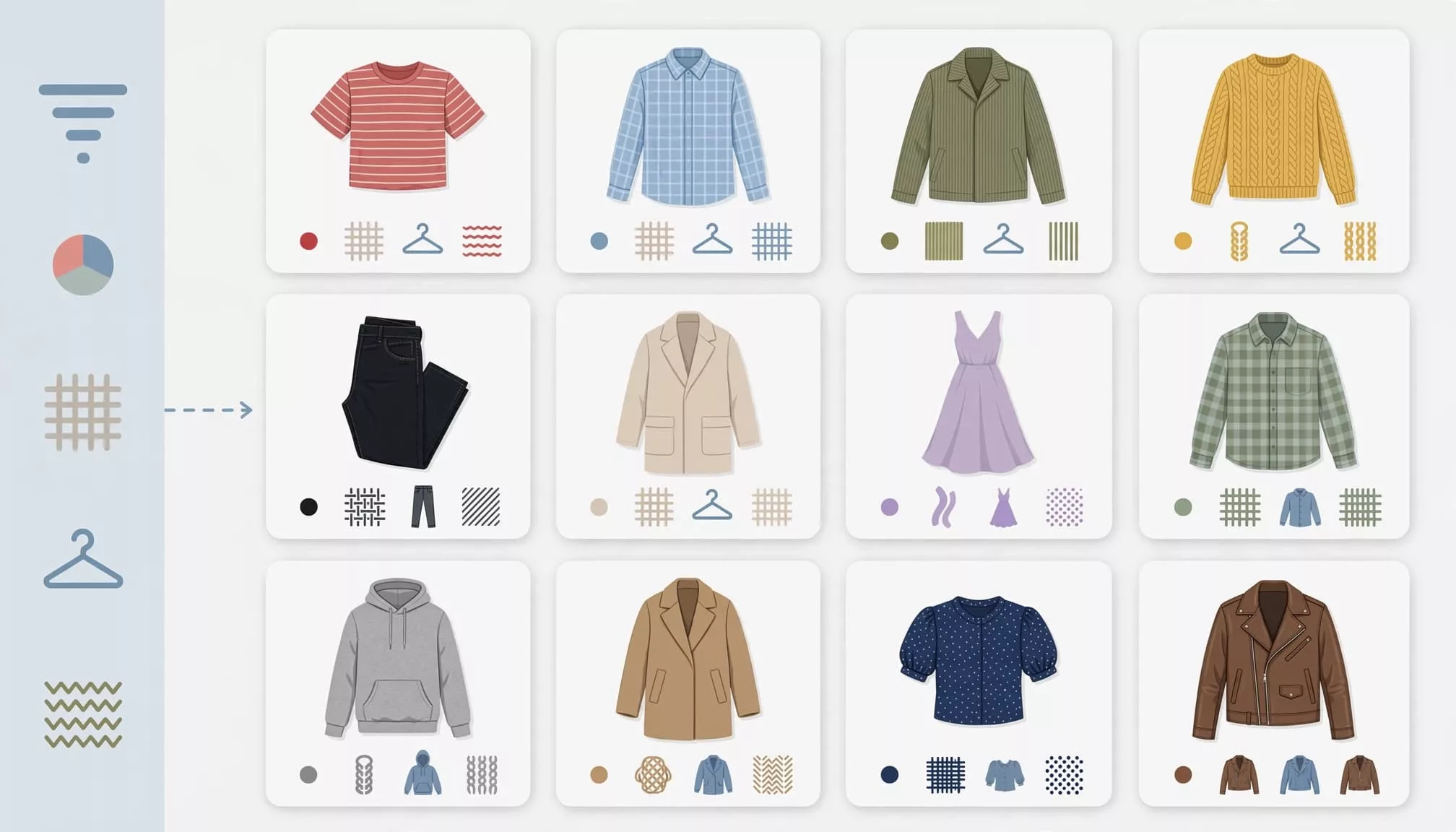
Make products easy to recognize
Use sharp, consistently framed images in your product catalog, with each product large enough to inspect. Include alternate angles and close-ups where texture or construction affects the purchase.
Lifestyle photography provides context, but also supply isolated product views. Otherwise, background furniture or styling props can influence matches.
Compress delivery images without erasing useful detail. Keep descriptive alt text for accessibility and image SEO, while recognizing that alt text doesn’t replace structured attributes or image embeddings.
Connect every image to reliable attributes
Incomplete image metadata is a common reason results fail even when image recognition succeeds. A model may recognize a boot while missing whether it’s waterproof or available in the required size.
For a footwear catalog, connect each image to its product ID, variant ID, category, color, material, size, price, and availability.
A practical pipeline imports product records, validates attributes, generates image embeddings, and writes vectors alongside those IDs. Inventory updates change eligibility; changed product images trigger new embeddings.
Then test whether a black ankle-boot photo returns available ankle boots before unrelated black footwear. Include difficult cases such as patterned fabrics, white products, and cluttered screenshots.
Choose a Practical Implementation Route
Data Bridge Market Research values the global visual search market at $41.72 billion in 2024 and forecasts $151.60 billion by 2032. That projection doesn’t determine whether your store needs a custom system.
The main implementation options have different responsibilities.
| Route | Suitable situation | Main cost drivers |
|---|---|---|
| Hosted app or service | A team wants managed matching and integration | Subscription, catalog volume, queries |
| API-based integration | A custom storefront needs interface control | API usage, integration, monitoring |
| Custom pipeline | Specialized matching needs justify ownership | Engineering, infrastructure, model evaluation |
An API-based integration can use a visual search API for matching, but still needs storefront integration and monitoring.
ViSenze and Clarifai are commercial options. Google Vision AI provides vision capabilities, while OpenCV and TensorFlow support custom development. None automatically supplies a complete retail search experience.
Before rollout:
- Choose one visually distinctive category and define successful matches.
- Clean its images and attributes, then connect inventory updates.
- Add image upload, cropping, filters, and recovery paths.
- Instrument events and release to a controlled audience.
Compare total operating cost, including maintenance and merchandising work. There isn’t a universal implementation price or timeline across these routes.
Make Mobile Image Search Easy to Use

Place a clearly labeled camera control beside conventional search. Offer photo capture and gallery upload, since mobile shopping often starts with a screenshot saved on the phone.
Let shoppers crop images before submitting and switch the selected object afterward. Show upload progress, explain failures, and preserve the image when they adjust filters.
Results need prices, variant availability, and useful attributes alongside thumbnails. Preserve filters and scroll position when shoppers return from a product page.
Clear controls, accessible alternatives, and preserved filters improve the user experience. Consistent imagery improves scanning, but images alone aren’t accessible navigation. Provide text labels, keyboard access, screen-reader announcements, and an ordinary text-search alternative.
Slow uploads can erase the convenience of avoiding typing. Resize uploads sensibly as part of mobile optimization, and measure performance on slower connections. Our search results page UX guidance covers the filtering and context-preservation details that keep comparison shopping manageable.
Handle Weak Matches and Uploaded-Image Privacy
Recover without misleading shoppers
Lighting, occlusion, backgrounds, and unusual angles can weaken recognition. Similarity also doesn’t prove material, authenticity, size, or compatibility.
When confidence is low, explain that results are approximate. Offer cropping, category selection, text refinement, or relevant in-stock alternatives.
Avoid filling an uncertain result set with generic bestsellers. Recovery should preserve the shopper’s original intent.
Minimize uploaded-image exposure
Customer photos may contain faces, addresses, or private interiors. Explain what gets uploaded, why it’s processed, whether a third party receives it, and how long it’s retained.
Use encrypted transfers and restricted access. Strip unnecessary metadata, minimize storage, and keep uploads out of routine analytics recordings.
Address model-training use separately from search processing. Your privacy notice, retention settings, processor agreements, and lawful basis must fit the markets you serve.
Measure Incremental Sales, Not Camera Taps
TechAhead repeats a 26% conversion advantage for visual search. Treat that as a reported claim, not a forecast for your store.
People who choose image search may already have stronger purchase intent. Comparing their conversion rate with ordinary text-search users doesn’t isolate the feature’s effect.
Instead, randomize feature availability across eligible visitors and define the experiment window in advance. Use revenue per eligible visitor or purchase conversion as the primary outcome.
Track the supporting funnel: upload starts, successful processing, result clicks, refinements, search-to-cart rate, purchases, and cart abandonment. Also measure latency, zero-result rate, and human-reviewed relevance among the first ten results.
Segment by device, category, and new versus returning shoppers. Watch average order value alongside contribution margin and returns.
Our ecommerce funnel analysis guide helps connect discovery events to downstream drop-offs. A rise in clicks matters only when shoppers make useful progress.
Frequently Asked Questions
Does visual search reduce product returns?
Visual search alone doesn’t establish fit or scale. An augmented reality (AR) preview can help shoppers evaluate products after discovery, but it’s a separate feature.
AR Insider summarizes reported return reductions of 20% to 40% associated with AR and 3D visualization. Those reports don’t establish the same reduction for image-based search. Measure returns for your own product categories.
How is visual search different from visual commerce?
Visual commerce includes product photography, shoppable images, video, and interactive experiences. Visual search is one discovery method within that broader category.
It works especially well for appearance-led purchases. However, text search, model numbers, and compatibility filters remain important for precise technical requirements.
Start With One Category and Prove the Value
Visual search for ecommerce succeeds when shoppers can turn inspiration into a relevant, purchasable result. Catalog quality and clear recovery paths matter as much as recognition accuracy.
Start with one category, preserve conventional search, and measure incremental revenue against a control. Before expanding visual search, confirm it helps shoppers find suitable products faster without creating new uncertainty.