
A $25,000 order creates a different checkout problem than a $25 order. When bank transfer payment UX feels vague, buyers pause, procurement teams ask for clarification, and fulfillment teams wait for money they can’t verify.
High-value buyers need a clear payment route, reliable confirmation, and a safe handoff between checkout, finance, and fulfillment. The right experience makes bank transfer feel deliberate rather than unfinished.
Key Takeaways
- Show bank transfer beside cards, but explain the payment rail, settlement timing, fees, and next steps before the buyer commits.
- Use ACH for many US transactions, SEPA for euro payments across participating European markets, and wires when speed or transaction value calls for them.
- Keep the order total, beneficiary details, reference number, and payment status visible throughout the process.
- Release expensive goods only after your payment or finance system confirms funds according to your internal risk policy.
- Track payment completion, confirmation delays, support contacts, failed transfers, and fulfillment holds as separate parts of the funnel.
Why High-Value Orders Need a Different Checkout
A high-ticket purchase carries more operational risk than a standard online order. The customer may need approval from a finance manager, a buyer, a department head, or a procurement system. Your team may need to reserve inventory, arrange freight, verify tax details, or schedule installation.
That process changes what “conversion” means. A buyer who selects bank transfer but never completes it hasn’t created a successful order. A buyer who pays but doesn’t receive a usable confirmation can still create a support case. A warehouse that ships against an unverified screenshot can create a costly loss.
B2B payment systems often need to handle high-value transfers, approval chains, reconciliation, and different purchasing workflows. Airwallex’s B2B payments guide describes these requirements as part of the payment process rather than as exceptions around a normal consumer checkout.
Card payments provide immediate authorization in many cases, which makes them attractive for automated fulfillment. However, cards can create friction on large orders. Buyers may face spending limits, fraud declines, commercial card policies, foreign exchange costs, or internal rules that prevent employees from using personal cards.
Bank transfers solve some of those problems. They also introduce new ones. Settlement may take time, payment references can be entered incorrectly, and a transfer can appear complete to the buyer before your business has received cleared funds.
For that reason, high-value checkout needs two connected experiences:
- The buyer-facing payment flow, which explains what to do and what happens next.
- The internal payment operations flow, which matches incoming funds to the correct order and controls fulfillment release.
If either side is unclear, the customer feels the gap.
Choosing the Right Bank Transfer Rail
“Bank transfer” is too broad as a checkout label for many B2B purchases. The underlying rail affects settlement timing, fees, account details, availability, and the language you should use.
In the United States, ACH moves funds between bank accounts through the US Automated Clearing House network. It often fits recurring payments, invoice-like transactions, and domestic B2B orders. ACH can be less expensive than card acceptance, but the buyer needs to understand that payment confirmation and funds availability may not happen at the same moment.
SEPA transfers support euro-denominated payments across the Single Euro Payments Area. They give European buyers a familiar route for domestic and cross-border euro transactions. Your interface should still show the exact beneficiary name, IBAN, amount, and reference because familiarity doesn’t remove the risk of transcription errors.
Wire transfers are often better suited to urgent or very high-value orders. JPMorgan describes wires as supporting same-day settlement and immediate funds availability between bank accounts, although timing still depends on the banks, currencies, cutoffs, screening, and the specific transaction. Don’t promise instant release unless your finance process can support that promise.
The checkout should present the method in language that matches the customer’s region and order context:
- ACH bank payment: Use for eligible US buyers when account-to-account payment is supported.
- SEPA bank transfer: Use for euro payments involving participating European markets.
- Wire transfer: Use when the buyer expects a direct bank payment for a large or time-sensitive order.
- Invoice or purchase order: Use only when your business has approved the buyer and defined credit terms.
Avoid placing all of these behind one generic button. A buyer shouldn’t have to select “bank transfer” and then discover that the available option doesn’t support their country or currency.
The payment method label should also state when the order becomes payable. For example, “Pay by ACH, order held until funds are confirmed” is clearer than “Bank payment.” If the customer must upload a remittance notice, say so before the final order action.
Design the Bank Transfer Payment UX Around Decisions
The bank transfer option belongs in the payment section, not on a separate page that appears after checkout. Buyers need to compare it with cards and other available methods while the order total remains visible.
A clear method selector shows the payment name, currency, expected confirmation time, and any relevant fee. It can reveal additional fields only after the buyer chooses the method. This keeps the initial screen compact without hiding information that affects the decision.
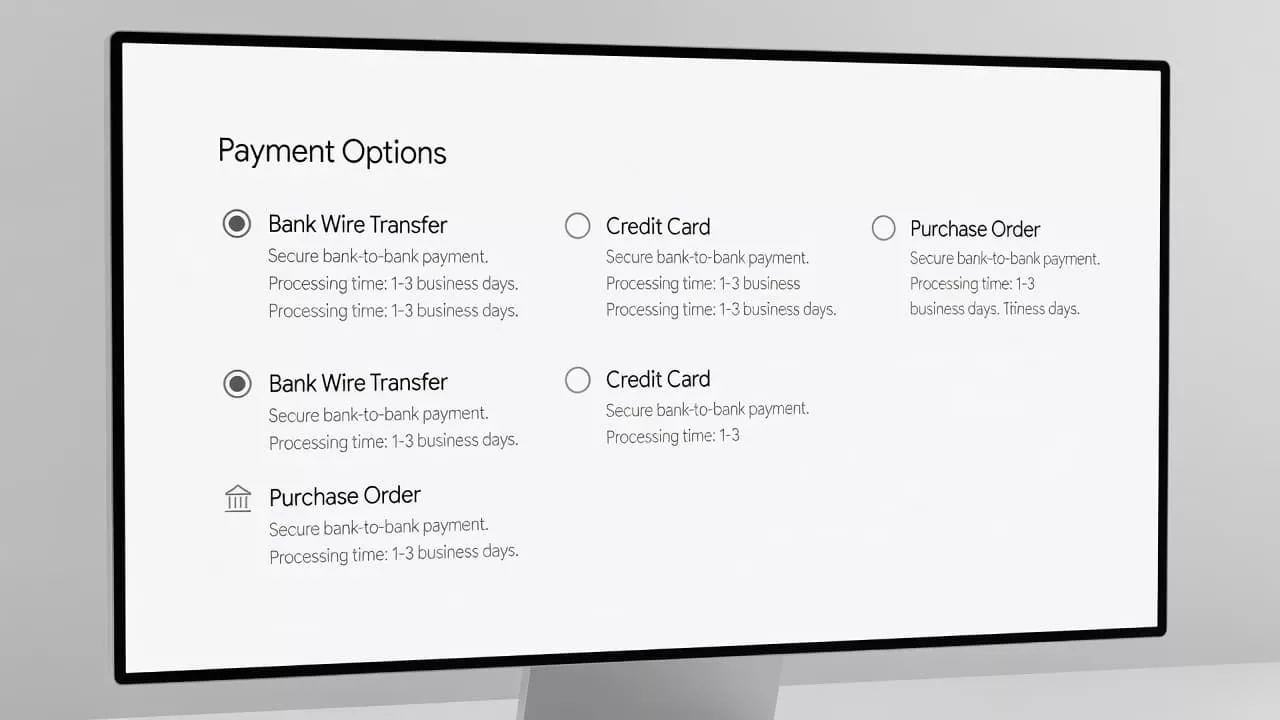
A strong selection screen might use labels such as:
- Pay by card, usually confirmed immediately
- Pay by bank transfer, confirmation after funds arrive
- Pay by ACH, US accounts only
- Request an invoice, subject to account approval
The wording should match your actual process. If finance reviews every transfer manually, don’t promise automatic confirmation. If your provider can match payments through a unique virtual account or reference, explain that the buyer must use the assigned reference exactly.
The order summary should stay visible during payment selection. Show the product total, shipping, taxes, discounts, fees, currency, and final amount. High-value buyers often need to copy the amount into a banking portal, so hiding the total creates avoidable errors.
A separate payment method selector UX guide can help teams review grouping, labels, progressive disclosure, and method order. The same principles apply here, but high-value orders require more detail about settlement and fulfillment status.
The final action should describe the outcome. “Place order and view bank instructions” tells the buyer what happens next. “Continue” leaves the result unclear. After submission, provide a dedicated payment instruction page with:
- Order number and exact amount
- Currency and payment deadline
- Beneficiary name
- Bank name and address, when required
- IBAN, account number, or routing details
- SWIFT or BIC, when required
- Unique payment reference
- Expected confirmation timing
- Support contact for payment questions
- A warning not to send funds to changed bank details received by email
Give the buyer a copy button and a downloadable instruction document. On mobile, let the customer copy one field at a time. Don’t make them select a long block of mixed account details.
Make Payment Status Clear After Checkout
Bank transfer checkout doesn’t end when the buyer clicks the order button. The post-checkout state carries much of the trust burden.
A useful confirmation page distinguishes between order created, payment instructions issued, payment detected, funds confirmed, and order released. Those states should not share one vague “success” message.
For example:
Order received. Your items are reserved until 18 July. We will confirm fulfillment after the transfer reaches our account.
That message protects the customer from wondering whether the order worked, while protecting the merchant from treating an unpaid order as ready to ship.
Show a status timeline when the process lasts more than a few minutes. The buyer might see:
- Order created
- Bank instructions available
- Transfer submitted
- Payment received
- Fulfillment approved
The status should update through the same account area and email thread. If the buyer returns later, they shouldn’t need to search for the original confirmation message.
Proof of payment can help finance teams locate a transaction, but it isn’t the same as settled funds. A screenshot, bank confirmation email, or downloaded transfer document may show that the buyer initiated a payment. It doesn’t always prove that your business has received cleared funds. GoCardless lists several forms of transfer evidence, including screenshots, confirmation emails, letters, and printed transaction notices.
Your interface should say what proof does and doesn’t do. “Upload remittance advice to help us match your payment” is accurate. “Upload proof to release your order” creates a promise that may conflict with your fraud and finance controls.
Send immediate notifications for order creation and instruction delivery. Send another message when funds are confirmed. If confirmation takes longer than the stated window, tell the customer what is happening and when your team will review it.
Protect the Order Without Making the Buyer Suspicious
High-value payment UX must reduce fraud risk without treating every legitimate buyer as a suspect. The balance comes from clear controls, consistent language, and internal review rules.
Start by separating payment initiation from fulfillment release. A submitted order can reserve inventory, but the warehouse should receive a release signal only after your approved payment state is reached.
Use a unique reference for every order. If multiple orders share the same generic reference, finance staff must inspect amounts, names, and dates manually. A unique reference improves matching and gives the customer a clear instruction.
Match incoming payments against more than the amount. Review the order reference, payer name, account information where available, currency, and expected value. A partial payment should enter a review state, not pass silently into fulfillment.
Bank-detail fraud deserves its own control. Criminals may impersonate suppliers and send replacement account information by email. Put the official beneficiary details inside the authenticated order page, repeat them in the payment document, and tell buyers that your team won’t change bank details through an unverified email request.
For internal access, restrict who can edit beneficiary details and require independent approval for changes. Keep an audit log showing who changed the account, when the change occurred, and which orders were affected. Your fraud, security, and finance teams should define these controls for your business and jurisdiction.
Cards and bank transfers also differ in dispute behavior. A card transaction may receive authorization, then face a chargeback or reversal process. A bank transfer may be difficult or slow to reverse after funds leave the buyer’s account. The checkout should not describe one method as universally safer. Instead, explain the operational status and apply the same order-review standards to each route.
One practical rule is to hold fulfillment when:
- The payment amount doesn’t match the order
- The reference is missing or invalid
- The payer differs from the approved account without a documented reason
- The transfer is pending, reversed, or under review
- The buyer requests a delivery change after payment
- Bank details changed shortly before payment
These checks belong in operations, not as a long warning list at checkout. The buyer needs enough information to act correctly. Your staff needs the deeper decision rules.
Account for Regional and Procurement Differences
A bank transfer experience that works for a US buyer may confuse a buyer in Germany, the United Kingdom, Singapore, or the United Arab Emirates. Payment terminology, bank fields, settlement expectations, and approval habits vary by region.
For US customers, ACH is familiar for many domestic business payments, but buyers may still want to know whether the payment is a one-time debit, a credit transfer, or a recurring authorization. If your provider requires account verification, explain the verification step before the customer submits the order. Plaid describes ACH onboarding as including account verification, processor selection, and addition of ACH to the payment flow.
European buyers may expect SEPA terminology and IBAN fields. If you accept euros but ship from outside the SEPA area, state whether the buyer’s bank may charge an international transfer fee. Don’t assume that a euro amount guarantees a domestic-fee experience.
UK buyers may expect sort code and account number fields, while other markets may use local account formats. Your payment provider should determine the fields and validation rules by country. Avoid asking every customer to enter every possible field.
B2B procurement creates another layer. The person who places the order may not be the person who pays. Your account experience should support a downloadable quote, a purchase order reference, an invoice address, and a payment contact when your sales policy allows those features.
Some buyers need their legal entity name on the invoice. Others need a tax-exemption workflow or an internal cost center. These requirements should appear before the payment commitment, not after finance rejects the order.
Payment terms also require care. “Net 30” is a credit arrangement, not a bank-transfer method. Offer it only to approved accounts with documented terms. Legal, tax, sanctions, anti-money-laundering, and consumer-protection requirements differ by jurisdiction, so have qualified specialists review the rules that apply to your business.
Explain Cost, Timing, and Currency Before Commitment
Payment uncertainty grows with order value. A buyer may accept a transfer if the cost and timing are clear, but they may abandon when the checkout leaves those details to guesswork.
State whether you or the buyer pays transfer fees. If intermediary or correspondent bank deductions can reduce the received amount, explain how your team handles short payments. For an order that must receive the full amount, show the required amount and currency in a prominent position.
Use a simple timing statement:
- “Funds usually appear within one business day.”
- “Wire confirmation depends on bank processing and cutoffs.”
- “We release the order after our finance team confirms cleared funds.”
Avoid a single promise for every country and payment rail. Weekends, public holidays, bank cutoffs, currency conversion, and compliance screening can affect timing.
Currency display needs the same care. Show the charge currency, not only a converted estimate. If a buyer’s bank may convert the payment, say that the bank determines the exchange rate and any related fee. A B2B payment processing overview from Nuvei notes that wire fees can range from $15 to $50 or more, depending on the transaction and provider. Your own fees may differ, so publish the amount that applies to your checkout rather than copying a general range.
If you support both card and transfer, explain why the totals differ. Card pricing may include a surcharge where permitted, while bank payment may have a lower processing cost. The display should follow the laws and payment rules that apply to your market.
Measure the Full Payment Journey
A high-value order funnel needs more than a payment conversion rate. Bank transfer users often leave checkout to use their banking app, so the first click doesn’t prove completion.
Track the following events separately:
- Bank transfer method selected
- Order created
- Instructions viewed
- Payment reference copied
- Remittance advice uploaded
- Payment detected
- Funds confirmed
- Order released
- Payment expired or canceled
- Support contact created
Measure the time between each event. A growing gap between order creation and payment detection may indicate unclear instructions, a provider issue, bank delays, or a buyer approval problem.
Segment results by country, currency, payment rail, device, customer type, and order value. A successful ACH experience for repeat US customers may hide a poor SEPA experience for first-time buyers. Likewise, a wire flow may convert well for enterprise accounts but create support volume for smaller businesses.
Review customer-service contacts by reason. “Where are your bank details?” points to visibility. “Did you receive my payment?” points to status communication. “Which reference do I use?” points to instruction design. Each question can become a measurable UX issue.
Pair funnel data with finance and fulfillment data. Look for unmatched payments, duplicate orders, partial transfers, payment reversals, inventory holds, and shipments released before confirmation. The best bank transfer payment UX reduces work for all three groups: the buyer, the payment team, and fulfillment.
Use controlled tests carefully. You can test labels, method order, instruction layout, and reminder timing. Don’t test controls that protect funds by removing them from a small traffic segment without approval from security and finance.
Build a Checkout That Matches the Promise
The strongest high-value checkout doesn’t force every buyer into one payment method. It gives each customer a clear route that matches their country, currency, account status, and purchasing process.
Cards remain useful when the buyer needs immediate authorization. ACH can fit US account-to-account payments and recurring B2B billing. SEPA supports euro payments across participating European markets. Wires fit orders where speed, transaction value, or procurement policy makes a direct bank payment appropriate.
Each route needs accurate labels, visible totals, practical instructions, and a status model that distinguishes order creation from cleared funds. The buyer should know what to do next without contacting sales. Your internal teams should know when an order is safe to release.
For the rest of the checkout, apply the same discipline to cards and wallets with checkout UX fixes that reduce cart abandonment. Keep payment errors visible, preserve entered data, and make the final action explicit. For card-specific input issues, these credit card form UX patterns provide useful comparison points.
The result is a payment experience that respects the size of the order. It gives buyers control without hiding operational limits.
Conclusion
High-value ecommerce orders need more than a bank account number and a confirmation email. They need clear rail selection, accurate instructions, visible status changes, and a defined point when payment becomes safe for fulfillment.
Design the payment flow around what the buyer must decide and what your teams must verify. When the interface explains timing, fees, currency, references, and next steps, bank transfer becomes a dependable checkout path rather than a manual exception. The first click creates an order, but confirmed funds and clear ownership complete the transaction.