Web design is evolving at lightning speed, and what worked yesterday might not meet the expectations of tomorrow’s users. In 2026, digital credibility and conversions hinge on staying ahead of trends and delivering seamless online experiences.
Mastering the right web design tips is essential for building high-performing, user-focused websites that stand out in a crowded digital landscape. As technologies advance and user behaviors shift, your approach must adapt for measurable results.
This article reveals seven must-know strategies, covering the latest design trends, usability, mobile optimization, accessibility, AI integration, performance, and brand storytelling. Outdated design can quickly erode trust, but with actionable, research-backed advice, you can future-proof your site.
Ready to level up your website? Apply these insights now to drive engagement and success in the year ahead.
The Evolving Web Design Landscape in 2026
The world of web design tips is transforming rapidly as we approach 2026. Today’s users expect intuitive, visually engaging experiences that work flawlessly on any device. If you want to stay ahead, understanding these shifts is essential for future-ready websites.

Shifting User Expectations and Behavior
User expectations are higher than ever. People demand seamless experiences across desktops, tablets, and smartphones. Voice search and conversational interfaces are becoming routine. Micro-interactions now provide instant feedback, while users want minimal friction at every step.
- Research shows users judge a site’s aesthetics in just 50 milliseconds.
- 80 percent of visitors spend most of their time above the fold.
Meeting these expectations is a cornerstone of effective web design tips.
Emerging Technologies and Design Innovations
AI-driven personalization is reshaping how sites interact with visitors. Content adapts in real time based on user behavior. AR and VR are making immersive web experiences more common. Automation through smart tools accelerates site creation and optimization.
AI website builders, such as Wix’s platform, are streamlining the process even for those new to web design tips. Embracing these innovations will keep your site ahead of the curve.
Competitive Advantage Through Design
A visually compelling site gives you a measurable edge. Well-crafted designs convert more visitors and reduce bounce rates. Brand trust and loyalty are closely linked to perceived quality.
Studies reveal that web design influences 94% of first impressions. In this landscape, applying web design tips strategically can set your business apart.
The Role of Accessibility and Inclusivity
Legal and ethical standards for accessibility are rising. Sites designed with inclusivity in mind reach a broader audience and see better SEO results. Strong accessibility practices lead to higher engagement, making them a crucial part of web design tips.
Testing with accessibility tools and following WCAG guidelines is now industry standard.
Data-Driven Design Decisions
Design is no longer based on intuition alone. Analytics, heatmaps, and A/B testing guide continual improvements. Real user data highlights what works and what needs refining.
For example, Crazy Egg’s long-form page redesign increased conversions by 30 percent. Data-driven web design tips ensure ongoing optimization and measurable growth.
Sustainability and Ethical Design
Eco-conscious users are influencing digital trends. Energy-efficient websites and ethical data practices improve user trust and satisfaction. Sustainable web design tips help reduce your site’s carbon footprint and meet modern consumer expectations.
Privacy and consent are now essentials, not options, for ethical design.
Preparing for the Future
Staying agile is critical. Regularly update your skills, monitor trends, and experiment with new tools. Investing in ongoing education and embracing change will ensure your web design tips remain effective in 2026 and beyond.
The future belongs to those who adapt quickly and put users first.
7 Essential Web Design Tips for 2026 Success
Creating websites that excel in 2026 requires more than just eye-catching visuals. The digital landscape is evolving rapidly, and implementing the right web design tips is critical for building sites that engage users, drive conversions, and stand the test of time.
Below, discover seven actionable web design tips to future-proof your website. Each tip addresses a key aspect of modern design practice, from clarity and hierarchy to accessibility, AI integration, and brand storytelling.
1. Prioritize Minimalism and Clarity
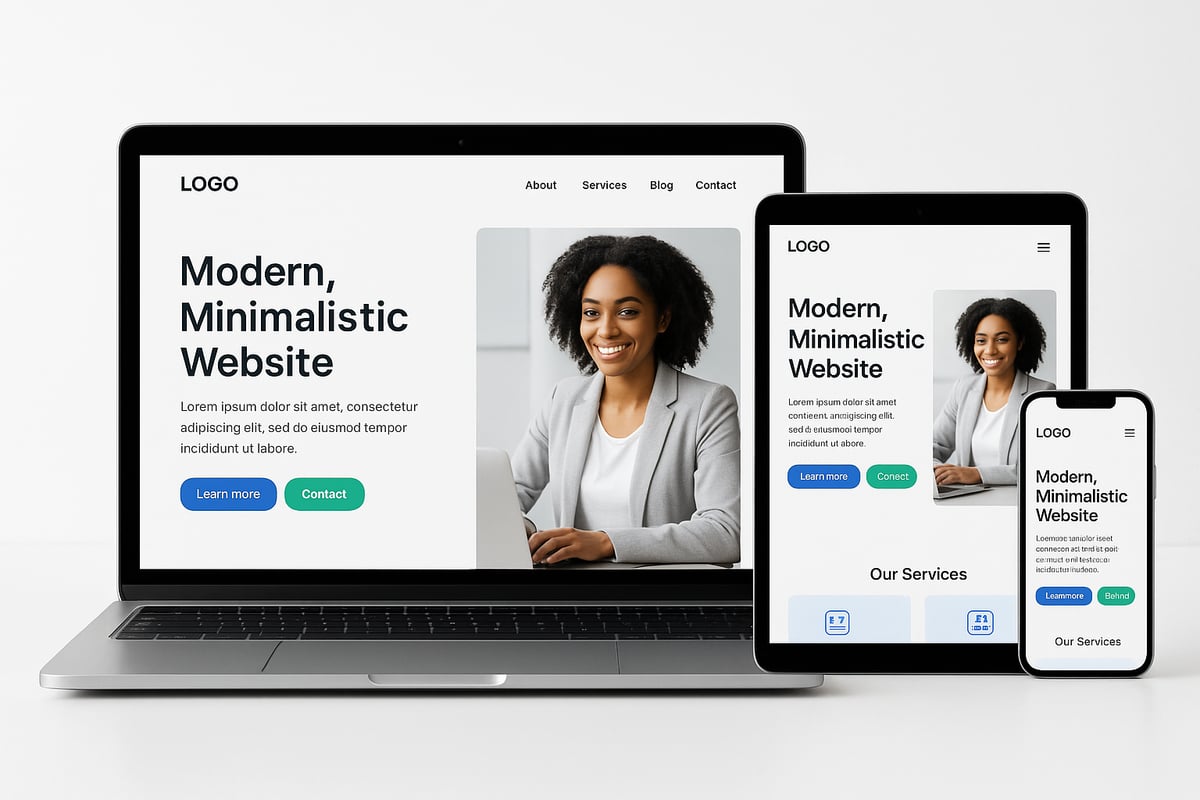
Minimalism is not a passing trend but a foundational principle in effective web design tips for 2026. Clean, uncluttered layouts help users focus on essential content, making navigation effortless.
- Use generous whitespace to separate elements and reduce cognitive load.
- Limit your font selection to no more than three, maintaining visual cohesion.
- Place critical messaging and calls to action above the fold for immediate impact.
Google’s research shows that users judge website aesthetics in just 50 milliseconds. Simple, familiar layouts are consistently rated as more beautiful and trustworthy. Avoid unnecessary clutter such as complex carousels or confusing navigation menus.
Consider Apple’s website, a classic example of modern minimalism. The streamlined interface, clear hierarchy, and strategic use of whitespace create a premium user experience. Users scan rather than read, so concise and emotionally resonant messaging is key. According to the Wix Blog, short, well-crafted headlines and subheads increase retention.
Checklist for Minimalist Design:
| Element | Best Practice |
|---|---|
| Fonts | Max 3, consistent style |
| Whitespace | Generous, strategic |
| Imagery | High-quality, relevant |
| Navigation | Simple, intuitive |
| Messaging | Concise, impactful |
Adopting these web design tips helps reduce distractions and guides users toward your most important content. Focus on clarity, and your website will not only look modern but also deliver a seamless user experience.
2. Design with Visual Hierarchy in Mind
A strong visual hierarchy is essential for guiding users through your website. Effective web design tips emphasize using size, color, and position to direct attention where it matters most.
- Highlight primary calls to action with bold colors and prominent placement.
- Use grid layouts and consistent alignment to create order and predictability.
- Start with the most important information at the top, layering details as users scroll.
Orbit Media’s research shows that large images or videos placed high on the page grab immediate attention. Subtle background changes and visual cues, such as arrows or faces looking toward calls to action, help steer the user’s gaze.
Avoid creating “false bottoms”—users may think a page ends too soon if there are no clear visual cues to continue scrolling. Employ background color shifts or section dividers to indicate more content below.
Visual Hierarchy Techniques:
- Contrasting button colors for CTAs
- Headings with larger font sizes
- Consistent spacing and alignment
- Directional cues (arrows, faces, lines)
Remember, 80% of viewing time is spent above the fold, but users who scroll are more likely to engage deeply. Applying these web design tips ensures your most valuable content and actions are always front and center.
3. Optimize for Mobile and Multi-Device Experiences
Mobile optimization is a non-negotiable aspect of web design tips in 2026. Responsive layouts must adapt seamlessly across smartphones, tablets, and desktops, providing consistent experiences for all users.
- Implement responsive frameworks to adjust content automatically by screen size.
- Prioritize fast load times and touch-friendly navigation for mobile users.
- Test your site across multiple devices and browsers to catch inconsistencies.
Use adaptive images and scalable vector graphics (SVGs) to maintain clarity without sacrificing performance. Standard mobile layouts often place the logo in the top-left, with horizontal navigation and sticky menus for easy access.
Scrolling is easier than clicking on mobile devices. Avoid hiding essential content in tabs or accordions, as users may miss key information. Instead, opt for linear layouts that encourage exploration.
Statistic: Over 62% of web traffic now comes from mobile devices, highlighting the importance of mobile-first design. As Over 62% of web traffic is mobile confirms, optimizing for mobile is essential for reaching the majority of your audience.
Mobile Optimization Checklist:
| Feature | Best Practice |
|---|---|
| Responsiveness | Fluid layouts |
| Navigation | Sticky, thumb-friendly |
| Images | Adaptive, SVG |
| Content | Minimal, scannable |
Integrating these web design tips ensures your site delivers a smooth, engaging experience—no matter the device.
4. Enhance Accessibility and Inclusivity
Inclusive design is a cornerstone of leading web design tips for 2026. Accessible websites reach broader audiences, comply with legal standards, and boost SEO performance.
- Ensure high color contrast between text and backgrounds for visibility.
- Use descriptive alt text for all images and ARIA labels for interactive elements.
- Design for keyboard navigation and screen reader compatibility.
Limit decorative fonts, especially for body text, and use at least 16-point size for readability. Test your site with accessibility tools and adhere to WCAG 2.2 guidelines.
15% of the global population has some form of disability, so accessible design is not optional. Sites that prioritize accessibility see improved retention and engagement, as highlighted by the Wix Blog.
Offer alternative ways to access content, such as transcripts for videos and downloadable resources. These web design tips not only foster inclusivity but also improve overall user satisfaction.
Accessibility Best Practices:
- Sufficient color contrast
- Alt text and ARIA labels
- Keyboard-friendly navigation
- Readable font sizes
- Multiple content formats
By embedding accessibility into your web design tips, you create a welcoming environment for all users.
5. Integrate AI and Smart Personalization
Artificial intelligence is revolutionizing the way designers approach web design tips. AI enables dynamic content, personalized recommendations, and smarter automation, making every user interaction more relevant.
- Use AI-driven chatbots and recommendation engines to tailor experiences.
- Analyze user behavior with machine learning to adapt site elements in real time.
- Automate routine tasks like image optimization and A/B testing for efficiency.
AI website builders, such as Wix AI, streamline the creation process and enhance user experience. Personalize calls to action, product suggestions, and content based on real user data for higher engagement and conversions.
Industry studies reveal that personalized experiences can increase conversion rates by up to 202%. Privacy compliance is crucial, so always follow GDPR and CCPA when implementing personalization.
For an in-depth look at this trend, explore Integrating AI in web design, which details how AI can transform your site’s effectiveness.
AI-Powered Personalization Table:
| AI Feature | User Benefit |
|---|---|
| Chatbots | Instant support |
| Content adaptation | Relevant information |
| Recommendation | Higher engagement |
| Automation | Faster site updates |
Adopting AI as part of your web design tips means your website can evolve alongside your visitors’ needs, delivering measurable improvements.
6. Maximize Performance and Core Web Vitals
Speed and performance are top priorities in modern web design tips. Sites that load quickly and perform smoothly keep users engaged while supporting SEO goals.
- Optimize images using next-generation formats like WebP for faster loading.
- Minimize HTTP requests, leverage browser caching, and streamline code.
- Prioritize above-the-fold content to improve perceived load times.
Monitor Core Web Vitals, including Largest Contentful Paint (LCP), First Input Delay (FID), and Cumulative Layout Shift (CLS). Sites with load times under two seconds see significantly lower bounce rates.
Utilize content delivery networks (CDNs) to serve content efficiently to global audiences. Regularly audit and update plugins, scripts, and frameworks to prevent slowdowns.
Performance Optimization Checklist:
- Use Google PageSpeed Insights and Lighthouse for testing
- Compress and resize images automatically
- Eliminate unnecessary third-party scripts
- Implement lazy loading for offscreen content
These web design tips ensure your site is both fast and reliable, supporting higher conversions and improved search rankings.
7. Tell a Compelling Brand Story with Authentic Visuals
Storytelling is at the heart of impactful web design tips in 2026. Authentic visuals and consistent messaging build trust, engage visitors, and differentiate your brand.
- Use real images of your team, products, and customers instead of generic stock photos.
- Incorporate video, subtle animation, and interactive elements to enhance engagement.
- Ensure your visuals and headlines align with your brand values and target audience.
Place key headlines and value propositions high on your homepage to capture attention. Faces and customer testimonials are proven to boost trust and conversion rates, as demonstrated by Orbit Media’s research.
Maintain consistency in color palette, typography, and imagery to reinforce your brand identity across every page. Authentic visuals not only increase user trust but also extend time spent on site.
Brand Storytelling Essentials:
- Real, relatable images
- Consistent color and typography
- Strategic use of testimonials
- Interactive visual elements
By weaving storytelling into your web design tips, you create memorable experiences that foster loyalty and drive results.
Measuring and Iterating on Web Design Success
Staying competitive in 2026 means treating your website as a living project. The most effective web design tips stress the importance of measuring what matters and continuously improving based on real results. This approach ensures your site not only looks great, but also delivers measurable business outcomes.

Setting KPIs and Tracking Performance
Start by defining clear KPIs that align with your business goals. These might include conversion rates, bounce rates, session duration, or user engagement. Use analytics platforms like Google Analytics and Hotjar to track these metrics. Heatmaps and scroll maps help visualize exactly where users interact most.
For example, the Chartbeat study found most engagement happens below the fold, challenging common assumptions. By linking your KPIs to actionable web design tips, you gain a roadmap for ongoing improvement.
Continuous Testing and Optimization
Adopt a culture of experimentation. Run A/B and multivariate tests on layouts, calls to action, and navigation elements. Gather feedback through usability tests and surveys, identifying friction points or confusing elements.
Iterate based on this data, not guesswork. This cycle of testing and refining is at the heart of successful web design tips, helping you adapt quickly to user needs.
Staying Ahead of Trends
Monitor competitor websites and industry benchmarks regularly. Attend webinars, read design blogs, and join online communities to stay inspired and informed. Experiment with new tools and frameworks, but always tie changes back to your web design tips and business objectives.
This proactive approach ensures your site remains relevant as technologies and user expectations evolve.
Documentation and Knowledge Sharing
Maintain a living style guide to ensure consistency across your team. Document design patterns, component usage, and lessons learned from each iteration. Share your findings and best practices internally, making it easier for everyone to apply the latest web design tips effectively.
Balancing Innovation with Usability
Introduce new features gradually. Track their impact through analytics and user feedback. Prioritize user needs and business goals rather than chasing every trend. By balancing innovation with proven web design tips, you reduce risk and maximize positive outcomes.
Real-World Example
Consider a case study where a homepage redesign was tested using A/B methods. The winning version increased engagement and reduced bounce rates significantly. This result highlights how data-driven web design tips can translate directly into measurable improvements.
Leveraging User Feedback
Encourage users to leave reviews and share their experiences. Use these insights to identify pain points and prioritize future updates. Feedback loops are essential for refining your site and ensuring your web design tips remain user-centric.
For deeper insights on how analytics and user experience connect, explore User experience in web design.