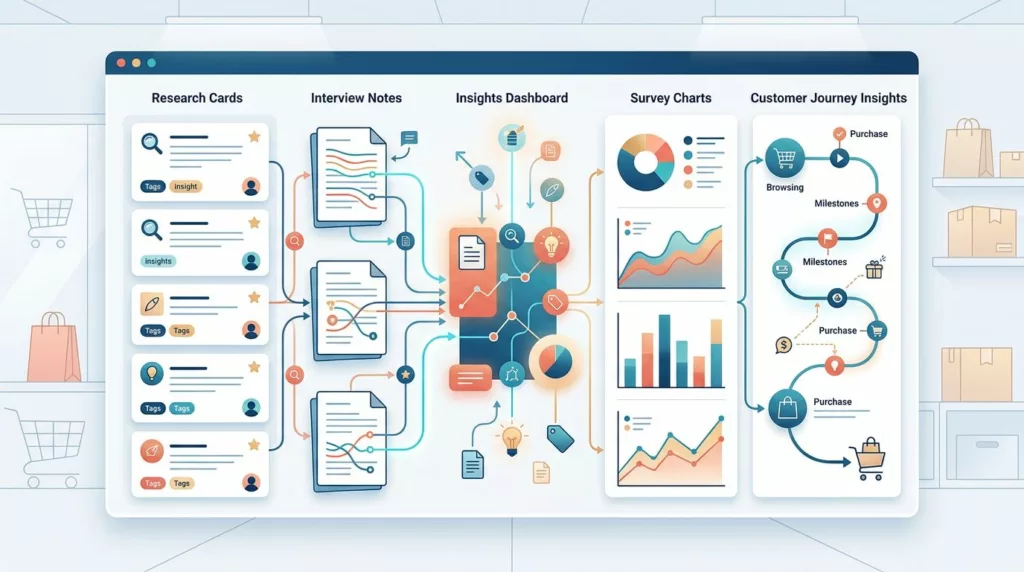
A UX research repository turns scattered interviews, usability sessions, surveys, and behavior data into a working product resource. Without one, teams repeat questions, lose customer context, and make decisions from whichever finding they remember last.
The right structure doesn’t need to be complex. It needs consistent study records, searchable metadata, clear evidence, and access rules that protect customers. This template gives ecommerce product teams a practical starting point they can adapt to Notion, Airtable, a research platform, or an existing company wiki.
What a UX Research Repository Is, and Is Not
A UX research repository is a central, searchable collection of research studies and the evidence behind them. It helps people find what was learned, who participated, when the work happened, and how strongly the evidence supports a conclusion.
The repository should preserve research context rather than store isolated quotes. A product manager needs to know whether a finding came from three checkout sessions, a survey of returning customers, or a review of support tickets.
| Resource | Main purpose | Typical contents | When teams use it |
|---|---|---|---|
| Research repository | Store and find completed research | Study records, evidence, findings, tags, links | Before making a product decision |
| Research plan | Define upcoming research | Goals, questions, method, participants, timeline | Before recruiting or collecting data |
| Research report | Communicate one study’s results | Summary, methods, findings, recommendations | After a study, during a decision |
| Insight library | Organize synthesized themes | Repeated patterns, customer needs, opportunity areas | During strategy and roadmap work |
A plan can become a repository record after the study finishes. A report can link to that record. An insight library can reference several studies without replacing their source material.
The Research Repositories 101 guide from Nielsen Norman Group also distinguishes a repository from a simple folder of reports. Searchability and access determine whether research becomes useful to the wider organization.
Choose a Structure That Matches Product Decisions
Start with the decisions your team makes every week. An ecommerce team may need to answer questions about product discovery, search, mobile navigation, delivery information, returns, account creation, and checkout.
Organize the repository around studies, findings, and evidence. Avoid creating a separate top-level folder for every team, since the same checkout research may matter to product, design, support, and marketing.
Use studies as the main records
Each completed project gets one study record. The record holds the research question, method, participant details, findings, source files, and related product work.
A study record might be titled:
Mobile checkout usability test, guest shoppers, February 2026
That title is easier to find than “Research sprint 04.” Add consistent tags such as checkout, mobile, guest checkout, usability testing, and US customers.
Store findings with their evidence
A finding should state a clear observation and its product meaning. Link it to interview notes, session timestamps, survey results, recordings, or support themes.
For example:
Shoppers looked for delivery dates on the product page before adding an item to the cart. Five of seven moderated participants opened the shipping accordion, while two left the page to search the help center.
The linked evidence lets another researcher check the interpretation. It also prevents a single memorable quote from becoming a broad customer claim.
For ecommerce studies that involve task observation, use a consistent task format. The ecommerce usability testing guide can help teams define tasks around discovery, product comparison, checkout, and post-purchase experiences.
Copyable UX Research Repository Template
Create one study record for every completed project. Keep required fields short enough that researchers will complete them consistently.
Study record template
Copy the following structure into your workspace:
Study title
[Clear topic, audience, and month or year]
Owner
[Researcher or accountable team member]
Status
[Planned, recruiting, in progress, synthesizing, published, archived]
Date completed
[Month, day, and year]
Research question
[What did the team need to learn?]
Product area
[Search, navigation, product detail, cart, checkout, account, delivery, returns, or another area]
Business or product decision
[Which decision could this research inform?]
Method
[Interview, moderated usability test, unmoderated test, survey, diary study, field observation, analytics review, support analysis, or mixed methods]
Participant profile
[Relevant behaviors, customer status, device, region, and other approved descriptors]
Sample size
[Number of participants, sessions, responses, or records reviewed]
Recruitment source
[Panel, customer list, intercept, support contact, or another approved source]
Summary
[Two or three sentences stating what the study found]
Top findings
- [Finding stated as an observation]
- [Finding stated as an observation]
- [Finding stated as an observation]
Evidence links
[Notes, recordings, transcripts, screenshots, survey export, dashboard, or ticket set]
Limitations
[Known sampling, method, timing, or data-quality limits]
Related decisions
[Ticket, roadmap item, experiment, design file, or product requirement]
Privacy classification
[Public internally, restricted, confidential, or highly restricted]
Review date
[Date to check access, links, retention, or continued relevance]
Use this metadata table for your database properties or spreadsheet columns.
| Field | Required? | Example |
|---|---|---|
| Study title | Yes | Mobile checkout usability test |
| Product area | Yes | Checkout |
| Method | Yes | Moderated usability test |
| Audience | Yes | Returning mobile customers |
| Date completed | Yes | 2026-02-18 |
| Owner | Yes | Research operations |
| Status | Yes | Published |
| Tags | Yes | Mobile, payments, guest checkout |
| Sample size | Yes | 8 sessions |
| Evidence location | Yes | Restricted research folder |
| Key finding | Yes | Delivery timing was hard to locate |
| Confidence | Recommended | Medium |
| Privacy class | Yes | Confidential |
| Related work | Recommended | Checkout redesign brief |
| Review date | Recommended | 2026-08-18 |
Keep tags controlled. A short approved list is easier to search than dozens of variations such as mobile, mobile UX, phone, and smartphone.
Finding card template
Use a separate finding card when a conclusion applies to more than one study.
Finding
[One clear statement about customer behavior or need]
Who it affects
[Customer segment, region, device, or behavior]
Evidence
[Study titles and links to supporting evidence]
Frequency
[Observed in two of five studies, mentioned in support tickets, or another precise description]
Confidence
[Low, medium, or high, with a short reason]
Product implication
[What the team may need to change, test, measure, or investigate]
Last reviewed
[Date]
Open questions
[What remains unknown]
A finding card should never hide disagreement between studies. If desktop shoppers understand a delivery label but mobile shoppers miss it, preserve both observations and attach the relevant segments.
A Lightweight Workflow for Adding Research
A repository stays useful when publishing takes minutes, not weeks. Assign one owner for quality checks, even when several people contribute research.
Add each completed study
- Create the study record within five working days of synthesis.
- Write the research question and decision before adding recommendations.
- Add approved participant descriptors, method, sample size, and completion date.
- Summarize findings in plain language.
- Link evidence without copying sensitive files into a broadly visible space.
- Add tags from the controlled vocabulary.
- Set the privacy class and review date.
- Share the record with the teams connected to the product area.
The record can link to the full report, but it should still contain enough information for a reader to understand the study without opening six other documents.
Validate before publishing
A researcher or research operations partner should check:
- The title describes the topic and audience.
- Findings separate observations from recommendations.
- Every major claim has supporting evidence.
- The sample and method are visible.
- Limitations are recorded.
- Tags match the approved vocabulary.
- Links work for the intended audience.
- Consent permits the planned internal use.
- Names, contact details, payment information, and raw identifiers are removed or restricted.
- The access level matches the most sensitive item in the record.
Set a monthly or quarterly review for active studies. Broken links, changed permissions, and outdated findings reduce trust faster than an imperfect layout.
Consent, PII, and Sensitive Customer Data
Treat research data as customer data, not ordinary project documentation. Consent should state what you collect, why you collect it, who may access it, how long you retain it, and whether you will use recordings, quotes, screenshots, or clips.
The User Interviews guide to GDPR for user researchers covers privacy, confidentiality, and consent considerations that teams can adapt with their legal and privacy partners.
Separate evidence from identifiers
Use a participant ID such as P-014 in notes and finding cards. Keep the key that connects that ID to a name or contact record in a separate restricted system.
Remove or restrict:
- Names, email addresses, phone numbers, and postal addresses
- Order numbers, account IDs, loyalty IDs, and payment details
- Screenshots showing account pages, addresses, or order histories
- Health, financial, identity, or employment information
- Unedited recordings that include private conversations
- Customer support exports containing full contact details
A quote may still identify someone when combined with a rare job title, location, purchase, or personal story. Review quotes for indirect identification before publishing them internally. Rally’s questions for managing PII in research provide a useful review prompt for teams creating their own policy.
Set access by purpose
Use role-based permissions rather than giving every employee access to every file.
| Repository item | Suggested access |
|---|---|
| Study title, method, summary, tags | Product and design teams |
| De-identified findings and approved quotes | Wider internal audience |
| Detailed notes and transcripts | Research, product, design, and approved partners |
| Recordings and raw exports | Research team and named project members |
| Participant contact key | Recruitment or research operations only |
| Sensitive customer records | Restricted privacy-approved storage |
Store recordings and raw exports in a location with expiry controls. The repository record should link to them, not duplicate them. If a participant withdraws consent, update or remove the affected materials according to your company policy and legal requirements.
Adapt the Template to Your Tools and Research Maturity
A small team can begin with one Notion database, Airtable base, or structured spreadsheet. Use columns for the required metadata and pages for study records. Keep raw recordings in approved cloud storage, with links limited to authorized users.
A team with regular research may need a dedicated repository platform. Compare tools using practical requirements such as full-text search, permission groups, transcript handling, clip links, integrations, export options, and retention controls. The UX research repository landscape offers a useful comparison framework for evaluating repository products.
Start small without creating future cleanup
For the first month, require only:
- Study title
- Research question
- Product area
- Method
- Audience
- Date
- Summary
- Findings
- Evidence link
- Privacy class
After the team completes several records, add confidence ratings, related decisions, reusable finding cards, and review dates. Avoid building a large taxonomy before people have used the system.
Connect research to product work
Link a study to the product requirement, design file, experiment, support theme, or roadmap item it influenced. When a decision changes, add a short decision note to the study record.
For example:
Decision: Move delivery estimates beside the purchase controls on mobile.
Evidence: Mobile checkout usability study, P-014 through P-021.
Follow-up: Test comprehension and checkout completion after release.
This connection helps teams see whether research changed a product decision. It also supports better ecommerce redesign planning when research informs a larger store improvement.
Make the Repository a Working Product Tool
A UX research repository earns its place when a product manager can answer three questions quickly: what did we learn, how reliable is the evidence, and what happened afterward?
Keep the study record close to its source material, use controlled metadata, and restrict sensitive data by default. Start with the smallest template researchers will maintain, then add structure as the volume and variety of research grow.
The goal is not to archive every file. It is to preserve customer evidence well enough that the next ecommerce decision begins with knowledge instead of memory.
Conclusion
A useful UX research repository connects customer evidence to product decisions without exposing unnecessary personal data. Store complete study records, separate findings from reports, and link recurring themes back to their original evidence.
Begin with the copyable fields, publish studies on a consistent schedule, and review privacy settings before sharing. When the repository shows both what customers said and what the team did, research becomes part of everyday product work rather than a forgotten folder.