An account administrator often opens an activity log after something has gone wrong. A user lost access, a billing contact changed, or an approval no longer matches policy. Good user activity log UX helps them identify who did what, which account object changed, when it happened, and whether the action succeeded.
For B2B SaaS teams, the log is an audit trail, not another analytics dashboard. It must support multiple admins, large event volumes, permission boundaries, sensitive data controls, and reliable exports. The right place to start is the event row, then build search, detail, access, and export around it.
What good user activity log UX answers first
An activity log has one job: help an authorized person verify a specific action. Analytics dashboards answer questions about trends and volume. Audit logs answer questions about individual events.
An account administrator should be able to answer these questions without opening several screens:
- Who initiated the event?
- What action occurred?
- Which account, user, order, setting, or record did it affect?
- When did it happen in a clear timezone?
- Did the action succeed, fail, or get blocked?
- What changed before and after the event?
Good dashboard work starts with user goals and existing usage patterns, a point covered in this B2B SaaS dashboard design guidance. For an activity log, the goal is usually incident review, accountability, or customer support.
Define an event contract before designing the visual interface.
| Event field | What the administrator needs | Useful interface treatment |
|---|---|---|
| Actor | The person, service, or integration that acted | Name, role, and actor type |
| Action | The operation that occurred | A clear verb and object |
| Target | The affected record or account | Linked object name and stable ID |
| Time | The exact event time | Absolute date, time, and timezone |
| Result | The outcome of the operation | Success, failed, or blocked state |
Use concrete verbs such as “changed billing contact,” “removed member,” “approved quote,” or “exported customer list.” Avoid vague labels such as “updated record” unless the detail view explains the exact change.
The event source also matters. A human admin, API token, scheduled job, identity provider, and third-party integration should not appear as interchangeable actors. Show the source beside the actor so support teams can distinguish a manual action from automation.
Design each row for fast verification

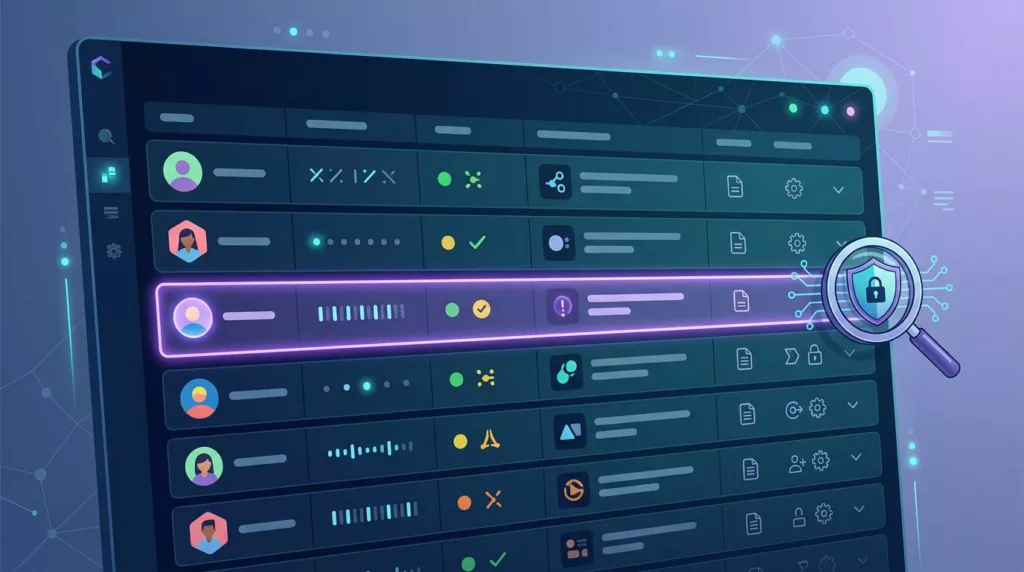
A strong user activity log UX makes the primary event readable in one pass. The administrator shouldn’t need to interpret database fields or decode internal event names.
One practical row pattern is:
[Actor] changed [object] for [account]
Place the timestamp and outcome beside that sentence. Add the object type, such as user, order, role, price list, or payment term, when the object name alone could be unclear.
A compact table row can include:
- Actor name and actor type
- Action and affected object
- Account or organizational scope
- Exact timestamp
- Outcome indicator
- Expand control for more detail
Keep the summary stable when the user changes filters. If the same event appears with different wording in different views, administrators may struggle to compare an exported result with the interface.
Use a detail drawer for context rather than sending the user to a separate page. The drawer should preserve the filtered result set and show the event ID, related object, source, request or correlation ID, and any available reason or comment.
For change events, show a before-and-after comparison. A role change should identify the previous role and the new role. A billing change should show the prior value and the new value, subject to the viewer’s permissions. This structure turns a vague event into evidence an administrator can verify.
Avoid making every field equally prominent. The action, actor, target, and time belong in the primary row. Technical metadata can sit below the fold in the detail drawer.
Make high-volume logs searchable and stable

Enterprise accounts can produce a large number of events through integrations, automated jobs, and daily administrator activity. A log that works with a few hundred entries may become difficult to use when the customer needs to investigate months of activity.
Filtering should happen on the server, with clear feedback about the active query. Give administrators filters for:
- A user, service account, integration, or actor type
- A custom date and time range
- Action category, such as access, billing, orders, or settings
- Target type, account, workspace, or organizational unit
- Outcome, including failed and blocked events
- Source, such as browser, API, or identity provider
Search should cover useful identifiers, including an actor email, object ID, event ID, request ID, or integration name. Search terms need clear rules. If an administrator searches for a customer name, explain whether the system searches object names, event metadata, or both.
Use visible filter chips so the query remains understandable. A result count helps users judge whether their filters are too broad, but don’t hide the empty state behind a blank table. Explain why no results appeared and offer a way to remove individual filters.
Pagination usually works better than endless scrolling when administrators need to cite, compare, or export a result. Preserve the sort order and filter state when a user opens an event and returns to the list. Good SaaS dashboard usability advice also emphasizes information hierarchy, filtering, and useful empty states.
Saved views can help teams that investigate the same event types repeatedly. Let administrators save a view such as “Failed access changes” or “Billing changes this month,” but keep saved views private or shared according to role. A shared view should show its owner and last update date.
Treat permissions as part of the log
Permissions should control both which events an administrator can see and which fields appear inside those events. A user who can manage catalog settings may not have permission to view security events, IP addresses, or sensitive billing data.
Keep tenant and organizational boundaries visible. In a parent account with multiple business units, display the account scope in every row. Otherwise, an administrator may mistake a change in one subsidiary for a change in another.
Multiple administrators also create ownership questions. Show the actor’s full name, role, and secondary identifier when names can repeat. For service accounts, display the integration or token name. When support staff act through impersonation, record both the acting user and the original support operator.
Field-level redaction is safer than hiding an entire event. A log may show that a payment method changed while masking the full account number. Passwords, access tokens, reset links, and secret values should never appear in the interface or exports.
If a field is hidden, say so plainly. A label such as “Value hidden by security policy” tells the administrator that the system isn’t missing data by accident. It also prevents repeated support requests caused by unexplained blank values.
The same ownership rules matter in commerce workflows. A clear approval delegation UX shows who can act, whose authority moved, and when that authority applies. Activity logs should preserve those facts after the delegation occurs. For order-based accounts, connect relevant events to the B2B order approval process so administrators can see who submitted, reviewed, rejected, or changed an order.
Handle timezones and event detail carefully
Time creates confusion when an account spans regions. Store events against a canonical UTC timestamp, then display the account’s configured timezone by default. Show the timezone abbreviation or UTC offset beside the time.
Let viewers switch to their local timezone without changing the underlying event order. Always include the full date and time in the detail view. Relative labels such as “two hours ago” are useful beside an absolute timestamp, but they shouldn’t replace it.
A timestamp without a timezone can produce two different interpretations of the same administrative action.
Daylight-saving changes make timezone handling more important. The interface should identify the zone used for the displayed value, especially when an investigation crosses regional offices or a date boundary.
The detail view should provide enough context to reproduce the decision:
- The event ID and related object ID
- The previous and new values for changes
- The actor and source
- The request or correlation ID
- The reason, comment, or approval reference
- The result and any failure message safe for that viewer
Group related events only when the relationship is clear. For example, a login, permission change, and export may be part of one support session, but the interface shouldn’t imply a connection without a shared request or session identifier.
Make CSV and API exports part of the experience
CSV and API export are operational features, not decorations for a reporting dashboard. Administrators may need to send a filtered event set to security, attach it to a support case, or compare it with identity provider records.
A useful export retains the exact query context.
| Export type | Best use | Required behavior |
|---|---|---|
| CSV | Case review and internal handoff | Retain filters, columns, IDs, and timezone |
| API | SIEM, support, and automation workflows | Provide cursor pagination, stable fields, and documented filters |
The CSV should include a stable event ID, actor ID or type, target type and ID, action, outcome, and ISO 8601 timestamp. Include the timezone used for display, or provide UTC as a separate field. Don’t replace IDs with human-readable names only, because names can change.
Large exports should run as background jobs. Show the export status, restrict access to the same permission scope as the log, and give the file an expiration time. If an export fails, explain whether the cause was permissions, an invalid filter, retention limits, or a temporary system problem.
API consumers need predictable pagination and sorting. Document retention behavior, filter syntax, rate limits, and schema changes. A practitioner community audit log discussion illustrates how quickly implementation questions appear when teams move beyond a simple table.
Log the export itself as an event. Record who requested it, which scope they used, and when the system generated the file. That record helps security teams understand how audit data left the interface.
Use this admin checklist before launch
Test the log with real support, security, and account-management tasks. A concise release checklist should confirm that:
- An administrator can identify the actor, action, target, time, and result from one row.
- Filters work across users, accounts, event types, sources, and custom time ranges.
- The interface displays both account timezone and viewer timezone correctly.
- Permission rules cover event visibility, field visibility, impersonation, and exports.
- Redacted values stay hidden in the detail drawer, CSV, and API response.
- Large result sets preserve sort order, filter state, and usable pagination.
- CSV and API output contain stable IDs and enough context for another system to match events.
- Export actions, permission changes, and failed attempts appear in the audit trail.
Ask an administrator to investigate a failed access change without guidance. If they need product terminology or database knowledge, revise the row structure before adding more filters.
Conclusion: Make every event useful
The best user activity log UX gives account administrators a clear path from uncertainty to verified evidence. It identifies the actor, action, target, time, result, and change context without exposing data the viewer shouldn’t see.
Design the event model first, then make filtering, permissions, timezone handling, detail views, CSV, and API access follow the same rules. When every event remains readable, scoped, and traceable, the activity log becomes a dependable part of account administration rather than another crowded dashboard.