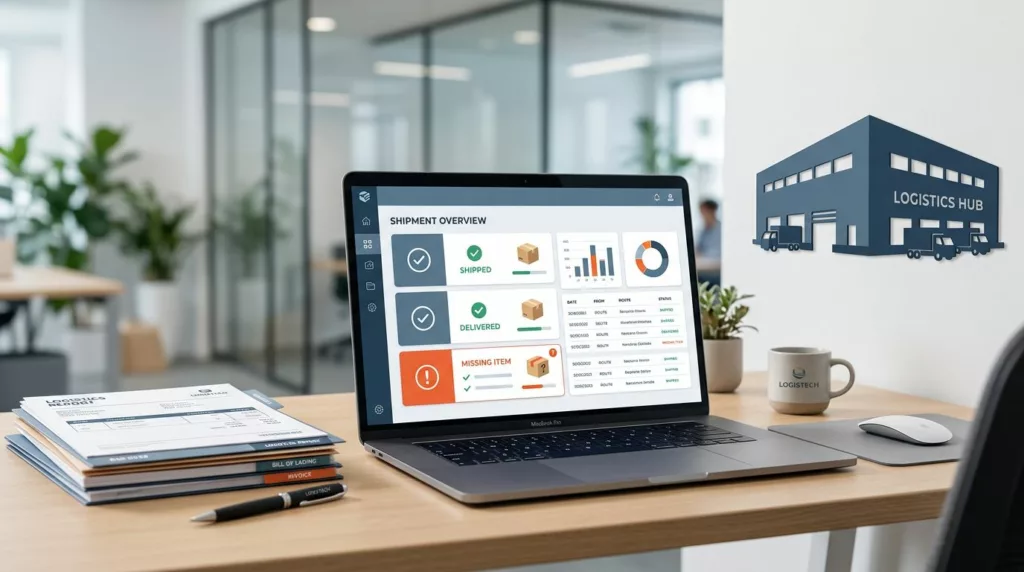

A short shipment claim can turn a small warehouse miss into a long support thread. In B2B account portals, this problem is amplified because several people may touch the same order, from receiving staff to finance, making these errors a common hurdle in effective logistics management.
The best short shipment claim UX keeps the process focused on the shipment, not on paperwork. By showing the order context, requesting only the specific details support teams need, and making it easy to track the status of a short shipment, you can keep users within the portal instead of moving the issue to email.
Key Takeaways
- Buyers want to confirm the order, identify missing items, and upload a delivery receipt or proof of delivery without hunting through archived records.
- A well-designed portal helps buyers gather the necessary shipping documentation to file a formal freight claim efficiently and accurately.
- The claim form should use prefilled order data and only ask for fields that directly help resolve the issue.
- Role-based permissions matter because not every user should be authorized to edit, approve, or close a claim.
- Clear status tracking cuts down on repeat support tickets because users can easily monitor where their claim stands in the process.
- Mobile design, accessibility, and robust system integrations determine whether the portal remains effective during real-world operations.
Start with the buyer’s job, not the form
Most users do not open a portal to file a claim. They open it because a delivery is short and they need a fix. The job is simple on the surface, but the workflow is not. Whether you are the buyer or the consignee, someone has to confirm the missing quantity, attach evidence if needed, and decide who owns the next step.
That means the portal should speak the language of receiving, fulfillment, and OS&D management. Labels like missing cartons and shorted units make more sense than internal terms that only support teams understand. By allowing the user to submit the claim as a formal discrepancy report for the warehouse, you ensure the data is actionable. If the buyer can see the shipment record first, the claim feels like an update to a known order rather than a fresh investigation.
B2B portals also deal with shared accounts. One person may place the order, another may receive it, and a third may approve credits. That is why the design has to support more than one user role without making the page feel crowded.
A claim form should feel like a record update, not a detective interview.
The fastest portals keep the action path obvious. A buyer should be able to open an order, spot the shortage, and start the claim in a few clicks.
Show shipment context before you ask for proof
Users trust a claim flow when the portal already knows the order. Show the order number, purchase date, ship date, carrier, tracking number, and bill of lading before the form begins. If the shipment has split across boxes or pallets, display that detail as well. By prompting the user to distinguish between visible damage and concealed damage, the system can accurately categorize the report as a cargo shortage and route the claim to the correct internal department. The user should not need to cross-check multiple systems just to confirm what arrived.
When teams already use order history filters to find shipments, the claim path should reuse the same search logic. That keeps the mental model stable. It also reduces the chance that users submit a claim against the wrong order, which is one of the easiest ways to waste support time.
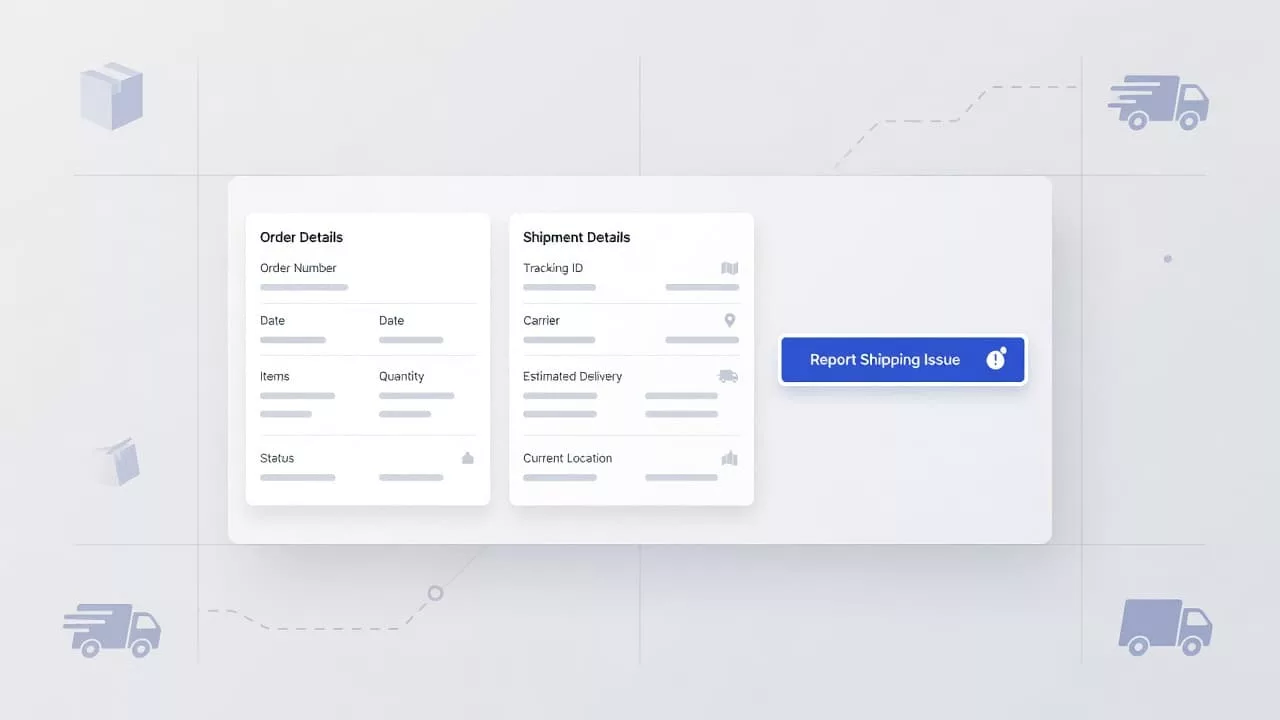
The image above reflects the right pattern: order data first, action second. The user should never wonder whether the claim belongs to the shipment on screen. If the order card already shows quantity shipped versus quantity ordered, the portal removes guesswork before the form starts.
Good context also helps support teams. When a claim comes in with the shipment details attached, agents spend less time asking for screenshots, carton counts, or carrier references. That shortens the first response and speeds up resolution.
Keep the claim form short and role-aware
The claim form should ask for the smallest set of fields required to facilitate an efficient claim process for any loss or damage. Extra fields feel harmless during design reviews, but they quickly become abandonment points in production. If the user can select the order and line item from existing data, do not ask them to type those values again.
A useful rule is simple, every field needs a job. If a field does not help route, verify, or resolve the claim, it belongs on a secondary step or not at all.
| Field | Why it matters | UX detail |
|---|---|---|
| Order number | Ties the claim to the correct shipment | Prefill it from order context when possible |
| Missing item or quantity | Defines the shortage or short landed cargo | Let users pick line items instead of typing SKUs |
| Supporting documentation | Provides evidence of loss or damage | Include a bill of lading, photos, or packing slips |
| Claim note | Adds necessary context | Keep it optional unless policy requires it |
If the portal includes required attachments, explain why. A warehouse photo or a bill of lading may help in some cases, but forcing uploads for every claim will slow users down. The same is true for notes. Make them available, keep them short, and do not bury the submit button under a long checklist.
Role-based permissions matter here too. A buyer might submit the claim, a site manager might add internal notes, and a finance user might approve the credit. That model often mirrors B2B order approval workflows, where different users need different controls on the same order record. The claim screen should reflect that structure without asking everyone to see or edit the same fields.
Track claim status where buyers can see it
A claim feels unresolved when the status is hidden, turning the management of transportation claims into a source of frustration for your customers. If users cannot tell whether their request is waiting on review, receiving confirmation, or pending a credit memo, they will inevitably send another email. That creates duplicate work and makes your portal feel unreliable.
A clean status trail should show the current state, the last update, and the owner of the next action. To ensure accounting clarity, this status should be directly linked to the original freight bill. Furthermore, clearly communicating the expected claim timeframe allows the user to know exactly when to anticipate a resolution. Using statuses like submitted, under review, need more information, approved, rejected, and closed is usually sufficient. Each status needs a plain explanation, because internal terminology only serves the team that wrote it.
The portal should also preserve the conversation. Notes, uploaded files, and timestamped updates belong in one central claim thread. That gives users a single place to check before they contact support again.
If the status is unclear, the email queue becomes the status page.
Support teams benefit from this transparency as well. When the claim record includes every change in one accessible location, agents can answer questions without digging through separate systems. That reduces ticket volume and makes escalations easier to manage.
Mobile responsiveness, accessibility, and integrations
Many claims begin on the warehouse floor, in a back office, or on a phone during a delivery check. The portal has to work in those conditions. Large touch targets, simple layouts, and short form steps matter more on mobile, where users may be wearing gloves or moving between locations. Because users often need to photograph specific packaging requirements to prove compliance or document damage, the mobile interface must allow for quick, seamless image uploads directly from the device.
Accessibility is part of the same problem. Labels need to be clear, error messages need to point to the exact field, and keyboard focus should move in a logical order. File uploads should work with assistive tech, and color alone should never be the only way to show status. If a user cannot read the status chip, the portal has already failed them.
The account structure matters as well. The same multi-entity setup that affects B2B invoice payment portal design often affects claims too, because finance, operations, and support all care about the same account record. A good claim workflow shows the right company, branch, or ship-to location before the user submits anything.
Integration work is where the claim becomes useful at scale. ERP and OMS systems should receive the claim ID, order ID, line items, quantities, attachments, and status updates. These integrations should also account for carrier liability and marine insurance data when applicable, ensuring that all necessary documentation is captured for internal cargo claims departments or external shipping claim services. Customer support platforms such as Zendesk, Salesforce Service Cloud, or Freshdesk should see the same record, so agents do not have to retype the issue. When the portal syncs those fields well, the process feels less like a handoff and more like a single, cohesive workflow.
Frequently Asked Questions
What documentation is essential for a successful freight claim?
To process a claim efficiently, users should provide proof of the discrepancy, such as a bill of lading, signed delivery receipts, or clear photos of the packaging. Prefilling these requirements based on the order context ensures the support team receives exactly what they need to verify the loss without multiple follow-up requests.
Why should I use role-based permissions for claim submissions?
Different users within a B2B account, such as procurement officers and finance managers, have distinct responsibilities regarding order adjustments. Role-based access ensures that only authorized personnel can initiate or approve a claim, preventing unauthorized modifications and maintaining clear internal audit trails.
How does clear status tracking reduce support ticket volume?
When users can monitor the progress of their claim in real-time, they no longer need to send emails to check on the status of their request. Providing visible updates like “under review” or “pending credit memo” creates transparency, effectively reducing the repetitive inquiries that often overwhelm support teams.
Should I include custom fields for carrier-specific information?
It is best to keep claim forms focused strictly on the fields necessary for your internal resolution process. If carrier-specific data is required for your liability or insurance claims, try to map that information automatically from your ERP or shipping integration rather than asking the user to manually re-enter it.
Conclusion
A successful short shipment claim starts with a single missing item, but your B2B account portal must handle the entire recovery path. This requires clear order context, streamlined form fields, role-aware permissions, and transparent status updates.
When the user experience is designed with these goals in mind, buyers stop hunting for information and support teams stop chasing it. This is where high-quality short shipment claim UX pays off, as it leads to fewer support tickets and faster resolutions. By implementing these practices, you create a reliable freight claim process that builds trust and keeps operations moving smoothly when a shipment arrives incomplete.