
Bulk orders break fast when the pallet count is off by one. A missing field, a bad default, or a hidden rounding rule can turn a simple quote into a costly dispute within shipping and logistics.
A pallet quantity calculator needs more than a simple formula. It has to match how warehouse teams, buyers, and freight planners think while they move from individual unit counts to total shipment volumes.
When the interface is clear, teams quote faster and pick with fewer corrections. The best designs make the math visible, helping users manage every palletized shipment efficiently without forcing them to do the complex manual calculations themselves.
Key Takeaways
- Align Logic with Logistics: A functional calculator must reflect actual warehouse workflows—such as layer stacking and weight limits—rather than just performing simple mathematical operations.
- Eliminate Guesswork via Transparency: Users should see exactly how the total was reached, including breakdowns of full versus partial pallets, to reduce reliance on manual spreadsheets.
- Design for Error Prevention: Implement inline validation, clear labeling, and specific error messaging (e.g., indicating height limits rather than just saying “invalid”) to stop errors before they reach the warehouse floor.
- Standardize Input Methods: Use consistent units, prefilled catalog data, and presets for common pallet types to ensure that sales, logistics, and warehouse teams are all working from the same “source of truth.”
Why pallet calculators fail in real workflows
Most ordering problems start with a gap between the screen and the warehouse floor. A buyer may think in cases, while the warehouse works in layers, and freight quotes may depend on total pallet height or weight. When a calculator fails to account for standard pallet sizes or uses conflicting units, users are forced to start guessing.
That guesswork gets worse when the tool hides its assumptions. Does the number show full pallets only? Does it include partial pallets? Can a mixed SKU pallet count as one unit for freight, or does it need a separate line? If the answers are buried, people will inevitably reach for spreadsheets and email threads to gain clarity on their total shipping costs. That is why best practices for ecommerce user experience matter even inside a freight tool.
The friction usually comes from five places. Units switch without warning. Default pallet settings do not match the customer’s warehouse, which leads to unexpected variances in transportation costs. Quantity fields do not match case packs. Validation appears only after submission. And the final result gives a number, but not the reason behind it.
A good calculator removes that gap. It gives users the same language they use on the dock and in the quote. That means fewer support tickets, fewer rechecks, and fewer surprises when the truck arrives.
Fields that make order totals accurate
The best pallet calculators avoid asking for unnecessary information. Instead, they focus on the right inputs in a logical order, starting with catalog data and adding only the fields needed to confirm freight rules. When planning your logistics, accurate item dimensions and pallet dimensions are the foundation of a successful load calculation.
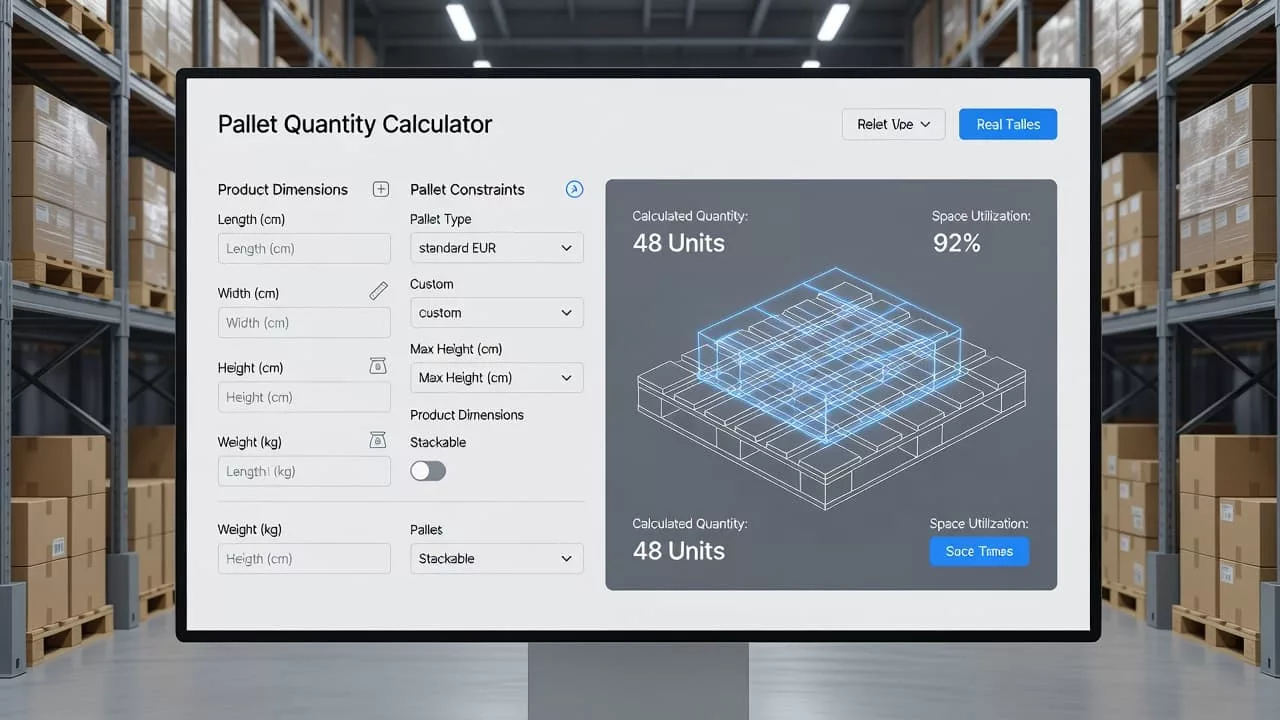
A clear interface helps teams verify pallet math before they quote freight.
| Field | Why it matters | Good UX detail |
|---|---|---|
| SKU or product count | Sets the base order quantity | Prefill from cart or order data |
| Unit type | Avoids mix-ups between eaches, cases, and pallets | Show the current unit beside each input |
| Case pack | Translates item counts into shipping units | Display the pack size in plain language |
| Case or unit dimensions | Helps check pallet fit and stack rules | Allow inches and metric, but never both at once |
| Pallet type | Changes the footprint and shipping capacity | Offer presets like standard pallet sizes, including the North America pallet or the EUR pallet |
| Pallet material | Affects base weight and compliance | Let users choose between wood pallets and plastic pallets |
| Width and length | Defines the pallet footprint | Automatically calculate surface area based on selected type |
| Max pallet height | Affects freight quotes and warehouse handling | Show the limit directly under the field |
| Maximum weight capacity | Protects against over-limit shipments | Flag total weight against safety limits before checkout |
| Mixed-SKU pallet option | Matters for bulk orders with more than one item | Explain whether mixed loads count as one pallet or several |
If your catalog already stores some of these values, prefill them. Every blank field invites a mistake, and every manual entry slows the order down.
The trick is to keep the form short while still covering the real freight rules. A buyer should not need a training session to place a bulk order. The field labels should read like the conversation they already have with logistics staff, ensuring that even complex shipments remain easy to calculate.
Calculator logic that matches freight planning
Good UX depends on good math, but users need to see that math in plain terms. A pallet stacking calculator might suggest four pallets, yet still provide an inaccurate result if it ignores dimensions or weight. The interface should show exactly how the result was calculated.
If the calculator hides its math, users fill the gaps with guesswork. Guesswork is where freight errors begin.
A useful tool handles rounding with care. If one pallet can hold 36 cases and the order total is 109 cases, the result should clearly show three full pallets plus one partial pallet. By providing this level of detail regarding pallet utilization, the tool offers a much clearer picture than a single rounded number. This transparency helps warehouse staff plan their space and labor more effectively.
The underlying logic should reflect real shipping rules. If an item stacking scheme causes a pallet to exceed the maximum pallet height, the tool should alert the user immediately. Similarly, if the total cargo weight surpasses the load capacity allowed by specific carrier regulations, the calculator must surface that information before the user proceeds to checkout. If mixed SKUs are allowed, the tool should explain how they are grouped and whether that configuration changes the total pallet count.
Users also need to know whether the number is final or estimated. Some tools are built strictly for warehouse planning, while others are designed to feed a freight quote. Although these functions are related, they serve different purposes. The interface should always clarify which mode is currently active.
When the calculator supports freight planning, the final result should answer three questions at once:
- How many pallets are needed?
- What makes that number change based on the configuration?
- Is the palletized shipment ready to quote, or does it require manual review?
That kind of clarity reduces back-and-forth between sales, operations, and carriers. It also ensures a cleaner handoff from order entry to shipment booking.
Interface patterns that reduce ordering errors
A strong interface does not need heavy decoration. It needs guardrails. Small design choices can prevent a lot of bad orders and help teams avoid unnecessary handling costs.
Start with inline validation. If a user enters a pallet height, width, or length that exceeds the limit, show the issue right away. Do the same for weight, case pack, and unit mismatches. Waiting until the final step only creates more work for the warehouse team.
Then keep labels plain. “Units per case” is easier to use than a vague shipping term, and “Pallet type” is clearer than an internal warehouse code. If a field needs explanation, add a short helper line instead of a long paragraph. These small clarifications ensure that users understand how to optimize their space.
The best calculators also support speed:
- Preserve recent values for repeat buyers.
- Show a live pallet total beside the inputs so users can monitor occupied volume in real time.
- Let users edit quantities or load capacity without leaving the summary view.
- Use visual representations of simple item stacking to help users verify the layout at a glance.
- Keep the main action, such as “Calculate pallets,” easy to find.
These details fit the broader patterns covered in essential UX strategies for e-commerce, even when the product is freight software rather than a storefront.
Mobile use matters too. Warehouse staff often check orders on the move. A calculator should work with large touch targets, clear spacing, and readable totals. If users have to pinch and zoom, the layout is doing too much.
Error messages need the same care. “Invalid value” tells users nothing. “Max pallet height is 60 inches” gives them a fix. The message should point to the problem and the next step in one line.
Accessibility helps here as well. Color alone should never carry the warning. Labels, spacing, and keyboard focus should all support the same task. That makes the tool easier to use in bright warehouses, on older laptops, and under time pressure.
Building one calculator for ops, warehouse, and sales
Bulk ordering works best when one pallet loading calculator supports several roles. The warehouse team needs accurate counts they can pick, sales needs a quote they can trust, and logistics needs a shipment plan they can book. Because each group looks at the same order through a different lens, the tool must serve as a central source of truth.
The result page should be more than a single number. It needs to provide a breakdown of pallet utilization, including total pallet dimensions, total cargo weight, and any rules that changed the output. It should also allow for easy export or copy-paste functionality to simplify integration with email, ERP systems, or external shipping documents.
Role-based defaults help bridge these workflows. A wholesale buyer may always use a specific pallet type, while warehouse teams often need to default to standard height limits or specific pallet dimensions. For international shipping, users often need to toggle between a standard pallet size and a EUR pallet to ensure compliance with regional requirements. When the calculator remembers those settings, users spend less time re-entering the basics.
A better setup also supports seamless handoff. If the calculator is part of a larger product flow, it should pass the final data forward without making users start over. That includes saved order context, clear audit trails, and a simple way to edit the counts before the order is finalized.
Good UX here is not about making the screen flashy. It is about building a tool that helps everyone trust the order data.
Frequently Asked Questions
Why is it important to show the breakdown of full versus partial pallets?
Showing a breakdown provides warehouse teams with actionable data for space and labor planning. If a user only sees a total number, they cannot determine the physical footprint or how the cargo will be distributed across the shipping container.
How can I make my pallet calculator more accessible for warehouse teams?
Focus on using large touch targets, high contrast, and clear, descriptive labels that avoid internal jargon. Additionally, ensure that all error messages provide specific solutions rather than generic alerts, which is critical when employees are checking orders on mobile devices under time pressure.
Should a pallet calculator handle mixed-SKU loads?
Yes, if your business model requires it. However, the calculator must explicitly explain how mixed SKUs are handled—such as whether they are counted as a single unit or split across multiple pallets—to avoid confusion during the loading process.
Why should the calculator include unit type and case pack fields?
These fields bridge the gap between how a buyer thinks (in units or cases) and how the warehouse operates (in pallets). Clearly displaying these units prevents the common mistake of confusing “eaches” with “cases,” which is a leading cause of shipping discrepancies.
Conclusion
A successful pallet quantity calculator works best when it functions as a decision aid rather than a math puzzle. By incorporating essential fields like maximum weight capacity and clear rounding rules, you provide the transparency needed to build trust with your users. When your interface handles complex freight logic automatically, bulk orders move through the system with far fewer mistakes.
When users can see exactly how their pallet count was calculated, they can generate quotes faster and prepare for shipments with confidence. That is the true value of high-quality pallet quantity calculator UX. Ultimately, providing the right tools keeps your logistics operations moving smoothly from the office to the dock.