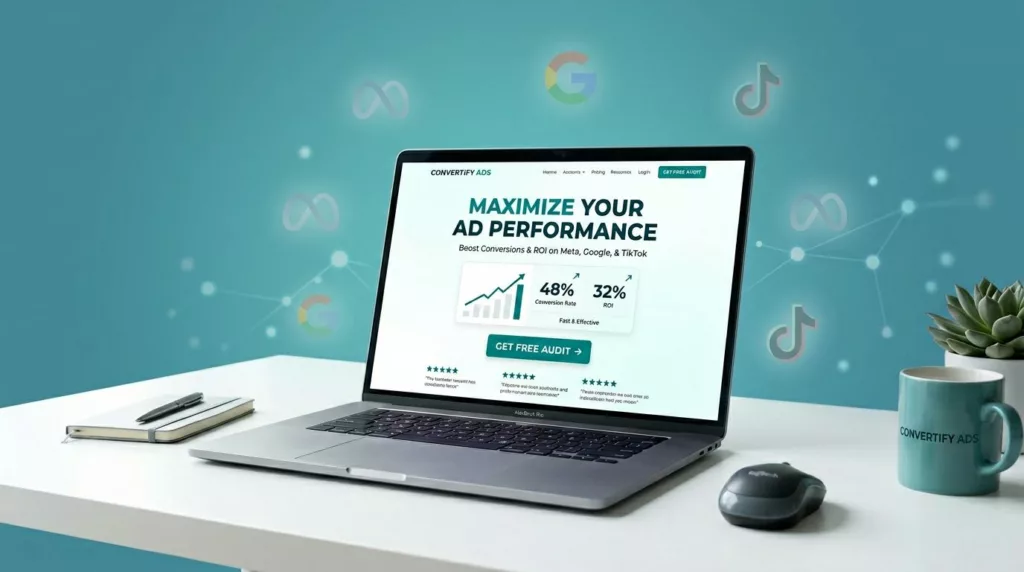
Paid traffic is like renting a spotlight. It’s bright, expensive, and it shuts off the moment you stop paying. That’s why landing page design matters more than almost any other conversion lever once your ads are live.
A good paid-traffic page does three things fast: it matches the ad, it removes doubt, and it makes the next step feel easy. In this guide you’ll get a reusable build template, platform-specific layouts for Meta, Google, and TikTok, plus tracking and compliance basics so your page converts and your ads keep running.
The non-negotiables for paid traffic pages (match, focus, speed)
Best Practices for Effective Landing Page Design
First, your page has to say the same thing your ad said. If the ad promises “Book a demo in 15 minutes,” your hero can’t lead with “Learn more about our platform.” Message match is the handshake, if it’s off, people back away.
Next, cut distractions. A paid click is not a homepage visitor. Keep navigation minimal (or remove it), reduce outgoing links, and build one clear path to the conversion.
Speed is the quiet deal-breaker. Even great creative can’t save a slow page on mobile. Aim for:
- Under 2 seconds for perceived load on modern phones
- Core Web Vitals targets: LCP ≤ 2.5s, INP ≤ 200ms, CLS ≤ 0.1
Finally, design for scanning. Paid visitors don’t read, they skim. Use short sections, clear subheads, and one primary call-to-action repeated in sensible spots.
If you want a quick swipe file before you build, browse a set of current best landing page examples and note how often the hero, proof, and CTA show up in the same order.
The fill-in-the-blanks landing page blueprint (section-by-section)
Use this blueprint as your default for lead gen or product pages. Then adjust depth based on intent (Google tends to need more detail, TikTok usually needs less text).
Copy-and-build wireframe (HTML-like blocks)
<header>
Logo (small), optional “Call” link for high-intent offers, no full nav.
<section id="hero">
H1: [Primary outcome in 6 to 10 words]
Subhead: [Who it’s for] + [how it works] + [time/effort saver]
Primary CTA button: [Verb + outcome] (same as ad)
Secondary line (micro-trust): [No credit card / Takes 30 seconds / Cancel anytime]
Hero visual: [Product UI / before-after / founder + product / 6 to 10 sec loop]
<section id="proof">
Social proof row: [Logo bar OR star rating OR user count]
1 to 2 testimonials: [Specific result] + [role/company]
<section id="benefits">
3 benefit blocks (not features):
- [Benefit #1] because [mechanism]
- [Benefit #2] so you [avoid pain]
- [Benefit #3] with [simple proof point]
<section id="offer">
What you get: [Deliverables list in plain language]
Price/terms: [Starting at $X / Free trial details / Demo requirements]
Risk reducer: [Guarantee / easy cancel / transparent next step]
<section id="how-it-works">
Step 1: [Do this]
Step 2: [Then this]
Step 3: [Get this result]
<section id="faq">
5 to 7 objections as questions, short answers.
<section id="final-cta">
Repeat CTA + one sentence reminder: [Outcome] without [big fear].
<footer>
Privacy policy, terms, contact, required disclosures.
Treat your hero as the “receipt” for the ad click. If it doesn’t confirm they’re in the right place, nothing below matters.
Form best practices (and friction reduction)
Keep forms tight. Every field is a speed bump. Start with email (and maybe one qualifier) and collect the rest after conversion if you can.
Practical defaults:
- Use 1-column forms on mobile
- Enable autofill, show input examples, validate inline
- If you need more fields, try a 2-step form (Step 1 feels easy, Step 2 qualifies)
- Put privacy reassurance near the button, not buried in the footer
For e-commerce flows, the same logic applies to the primary action. Thumb-friendly buttons and sticky CTAs usually beat tiny above-the-fold buttons, see these mobile add-to-cart button patterns for practical sizing and placement ideas you can borrow for any CTA.
Example layouts for Meta, Google, and TikTok (and why they fit)
Different platforms deliver different mindsets. Same offer, different landing page emphasis.
Here’s a simple mapping:
| Platform | Visitor mindset | Page emphasis | Best hero format |
|---|---|---|---|
| Meta (FB/IG) | Curious, interruption-based | Proof, simplicity, low friction | UGC-style image/video + short copy |
| Google (Search) | Intent-driven, comparing | Clarity, detail, objections | Text-led hero + strong offer framing |
| TikTok | Fast, vibe-driven | Momentum, visuals, quick CTA | Short vertical video + bold headline |
Meta landing page layout (social proof first)
Why it fits: Meta traffic often needs reassurance before effort. They didn’t search, you showed up.
Layout:
- Hero with clear promise and one CTA (no menu)
- Proof row immediately (logos, rating, “as seen in”)
- 2 short benefit blocks, then testimonial
- CTA again, then FAQ
Small twist that works: mirror the ad creative. If the ad is UGC, don’t land them on a glossy corporate screenshot wall.
Google Ads landing page layout (answer-first, then sell)
Why it fits: Search users arrive with a question. Your page should answer it in the first screen.
Layout:
- Hero headline that matches the query: “[Service] for [use case]”
- 3 fast qualifiers: pricing range, who it’s for, time to get results
- Comparison or “why us” section (short, specific)
- Deeper FAQ (objections, integrations, security, timelines)
- Strong footer trust: address, contact, policies
When in doubt, borrow research-backed structure patterns from broader site UX, especially around trust cues and scannability, see these research-backed e-commerce design tips and apply the same principles to your paid landing page.
TikTok landing page layout (keep the pace)
Why it fits: TikTok clicks are often emotional and fast. Heavy text feels like a mood change.
Layout:
- Hero with a vertical video (6 to 12 seconds), big outcome headline
- One CTA, then a short “What you get” block
- Social proof as screenshots or quick quotes
- One objection handler (shipping time, results time, eligibility)
- Sticky CTA on mobile
A common win: use the same words from the TikTok hook in your hero headline. Keep the rhythm consistent.
For a broader conversion framework that aligns with how teams prioritize measurable page elements, this landing page best practices guide is a helpful reference point.
Tracking setup essentials, compliance do’s and don’ts, and a launch checklist
Tracking should match how you optimize. If you only measure “Purchase” or “Lead,” you’ll miss where users drop.
Events to fire (and naming conventions)
Minimum events (choose what applies):
page_viewview_content(orlp_view)cta_click(button clicks)form_startform_submit(lead)add_to_cart,initiate_checkout,purchase(ecom)phone_click(if you show a number)
Naming convention that stays readable:
- Page:
lp_{offer}_{audience}_{platform} - Event parameter:
cta_location=hero,mid,sticky,footer - Keep UTMs consistent:
utm_source,utm_medium,utm_campaign,utm_content
If you run Meta and TikTok, consider server-side support (Meta Conversions API, TikTok Events API) so attribution holds up better under browser limits.
Compliance and message-match do’s and don’ts
Do:
- Repeat the offer clearly, including real terms and constraints
- Show required disclosures near the claim (not hidden)
- Use honest urgency (no fake timers)
- Keep privacy links and consent mechanisms visible where required
Don’t:
- Bait-and-switch with a different price, product, or requirement
- Overstate results without context or substantiation
- Hide fees, shipping costs, or key limitations until checkout
If the ad and the page feel like two different brands, you’ll pay for the click twice, once in CPC, then again in lost trust.
Concise pre-launch checklist
- Page loads fast on a phone, no layout jumps when it renders
- Hero headline matches the ad’s promise and the same CTA text appears at least twice
- Forms work with autofill, inline errors, and a clear success state
- Pixels fire once, events include
cta_location, UTMs persist through submit - Policies and required disclosures are easy to find, claims are supportable
Conclusion
Paid traffic doesn’t need a “perfect” page, it needs a clear one. Start with message match, build from the blueprint, then tailor the layout to Meta, Google, or TikTok behavior. Once tracking is clean and speed is solid, testing becomes simple and your landing page design turns clicks into learnings, and learnings into profit.