
One bad note can turn a clean order into a chain of emails, phone calls, and manual corrections. In complex B2B ordering, buyers use line item notes to explain substitutions, delivery rules, packaging needs, certifications, or approval details, and those notes often decide whether the order moves forward smoothly.
Strong line item notes UX makes those instructions easy to add, easy to review, and easy to hand off to sales, procurement, and operations. If the field feels vague or hidden, people work around it, and the order gets messy fast.
Why line item notes deserve more than a free-text box
Line item notes sit at the point where a buyer makes a specific decision about a specific SKU. That makes them different from a general order comment field. A note on one line can affect pricing, fulfillment, lead time, compliance, or whether a warehouse can ship the item at all.
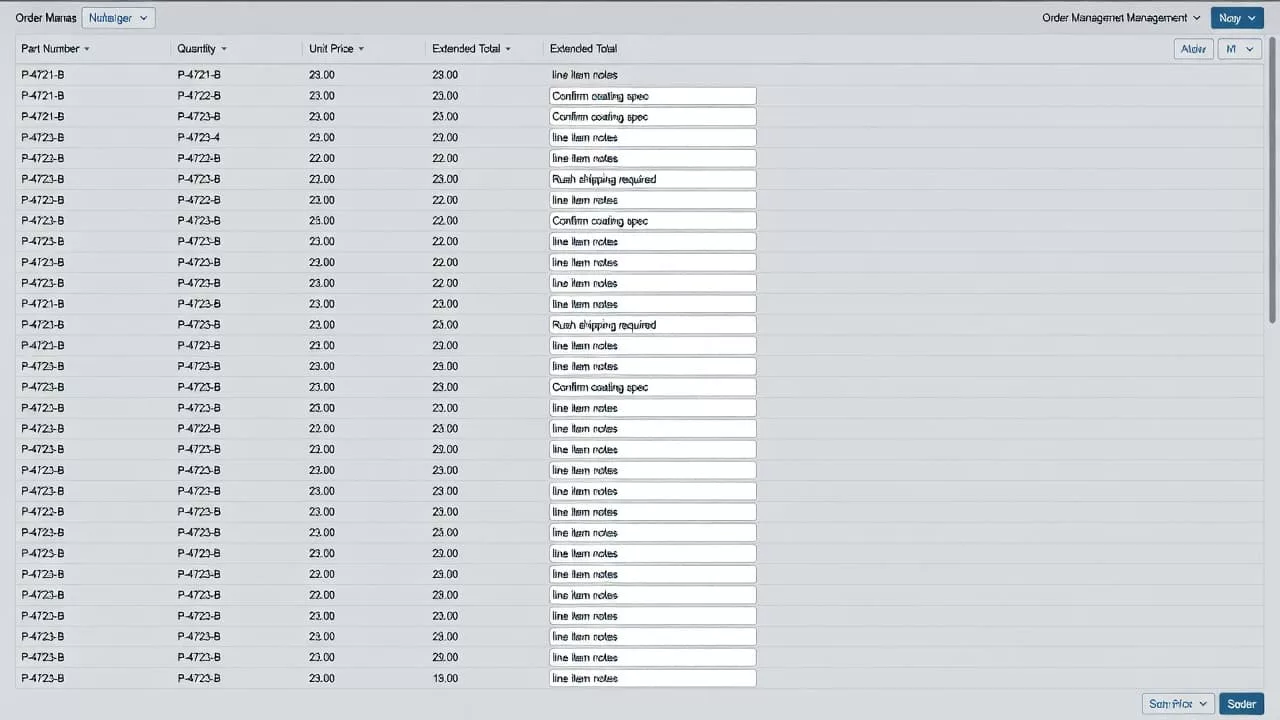
Buyers usually add notes when the product or process has an exception. They might ask for a pallet split, a drop ship address, a substitute if stock runs short, a serial number on the packing slip, or a delayed ship date tied to an internal project. In many accounts, the note is also part of the record that procurement and accounts payable need to review.
If a note changes fulfillment, it should feel structured enough for operations, but open enough for the buyer to explain the exception.
That balance matters. If the field is too loose, teams get unreadable instructions. If it is too rigid, buyers move the instruction into an email and the system loses the context.
Put the note where the buyer is already deciding
The best place for a line item note is close to the item details, quantity, and price. Buyers should not have to hunt for it in a sidebar or a separate tab. When the note sits beside the line item, the connection between the product and the instruction is obvious.
The label should be plain. “Add line note” or “Item instructions” works better than internal jargon. A short hint helps too, especially in complex catalogs. For example, “Use this for shipping, packaging, or approval instructions tied to this item.” That kind of copy reduces guesswork without crowding the interface.
Keep the interaction light. A collapsed note field keeps dense orders readable, while an expand action gives space only when a buyer needs it. For long orders, that matters. Nobody wants thirty open text areas staring back at them before checkout.
A few behavior patterns help a lot:
- Show the note status on the line, such as “Note added” or an icon with a count.
- Let users edit the note in place without opening a separate page.
- Preserve the note when quantity changes, unless the item is replaced.
- Keep the note attached to the exact line, not just the cart.
Those choices reduce mistakes, especially in orders with repeated SKUs or similar variants. They also help teams scan the order later and see where the exceptions are.
Validation rules that protect the order
Free text needs guardrails. Otherwise, buyers type anything, and operations has to clean it up later. Good validation does not block useful input. It catches bad input early and explains what went wrong.
For complex B2B orders, the most useful rules are simple:
- Set a clear character limit and show it before the user types.
- Warn when the note includes data that belongs in another field, such as part numbers, quantities, or addresses.
- Reject unsafe file types if the note field allows attachments.
- Preserve special characters when they matter, but normalize line breaks and excess spacing.
- Explain validation errors in plain language, right next to the field.
The best systems also use soft validation. If a buyer writes “ship complete” on a line that can only be split, the interface should flag the conflict before submission. If the note says “needs approval” and the order already triggered an approval rule, the system can show that the note was received and route it to the right place.
This is where purchase order upload flows offer a useful model. A PO upload has the same pressure point, the user adds a document or instruction that affects the entire order, so the interface has to explain rules early and recover cleanly when something is wrong.
Quotes, approvals, and purchase orders need traceable notes
Quotes often start with a buyer asking for one set of terms, then shift as procurement, finance, or the field team weighs in. Line item notes have to survive that movement. If a quote becomes an order, the note should travel with the line and keep its meaning intact.
That means the system needs version history, not just a text field. If a sales rep edits a note after a quote review, the buyer should see that change. If procurement adds a comment during approval, the change should stay visible in the order record. A hidden overwrite creates disputes later, especially when pricing, shipping windows, or compliance language is involved.
The handoff also matters when buyers attach a purchase order. The note should still point to the same line, even after PO data gets matched and transformed. For teams that depend on documented procurement steps, note handling should fit into the same review chain as the order document itself.
When the note affects the quote, the approval, or the PO, the record needs three things: who changed it, when it changed, and what line it belongs to. That is the difference between a useful instruction and a support ticket waiting to happen.
Bulk ordering and configurable products need different patterns
Bulk buyers repeat the same instruction across many rows, while configuration-heavy buyers use notes to explain exceptions. Those two behaviors look similar, but the UX should not treat them the same.
A bulk order screen needs shortcuts, because repeating one note fifty times is a waste of time. A configurable product needs boundaries, because a note should not replace structured options like size, color, finish, or voltage. Buyers can add context, but they should not be forced to encode product choices in free text.
Here is a simple way to separate the patterns:
| Scenario | Good note behavior | Common failure |
|---|---|---|
| Bulk reorder | Apply one note to selected lines or copy it across matching rows | Making the buyer retype the same instruction |
| Configurable product | Keep options structured, use the note for exceptions only | Letting the note become the only place for product specs |
| Complex kit or bundle | Attach notes to the parent line and child lines separately | Losing the instruction when the bundle expands |
| Spreadsheet import | Map notes to the right row before checkout | Importing text without line-level context |
The takeaway is simple. The note field should support the buying pattern, not fight it. For spreadsheet-heavy orders, the interaction should fit the same logic as bulk CSV order upload design, where buyers expect row-level accuracy and fast correction when one line is wrong.
ERP, CRM, and ops handoff need clean data
A note that works on the screen can still fail after checkout if it lands badly in the ERP or CRM. Many back-office systems have field limits, format rules, or mapped fields that do not match the front end. If the interface truncates a note without warning, the buyer may never know the warehouse lost the last line.
Operations teams need the note in a form they can trust. That usually means the system should preserve the original text, store the line-item ID, and pass along any tags that help routing. Sales reps may need to see the same note in CRM so they can answer questions without opening another tool. Procurement may need approval context, while the warehouse may only need the shipping instruction.
A good handoff keeps the following data visible:
- Original note text
- Line item reference
- Author or editor
- Timestamp of the last change
- Approval or exception status
When those pieces stay connected, support can trace a problem quickly. When they break apart, the team spends time matching screenshots to order records and asking the buyer to repeat themselves.
The safest rule is to treat line item notes as order data, not chat history. They need a clear home in the checkout, a stable place in the backend, and a predictable path into ERP and CRM systems.
Collaboration between buyers, sales reps, and operations
Line item notes often carry decisions made by more than one person. A buyer may write the first version, a sales rep may confirm the exception, and operations may approve the fulfillment path. The UX should support that chain without turning the note into a group chat.
Roles and permissions matter here. Buyers should be able to add and edit notes within their account rules. Sales reps may need internal notes or visibility into buyer notes, but they should not overwrite customer instructions without a visible audit trail. Operations should be able to mark a note as reviewed, rejected, or sent back for clarification.
The interface also needs a clear distinction between customer-facing notes and internal comments. When that line blurs, buyers see operational chatter that was never meant for them, or teams miss the instruction that was meant for fulfillment. A separate internal field, with a clear label and different visibility rules, keeps that risk down.
Good collaboration UX does not add noise. It gives each team enough context to act, then keeps the order record easy to scan. That matters even more when a single account places hundreds of lines a week.
The strongest note fields feel specific, visible, and recoverable
Line item notes work best when they are tied to the exact decision, validated before submission, and carried cleanly into the systems that touch the order next. That is what buyers expect in a complex B2B flow, and it is what sales, procurement, and operations need to keep the order moving.
The goal is not to give users a bigger text box. The goal is to make every note readable, traceable, and useful after checkout. When that happens, the order feels controlled instead of fragile, and the support team spends less time translating instructions that should have been clear from the start.