A B2B order can be commercially ready and still require a compliance decision before fulfillment. Poor export control screening UX turns that decision into a silent checkout failure, leaving buyers unsure whether they made an error or triggered a review.
Good export control screening gives compliance teams the information they need without forcing legitimate customers through confusing forms. The workflow should identify risk early, explain the next step clearly, and preserve a complete record for later review.
The right design starts by treating compliance as part of the order journey, not as a separate task after checkout.
Why export control screening belongs in the order experience
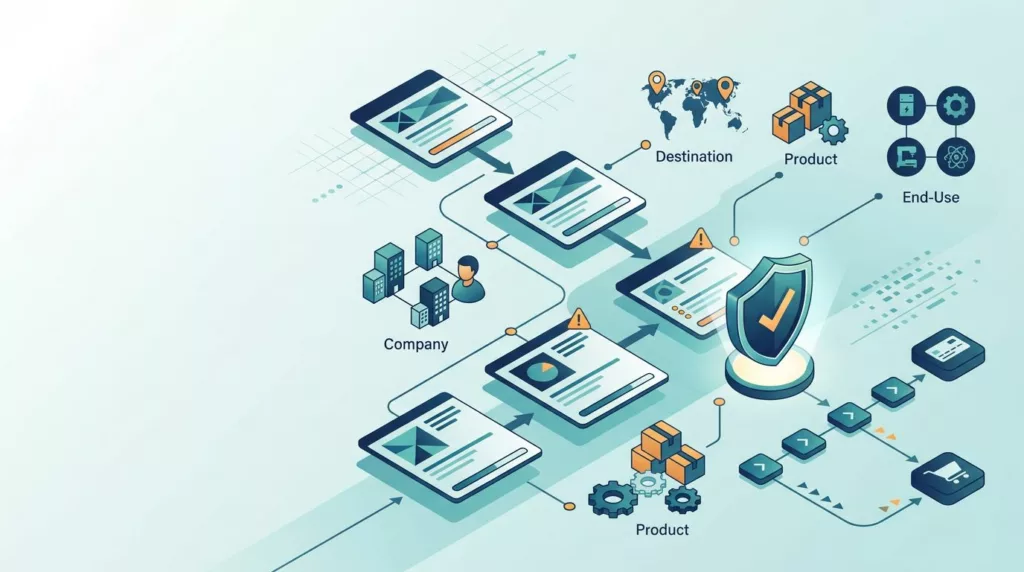
Export controls apply to more than the person placing an order. A transaction can involve a customer, buying company, ship-to location, consignee, end user, intermediary, product classification, destination, and stated end use.
A screening workflow must connect those details. Checking only the account name at registration can miss a risk introduced by a new delivery address, a different product, or an order routed through another party.
For a U.S.-based business, the control framework may involve the Bureau of Industry and Security (BIS), the Export Administration Regulations (EAR), the Commerce Control List (CCL), the Office of Foreign Assets Control (OFAC), and, for defense-related goods, the Directorate of Defense Trade Controls (DDTC) and International Traffic in Arms Regulations (ITAR). Other jurisdictions bring their own lists, licensing rules, and data requirements.
Requirements vary by jurisdiction, product classification, destination, end use, and customer. The ecommerce interface can’t decide the legal outcome by itself. It can collect accurate context, trigger the right review, and prevent an order from moving forward until an authorized person or system makes the decision.
A useful explanation of denied-party screening describes the process as checking customers, partners, and other parties against official watch lists. In an ecommerce flow, that concept expands into transaction screening, where the order itself provides additional context.
A customer can pass account screening and still require order review when the destination, product, or end use changes.
The UX goal is not to reveal every internal rule. Showing restricted-list names, matching thresholds, or detailed decision logic could create privacy and security problems. Instead, the buyer should see a clear status and a reasonable next action.
Designing better export control screening
A strong workflow collects information in stages. It doesn’t confront every buyer with a long compliance questionnaire before they can browse products.
Collect the data that changes the decision
Start with the account record. Capture the company’s legal name, registered address, country, business type, and the identity of the authorized buyer. Keep the legal entity separate from the user’s display name because screening a person and screening a company are different tasks.
At checkout, connect the account to the order’s:
- Ship-to address and destination country
- Consignee and end-user details
- Intermediary or reseller information
- Product classification and country of origin
- Intended end use, when the product or destination requires it
- Payment or billing party, when it differs from the buyer
Ask for information when it becomes relevant. For example, a specialized product may need end-use details, while a routine domestic order may not. Conditional questions reduce form length and produce better answers than a blanket questionnaire.
Address fields need careful handling. A free-text address can hide a missing country, an abbreviated company name, or an unrecognized intermediary. Use structured country and region fields, validated postal information, and a clear way to identify the final consignee.
B2B buyers may also arrive through a sales representative, a quote, or an account switcher. In that case, the system must carry compliance-relevant information into the digital order. A rep shouldn’t be able to choose a different customer account or ship-to party without an appropriate review. The sales rep assisted ordering UX should give the rep and buyer the same account and order context.
Tell buyers what happens next
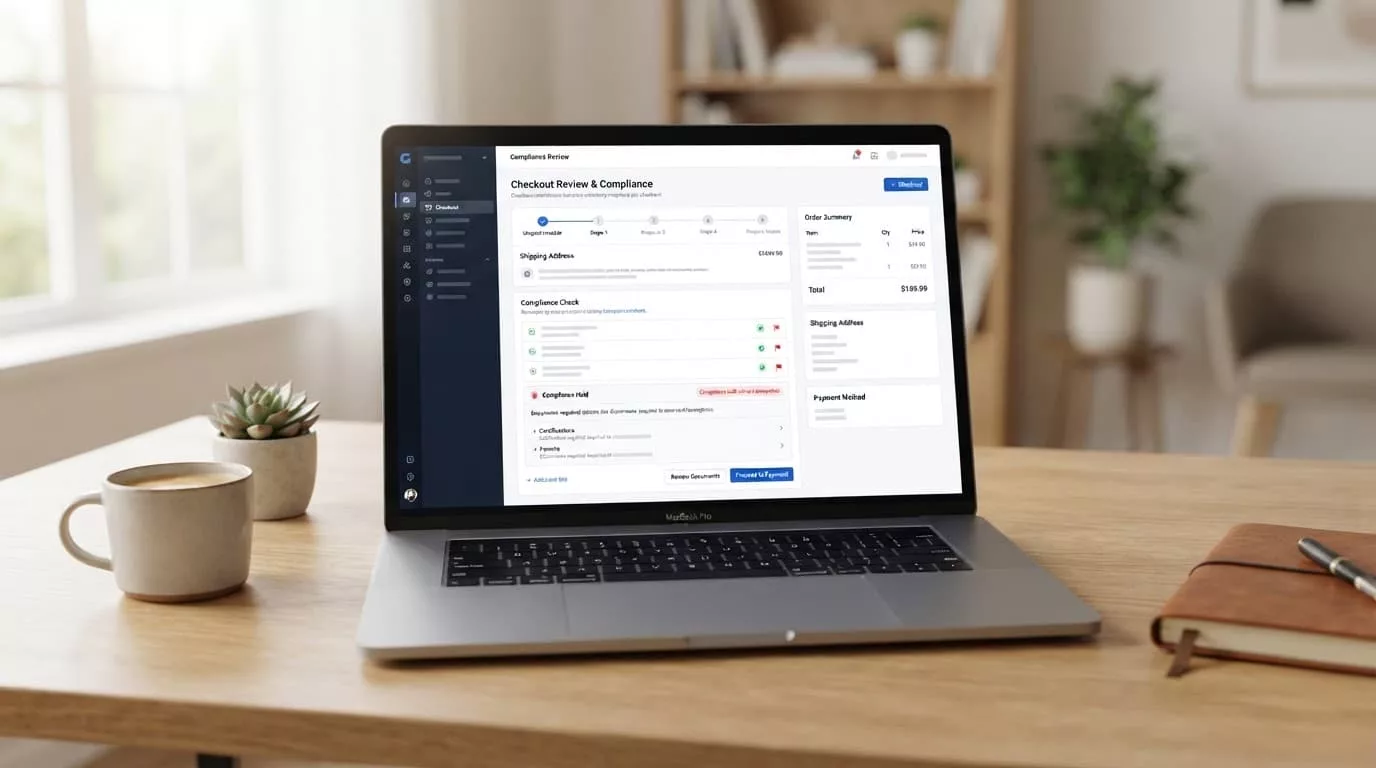
A vague message such as “Unable to process order” makes compliance look like a technical defect. Use a status that describes the workflow without exposing sensitive screening details.
Useful customer-facing states include:
- Information required, when the order lacks a destination, end-user, or end-use detail
- Under review, when the system has created a case for an authorized reviewer
- Approved for ordering, when the transaction can continue
- Approval required before shipment, when the order can exist but fulfillment must wait
- Unable to complete, when the business can’t proceed with the transaction
The message should include an expected next action. “Our trade compliance team needs one additional end-use detail” is more useful than “Your order is blocked.” If the buyer must contact support, give them an order or case reference that doesn’t reveal the internal match reason.
Don’t promise a review time unless the team can meet it. If review queues operate only during business hours, show that fact in the message. A buyer who understands the pause is less likely to create duplicate accounts or submit the order repeatedly.
Place screening at the right order checkpoints
Account creation, checkout, order edits, and shipment release can each change the risk profile. The following model gives every checkpoint a clear purpose.
| Order checkpoint | Main information to screen | Buyer-facing result |
|---|---|---|
| Account registration | Legal entity, user, country, and address | Account pending, approved, or needing information |
| Product and destination selection | Product classification, destination, and available authorization | Availability or review message before payment |
| Checkout submission | Full parties, end use, payment details, and final cart | Order accepted, held, or routed to review |
| Order change | New items, quantity, destination, consignee, or end user | Re-screen affected details |
| Shipment release | Final shipping parties, license status, and documentation | Release, hold, or escalation |
Screening only at account registration creates a false sense of safety. A buyer can add a controlled product later, select a new ship-to address, or edit the consignee after the original check.
Running every check at every page can create unnecessary delays and duplicate work. Instead, use event-based screening. Re-run the relevant checks when a risk-bearing field changes, then retain the earlier decision and show what caused the new review.
The buyer should not have to resubmit unchanged information. If a compliance case remains open, preserve the cart, quote, pricing, tax details, and purchase-order data. The order approval workflow offers a useful UX pattern here: show status, ownership, and the next action in one visible place instead of burying approvals in email.
Handle false positives without creating dead ends
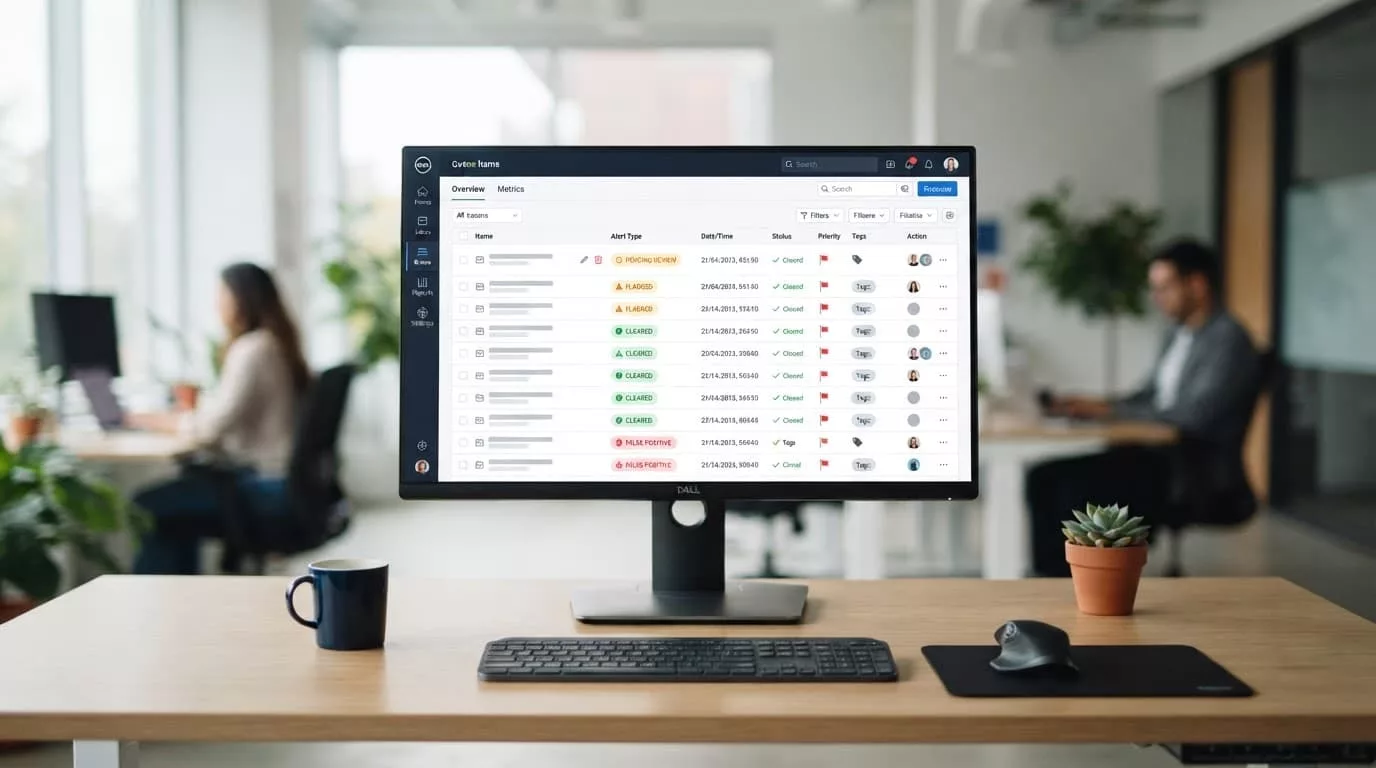
Name matching creates legitimate false positives. A common company name may resemble a restricted party, or an address may share only part of a watch-list record. The system should treat a potential match as a review event, not as proof of wrongdoing.
The buyer-facing flow needs separation from the internal investigation. Customers should see that an order requires review, while compliance staff see the matched name, address, country, list source, confidence level, and supporting records.
A review queue should let authorized staff compare the order data with the match, request missing information, record a decision, and escalate complex cases. It should also prevent multiple employees from reviewing the same case without seeing each other’s notes.
When the order needs buyer input, ask a narrow question. For example, request the legal name of the end-user organization or the intended application of the product. Avoid asking buyers to guess which watch list caused the alert.
A safe customer message might say:
“We need one additional detail before this order can continue. Please confirm the final end-user organization and intended use. Your order reference is 10482.”
That message protects the review process while giving the buyer a concrete path forward. It also avoids telling a customer which data triggered the check or how the business evaluates potential matches.
Don’t automatically cancel every order that produces a possible match. At the same time, don’t let a pending match pass because a customer is pressing for speed. The workflow should apply the same decision policy to self-service orders, sales-assisted orders, and orders entered by internal staff.
A documented case matters when the business later needs to explain why it cleared or stopped a transaction. One export-control penalty analysis describes how missed or weak screening controls can create serious exposure. Product teams should translate that risk into clear queue ownership, escalation rules, and durable records.
Make product and destination rules understandable
Product data is often the least visible part of an ecommerce compliance workflow. Buyers may see a stock number and description, while compliance depends on an ECCN, USML category, HS code, Schedule B number, country of origin, technical attributes, or license exception.
Don’t force buyers to determine a classification they don’t understand. Store classification data in the product catalog and give compliance staff a controlled process for maintaining it. Product pages can show a plain-language availability message without exposing internal classification details.
For example, a product could display:
- “Available for this destination”
- “Review required before order submission”
- “Contact your account team for export documentation”
- “This item isn’t available for the selected destination”
The exact wording depends on the business policy. The important point is to explain the result before the buyer invests time in checkout.
Destination logic also needs precision. Country selection alone may not identify the final risk. A shipment can involve a warehouse, freight forwarder, reseller, consignee, and end user in different places. The workflow should distinguish the shipping destination from the final end-user location.
End-use questions should appear when the product or transaction calls for them. Keep the answer options clear, but allow a free-text explanation when a fixed menu would distort the buyer’s situation. Store the original answer with the order, rather than replacing it with an internal summary.
Product and compliance data need ownership. Merchandising teams can manage descriptions and availability, while trade compliance staff approve classifications and restrictions. The platform should show who changed a classification and when the change took effect.
This division prevents a catalog update from silently changing the compliance result for open carts or saved quotes. It also gives reviewers a clear reason when an older order and a new order receive different outcomes.
Build an audit trail and evidence capture

A green status alone is not an audit record. The system should show what was checked, which data it used, which list or rule version applied, and who approved the result.
For each screening event, capture the order ID, account ID, parties checked, product and destination values, timestamp, result, reviewer, decision reason, and related documents. Record changes to the cart and customer data so a reviewer can see whether the transaction changed after approval.
Evidence may include an end-use statement, customer certification, license reference, classification note, or internal approval. Store documents with access controls and retention rules that match the business and jurisdiction. Avoid placing sensitive attachments in ordinary customer service notes where too many users can access them.
A case record should also explain what happened after the first decision. If an order moved from review to approval, retain the reason and approver. If a buyer changed the destination, create a new screening event rather than overwriting the original result.
Purchase-order information belongs in the same chain. Buyers often search for orders by their PO number, while internal systems use a separate order ID. Good PO number field UX in checkout keeps that value in the order record, confirmation, invoice, packing documentation, and account portal.
Auditability also affects customer support. A support agent should be able to see that an order is pending review without seeing restricted information they don’t need. Role-based access can separate buyer communication, compliance decisions, warehouse actions, and administrative reporting.
Test the audit trail with a real review scenario. Ask whether a new compliance employee could reconstruct the decision months later without relying on an individual’s memory or a private email thread.
Choose technology that fits the order architecture
Export control screening works best when the commerce platform, compliance service, ERP, order management system, and shipping tools share the same transaction identity.
The ecommerce system should send the relevant order data to a screening service. The service should return a clear result, case reference, and reason code that the storefront can translate into a buyer-friendly status. The ERP and fulfillment tools then need the same hold or release state.
An integration that screens the account but doesn’t pass the result to fulfillment leaves a dangerous gap. A shipping system may release an order that the storefront marked for review, or a customer may see an approved order while the warehouse sees no usable documentation.
When comparing tools, focus on workflow behavior rather than the number of lists advertised. Look for:
- Match quality controls that reduce false positives without hiding real matches
- Screening for parties, destinations, products, end use, and transactions
- Classification and license-determination support where your business needs it
- Case management with ownership, escalation, and approval history
- APIs or connectors for ecommerce, ERP, OMS, CRM, and shipping systems
- Versioned evidence and audit records
- Clear failure behavior when the screening service is unavailable
Examples buyers may evaluate include Descartes, Visual Compliance and eCustoms, AEB, e2open, SAP Global Trade Services, Oracle Global Trade Management, and Thomson Reuters ONESOURCE Global Trade Management. Their scope differs, so compare each product against your order model and jurisdictional needs. For example, denied-party screening software may focus on party checks, while a broader export platform may combine screening, classification, license logic, and documentation.
The storefront also needs a defined timeout policy. If the service fails, the business must decide whether to hold the order, allow it into a review queue, or permit a limited action without fulfillment. That decision belongs to compliance and operations, not to a developer choosing the easiest fallback.
Measure the experience with both commercial and control metrics. Track review completion time, false-positive rate, orders held, abandoned checkouts, missing-data requests, manual overrides, and orders released without a recorded decision. A lower review time is useful only if the quality of decisions remains acceptable.
Test the workflow with real B2B scenarios
A compliance flow can pass a happy-path test and still fail when a buyer edits an order. Build test cases around actual order changes and user roles.
Test a returning customer who adds a newly classified product. Test a buyer who changes the ship-to country after approval. Test a sales representative switching between customer accounts, a quote converted into an order, and an order with a different billing party and consignee.
Also test the failure states:
- The screening service returns a clear match.
- The service returns a possible match with incomplete data.
- The customer needs to provide an end-use statement.
- An authorized reviewer approves the order.
- The buyer changes a risk-bearing field after approval.
- The service becomes unavailable during checkout.
- The warehouse receives an order that remains on hold.
Accessibility belongs in these tests. Status messages should work with screen readers, focus should move to the next required action, and color should not be the only way to distinguish approved, pending, and blocked states. Buyers using keyboard navigation need access to help text and error details without reopening the entire form.
Test content with support agents and compliance reviewers as well. If the storefront uses “pending” while the internal queue uses “blocked,” staff may give contradictory answers. Shared status names reduce confusion across customer service, sales, operations, and compliance.
Requirements vary by jurisdiction and transaction. Before launch, have qualified trade counsel or your internal compliance owner review the rules, data fields, escalation policy, retention settings, and customer messages for the markets you serve. This article provides operational UX guidance, not legal advice.
Conclusion
Export control screening should stop risky transactions without making ordinary B2B buyers feel accused or abandoned. That requires accurate party, product, destination, and end-use data; event-based checks; clear statuses; controlled review queues; and evidence that survives beyond the order confirmation.
The strongest design keeps the buyer informed while keeping sensitive decision logic inside the authorized workflow. When a ready-to-ship order pauses, the customer should know what information is needed and what happens next, while your team can show exactly how the decision was made.