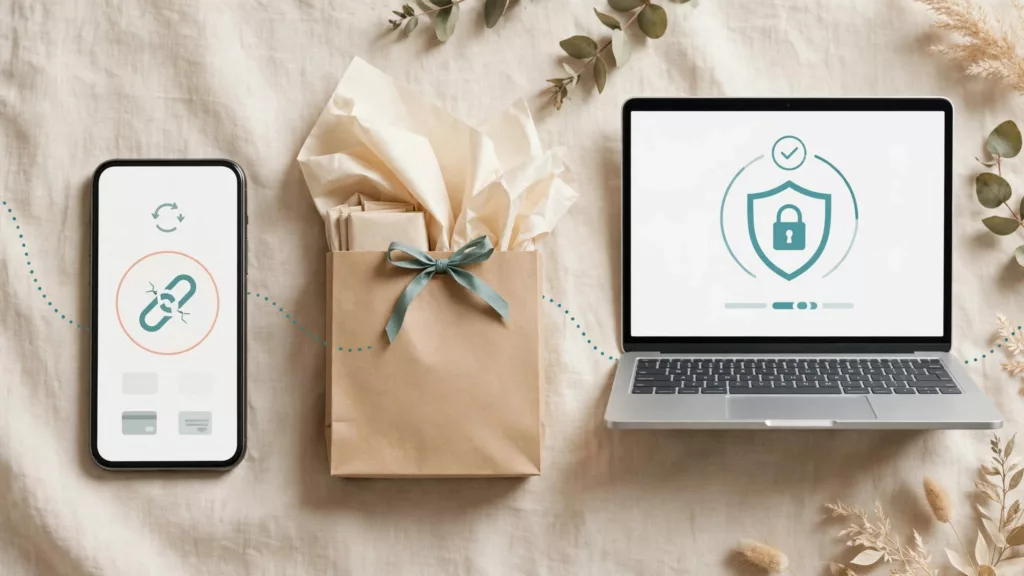
A shopper returns to pay, opens the checkout link you sent, and finds that the session has expired. Their products still exist in your store, but the path to buying them has broken. Good recovery UX keeps that interruption from becoming a lost order.
Checkout session expiration needs two responses: a fresh payment path for the shopper and reliable order-state handling behind it. Start by understanding what expires, because a dead checkout URL doesn’t necessarily mean the cart or purchase intent is gone.
Key Takeaways
- Keep the cart independent of the payment session so an expired URL can lead to a fresh checkout.
- Check payment state before offering a retry, sending a reminder, or creating another order.
- Set expiration windows around the actual buying journey, including the delay between an email send and a shopper’s click.
How checkout session expiration works in Stripe
The session has a clock; the cart needs its own life
The default expiration for a Stripe Checkout Session is 24 hours after creation. When creating a session through the Stripe API, you can set the expires_at parameter to an Epoch timestamp between 30 minutes and 24 hours after creation, according to Stripe’s Checkout Session creation reference. The API’s limit is not a 90-day window.
A Checkout Session stores details for a payment attempt, including its mode and line items. Its mode determines whether the flow uses payment mode, subscription mode, or setup mode.
Your store should retain its own cart or order draft rather than treating the Checkout Session URL as the sole record of what someone wanted to buy. When a shopper returns after expiration, create a new session from the current, validated cart. Don’t assume the old price, stock, promotion, or delivery promise still applies.
Session status isn’t payment status
Stripe’s Checkout Session object reference lists the checkout session status as open, complete, or expired. The separate payment status can be paid, unpaid, or no_payment_required.
That distinction matters during recovery. A return-page visit or a session marked complete isn’t, by itself, the rule for marking a paid order. For payment attempts that create one, the related PaymentIntent object can help confirm the outcome. Likewise, an old checkout session url doesn’t prove that no payment succeeded through another attempt. Reconcile provider events and the latest payment state before changing the order.
Choose an expiration window that fits the journey
Give shoppers time for the purchase you’re asking them to make
A short window can make sense when prices or inventory change quickly. It can also frustrate someone comparing delivery options, waiting for approval, or switching from a phone to a computer. There’s no universal duration that fixes both problems.
Map the journey before choosing an expiration window. Consider how long shoppers usually take between checkout creation and payment, when stock reservations end, and whether a promotion has a firm cutoff. Stripe’s API lets you set a custom expiration time within its documented limits. Session expiration does not enforce every commercial rule: your store still needs to validate stock and offer eligibility when checkout restarts.
If a product requires a hold, make the hold’s deadline clear. Don’t imply that an item remains reserved for the full Checkout Session lifetime unless your inventory system guarantees it.
Coordinate session age with deliberate cancellation
Teams sometimes need to invalidate an open session after an order changes or a cart becomes unusable. Stripe provides an API endpoint to expire an open Checkout Session; it returns an error if the session has already expired or isn’t in an eligible state.
Treat that call as a state change, not the whole recovery plan. The shopper still needs somewhere useful to go, and your application must retain the cart context needed to start again.
Design the expired-session path around cart continuity

Offer one clear next step
If someone follows a checkout URL that no longer works, your store’s recovery destination should explain the interruption in plain language: “This checkout link has expired. Your cart is ready to review.” Make “Review your cart” or “Continue to checkout” the primary action, depending on whether anything changed.
Don’t send the shopper to an empty cart, an unrelated homepage, or a mandatory sign-in page. Where supported, recognize the shopper through a secure cart reference or authenticated account. Then show the saved items before launching a new payment attempt.
The underlying payment provider may control what appears at its expired URL. Plan recovery through the destinations you control, including campaign links and the store’s cart.
Preserve progress, then recheck what can change
Keep saved line items, selected variants, quantities, customer details, shipping choices, and entered promo codes when your store has saved them lawfully and securely. A hosted payment page may not return every field the shopper typed there, so don’t promise to restore data you don’t hold. Never store raw card details in a cart record.
Before payment, recheck inventory, current prices, shipping eligibility, tax, delivery estimates, and discount rules. Show changes beside the affected item or total. If a promotion no longer applies, leave the entered code visible and explain why. Allow inline edits rather than clearing unrelated fields.
When guest and account carts differ after sign-in, preserve both until the shopper reviews the result. The store’s ecommerce UX checklist for checkout flows covers the wider cart and guest-checkout decisions that make this recovery possible.
Prevent duplicate orders during checkout retries

Listen for expiration, but reconcile before acting
Stripe lists a checkout.session.expired event in its webhook event types. Subscribe if your integration needs to mark an attempt as expired or consider the shopper for recovery. Configure the webhook endpoint, verify signatures, and handle repeat deliveries safely. Stripe emitting the event won’t update your store by itself.
Keep an internal mapping between the cart, order draft, checkout session id, and later attempts. When an expiration event arrives, check the current order and payment state before marking checkout as abandoned. Webhook delivery and a shopper’s return can happen in either order.
For payment methods that settle later, listen for the relevant payment outcome events too. The checkout session completed event (checkout.session.completed) alone doesn’t prove that a delayed payment has settled. An expiration handler must never override a confirmed paid order.
Make “try again” safe to tap twice
A retry should create a fresh payment attempt against the existing order draft, not a second order each time a button is pressed. Enforce uniqueness for the final order and process provider events idempotently. Apply an idempotency key to retried API requests where appropriate, while keeping your own order-state guard.
If payment confirmation is still pending, say so and block another charge attempt until the status is clear. If it failed, offer a fresh checkout without deleting the cart. For declines and other payment errors, payment failure recovery UX needs different wording from an expired-link message.
An expired session describes one checkout attempt. It doesn’t, on its own, settle whether the shopper has paid or whether the cart should be deleted.
Keep Payment Links and recovery messages usable
Don’t confuse a Payment Link with one Checkout Session
A Stripe payment link is reusable, but its availability is separate from the lifetime of an individual Checkout Session. Deactivating a link and allowing a session to expire are different operational decisions.
For no-code Payment Links, don’t assume the Checkout Session API’s expires_at control appears as a matching setting in the Dashboard. Check the controls available in the Stripe Dashboard, and use the API when you need session-level timing. If a payment link is deactivated, direct shoppers to a current offer or cart rather than leaving the old link in active marketing.
Send shoppers to a durable destination
A checkout URL created when an email campaign is scheduled may be stale by the time someone opens the message. A reminder sent the next day may arrive after the expiration window for a session that began the previous morning.
Instead, link to a secure store-side recovery route that supports abandoned cart recovery. It should identify the saved cart, check whether an order was completed, and create a new Checkout Session when needed. Suppress reminders after purchase, unsubscribe, or an active support issue. Keep the email’s line items and prices accurate, and explain any changes when shoppers arrive at a hosted payment page.
Fixing the landing path matters as much as message timing. The same principle applies to other checkout UX fixes that reduce abandonment: valid progress should survive an interruption.
Measure lost orders, not just expired sessions
Separate timing problems from checkout problems
Track session creation, expiration, recovery-page visits, fresh-session creation, payment outcomes, and completed orders using linked identifiers. Compare the share of expired sessions that return to checkout with the share that eventually buy. Segment by device, campaign, guest status, cart value, and payment method.
An expired session isn’t automatically an abandoned sale. Someone might open a new session and purchase, while another shopper may leave because of shipping costs before expiration matters. Baymard’s cart and checkout usability research provides useful context for examining friction across the whole buying path, rather than attributing every exit to the timer.
Reconcile orders before reporting revenue
Reconcile commerce orders against confirmed payment outcomes and your accounting integration’s import rules. An expired attempt shouldn’t count as a sale merely because a session or draft order exists. At the same time, don’t assume an expired session proves that no related transaction reached QuickBooks Online or another system.
Check how your integration treats pending payments, completed orders, refunds, and repeated attempts. Use stable order IDs so one purchase doesn’t become two sales records after a retry.
Test the full expiration journey
Test an expired URL on mobile and desktop, including a return from email in a different browser. Confirm that the shopper can identify their cart and reach a fresh checkout without losing valid choices.
Then test the less tidy cases: a price change, an out-of-stock variant, an invalid promo code, guest sign-in with a saved account cart, and a webhook arriving while the shopper taps “Try again.” Verify that a paid order suppresses recovery messages and that repeated taps create neither duplicate orders nor charges.
Check keyboard and screen-reader behavior on the recovery page. Announce material cart changes, keep focus near the message or action, and let shoppers correct affected items without starting over.
Frequently asked questions
How long does a Stripe Checkout Session last?
It expires after 24 hours by default. For API-created sessions, expires_at can be set between 30 minutes and 24 hours after creation, as documented in Stripe’s explanation of how Checkout works.
Does an expired session trigger a webhook?
Yes. Stripe lists checkout.session.expired. Your integration must subscribe to and process that event. It should also check the related order and payment state before sending a recovery message.
Can a shopper resume the same expired session?
Design around a new Checkout Session, not a promise that the old hosted payment page will resume. Route the shopper to a fresh session while preserving the store cart and validating its current details.
Conclusion
An expired checkout link should interrupt a payment attempt, not erase the shopper’s choices. A saved cart and a clear return path let someone continue without rebuilding their order.
Behind that simple experience, payment-state checks and safe retries protect against duplicate charges. The shopper gets another chance to buy, while the store keeps an accurate record of what happened.