

A customer acquisition can turn one B2B SaaS account into two overlapping organizations, with different users, contracts, permissions, and data histories. A poor B2B account merge UX forces customers to untangle that mess while they are already managing a business change.
The safest experience treats consolidation as a controlled business operation, not a routine settings update. Users need to understand what will change, who owns each record, which actions cannot be reversed, and how work will continue afterward.
Key Takeaways
- An organization merge is different from combining duplicate contact or company records.
- Show a dry-run preview before changing users, roles, data, billing, or integrations.
- Let authorized administrators resolve conflicts instead of hiding automatic decisions.
- Protect audit history, ownership records, security controls, and compliance data.
- Use staged execution, rollback safeguards, and clear communication to limit disruption.
Why Organization Merges Need a Different UX
A duplicate-record merge usually joins two records that describe the same entity. For example, a CRM might contain two company records for Acme Corporation because one employee entered “Acme Corp.” and another used the full legal name. The system may combine fields, remove duplicates, and retain one primary record.
An organization merge after an acquisition is larger and riskier. Two legitimate customer environments may each have active users, products, projects, invoices, API keys, usage records, support cases, and integrations. Both accounts can be valid. The business decision is to create one operating structure, not to correct a data-entry mistake.
That distinction should appear in the interface. Calling the action “Merge duplicates” creates the wrong expectation. A better label might be “Consolidate organizations” or “Move Acme West into Acme Group.” The wording should explain whether the result is:
- One organization with separate divisions or child accounts
- One parent organization with inherited policies
- A permanent transfer of data into an existing account
- A temporary link between accounts while administrators review them
The product should also identify the target account clearly. Show the organization name, account ID, billing owner, region, plan, and administrator before the user selects a destination. Similar names are common after acquisitions, so a name alone isn’t enough.
For B2B commerce teams, the same principle applies to account portals. A portal may connect users to pricing, invoices, tax exemptions, addresses, purchasing limits, and sales ownership. The B2B ecommerce account portal audit checklist offers a useful reminder: teams need to document which system owns each field when customer data conflicts.
Design the B2B Account Merge UX Around Control
A high-risk merge should not appear as a single confirmation modal. The workflow needs progressive disclosure, so the customer sees a simple summary first and can inspect details before committing.
Start with a guided flow:
- Select the source and destination organizations.
- Review the affected people, records, settings, and integrations.
- Resolve conflicts and choose ownership rules.
- Preview the final structure.
- Confirm with a high-trust authorization step.
- Monitor the migration and review the audit record.
The first screen should answer basic questions in plain language:
- Which organization will remain?
- Which organization will be absorbed, linked, or archived?
- Who can approve the operation?
- What data will move?
- What will happen to users who belong to both accounts?
- Can the operation be reversed?
Avoid exposing every technical detail at the start. However, don’t hide important consequences behind vague labels such as “other settings.” Use expandable sections for users, roles, billing, content, integrations, and security. Each section should show counts and exceptions.

A good B2B UX pattern keeps the main path readable while making deeper evidence available. This approach also aligns with practical guidance on B2B UX solutions, where complex business workflows need clear structure rather than more controls on one screen.
Make Data Ownership Visible Before the Merge
Data ownership is one of the hardest parts of account consolidation. Two accounts may contain a project with the same name, separate billing contacts, different tax details, or conflicting customer IDs in an external ERP.
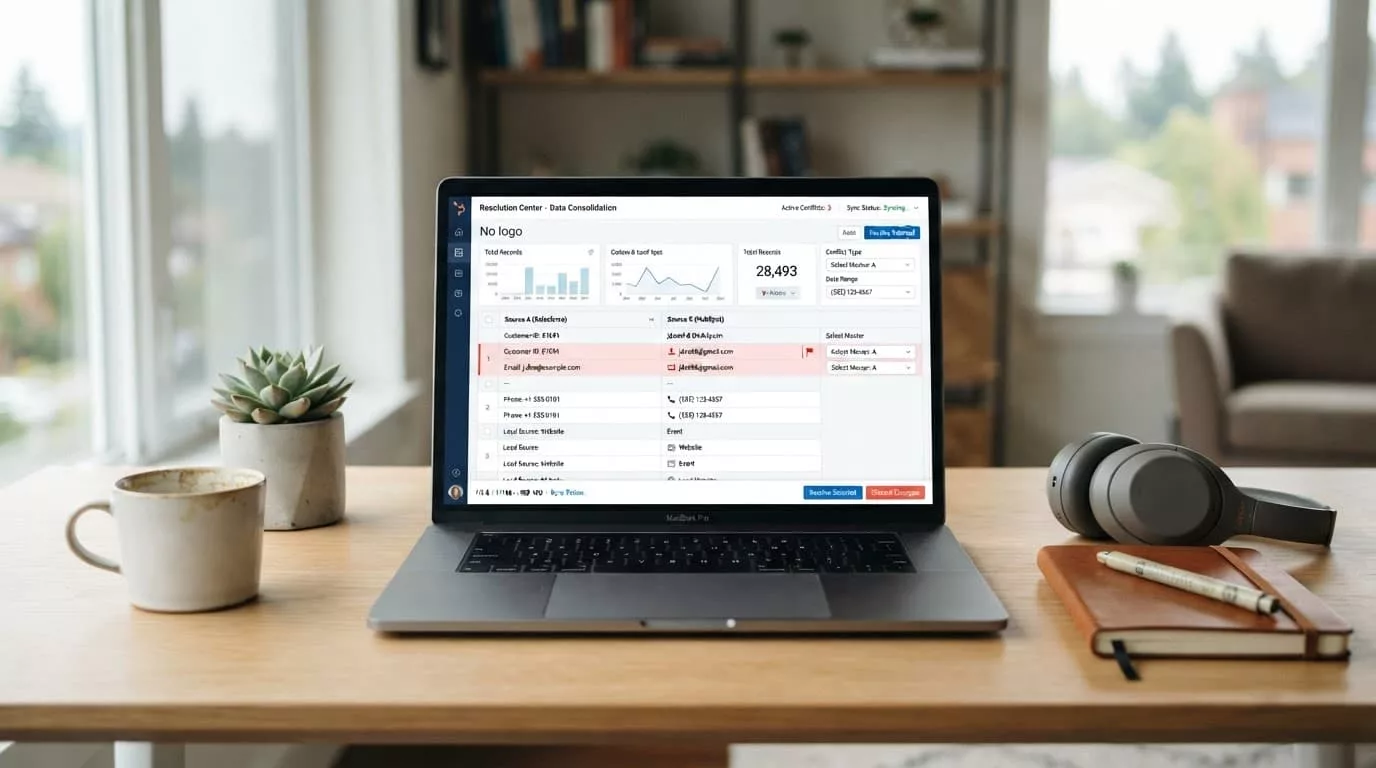
The system should never quietly choose a winner for high-impact fields. Instead, show each conflict with its source, last updated date, current owner, and available actions. A comparison table might include:
| Data area | Source account | Destination account | Admin choice |
|---|---|---|---|
| Billing contact | Finance team | Procurement team | Keep source, keep destination, select another |
| Contract pricing | Regional terms | Parent terms | Apply one policy, preserve both |
| Tax exemption | Certificate on file | No certificate | Keep verified record, request review |
| Project name | Implementation | Implementation | Rename one, keep both, link records |
The choice should depend on the data type. A duplicate project name may be harmless if the system adds a workspace prefix. A conflicting payment method or tax status needs stronger review.
Give administrators useful options:
- Keep the source value
- Keep the destination value
- Select a specific record
- Preserve both records
- Create a new parent or shared value
- Leave unresolved and pause the merge
The product should also identify system ownership. If Salesforce owns account names, NetSuite owns billing terms, and the SaaS platform owns workspace permissions, the merge screen should say so. Otherwise, an administrator may fix a conflict in the SaaS interface only to have an integration overwrite it later.
A dry-run preview is essential. It should produce a proposed result without changing production data. Include objects that will move, objects that will remain, records that will be linked, and records that need manual action. Let the customer download the preview for internal review.
Handle Users, Roles, and Security With Extra Care
User access often changes after an acquisition. Employees may need access to both organizations, while former contractors may need immediate removal. A merge can also create duplicate identities when the same person uses different email domains or single sign-on directories.
The workflow should distinguish between:
- The same person with two organization memberships
- Two people who share a name
- A user whose email domain changed
- A service account or API identity
- An inactive user retained for audit history
Never merge identities based on name similarity alone. Use verified email addresses, identity-provider subject IDs, employee identifiers, or an administrator’s explicit confirmation. When uncertainty remains, keep the accounts separate and flag them for review.
Role changes require the same care. A source organization might have a workspace admin, while the destination has a billing admin. Those roles may not map directly. Show the old role, proposed new role, permission differences, and affected resources.
For example, a regional buyer might gain access to a parent company’s purchase history after consolidation. That may be correct, or it may expose restricted pricing. The interface needs to show the access expansion before it occurs.
Teams designing these flows should review established patterns for B2B account roles and permissions. The central principle is practical: permissions should follow the customer’s business structure, not the convenience of the database schema.
High-risk security changes should require stronger safeguards. Consider requiring two authorized administrators, reauthentication, or approval from the account owner when the merge affects:
- Single sign-on settings
- Domain verification
- Billing authority
- API keys
- Data residency
- Audit logs
- Private workspaces
- Export or deletion permissions
The confirmation screen should state the irreversible actions in direct language. “Users in the source organization will lose their existing organization membership” is clearer than “Some access may change.”
Protect Operations During and After Consolidation
A customer acquisition rarely happens during a quiet period. Teams may have active orders, support cases, deployments, renewal negotiations, and scheduled integrations. A merge that blocks work for several hours can create real operational costs.
Offer scheduling when possible. An administrator may choose a maintenance window and notify users before the change. During execution, show progress by object type rather than displaying one vague progress bar. Customers should be able to see whether users, projects, billing records, and integrations have completed.
Pause conditions matter. Stop the process if:
- A required integration loses authentication
- A conflict appears that wasn’t in the preview
- A destination account exceeds a plan limit
- A security policy cannot transfer
- A record fails validation
- A billing or tax dependency is missing
Don’t delete the source account immediately. Use a retention period with read-only access, a visible redirect, or an archive state. Support teams may need the old account ID to investigate a ticket, reconcile an invoice, or retrieve an audit event.
A merge also needs post-operation checks. Show administrators whether users can sign in, whether automated jobs are running, whether billing contacts remain correct, and whether external systems have accepted the new identifiers.
The interface should provide a clear support path without making support the only recovery option. Customers need an exportable merge report that includes the timestamp, initiating administrator, approved decisions, moved records, skipped records, failed actions, and follow-up tasks.
Build Auditability Into Every Decision
Audit logs are not an afterthought for account consolidation. They provide evidence of who approved the change and how the final state was created. That matters when a customer disputes access, billing, data retention, or an administrative action.
Record both the action and the decision behind it. For example:
- Administrator A selected Organization North as the destination.
- Administrator B approved the transfer of 42 users.
- Administrator A chose destination pricing for 18 contracts.
- The platform preserved two duplicate projects under separate IDs.
- The integration sync paused because authentication failed.
Avoid logging only the final result. A final state cannot explain why the system selected one billing contact or removed a role. Before-and-after values, timestamps, actor identity, and source systems create a more useful record.
Make logs searchable by organization, user, object, and merge operation. Give customer administrators access to the appropriate level of detail, while protecting sensitive values from users who don’t have permission to view them.
Compliance requirements vary by customer and industry, so product teams should avoid promising that a merge automatically satisfies every retention or privacy obligation. Instead, give administrators controls for retention, export, legal hold, and deletion where the product supports them. Product, security, and compliance teams should define those controls before launch.
Test With Real B2B Workflows
A merge flow can pass a basic functional test and still fail a customer in production. Test with realistic account structures, not two empty workspaces.
Include scenarios such as a parent company with regional entities, shared users with different roles, an active invoice, a tax-exempt buyer, an SSO connection, an API integration, and an open support case. Test both successful and interrupted runs.
Ask participants to explain what they think will happen before they confirm each step. Confusion often appears when users interpret “combine,” “transfer,” “link,” and “archive” as the same action.
Measure more than completion rate. Track:
- Time to review the dry-run
- Number of unresolved conflicts
- Backtracking before confirmation
- Support contacts during migration
- Failed integrations after completion
- Permission errors after users sign in
- Requests to restore or undo changes
Run accessibility checks across the entire workflow. A warning that appears only through color is easy to miss. Keyboard users should reach conflict controls, screen readers should announce changed values, and confirmation dialogs should identify the exact organization and irreversible effects.
Conclusion
A customer acquisition changes the structure of a B2B account, so the merge experience must protect more than data accuracy. It must preserve trust, clarify ownership, control permission changes, and keep customer operations moving.
The strongest B2B account merge UX gives administrators a dry-run preview, explicit conflict choices, strong authorization, detailed audit logs, and a safe archive period. When the workflow makes every important consequence visible, consolidation becomes a managed business process instead of a risky button press.