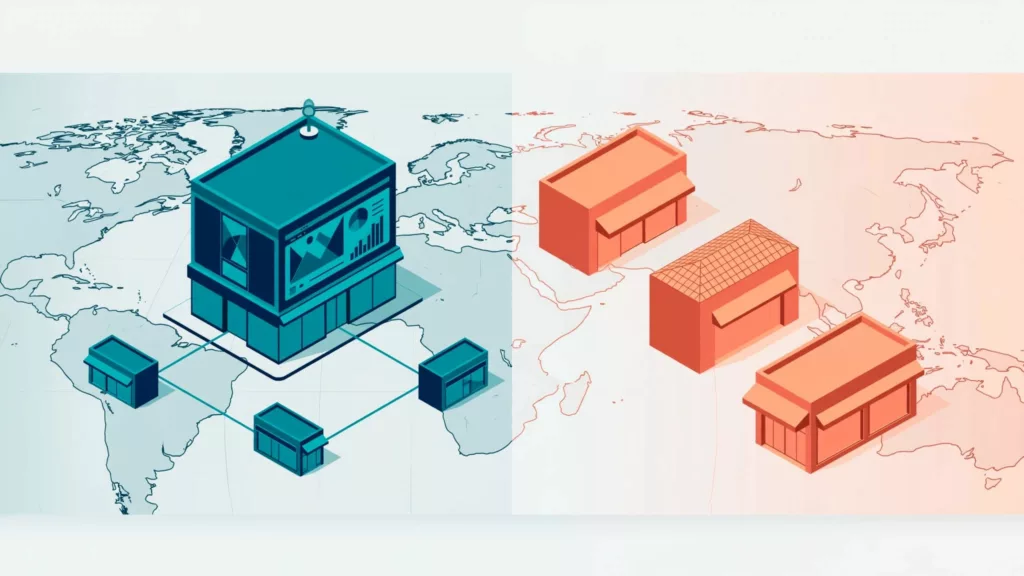
Opening multiple Shopify stores gives your regional teams more control, but creates another operation to maintain. When comparing Shopify Markets vs stores, start with operational independence. For international expansion, focus on that, not the number of countries you want to reach.
Markets suits centralized businesses with shared products and processes. Separate stores suit regions that need different commercial rules, systems, or ownership. The right choice depends on which differences you can manage within one backend.
Key takeaways
- Choose Markets when regions share a brand, core catalog, and operating team.
- Consider separate stores when regional requirements justify independent merchandising, administration, or integrations.
- Budget for tax responsibilities, synchronization, and ongoing maintenance, not only Shopify subscriptions.
Shopify Markets vs stores: what changes operationally
Shopify Markets lets you manage international selling within one store. Regional experiences share the same administrative foundation.
Multiple Shopify stores have independent configurations and data. A multi-store setup can connect them to external systems, but that requires deliberate integration.
The main differences affect everyday work:
| Decision area | Shopify Markets | Separate stores |
|---|---|---|
| Administration | One store backend | Multiple store backends |
| Product management | Shared foundation with market configurations | Independent catalogs |
| Regional control | Within supported market settings | Independent store configurations |
| Inventory | Locations within one store | Cross-store synchronization required for shared stock |
| Maintenance | Centralized changes | Coordinated releases across stores |
| Compliance | Merchant responsibility unless using Managed Markets | Responsibility depends on each selling arrangement |
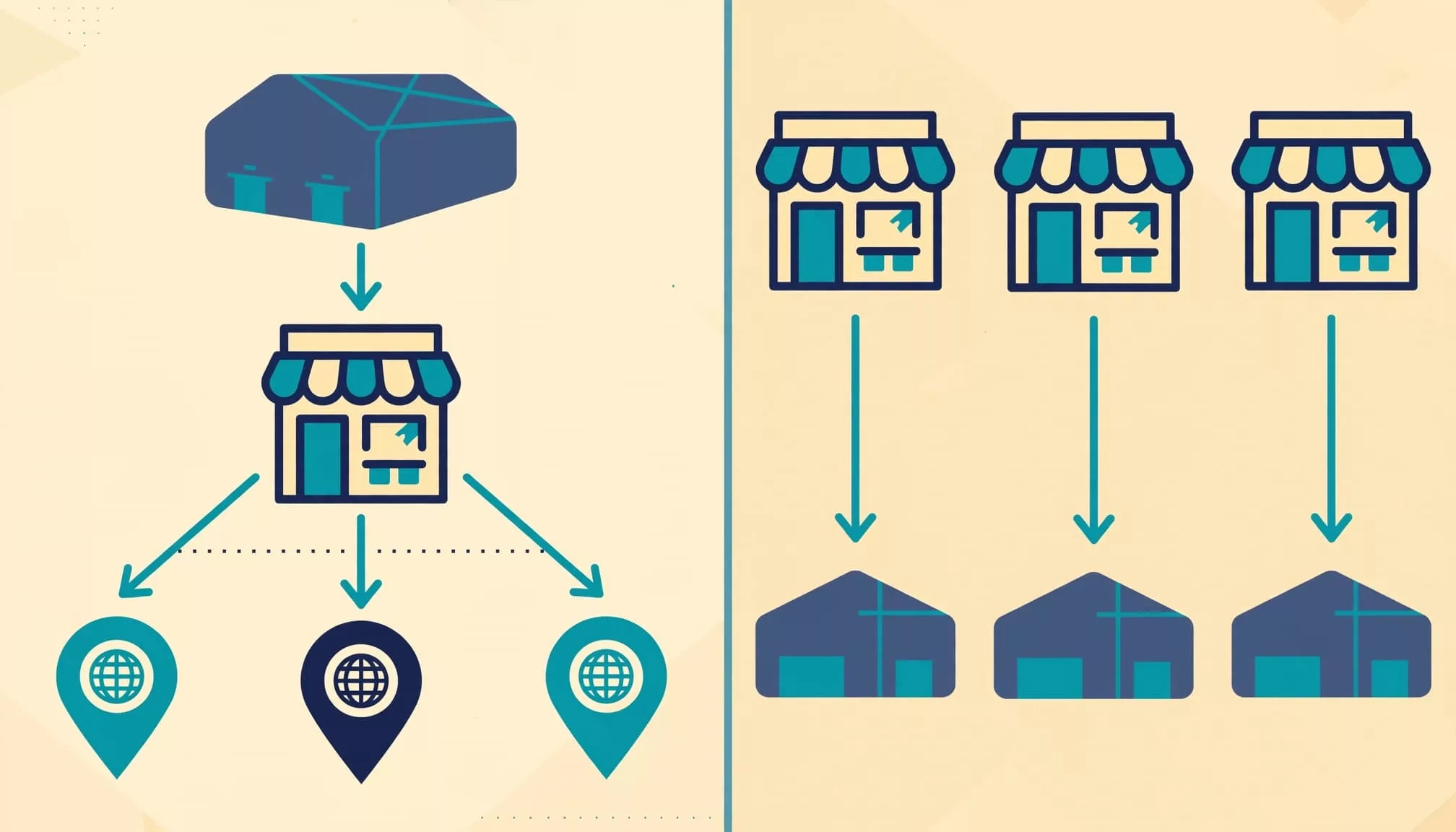
A country-specific domain doesn’t automatically mean a separate store. One Shopify store can also support multiple fulfillment locations.
Before choosing an architecture, document what each region needs to control. Separate shopper-facing needs, such as language and currency, from operational needs, such as accounting ownership and inventory systems. A regional team may need localized content without an independent backend.
Match the structure to your regional differences
When Markets is the practical fit
Shopify Markets usually fits a brand whose regions sell substantially the same products and share operating processes. Centralized teams can maintain product information and coordinate merchandising without repeating every update across stores.
However, localization still needs ownership. Use localization tools to translate sizing, delivery promises, returns information, and relevant policy content alongside product descriptions. Regional pricing or localized content alone doesn’t automatically require a separate backend.
A clear Shopify market selector helps shoppers choose the correct country and language. Test that selection through checkout, because a localized product page alone doesn’t prove the buying experience is correct.
When separate stores justify the work
Separate stores can make sense when regional teams need a different product catalog, campaigns, apps, release schedules, or fulfillment integrations. Independent storefronts may support these needs when they reflect genuinely different operations.
Distinct brand identity and independently operated D2C and B2B businesses also deserve a separate-store assessment. Legal-entity requirements need their own review rather than an automatic assumption that every entity requires another store.
First, identify the exact requirement. Then check whether your current plan and supported market settings can meet it. For international expansion, a different price or translated storefront alone is a weak reason to duplicate an entire operation.
Compare total cost, including the work between stores
Standard Markets and Managed Markets have different economics
Standard Markets leaves you responsible for cross-border selling operations. Managed Markets adds services powered by Global-e, which acts as merchant of record for covered orders.
Shopify’s Managed Markets fees and services list transaction fees of 3.5% on Basic, Grow, and Advanced, or 3.25% on Shopify Plus. There’s no monthly fee or minimum commitment.
Currency conversion and Shopify Payments processing also apply. Shopify lists 1.5% currency conversion for applicable US transactions, while regional rates differ. The older 6.5% transaction fee plus 2.5% FX combination isn’t a universal pricing model.
Eligibility is limited to qualifying businesses in the continental United States and certain Canadian and UK stores. Verify eligibility before budgeting around the service.
Multiple stores add recurring operational costs
With multiple Shopify stores, model subscription, app, theme license, integration, regional support, testing, and finance reconciliation costs. Include migration costs separately from ongoing maintenance and account for the added operational overhead.
The financial case for Managed Markets depends on whether its incremental fees are lower than the compliance, administration, and risk costs it replaces. Compare overlapping services only, so you don’t double-count payment processing or shipping.
For Shopify Markets vs stores, evaluate contribution margin by region. Higher sales don’t justify another backend if regional returns, shipping subsidies, and operating costs consume the gain.
Tax and customs need a country-level operating plan
Standard Markets leaves compliance with your business
With standard Markets, your business remains the merchant of record. Tax settings don’t complete registrations, filings, or customs compliance obligations.
Shopify’s market duties and tax settings require accurate HS codes and country or region of origin for duty calculations. Enter applicable tax registrations before collecting taxes, including import taxes where applicable.
For VAT or GST planning, map the seller, inventory owner, ship-from country, and destination. For cross-border selling, EU imports and sales using EU-held stock can involve different obligations. Have your adviser determine registrations, invoicing, and filing requirements for each flow.
Then confirm who collects and remits import taxes and other charges. Checkout estimates and carrier billing must agree with your delivery terms.
Managed Markets transfers defined responsibilities
For covered orders, Managed Markets uses Global-e as the merchant of record and handles specified responsibilities, including destination tax registrations and remittance, commercial invoices, and product restrictions.
Managed Markets uses delivered duty paid shipping for most destinations, but some use delivered duty unpaid terms. Check the destination rules before promising customers that every import charge is prepaid.
Check Global-e’s current destination coverage, product eligibility, and fulfillment requirements. A merchant-of-record service covers defined transactions, but it doesn’t remove every obligation attached to your business.
For either model, maintain a country-level record of registration ownership, customs responsibility, customer disclosures, and returns handling.
Control inventory before multiplying storefronts

Shopify’s expansion-store documentation says products, collections, settings, and inventory don’t synchronize automatically across stores. Shopify Plus expansion-store allowances and conditions can change, so check the current terms.
For shared stock across multiple Shopify stores, choose an authoritative inventory system, such as your ERP or warehouse platform, to manage inventory sync. Define available-to-sell quantities by SKU, variant, location, and market.
An app such as Syncio may suit simpler inventory sync requirements. More complex operations may need ERP integration. Evaluate synchronization delays, reservation behavior, retries, and monitoring before committing.
Two stores displaying the same warehouse quantity can trigger oversell events if both sell the last unit before an inventory update arrives.
Use safety stock or regional allocations where needed. Also reconcile cancellations, returns, transfers, and failed fulfillment updates.
Finally, test the selected variant through the product page, cart, checkout, and confirmation. Correct backend inventory can still show incorrect storefront availability because of location settings or custom scripts.
Preserve international SEO across either architecture
Choose regional URLs based on country targeting and maintenance needs. Subfolders and subdomains, along with country-code domains, can all support international experiences; separate stores aren’t automatically better for search.
Follow Google’s guidance on localized page versions. Equivalent regional pages need accurate hreflang tags and reciprocal references. These relationships can span different domains.
Shopify Markets can provide international SEO functionality, but audit the rendered output. Separate stores require coordination so equivalent products and categories stay connected, including through hreflang tags.
Use a Shopify Markets SEO checklist to validate regional URLs, canonical signals, and internal links. Hreflang helps identify regional alternatives; it doesn’t resolve every indexing problem.
Avoid automatically canonicalizing all localized pages to the original storefront. Some aren’t duplicate content, especially when they serve useful regional needs.
Canonical choices should reflect whether pages are duplicate content or useful regional destinations.
Also keep feeds, selected variants, currencies, availability, and structured data aligned for each country-language combination. Shared templates don’t guarantee shared accuracy.
Migrate to regional stores in controlled stages
Treat a move from Markets to multiple Shopify stores as a staged rebuild. A multi-store setup still needs integration, compliance, and launch planning; creating stores and importing products won’t replace that work.
- Define regional ownership. Record catalogs, entities, payment arrangements, warehouses, tax responsibilities, and customer-service ownership. Assign controlled sources for identifiers, prices, and inventory.
- Build and reconnect the destination. If you’re using Shopify Plus expansion stores, verify current eligibility and importable data in Shopify’s documentation. Shopify supports importing selected themes, products, collections, and files when creating expansion stores. Check excluded data and metafields. Theme licenses can’t be shared across stores. Reconfigure apps, feeds, tracking, fulfillment, and inventory connections.
- Prepare URL and data mappings. Record each old URL, its relevant successor, owner, launch action, and rollback path. Preserve useful product destinations. Update internal links, hreflang relationships, and sitemaps rather than relying on redirects for routine navigation.
- Pilot one region before expanding. Test variants, promotions, tax display, shipping, payment, confirmations, cancellations, and refunds. Reconcile analytics transaction IDs, currencies, and values against Shopify orders.
Before cutover, decide where historical orders remain available for support and refunds. Also establish an inventory handover that prevents both storefronts selling unreserved stock.
After launch, monitor redirect chains, unexpected errors, feed disapprovals, stock discrepancies, and conversion performance. Compare results against a pre-launch baseline, then expand only after the pilot’s problems are resolved.
Frequently asked questions
Can you combine separate stores with Shopify Markets?
Yes. You can operate regional stores while using Markets within each store for additional countries. However, each store still needs its own configuration and operational controls.
This approach suits businesses with a few genuinely independent regional operations. Keep product identifiers and reporting definitions consistent so finance and merchandising can compare results.
What proves that a new market is ready?
Validate representative country-language combinations, including variants with different prices or availability. Confirm that the feed, landing page, cart, checkout, and order record describe the same offer.
Also test delivery promises and returns information. Regional approval should cover local claims and policies without changing globally controlled technical product facts.
Conclusion: choose the smallest workable operating model
Start with Markets when regions can share products, systems, and decision-making. Choose separate stores when documented regional requirements call for independent control and margins support ongoing maintenance.
Assess Managed Markets separately, based on the compliance work it replaces and your eligibility. If you plan to use expansion stores, confirm the Shopify Plus requirements.
Your Shopify Markets vs stores decision should follow operational requirements. Define regional differences, price the work, and test one region before expanding. Use Markets when processes can remain shared, and separate stores when documented requirements justify the additional work.