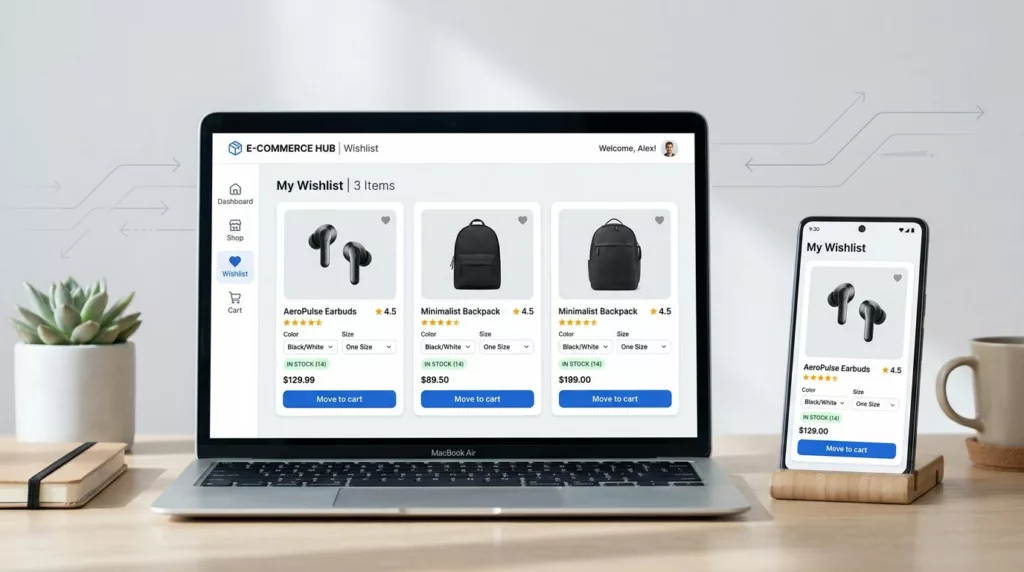

A wishlist is more than a “save for later” button. It’s a shopper’s external memory, and it’s often where purchase intent goes to wait, fitting their mental model.
Strong wishlist UX in ecommerce turns that waiting into action, bridging the gap to the shopping cart. Done right, it brings people back (because they have a reason), and it raises AOV (because you make adding more feel natural, not pushy). Below are practical patterns you can ship in 2026, with clear pitfalls and A/B tests to prove the lift.
Action-first wishlist cards (variants, availability, and “move to shopping cart”)
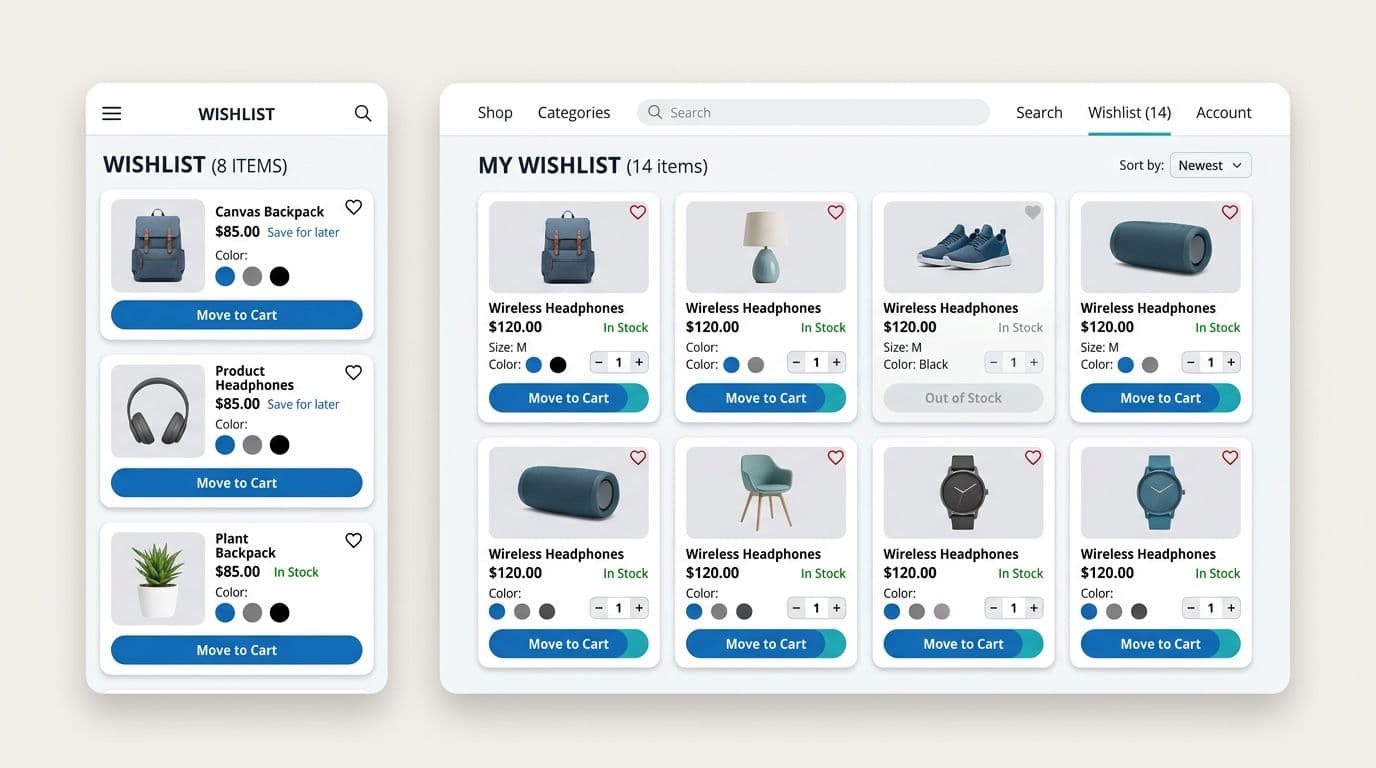
What it is: Your wishlist list view does real work. Each saved item shows the selected variant (or prompts for one), stock status, price, delivery estimate (if you have it), and a clear “Move to shopping cart” action. These details provide strong information scent, so shoppers do not need to reopen product pages to complete the basics.
Why it increases return visits and AOV: When people revisit a wishlist, they are usually in “decision mode,” not browsing mode. If the wishlist answers the last-mile questions, it lowers the interaction cost of moving items to the shopping cart, and they complete the purchase faster. AOV rises when you support multi-add behavior (move several items including gift cards, add accessories, or choose bundles) without extra taps. This wishlist functionality aligns with the idea that wishlists can drive loyalty and sales when treated as a core flow, not a side feature, as discussed in how better wishlists boost e-commerce sales.
Implementation best practices:
- Keep CTAs consistent with your cart CTAs. On mobile website, prioritize thumb reach and visual hierarchy; for mobile app, leverage gesture support. If you are tuning mobile CTAs, pair this with guidance like mobile add-to-cart button designs.
- Support quick variant edits inline (size, color). Ensure good discoverability of the variant picker if a variant is missing, then save the choice back to the list.
- Show “Only X left” or “Out of stock” with a next step (alerts, similar options), not a dead end.
- For guests, store wishlists locally and offer a gentle “Save this list to your email” option to prevent loss across devices.
Common pitfalls: Teams often hide key details behind a product page link, which adds friction. Another frequent issue is variant drift, where a saved item later defaults to the wrong size in cart. Finally, avoid turning the wishlist into a second product page with heavy content blocks.
A/B tests (ideas and success metrics):
- Test “Move to cart” vs “Add to cart” labeling. Track wishlist-to-cart rate, checkout start rate, and cart abandonment. Validate with usability testing and user feedback.
- Test inline variant picker vs forcing product page visit. Track time to add, add rate per wishlist item, and support tickets about wrong size/color. Validate with usability testing and user feedback.
If a shopper has to reopen three product pages to buy three saved items, your wishlist is acting like a bookmark, not a buying tool.
Alerts that earn the revisit (price drop, back in stock, and reorder nudges)
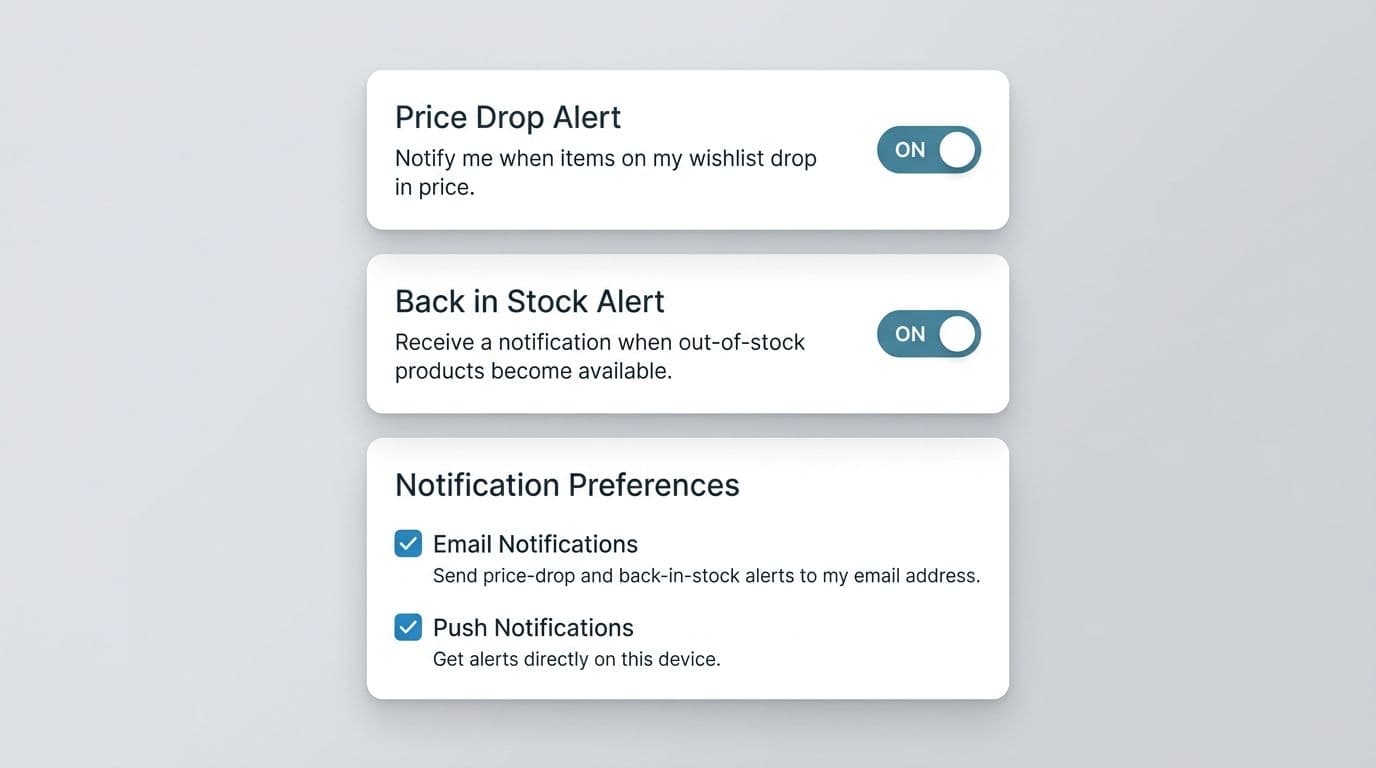
What it is: Let shoppers opt into notifications tied to wishlist items, such as price drops, back-in-stock, low inventory, and limited-time promos. Give them control over channel and frequency to aid purchase decisions.
Why it increases return visits and AOV: Alerts create a clean reason to come back to your ecommerce site. They also pull shoppers back at a moment of higher intent (the constraint changed). AOV often rises because the return visit starts on a pre-curated list, which makes multi-item carts more likely.
Implementation best practices:
- Use compliance-friendly opt-in language. Examples:
- Email: “Send me email alerts for price drops and restocks.”
- SMS: “Text me alerts. Msg and data rates may apply. Reply STOP to opt out.”
- Push: “Allow push notifications for wishlist updates.”
- Default to the least intrusive channel (usually email) based on user research into user needs, then let users add SMS or push.
- Deep link back to the wishlist item, pre-scrolled and ready to act. If the item needs a variant choice, take them to that step, not the top of the PDP.
- For guests, offer “email me this alert” with a one-time link to reclaim the wishlist later, avoiding login walls that hurt conversions. Consider registration or passwordless sign-in for that link.
- On mobile, make the opt-in UI compact. On desktop, you can show richer preferences (frequency, categories, quiet hours).
Common pitfalls: Don’t auto-enroll anyone into marketing without consent, even if they already saved the item. Also watch alert spam, especially for volatile pricing. Another trap is sending “back in stock” when only a different variant returned.
A/B tests (ideas and success metrics):
- Test alert timing: immediate restock alert vs batched daily digest. Track return sessions per recipient, conversion rate from alert click, and unsubscribe/opt-out rate.
- Test price-drop threshold (any drop vs 10%+). Track alert CTR, conversion rate, and margin impact.
For more examples of how brands structure wishlist-triggered messaging flows, see e-commerce wishlist examples.
List management that feels personal (multiple lists, sharing, and “complete the set”)
What it is: Turn one generic wishlist or favorites into a small planning system. Support multiple lists (for example, “Work,” “Gifts,” “Summer trip”), list notes, and a share link. Then add light recommendations that match the saved item, like accessories, refills, gift cards, or “buy the set.”
Why it increases return visits and AOV: Lists give shoppers a reason to maintain and revisit, like a running tab at a café. Sharing adds new entry points (partners, friends, gift giving). AOV rises when “complete the set” feels like help, not upsell, especially if it stays close to the wishlist item and respects budget signals (price bands, past AOV). This works well for gift buyers who need tailored ideas.
Implementation best practices:
- Let users create a new list at save-time (not only in settings), with a prompt to name it “My list” or similar. Keep the UI one-tap on mobile, and use a simple modal on desktop.
- Make sharing controlled: “Anyone with the link can view” vs “Private.” For gift giving, allow “Mark as purchased” to reduce duplicates without exposing buyer identity.
- Keep recommendations small and specific (1 to 3 items). Anchor them to compatibility: “Fits your saved camera,” “Matches this shade,” “Works with size M.”
- For logged-in users, sync lists across devices. For guests, offer a friction-light upgrade path: “Email me my lists.”
Common pitfalls: Too many recommendation tiles will bury the saved items. Another issue is generic recs that ignore fit, compatibility, or variant. Avoid creepy personalization cues in shared lists, since multiple people may view them.
A/B tests (ideas and success metrics):
- Test recommendations placement: under each item vs a single “Suggested for your list” block. Track attach rate, items per order, and AOV. Complement with usability testing to validate shopping cart attach rates and the checkout process.
- Test sharing entry points: “Share list” button vs “Copy link” in overflow menu. Track share rate, return visits from shared links, and conversion from shared sessions.
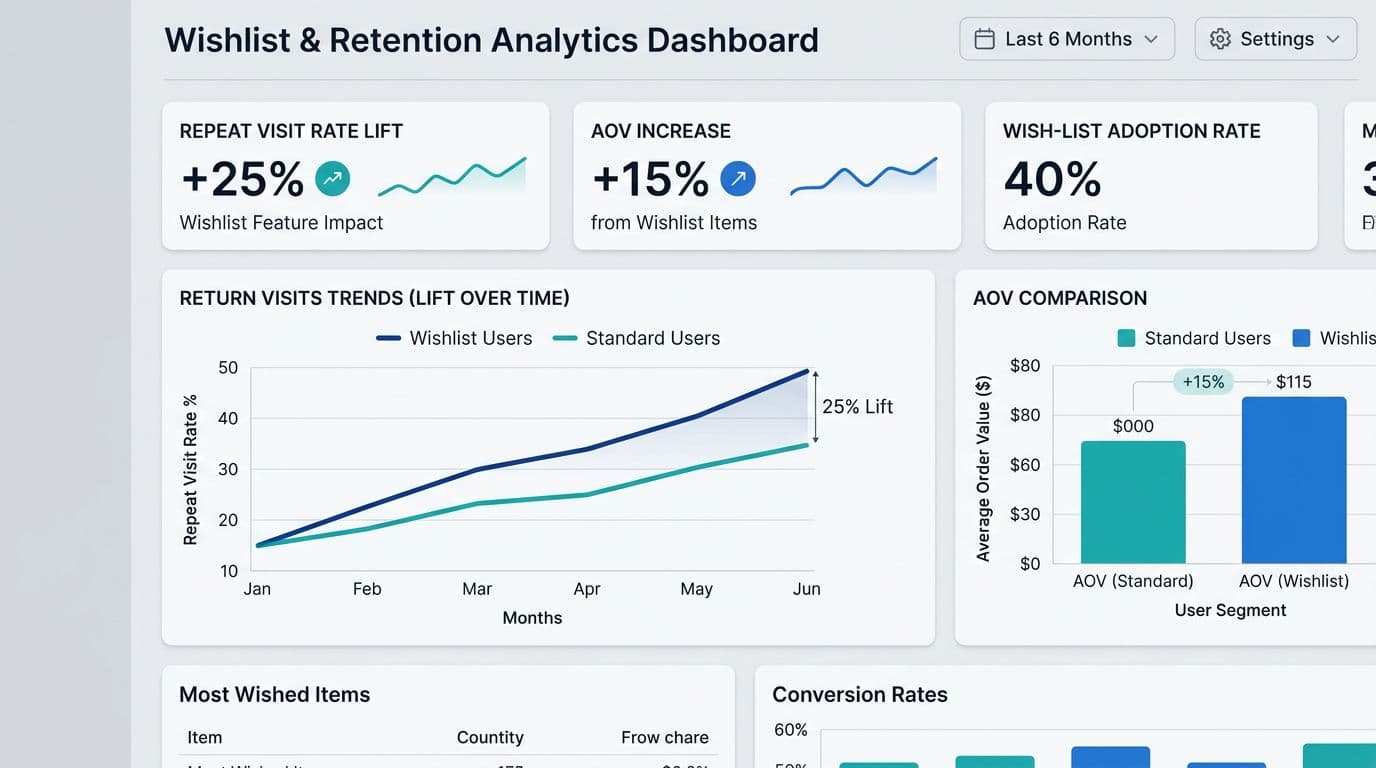
Use a simple measurement view with these design recommendations to align stakeholders and product management during brainstorming sessions:
| Metric | What it tells you | Good paired metric |
|---|---|---|
| Wishlist-to-cart rate | List usefulness | Checkout start rate |
| Return visit rate (7/30 days) | Habit formation | Alert CTR |
| AOV lift for wishlist users | Revenue impact | Items per order |
For a broader set of wishlist feature ideas that tie into retention, scan ways a wishlist can boost your e-commerce strategy.
Conclusion
A wishlist shouldn’t be a graveyard of “save for later” items. The best wishlist UX turns wishlist functionality into a strategic ecommerce tool that guides users from saved items straight to the shopping cart and checkout process, making them easy to buy, worth returning to, and safe to message about with clear opt-in controls. Start with action-ready cards, then add alerts, then add list management and careful recommendations. After that, your tests will tell you what to scale.