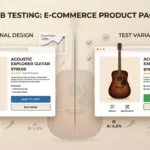
If your store has steady traffic, ecommerce ab testing is the fastest way to turn “I think this will help” into “we know it helped.” The catch is that design tests fail all the time for avoidable reasons. Teams test tiny cosmetic changes, measure the wrong metric, or call a winner too early.
This playbook keeps it practical. You’ll see what to test first (so you don’t waste a month), sample hypotheses you can copy and adapt, and the guardrails that prevent false wins and broken tracking.
Think of A/B testing like tuning a guitar. Tighten the wrong string and the whole song sounds off. Start with the strings that matter most.
What to test first (so you don’t burn traffic on low-impact tweaks)
Start where intent is highest and doubt is most expensive. In most stores, that means product pages, cart, and checkout. Homepage experiments can work, but they often move “browsing” behavior, not buying behavior, so results take longer and are harder to read.
A simple order of operations works well:
- Product page clarity and confidence: the shopper decides whether to add to cart.
- Cart friction and surprise costs: the shopper decides whether to continue.
- Checkout completion: the shopper decides whether to pay.
On product pages, prioritize changes that reduce hesitation at the tap moment. For mobile, that often means a sticky purchase control, clearer button hierarchy, and microcopy that answers “what happens next?” A good starting point is testing sticky add-to-cart button patterns because it combines layout, accessibility, and intent.
Next, tackle trust and policy visibility. Shoppers don’t hunt for returns, delivery dates, or payment options. If they can’t confirm basics quickly, they stall. Put shipping cost, delivery range, and return window near the price and CTA, then test it.
Category and search pages come after the “money pages,” but they still matter. Filters, sort defaults, and “quick add” can increase product discovery, especially for large catalogs. If you need a broader checklist to audit your site before testing, keep e-commerce design best practices nearby as a sanity filter.
For more examples of high-intent test areas (PDP, cart, checkout), see what to test for e-commerce A/B testing. Use it for idea generation, then bring your own guardrails.
Sample hypotheses you can run next (mapped to page types)
A strong hypothesis connects a change to a user problem and a measurable outcome. The simplest template stays the best: If… then… because…. It forces you to name the behavior you expect, and the reason it should happen.
The table below shows testable hypotheses across the storefront. Keep them small enough to ship, but meaningful enough to change behavior.
| Page type | Hypothesis (If… then… because…) | Primary metric | Guardrail metric |
|---|---|---|---|
| Product page | If we add delivery estimate text under the CTA, then add-to-cart rate will rise, because shoppers will feel fewer shipping unknowns. | Add-to-cart rate | Refund or return rate |
| Product page | If we make the CTA sticky on mobile, then adds per PDP view will increase, because the button stays in thumb reach while scrolling. | Add-to-cart rate | Page speed (INP), CLS |
| Product page | If we place “Free returns in 30 days” next to price, then checkout starts will increase, because risk feels lower before commitment. | Checkout start rate | AOV |
| Product page | If we show review count near the title, then add-to-cart rate will increase, because social proof becomes visible earlier. | Add-to-cart rate | Bounce rate |
| Product page | If we switch variant selection from dropdown to size tiles, then add-to-cart rate will increase, because errors and missed selections drop. | Add-to-cart rate | Variant error rate |
| Product page | If we change CTA copy from “Add to cart” to “Add to bag, ships by Tue,” then adds will increase, because it sets a clearer expectation. | Add-to-cart rate | Cart abandonment |
| Category (PLP) | If we default sort to “Best selling” for new users, then PDP click-through will rise, because decision load drops. | PDP CTR | Return rate |
| Category (PLP) | If we add “quick add” for simple products, then revenue per visitor will increase, because shoppers can skip extra clicks. | RPV | Item cancellation rate |
| Category (PLP) | If we surface key filters (size, price, color) above the fold on mobile, then product discovery will improve, because filtering becomes easier. | Filter usage rate | Bounce rate |
| Search results | If we add autosuggest with category shortcuts, then search-to-PDP rate will increase, because shoppers reach relevant sets faster. | Search exit rate | Time on site |
| Cart | If we show total cost including shipping estimate earlier, then checkout starts will increase, because surprises drop. | Checkout start rate | Margin per order |
| Cart | If we add a clear “Continue shopping” link under items, then cart-to-checkout will rise, because shoppers feel less trapped. | Cart-to-checkout rate | Items per order |
| Checkout | If we enable guest checkout by default, then checkout completion will increase, because account creation friction drops. | Checkout completion | Fraud rate |
| Checkout | If we reduce form fields (hide company, line 2), then completion will increase, because time to pay decreases. | Checkout completion | Address correction rate |
| Checkout | If we add trust cues near payment (secure checkout, accepted payments), then completion will rise, because anxiety near payment drops. | Checkout completion | Support contacts |
| Post-purchase | If we add a “buy again” module on order confirmation, then repeat purchase rate will rise, because re-ordering becomes one click. | Repeat purchase rate | Refund rate |
Need more ideas to fill your backlog? Use lists like eCommerce A/B testing hypothesis examples as inspiration, then rewrite each idea into your own “If… then… because…” tied to your analytics and customer feedback.
A simple prioritization scorecard (example)
Before you build, score tests the same way every time. Here’s a lightweight scorecard that teams can agree on in 10 minutes.
| Candidate test | Impact (1-5) | Confidence (1-5) | Effort (1-5, lower is easier) | Reach (1-5) | Total (Impact + Confidence + Reach + (6-Effort)) |
|---|---|---|---|---|---|
| Mobile sticky CTA on PDP | 5 | 4 | 2 | 5 | 18 |
| PLP default sort change | 3 | 3 | 4 | 4 | 12 |
| Checkout trust badges near pay button | 2 | 3 | 2 | 5 | 14 |
The takeaway: pick the work that touches lots of users, changes behavior, and won’t take a quarter to ship.
Measurement, guardrails, and the mistakes that create “fake wins”
Design tests can raise conversion while hurting profit, support load, or long-term retention. So set your metrics per funnel step, then add guardrails that stop you from shipping a win that’s actually a loss.
Here’s a practical metric map you can reuse.
| Funnel step | Primary metric | Supporting metrics | Profit or quality check |
|---|---|---|---|
| Category / Search | PDP click-through rate | Filter usage, search exits | Margin-weighted RPV |
| Product page | Add-to-cart rate | Scroll depth, variant errors | RPV, return rate |
| Cart | Cart-to-checkout rate | Coupon use, shipping change rate | AOV, margin per order |
| Checkout | Checkout completion rate | Payment errors, form errors | Fraud rate, refunds |
| Purchase outcome | Revenue per visitor (RPV) | AOV, units per order | Contribution margin per visitor |
If you can only pick one “business truth” metric, pick profit-aware RPV (revenue adjusted for discounts, shipping, and margin). Conversion alone can lie.
Guardrails that keep results believable
Don’t peek early. Decide a minimum run time before you start, then stick to it. Many stores run at least one full business cycle (often 7 to 14 days) to cover weekday and weekend behavior. If you constantly check and stop on a spike, you’ll ship noise.
Watch for SRM (sample ratio mismatch). If your split is meant to be 50/50 but traffic lands 55/45, pause and investigate. SRM often signals broken targeting, caching issues, bot filtering, or redirect logic.
Avoid promo overlap and seasonality traps. Don’t start a checkout test the same day you launch a big discount, free shipping promo, or influencer drop. You won’t know what caused the lift. If you must test during promos, keep a clean calendar and annotate everything.
Control multiple comparisons. If you slice results into ten segments and hunt for a win, you’ll find one. Pre-define 2 to 3 segments that matter (device, new vs returning, geo), then treat the rest as follow-up research.
Validate tracking before and during the test. In GA4, confirm that key events fire once (not twice) and that attribution doesn’t break when users cross domains or go through accelerated checkouts. In Shopify, also confirm how your checkout setup works (for example, standard checkout vs extensibility options) because some changes are not equally testable everywhere.
A design gotcha that shows up often: “button color tests” that also reduce readability. If you test CTA contrast, treat accessibility as a first-class requirement. Use color contrast for ecommerce as a baseline so you don’t win a test while making the UI harder to use.
For a broader set of testing hygiene reminders, this A/B testing guide for CRO is a helpful cross-check, especially around planning and analysis.
When you should not A/B test (and what to do instead)
Skip A/B tests when traffic is too low to reach a stable answer in a reasonable time. In that case, run usability sessions, watch session replays, or test with prototypes first.
Also avoid A/B testing during major tracking changes (new GA4 event naming, new checkout instrumentation, theme rebuild). Fix measurement first, then test.
Be careful with high-risk checkout changes (payment, address validation, tax logic). If a bug blocks orders, the cost is immediate. For risky ideas, consider:
- Usability testing for friction and comprehension issues.
- Fake-door tests (measure clicks on a new option before building it fully).
- Holdouts for pricing, promotions, or personalization, so you can measure long-run impact cleanly.
Conclusion
The best ecommerce ab testing programs don’t start with clever ideas, they start with the right targets and strict guardrails. Focus first on PDPs, cart, and checkout, then write hypotheses that tie a change to a user reason. Measure with RPV and profit-aware checks, not conversion alone. Above all, protect your tests from false wins, because shipping the wrong “winner” costs more than running no test at all.