

If your Shopify store feels “fine” but still misses Core Web Vitals despite your Shopify speed optimization efforts, the problem is often hiding in plain sight. Third-party scripts can look harmless in an app list, yet quietly block rendering, delay interactivity, and add layout shifts at the worst moments, harming user experience. A Shopify third-party script audit improves Largest Contentful Paint by revealing these hidden issues.
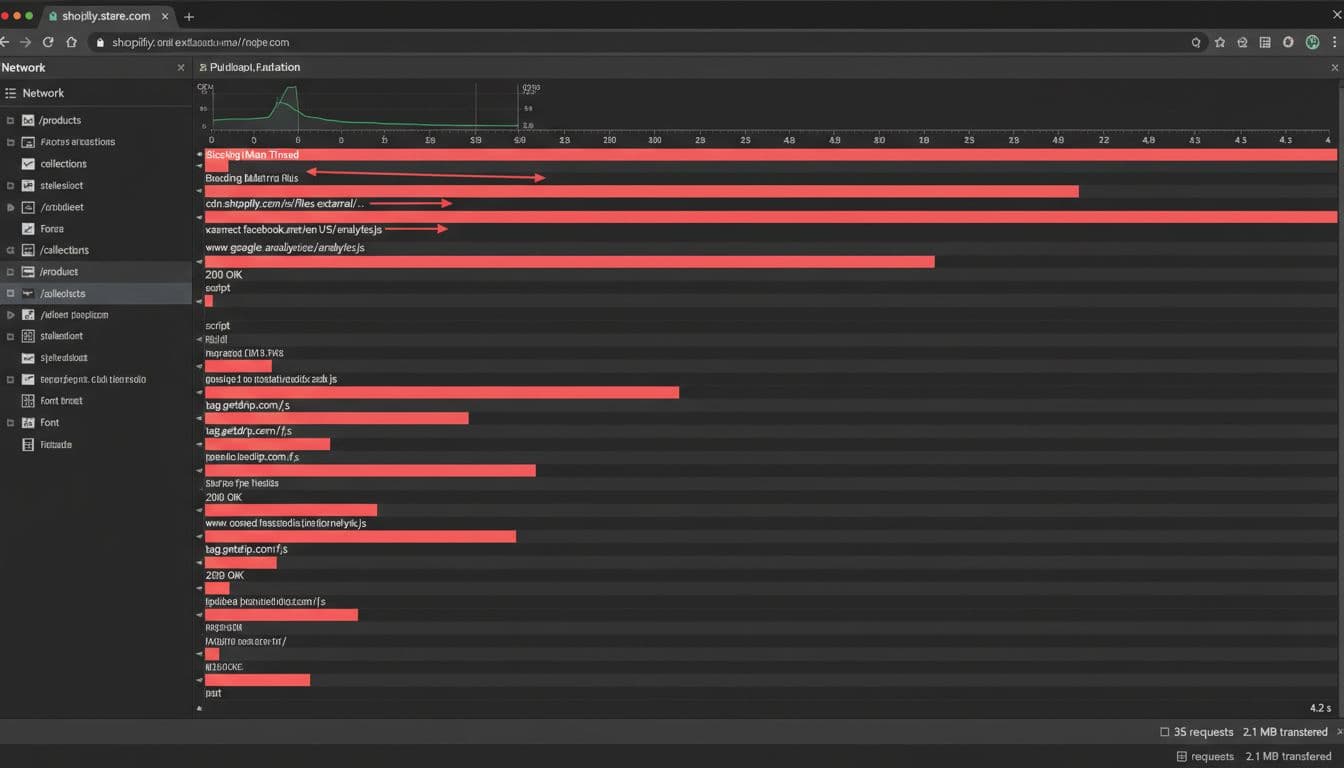
It is most effective when you treat performance like a supply chain. You don’t guess which vendor causes the bottleneck, you trace the timeline. That’s exactly what a request waterfall gives you: a time-ordered view of every request, who triggered it, and what it delayed.
This guide focuses on practical auditing in March 2026 realities: app embeds, pixels, Shopify Customer Events, and the standard one-page checkout.
Why Network Waterfalls beat “installed apps” in 2026
An installed app doesn’t automatically mean a script loads on every page. The opposite is also true: an app can be deleted, while app bloat keeps its script loading from theme.liquid, an old snippet, or a tag manager container. Network Waterfalls catch what’s actually happening in the browser, not what your admin or a Lighthouse performance score says should happen.
In Chrome DevTools (Network tab), a request waterfall helps you answer three questions fast:
- What loads first? Early requests compete with your Largest Contentful Paint image and critical CSS.
- What blocks? Synchronous scripts, long tasks, and third-party dependency chains slow INP.
- What shifts the page? Late-loading widgets can push content and hurt Cumulative Layout Shift.
This matters more in 2026 because checkout speed and stability are a bigger deal than ever for user experience. Shopify’s one-page checkout reduces steps, but it also makes every millisecond of delay feel larger. When a marketing pixel fires multiple times, or a personalization tool runs heavy code at page start, shoppers feel it as lag that damages user experience, not as “just analytics.”
For background on why third-party code so often drags Core Web Vitals down (especially main-thread time), see how third-party scripts impact Core Web Vitals. The key takeaway for Shopify teams is simple: you can’t optimize what you can’t attribute, and waterfalls are attribution.
Build a Shopify script inventory you can trust (theme, embeds, pixels, checkout)
Before you start “fixing,” make a clean inventory. Otherwise, you’ll remove the wrong thing, break attribution, then put everything back.
Start with safe workflow:
- Duplicate your live theme (Online Store → Themes → Duplicate).
- Audit in the duplicate theme first.
- Ship changes with a rollback plan (publish the old theme if needed).
Now capture scripts from the places Shopify stores hide them:
Theme code (global loads)
- Begin your liquid code review by checking
theme.liquidfor<script>tags and injected snippets. - Search for common patterns like Google Tag Manager (
gtm.js),gtag,fbq, third-party tracking such as “klaviyo”, “hotjar”, “tiktok”, “attentive”, “yotpo”, “judge.me”. - Record whether tags use async and defer (missing both is a red flag for render-blocking).
App embeds (theme editor controlled)
- In Theme Editor, open App embeds and note what’s enabled.
- Treat embeds like feature flags. If an embed is only needed on product pages, it shouldn’t load on your blog, cart, and account pages.
Pixels and Shopify Customer Events
- Check Shopify’s pixel and Customer Events setup for duplicates.
- Watch for the same vendor firing via both a native pixel and a tag manager.
Checkout and post-purchase
- In 2026, most stores rely on Checkout Extensibility (app blocks, pixels, and supported integrations) rather than old-school checkout template edits.
- Keep checkout scripts minimal. Anything “nice to have” belongs on the storefront, not in the payment flow.
If you’re aligning this work with broader conversion goals, this pairs well with ecommerce optimisation tips for 2026 because a clean inventory from script cleanup often improves conversion rates, mobile performance, speed, and checkout completion. Also, multi-currency and geolocation tools can add extra JS, so review “nice-to-have” add-ons with a performance lens, including multi-currency features for Shopify stores.
Reading the waterfall: what to flag, what to ignore, and what to fix first
A waterfall of HTTP requests can feel like staring at a busy airport board. The trick is sorting “late but harmless” from “early and blocking” to improve user experience.
Focus on these high-signal patterns:
- Render-blocking resources in the first second: often from
theme.liquid, tag managers, or legacy app snippets. - Long chains (script loads another script loads another): common with A/B testing, affiliate, and some review stacks.
- Duplicate vendors: two Meta pixels, two GA libraries, or both “native pixel” and GTM doing the same work.
- Heavy execution of unused JavaScript after load: even if downloads are fast, main-thread work can crush INP.
Use this quick triage table to turn waterfall symptoms into actions that boost user experience:
| Waterfall symptom | Common cause on Shopify | What to do first |
|---|---|---|
| Requests start early and block First Contentful Paint | Sync <script> in theme.liquid | Add defer, or move to later trigger |
| Same vendor loads twice | Pixel duplication (native + GTM + app) | Keep one source of truth, delete the rest |
| Big JS loads on every page | App embed enabled globally | Scope by template or load on interaction |
| Late requests cause layout shifts | Badly behaved widgets or injected DOM | Reserve space, delay load, or replace |
When you suspect render-blocking, read how to optimize render-blocking scripts in Shopify. Then validate the improvement in the waterfall, not just in the Lighthouse performance score. Lighthouse is a lab score, while the waterfall shows the real request order and dependency chain. For deeper analysis, use the Shopify Theme Inspector.
If a script isn’t needed to render above-the-fold content, it shouldn’t compete with above-the-fold downloads.
Example findings from real audits (and how to verify the win)
Here’s what a “good” audit deliverable looks like: you identify the offender, fix it safely, then prove the change with before-and-after waterfalls.
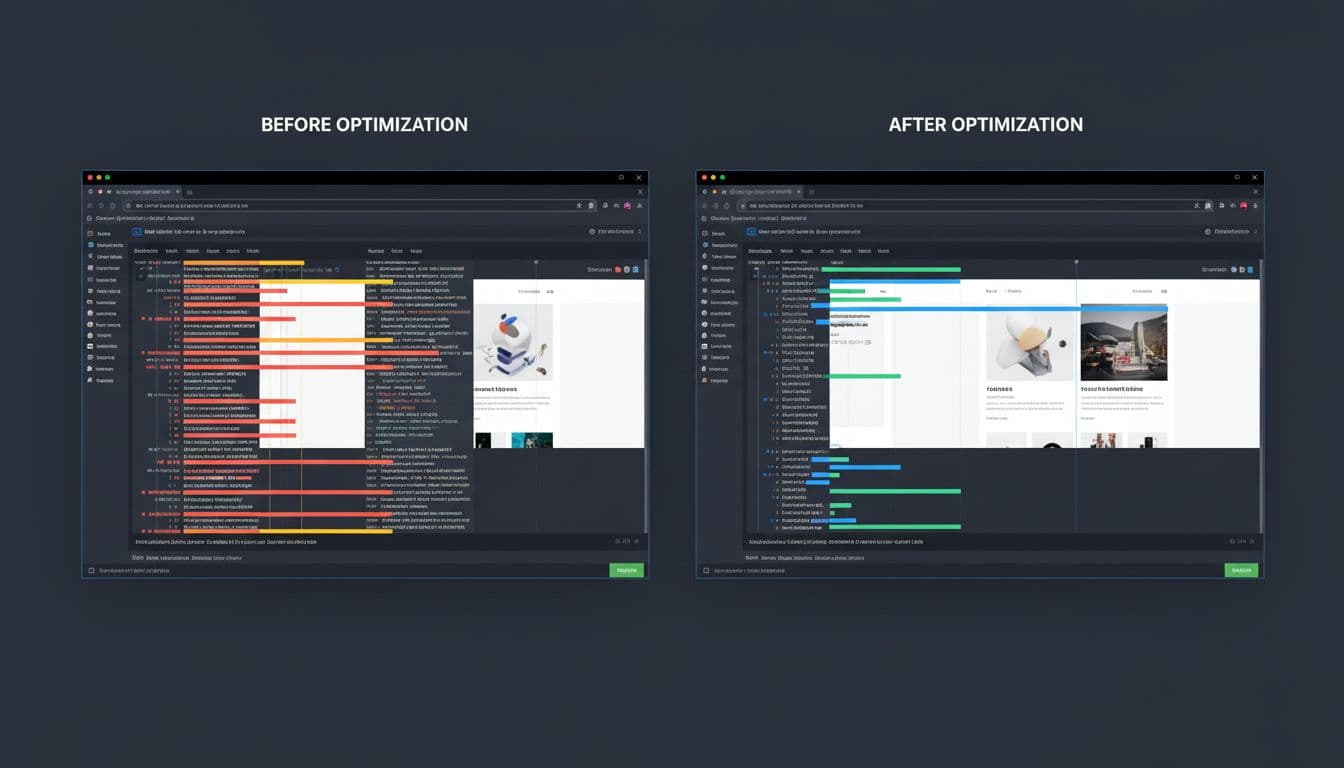
Finding 1: Review app script loads globally, even on collection and blog pages
What you see in the waterfall: a reviews bundle starts early on every route, plus extra calls to a third-party Content Delivery Network.
Fix options:
- Load the script only on product templates (best).
- If the app can’t scope it, disable the embed, remove script residue, and add a scoped include in the product section.
- Add
deferand avoid inline sync code intheme.liquid.
How to verify:
- Compare two waterfalls for
/products/...and/blogs/.... - Confirm the review vendor disappears from non-product routes.
- Watch LCP and INP on mobile, not just desktop.
Finding 2: Double pixel firing (native pixel plus Google Tag Manager)
What you see: two similar requests, close in time, often to the same vendor endpoint with different query params. Events can double-count due to duplicate tag firing, and the extra JS can slow interaction.
Fix options:
- Pick one path: Shopify Customer Events or Google Tag Manager, then remove the other to cut app bloat.
- If you must keep Google Tag Manager, disable the overlapping Shopify pixel integration.
How to verify:
- In the waterfall, you should see a single library load.
- In your analytics, confirm event counts normalize after deployment.
Finding 3: Chat widget blocks main thread on first paint
What you see: the widget loads early, then executes long tasks. On slower phones, the page becomes “sticky.”
Fix options:
- Load on user intent (after scroll, after 10 seconds, or on first interaction).
- Disable on checkout and consider disabling chat or social media widgets on mobile.
- Replace with a lighter provider to reduce app bloat if it keeps failing CWV.
For a step-by-step audit approach that mirrors this workflow, reference the speed audit checklist. Then keep your rollout safe with three guardrails for Shopify speed optimization: publish from a duplicated theme, monitor Core Web Vitals and conversion rates after release, and keep a fast revert path.
Conclusion
A 2026-ready Shopify third-party script audit isn’t about removing everything. It’s about proving what each script costs in terms of unused JavaScript, extra HTTP requests, and third-party tracking impacts, then deciding if it earns its spot amid your Shopify speed optimization efforts. Request waterfalls give you that proof, because they reveal timing, dependencies, and blockers, including how async and defer attributes, minification, and a Content Delivery Network affect your Lighthouse performance score and mobile performance in ways dashboards can’t.
Run your Shopify third-party script audit on a duplicated theme after a liquid code review, make one change at a time like purging unused JavaScript or optimizing HTTP requests with async and defer, and keep before-and-after waterfalls for every release. This Shopify speed optimization approach ensures privacy compliance, boosts conversion rates and mobile performance, elevates your Lighthouse performance score, and leverages a Content Delivery Network for the cleanest wins. After all, the cleanest win is the one you can verify, revert, and explain to the next person on your team, driving even higher conversion rates through sustained Shopify speed optimization.