


If your app “feels fine” but merchants keep uninstalling, performance is often the quiet reason. Slow storefront scripts hurt conversion, and slow Admin screens hurt trust. Webhooks that lag create data bugs that look like product defects.
A Shopify app performance audit in 2026 should be repeatable, measured, and tied to real user impact. The goal is simple, find what’s slow, prove it with data, then fix it without breaking behavior.
Set a baseline with SLOs you can defend

Start by naming your app’s performance surfaces, because each needs different tooling:
- Storefront impact (theme app extensions, pixels, script tags, app embeds)
- Admin UI (embedded app pages, extensions, navigation, search, lists)
- Backend (Admin API and Storefront API calls, database, caches, queues)
- Webhooks and jobs (delivery lag, retries, backfills)
Pick targets, then measure against them with the same dataset each time. Core Web Vitals thresholds come from Google, and they’re still the best shared language with merchants. For storefront speed context, see this Core Web Vitals speed guide for Shopify.
Use this table as a starting point, then adjust for your app’s footprint and merchant tiers:
| Area | Metric | Target (starting point) | How to measure |
|---|---|---|---|
| Storefront | LCP | ≤ 2.5 s | Field RUM, lab Lighthouse |
| Storefront | INP | ≤ 200 ms | Field RUM long tasks and interactions |
| Storefront | CLS | ≤ 0.1 | Field RUM layout shift |
| Admin UI | Route p95 load time | ≤ 1.5 s | Real navigation timing, synthetic runs |
| Backend | API p95 latency | ≤ 800 ms | Server spans per endpoint |
| Backend | 5xx rate | < 0.5% | API gateway or app logs |
| Webhooks | Ack time | ≤ 500 ms | Time to return 2xx |
| Webhooks | Delivery lag p95 | ≤ 60 s | delivered_at minus processed_at |
One practical rule: baseline with both synthetic tests and field data. Synthetic tells you what changed. Field tells you what hurts merchants.
If you also own merchant UX, tie your targets to outcomes, for example fewer support tickets or faster task completion. This pairs well with product-side UX checks like these user experience e-commerce tips.
Audit storefront impact, because merchants blame you first

Storefront slowdowns are often self-inflicted, loading JavaScript on every page when only one template needs it. In 2026, merchants expect apps to behave like good citizens: load late, scope narrowly, and degrade safely.
First, inventory what you ship to the storefront:
- Theme app extension assets (CSS, JS)
- Pixels and analytics hooks
- Any remaining script-tag based installs
- CDN assets, fonts, and third-party SDKs
Then, enforce an asset budget. This doesn’t need to be perfect, it needs to be consistent.
| Storefront budget item | Suggested threshold | What to fix when you miss it |
|---|---|---|
| App-added JS per page | ≤ 150 KB gzip | Split bundles, lazy-load, remove SDKs |
| App-added requests | ≤ 6 | Combine calls, preconnect only when needed |
| Long tasks | None > 50 ms | Split work, move heavy parsing off main thread |
A short checklist that catches most real-world pain:
- Scripts load only on pages where the feature is visible.
- Non-critical scripts use
defer(or load after interaction). - UI inserts reserve space to prevent layout shift (CLS).
- Third-party tags are gated behind consent where required.
- Your storefront code survives missing data and timeouts.
When you need a step-by-step approach to finding the worst offenders, this walkthrough on auditing Shopify scripts and apps for speed maps well to app-driven storefront bloat.
Finally, sanity-check tap targets and interaction delays on mobile. Merchants feel this in conversion. Even small UI choices, like CTA placement, affect perceived speed. These mobile add-to-cart designs are a good reminder to audit interaction friction alongside load time.
Audit Admin UI and API usage (GraphQL patterns, rate limits, caching)
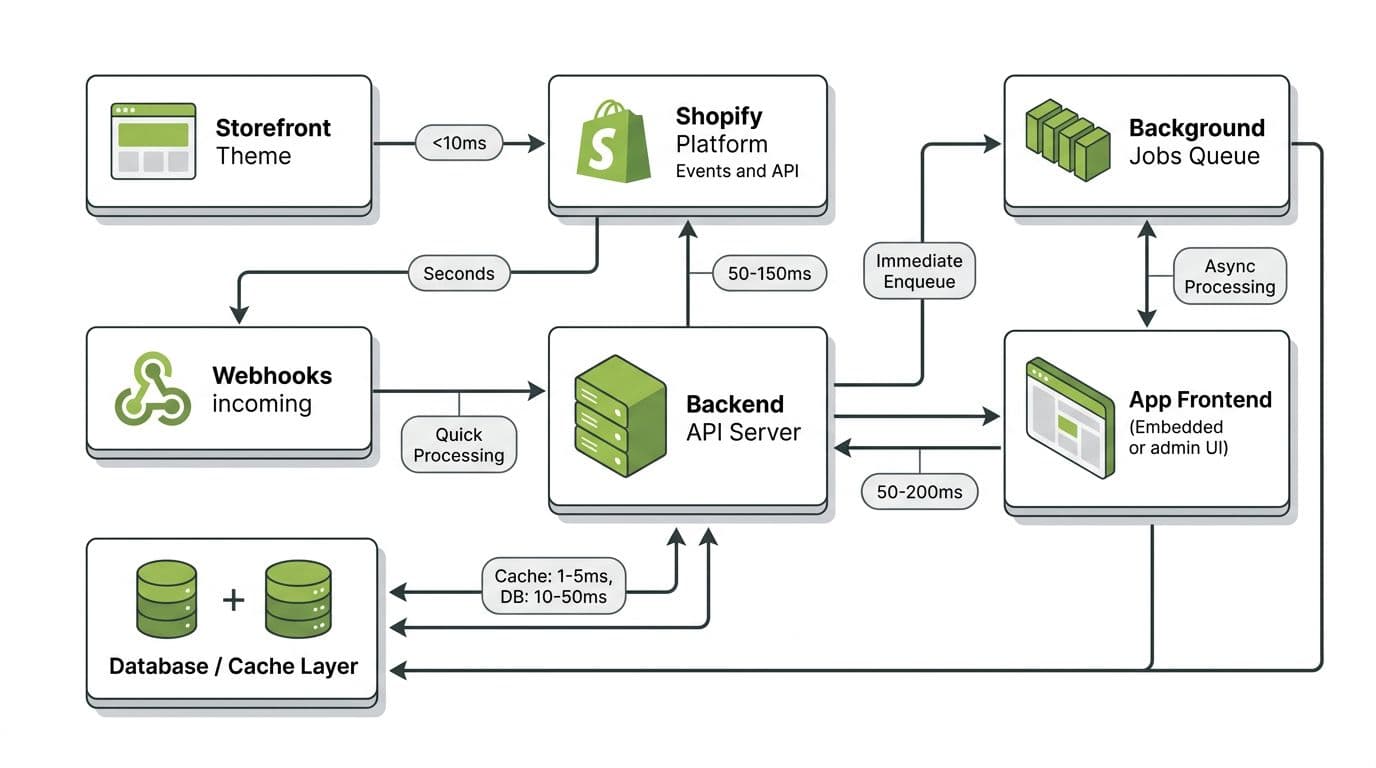
Admin slowness usually comes from chatty API calls, N+1 patterns, and work that should be async. Tighten your boundaries first:
- Use the Admin API for merchant data and configuration, never from the storefront.
- Use the Storefront API for buyer-facing reads when you truly need headless access.
- Prefer GraphQL when it reduces round trips, but track cost and response size.
A few concrete audit steps that pay off fast:
- Log request count per Admin page view. If a page needs 20 calls, it’s fragile.
- Check for repeated queries with only small parameter changes, then add caching.
- Use cursor pagination everywhere, and cap page size to prevent memory spikes.
- Move large reads and writes to background jobs (and expose status in UI).
- When available for your use case, use bulk patterns instead of per-item fetches.
To make this measurable, instrument both client and server with timing and tags. Keep the snippet simple so teams actually adopt it:
t0 = now_ms()resp = shopifyGraphql(query, variables)observe("shopify_admin_api_latency_ms", now_ms() - t0, {operation: "ProductsQuery"})count("shopify_admin_api_errors_total", resp.error ? 1 : 0, {code: resp.status})
Treat rate limits as a normal operating condition. Your app should slow down gracefully on 429s, not fall over.
For retries, use exponential backoff with jitter, and stop retrying on validation errors. Also, for any mutation that could be replayed, add an idempotency key you control:
idempotency_key = sha256(shop_domain + ":" + action + ":" + logical_entity_id)
That one line prevents duplicate writes when networks, queues, or webhooks retry.
Webhook reliability and monitoring that prevent regressions
Webhooks are where performance bugs turn into data bugs. Shopify can retry deliveries, and you should assume at-least-once delivery. That means your handler must be fast and safe to replay.
A reliable webhook pipeline looks like this:
- Verify authenticity (HMAC), then parse minimal fields.
- Persist an event record with a unique key (
topic + shop + webhook_id). - Return 2xx quickly, then process async in a job queue.
- On processing, enforce idempotency at the database boundary (unique constraints help).
Keep retry behavior explicit so you can explain it during an incident:
attempt = attempt + 1sleep_ms = min(60_000, (2^attempt) * 250 + rand(0..250))requeue(event, delay=sleep_ms)until max attempts, then dead-letter
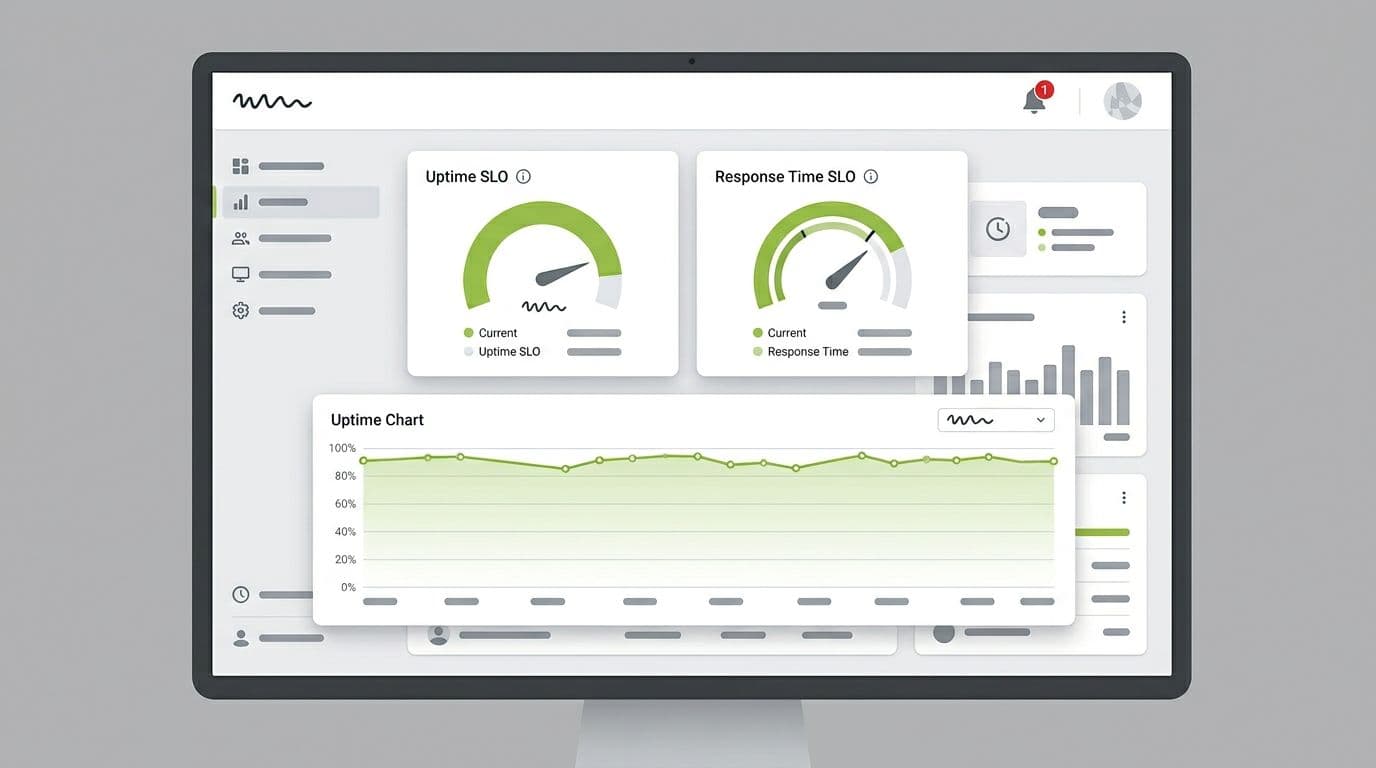
Monitoring is the last part of the checklist, but it’s what keeps fixes from drifting. Alert on SLOs, not raw noise: webhook lag, queue depth, API error rate, and p95 latency for the top operations. If you want a perspective on how performance issues become merchant risk over time, read When Shopify apps become a liability.
Close the loop with one habit: every release gets a before-and-after snapshot of vitals, API latency, and webhook lag. That’s how a Shopify app performance audit stays real in 2026.
Conclusion
A 2026-ready Shopify app performance audit is less about opinions and more about evidence. Set targets, measure storefront and Admin impact, harden API usage, and make webhooks replay-safe. Once you can reproduce a slowdown, you can fix it. The only question left is whether you’ll catch the next regression in staging or in a merchant’s uninstall note.


