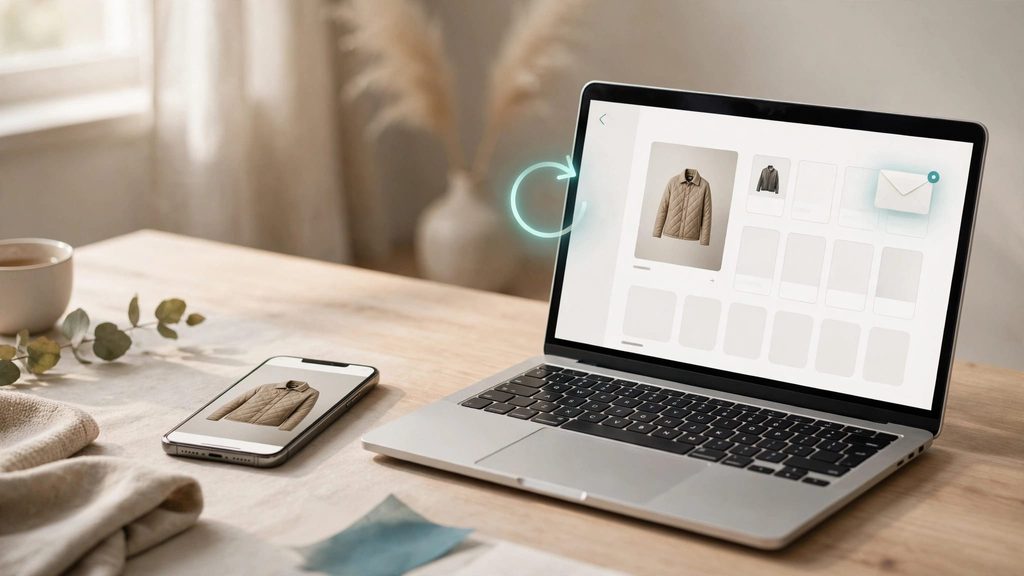
A browse abandonment email helps a known shopper revisit a product they viewed but never added to cart. Browse abandonment emails work best when buying intent guides the message, giving casual browsers useful product information instead of checkout pressure.
You need reliable tracking, sensible exclusions, and a reason to return beyond a discount. Start by separating browsing interest from the stronger signals that deserve cart or checkout reminders.
Key Takeaways
- Send only to identified, eligible shoppers, and reassess eligibility before every message.
- Start with a reminder after a few hours, then test one or two useful follow-ups.
- Include product details and reassurance before considering an incentive.
- Measure incremental purchases and list health, not just attributed revenue.
How browse abandonment emails differ from cart reminders
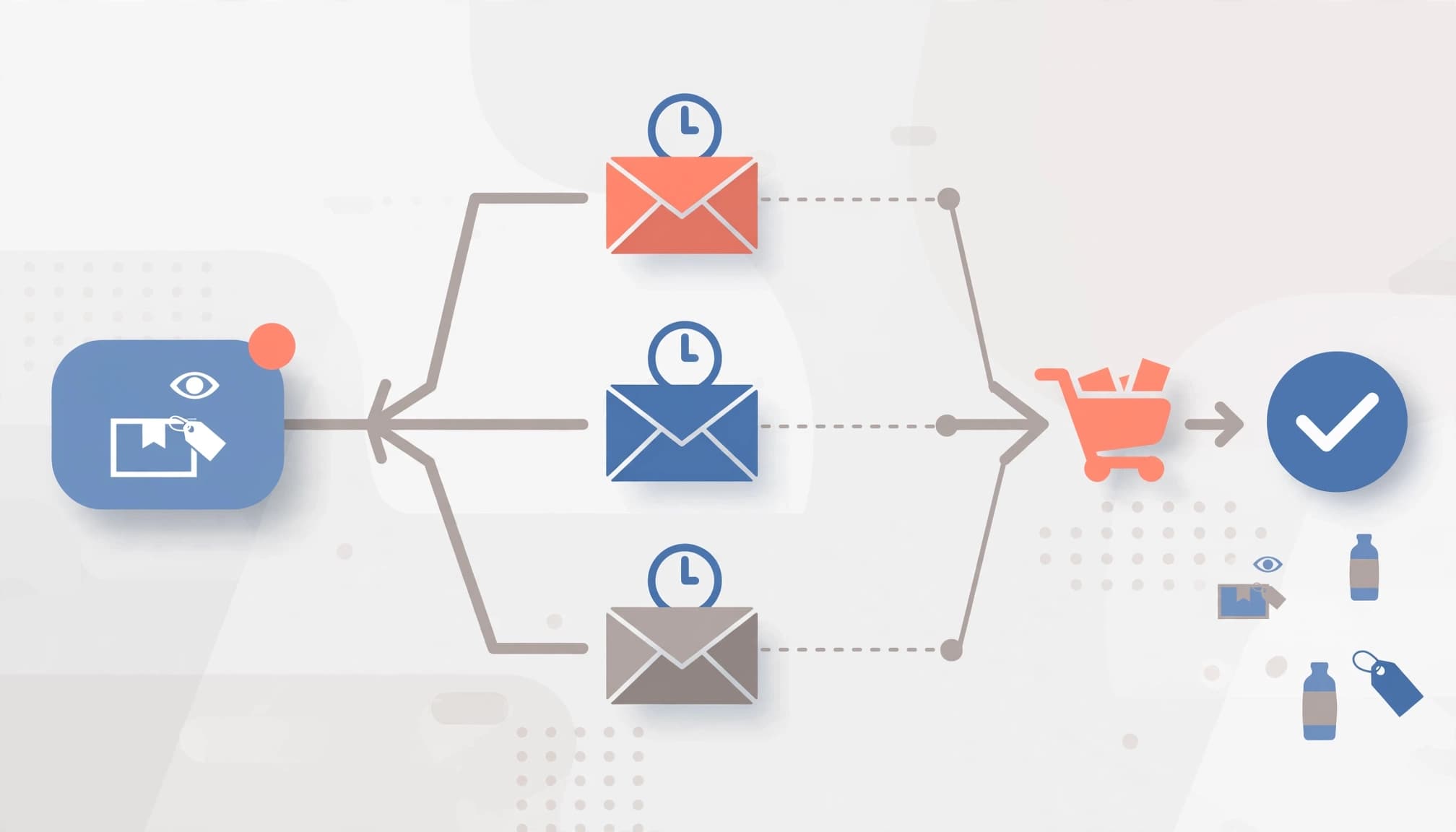
A browse abandonment email targets a known shopper who visits a product or category page, then leaves without adding anything to their cart.
Cart abandonment begins after a shopper adds a product to their cart, which triggers cart abandonment emails. Checkout abandonment happens further along, after checkout starts. Each step signals stronger buying intent, so each flow needs different copy.
A browse abandonment email should help shoppers evaluate fit or features. Browse abandonment emails keep the focus on that decision, while cart abandonment emails can use higher-intent messaging to prompt checkout. Our abandoned checkout email flow covers that later-stage sequence.
According to Klaviyo’s browse abandonment guide, these emails convert at 0.96%, versus 0.10% for average campaigns, a 9.6-times difference. Abandoned cart emails average 3.55%, although browse flows earn higher open rates.
Treat these as vendor benchmarks, not forecasts. Your audience, products, and attribution settings affect the comparison.

Choose eligible shoppers before writing the emails
Connect meaningful browsing to an eligible profile
An anonymous pageview alone doesn’t give you someone to email. Use segmentation to identify a known profile that’s eligible for marketing before a meaningful product view triggers email automation.
A recognized address doesn’t automatically authorize every use of browsing history. If someone rejects the tracking needed for this automation, don’t use those events to trigger it.
Keep email permission separate from SMS permission. The FTC’s commercial email requirements also cover accurate sender details, truthful subjects, a postal address, and an unsubscribe mechanism.
Define events and exclusions precisely
Use a product-view event with a stable product ID and product page URL. Capture a variant only when the shopper selects it, rather than assuming every available size or color interested them.
For category-only browsing, recommend relevant products without implying that the shopper viewed a particular item.
Apply exclusions at entry and before every send. Remove people who added to cart, started checkout, purchased, unsubscribed, complained, or entered the flow too recently.
Then let the higher-intent flow take over where appropriate. Coordinate with your ecommerce welcome email flow so new subscribers don’t receive overlapping introductions and reminders.
Klaviyo advises holding browse reminders for a month or two after a one-time buyer’s recent purchase. Set a re-entry cooldown and cross-channel frequency cap, too.
Build a sequence that earns each follow-up
Google’s AI Overview commonly suggests sending the first reminder 30 minutes to a few hours after browsing. Drip recommends one to four hours, followed by two or three emails spaced a day or two apart. Use these timings as a starting point for a browse abandonment flow. Set email automation to check eligibility before each send, so shoppers who buy or opt out leave the sequence.
Klaviyo recommends at least three browse abandonment emails and one SMS. Treat that as a recommendation, not a minimum every store must adopt. Add SMS only with appropriate permission and a clear reason.
A practical starting point is two browse abandonment emails, each with a separate job, with a third reserved for engaged shoppers. This sample gives each message a distinct purpose:
| Time after browsing | Purpose | Sample subject line | Primary CTA |
|---|---|---|---|
| 2 hours | Restore product context | Take another look | View product |
| 26 hours | Answer a buying concern | Find the right fit | Explore the details |
| 74 hours | Offer a final helpful route | Still comparing your options? | Compare favorites |
Test the subject line as well as the timing, changing one variable at a time.
End the flow after the final message. Don’t recycle the same reminder indefinitely.
For expensive purchases, test longer gaps. For replenishable products, account for the customer’s likely buying cycle rather than assuming every product view deserves immediate contact.
Personalize around the buying decision
Every product-level reminder needs the viewed product’s image, name, current price, and one clear call to action linking to its product page.
Use dynamic content to show those details, and handle unavailable products and missing images gracefully. If a variant is sold out, show a second product image for an available alternative.
Match reassurance to the customer
Klaviyo identifies four useful segments: shoppers who have never purchased, one-time purchasers, loyal customers, and people repeatedly viewing the same product.
Personalization should use permitted browsing history and customer segments to tailor each message. First-time shoppers often need delivery details and a clear return policy. One-time purchasers may benefit from relevant recommendations after an appropriate post-purchase pause. Loyal customers may respond to familiar product categories or genuine service benefits.
Repeated product interest calls for decision support. Offer sizing advice, compatibility information, factual competitor comparisons, or an FAQ instead of another generic reminder.
Keep recommendations secondary to the viewed item
Add a small selection of product recommendations when comparison would help. Keep product recommendations relevant to the product’s category, use case, and price range. Bestsellers can reassure uncertain shoppers, but popularity alone doesn’t make an item relevant.
Use verified customer testimonials as social proof to address hesitation. Keep essential details in live text, so the email remains understandable when images don’t load.
Sample body copy could read:
Still considering it? Take another look at the product details, explore sizing information, or reply with a question. We’re happy to help you decide.
Save discounts for later emails. An immediate discount code can teach casual browsers to wait for a deal. Test incentives only where margins and customer behavior justify them.
Five real campaigns with tactics worth borrowing
Drip’s examples show several ways to make follow-ups useful. Use them to shape a subject line and decide what each email should add. Don’t copy a brand’s voice or assume its offer remains available.
The Frye Company gives the sequence room
Frye’s three-part series places the second email two days after the first. The final subject becomes more direct. This gradual progression gives shoppers space before asking more firmly for a return visit.
Mavi puts the product into the subject
Mavi uses understated subject lines that name the product. That makes the reminder recognizable without claiming urgency. Product-led subjects are useful when a distinctive item name helps shoppers remember what caught their attention.
REBEL8 supplies reasons to buy
REBEL8 presents several purchase reasons without fabricated scarcity. Its useful lesson is to explain genuine benefits and policies. A second email should add information rather than repeat the first with louder language.
Buffy reduces the perceived risk
Buffy’s example highlights a 30-day try-at-home trial. That answers uncertainty about buying bedding online. For your subject line, emphasize a real reassurance benefit when it addresses the hesitation your product creates.
Kina and Tam saves the offer
In its third email, Kina and Tam presents a 10% discount as a 24-hour flash sale, alongside free shipping and a gift. The sequence delays the incentive, while the deadline gives the offer a clear end. Delaying a flash sale gives earlier emails a chance to work without an incentive.
Only use urgency messaging when the deadline is real. Test a flash sale against a no-incentive version. Judge bundled offers on contribution margin, since shipping and gifts add costs beyond the discount.
Measure additional sales, then fix the weak point
Separate attribution from incremental revenue
Track click-through rate, conversion rate, revenue per recipient, unsubscribes, spam complaints, and purchases. Define the conversion window before comparing versions.
Use a randomized holdout group that qualifies for the flow but receives no browse emails. Compare revenue per eligible shopper over the same period.
The difference, multiplied by the number of messaged shoppers, estimates incremental revenue. A flow’s attributed conversion rate can include shoppers who would have purchased without an email. Attributed revenue also includes some of those orders.
Also account for returns and incentive costs. A revenue increase can still produce a disappointing margin.
Test one cause at a time
Compare one meaningful change, such as the first-send delay, subject line, reassurance angle, or recommendation logic. Break results down by device, product category, and customer history.
If clicks rise but purchases don’t, inspect stock, mobile speed, delivery costs, and product-page clarity. Our e-commerce marketing checklist connects these signals across the buying journey.
Maintain authentication, bounce suppression, and easy unsubscribe options using Gmail’s email sender guidelines. Open rates deserve less weight because privacy features can distort them.
A flow can report strong attributed revenue while producing little extra revenue. A randomized holdout helps reveal that difference.
FAQ
How can browse abandonment emails feel helpful rather than creepy?
Reference the product naturally, without describing surveillance. Avoid mentioning visit counts, exact browsing times, or inferred personal circumstances.
Give shoppers a useful next step, such as reviewing specifications or asking a question. Never claim that an item is reserved unless your store actually reserves it.
What makes a good browse abandonment subject line?
Use a recognizable product reference, a relevant benefit, or a genuine buying question. Keep the promise consistent with the email.
Avoid fake replies, misleading order language, and unsupported scarcity. Test subjects against clicks and purchases, rather than choosing a winner on opens alone.
Should every viewer receive the same recommendations?
No. Use the viewed category, selected attributes, and purchase history where permission allows. Include competitor comparisons only when they’re factual and relevant. Exclude unavailable items and products the customer already owns when another purchase would make little sense.
Keep recommendations limited enough that the original product remains the focus.
Give product viewers a useful reason to return
Effective browse abandonment emails respect the gap between interest and commitment. They restore product context, answer a relevant concern, and stop when the shopper’s status changes.
Start with a short sequence and dependable exclusions. Then improve it using incremental revenue and customer feedback, while fixing the onsite friction that email can’t solve.