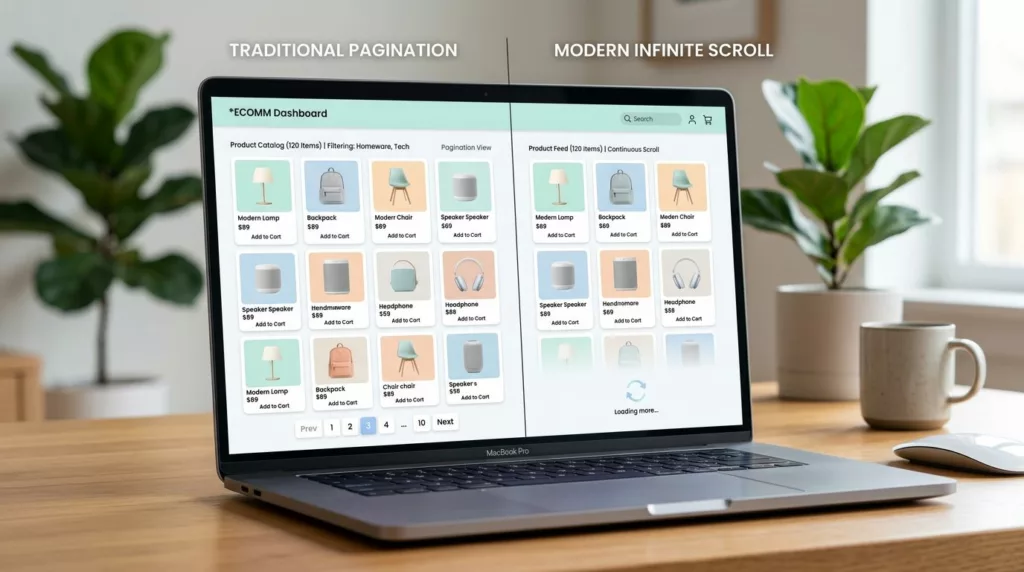

On a Shopify collection page for your online store, the product grid is your storefront window. If shoppers can’t find items fast, they bounce. If Google can’t reliably crawl deep products without Shopify collection pagination, they won’t rank.
That’s why the choice between Shopify collection pagination and infinite scroll isn’t a style preference. It changes crawl paths, load times, analytics accuracy, and user experience, such as whether customers feel “lost” in a never-ending list.
Here’s the practical take for 2026: keep crawlable paginated URLs, then optionally add a “Load more” for better user experience with progressive enhancement.
What pagination and infinite scroll really change on collection pages
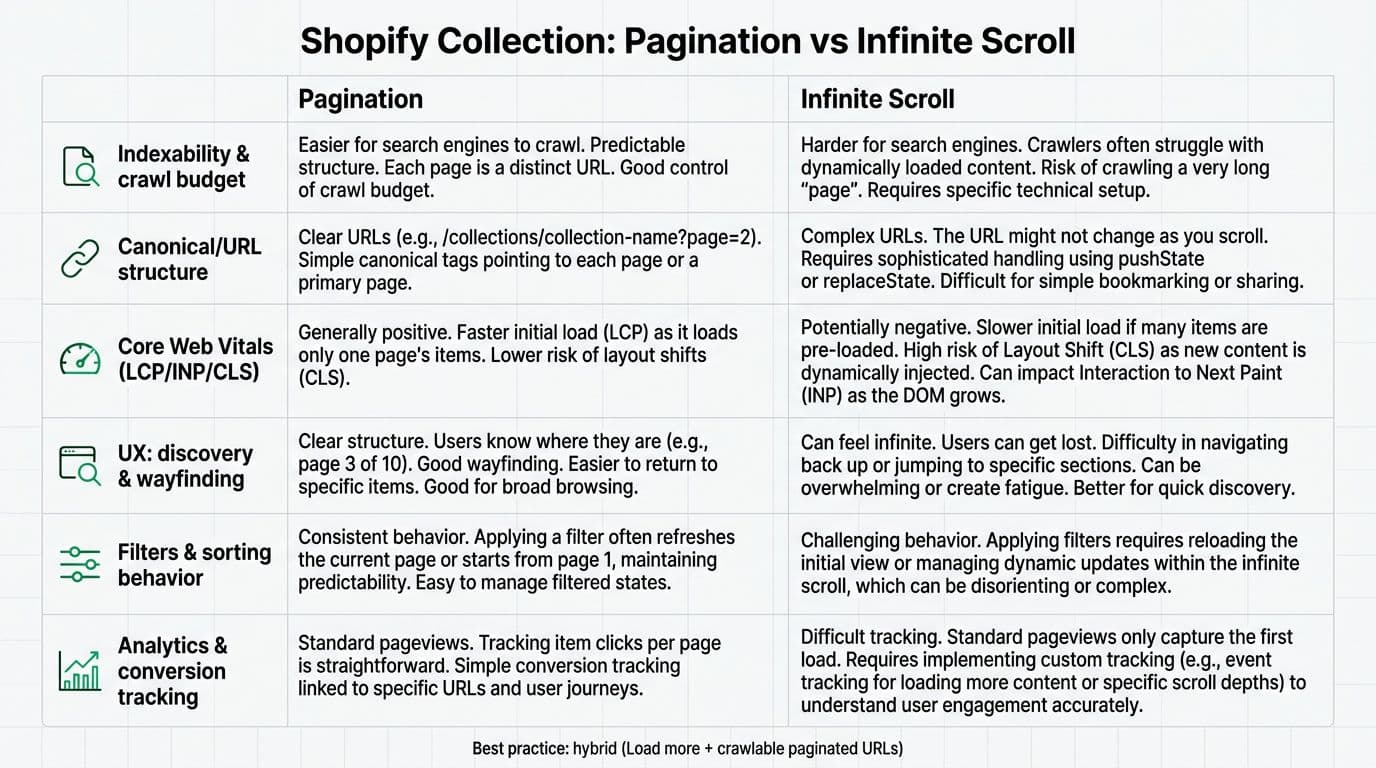
Numeric pagination creates a set of stable URLs, usually ?page=2, ?page=3, and so on, with products per page limits. Each page is a normal HTML document with links to the next page. That matters because it gives search engines clear paths, and it gives shoppers a sense of place (page numbers, back button behavior, and shareable URLs).
Infinite scroll loads more products into the collection grid as the user scrolls. It often depends on JavaScript fetching the next page (or an API endpoint), then injecting new product cards into the DOM. That can feel smooth, yet it changes several “boring but important” basics:
- The back button can become unreliable unless you manage history state.
- Sharing a deep spot in a collection gets harder without URL updates.
- Analytics can undercount list views and misread product position.
- Performance can degrade if you keep appending heavy DOM nodes.
A middle option exists: a Load more button. It gives the same browsing feel as infinite scroll, but contrasts numeric pagination by keeping stable URLs and predictable behavior. Tools like the GemPages builder can influence these layouts.
If a shopper can’t tell where they are, they won’t explore. Wayfinding is conversion fuel.
SEO in 2026: crawlable URLs still win, even with JavaScript
For organic search, paginated URLs are the safer default because they are linkable, crawlable, and testable. Google can process JavaScript, but relying on JS for basic discovery adds risk, especially on large stores and faceted collections.
Start with Shopify’s strongest advantage: Shopify collection pagination is a standard feature of the Liquid templating language and is already baked into themes, particularly in the main-collection.liquid file. When you keep the native links, crawlers can move from page 1 to page 2 and keep going. Developers may need to edit liquid code within the Shopify code editor to optimize crawl paths. Shopify also publishes clear guidance in its own SEO resources, including Shopify’s pagination SEO best practices.
Infinite scroll becomes risky when your implementation hides the “next page” behind JS-only triggers. If crawlers don’t see crawlable links, deeper products can get fewer crawls and weaker internal linking signals. Practical background reading: Shopify pagination for e-commerce SEO.
Canonicals, internal links, and filtered URLs
On most collection pages, you want each paginated URL to be indexable only if it adds value on the collection page, and you want canonicals to be consistent. Don’t “canonical everything to page 1” by default unless you have a strong reason, because it can reduce the chance that deeper products get discovered through the category path.
Filtering and sorting add another layer. If your filters create many URL variants, decide what should be indexable. Then make sure your pagination links stay consistent for each indexable view. When stores get this wrong, they end up with thin pages, duplicated content, or crawl traps.
UX and Core Web Vitals: where infinite scroll helps, and where it hurts
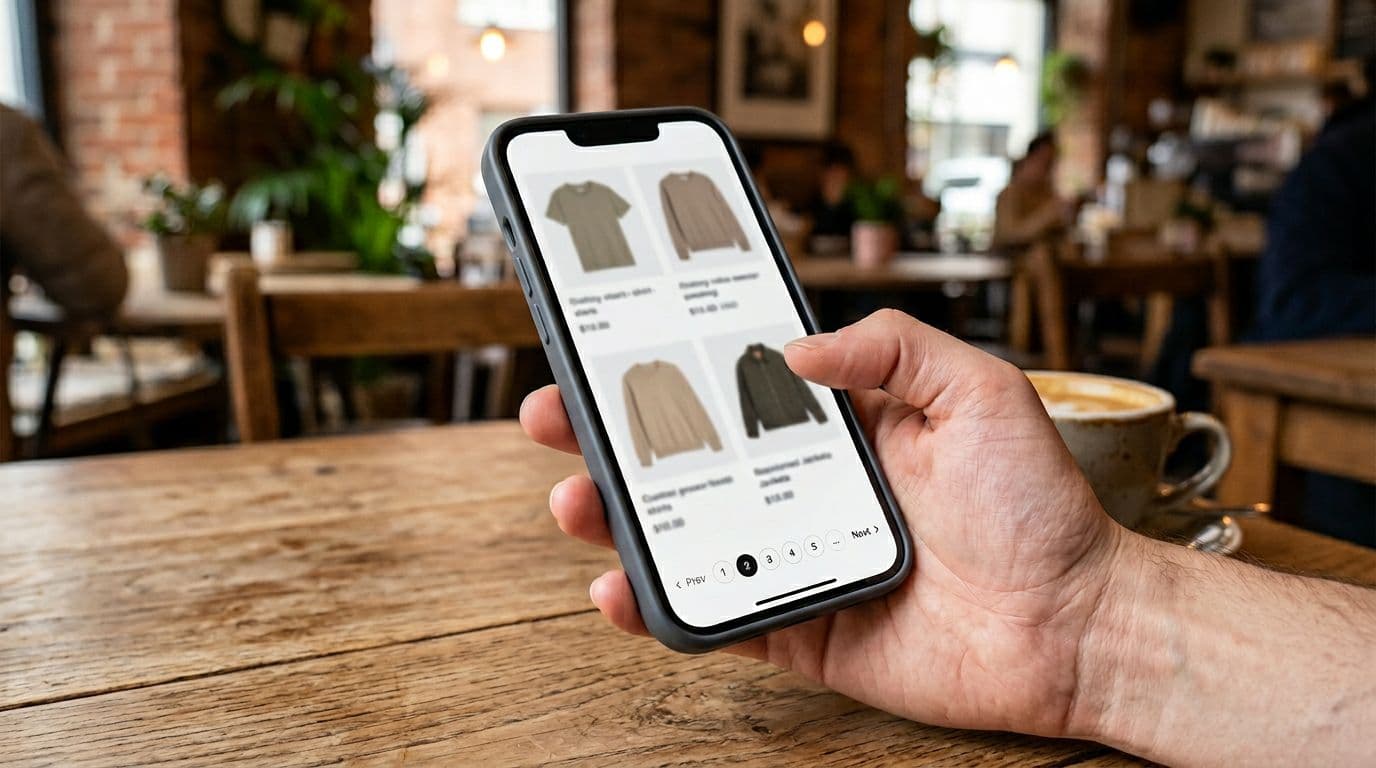
Infinite scroll can feel great for “browse mode.” Think of a customer killing time and scrolling for inspiration. In that scenario, fewer taps often means more product impressions and better user experience.
However, ecommerce collection pages are not social feeds. Many shoppers are hunting: size, price range, color, a specific style. For those users, pagination can be faster because it supports wayfinding (page numbers, consistent scroll position, easier comparison). UX research and product teams often highlight these tradeoffs, and the practical UX considerations are summarized well in LogRocket’s UX comparison of pagination vs infinite scroll.
Performance realities (LCP, INP, CLS)
Core Web Vitals problems usually show up faster with infinite scroll because the page keeps growing:
- INP can worsen as event handlers and DOM size grow.
- CLS spikes when appended images lack reserved space in the collection grid (especially with varying products per row).
- Memory usage can climb on long sessions, especially on mobile.
Pagination limits the maximum DOM size and makes performance easier to predict, including more consistent load times. Still, pagination isn’t automatically “fast.” You still need image sizing, lazy loading, and careful theme code. Different themes like Motion theme and Refresh theme handle collection grid layouts in unique ways that impact user experience and load times.
Accessibility and “lost in the list”
Screen reader users, keyboard users, and shoppers who rely on the browser back button often do better with pagination. Infinite scroll can work, but only if you build it with clear focus management, ARIA live regions, and stable URL updates.
The best practice: hybrid pagination with progressive “Load more”
A hybrid approach keeps the crawlable paginated links, then enhances the experience for humans. In other words, pagination is the foundation, and JS adds convenience.
For CRO-focused collection work, it also helps to treat the collection page as a system (grid, filters, sorting, merchandising, products per page, products per row). While basic options like products per page live in Shopify admin or theme settings, to customize collection page elements such as pagination style requires editing liquid code. This broader view is covered in collection page optimization guidance for 2026.
Liquid: keep real pagination links in main-collection-product-grid.liquid (crawlable by default)
In your collection template’s main-collection-product-grid.liquid file, keep Shopify’s paginate tag and its paginate_by liquid logic with the products_per_page variable. Render standard links. This is the part you don’t want to break.
{% paginate collection.products by 24 %}
  <div id="ProductGrid">
    {% for product in collection.products %}
      {% render 'card-product', product: product %}
    {% endfor %}
  </div>

  <nav class="Pagination" aria-label="Collection pages">
    {% if paginate.previous %}
      <a rel="prev" href="{{ paginate.previous.url }}">Previous</a>
    {% endif %}

    <span aria-live="polite">Page {{ paginate.current_page }} of {{ paginate.pages }}</span>

    {% if paginate.next %}
      <a id="NextPageLink" rel="next" href="{{ paginate.next.url }}">Next</a>
    {% endif %}
  </nav>
{% endpaginate %}
JavaScript: “Load more” without breaking URLs, history, or analytics
This pattern fetches the next paginated URL from the collection paginator element, appends products to the product list element from the product source, updates the URL, restores scroll on back, and emits an analytics event.
(function () {
  const grid = document.querySelector('#ProductGrid');
  const nextLink = document.querySelector('#NextPageLink');
  if (!grid || !nextLink) return;

  // Progressive enhancement: keep the <a> for crawlers and no-JS users
  const button = document.createElement('button');
  button.type = 'button';
  button.className = 'LoadMore';
  button.textContent = 'Load more';
  nextLink.insertAdjacentElement('beforebegin', button);

  // Back button and scroll restoration
  history.scrollRestoration = 'manual';
  const keyFor = () => location.pathname + location.search;
  const saveScroll = () => sessionStorage.setItem(keyFor(), String(window.scrollY));
  window.addEventListener('scroll', saveScroll, { passive: true });

  window.addEventListener('popstate', () => {
    const y = Number(sessionStorage.getItem(keyFor()) || '0');
    window.scrollTo(0, y);
  });

  async function loadNextPage() {
    const url = nextLink.getAttribute('href');
    if (!url) return;

    button.disabled = true;

    const res = await fetch(url, { headers: { 'X-Requested-With': 'fetch' } });
    const html = await res.text();
    const doc = new DOMParser().parseFromString(html, 'text/html');

    doc.querySelectorAll('#ProductGrid > *').forEach((card) => grid.appendChild(card));

    const newNext = doc.querySelector('#NextPageLink')?.getAttribute('href');
    if (newNext) {
      nextLink.setAttribute('href', newNext);
      history.pushState({ pageUrl: url }, '', url);
    } else {
      nextLink.remove();
      button.remove();
    }

    // Analytics event (works with GTM dataLayer or custom listeners)
    window.dataLayer = window.dataLayer || [];
    window.dataLayer.push({
      event: 'collection_load_more',
      next_page_url: url
    });

    button.disabled = false;
  }

  button.addEventListener('click', loadNextPage);
})();
Keep the link, enhance the experience. That one rule prevents most SEO and UX regressions.
Quick checklist (SEO, UX, performance)
| Area | What to verify | Why it matters |
|---|---|---|
| SEO | Paginated URLs are crawlable, consistent canonicals, no blocked ?page= URLs | Helps discovery of deeper products and stable indexing |
| UX | Clear wayfinding (page count, products per page indicator), keyboard support, focus doesn’t jump after loading | Reduces “lost in the list” and improves accessibility |
| Performance | Fixed image dimensions for products per row, lazy loading below fold, avoid appending too much DOM | Protects LCP, INP, and CLS on long browsing sessions |
Conclusion
If you have to pick one default for your collection page, pick Shopify collection pagination because it’s predictable for crawling, sharing, and wayfinding. Then add “Load more” as an enhancement, so shoppers browse faster without hiding products from discovery.
Run a quick check in Search Console and measure Core Web Vitals after changes. Periodically review your pagination settings to ensure optimal performance. After all, the best collection UX is the one shoppers enjoy, and search engines can fully reach.